TL;DR
A baby monitor with night vision uses infrared light to show a grayscale image in a dark room. Compare the actual view at your planned camera distance, mount the camera securely outside the crib with cords out of reach, and treat video and alerts as extra information rather than a replacement for safe-sleep practices or caregiver attention.
The nursery can look pitch black from your doorway while a baby monitor with night vision shows a small gray picture on your screen. That picture can make a quiet check easier, especially when you would rather not switch on a bright light. But a clear screen depends on more than a resolution number printed on a box.

Turn the school run and nap time into listening time
- Thousands of audiobooks, podcasts and originals
- Listen on your phone, tablet or Echo — also offline
- Cancel anytime
This guide explains how infrared night vision works, what to look for in a dark-room image, and how to compare camera placement, connections, power, privacy, alerts, and ongoing fees. You will also get practical safety reminders: keep the camera outside the crib, follow the maker’s mounting instructions, check child-product recalls through the U.S. Consumer Product Safety Commission (CPSC), and ask your pediatrician about infant sleep or health concerns. A monitor can support your care; it cannot replace safe-sleep practices or an in-person check.
Check the night image at the intended mounting distance; resolution alone does not tell you how clear it will look.
Mount the camera securely outside the crib and keep cords well out of your baby’s reach.
Choose a direct parent unit or Wi-Fi app based on your home’s connection, range, and remote-viewing needs.
For Wi-Fi models, check passwords, multifactor authentication, software updates, video storage, and subscription terms.
Treat alerts and video as supplemental information; follow safe-sleep practices and pediatric guidance, and check CPSC recall notices.
See what infrared night vision can—and can’t—show
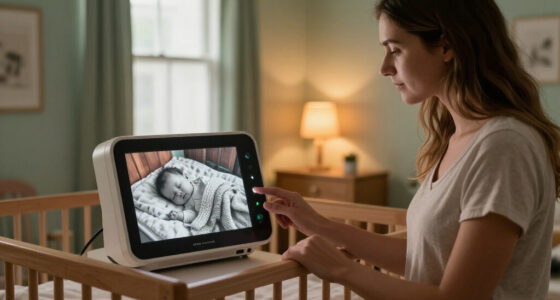
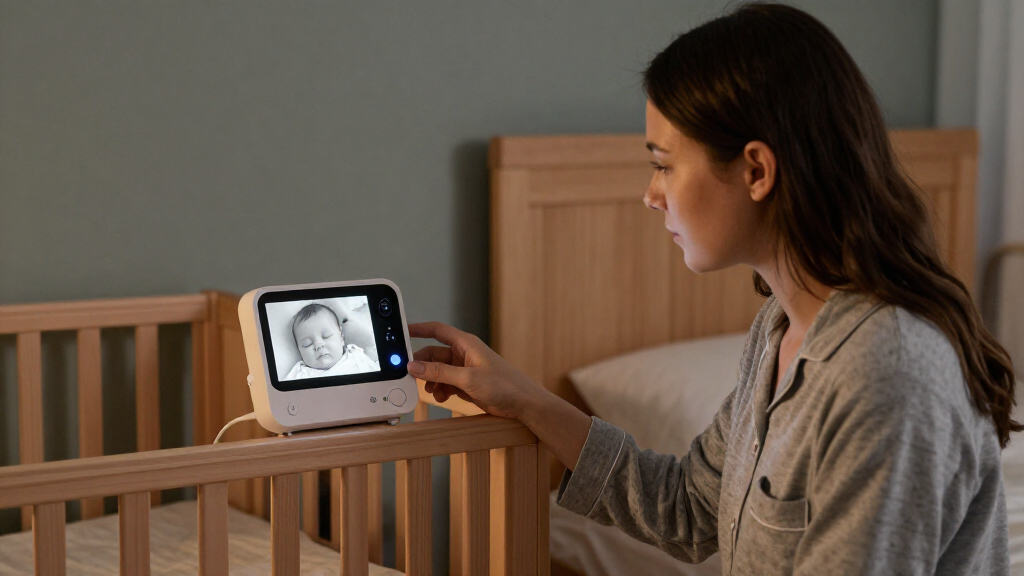
A baby monitor with night vision uses infrared (IR) LEDs to light a dim room for its camera, then usually shows the scene as a grayscale image. The infrared light is generally invisible to people, so the room can look dark to you while the screen shows the baby, bedding, and nearby furniture. In effect, the camera carries a small lantern your eyes cannot see.
That gray view can help you check position or see whether a baby has stirred without turning on the ceiling light. At 3 a.m., you might spot a little shoulder shifting beneath a sleep sack while the rest of the room remains quiet. In complete darkness, though, the picture may show less detail than a daytime image, and the screen cannot reliably confirm breathing or identify a medical problem.
Look at the whole sleeping area in the image, not just the camera’s stated resolution. Focus, distance, lens angle, and infrared glare all affect what you can make out. For example, a bright patch reflected from a nearby wall can wash out part of the picture, even if the camera has a high-resolution label.
Night vision helps you see a scene. It does not replace safe-sleep practices, caregiver attention, or pediatric guidance about an infant’s health.
Product features vary, and a standard consumer monitor is not a medical device. If an image worries you, check on the baby directly; for sleep or health questions, follow your pediatrician’s guidance.
Popular right now

De'Longhi Magnifica Duo Fully Automatic Espresso Machine with Milk Frother, Silver

Dyson Airwrap i.d. Multi-Styler

Vitamix VX1 Professional-Grade Blender, 64 oz, Black
As an affiliate, we earn on qualifying purchases.
Check these five details before trusting the nighttime picture
A good night image gives you a clear view of the sleeping area from the spot where you plan to mount the camera. Before choosing a model, check focus, glare, distance, field of view, and detail together. A crisp daytime demo tells you little if the crib looks like a pale blur after the nursery light goes out.
- View the image in darkness. If possible, test the camera in a dark room similar to the nursery; look for a clear outline of the baby and sleep space.
- Check for glare. Watch for a bright reflection from a wall, mirror, window, or glossy furniture near the camera.
- Try the planned mounting distance. A camera that looks sharp from a desk may not focus the same way from a wall across the room.
- Balance coverage and detail. A wide-angle lens may show more of the crib, but it can make a small face or sleep sack look farther away.
- Look for blind spots. Check whether the camera shows the full intended area from its fixed position.
Imagine mounting the camera near the nursery door, then seeing the crib edge cut off at night. Moving the camera may improve the view, but placement still needs to follow the manufacturer’s instructions and keep the device and cords well away from the crib and your baby’s reach.
Use the image as a practical view of the room, not a measurement of breathing or a health assessment. If you cannot see the baby clearly, adjust the setup safely or compare a different camera view; do not treat a sharper screen as proof that a child is safe.
Choose the connection that fits your nights and your home
A dedicated parent unit usually connects directly to its camera, while a Wi-Fi model sends video through your home network and may offer a phone app. Your choice comes down to where you need the view and which connection you can rely on. A direct system can suit bedside checks at home; phone access can help when an approved caregiver is elsewhere.
| Option | Useful when | Check before buying |
|---|---|---|
| Dedicated parent unit | You want a separate screen and a direct camera connection. | Range through your home, battery life, charging, and whether the system works without internet. |
| Wi-Fi with phone app | You want remote viewing or app-based options. | Internet and account needs, app support, security settings, storage, and any subscription fees. |
These are different tradeoffs, not a guarantee that one type will work better everywhere. Thick walls, network coverage, power interruptions, and the specific model all affect reliability. If the nursery is at the far end of the house, check whether the parent unit keeps its connection from the place you actually sit, rather than assuming the advertised range will match your floor plan.
For Wi-Fi models, use a strong, unique password, turn on multifactor authentication if available, update the app and device firmware, and secure your home router. Check whether recordings stay on a local card or go to cloud storage, and read the current subscription terms. A phone app is convenient only if the account, internet connection, and app remain available.
Mount the camera safely and keep cords out of reach
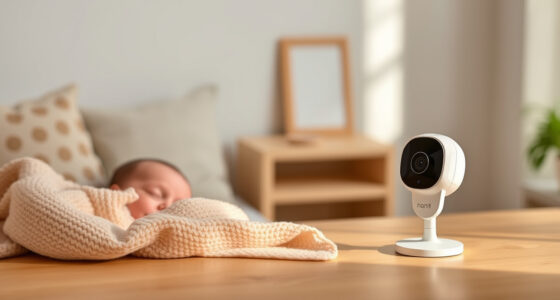
Mount a monitor camera securely outside the crib, following the maker’s instructions for placement and distance, and keep every cord well out of your baby’s reach. The screen’s angle may tempt you to place the camera close to the crib, but a convenient view is not worth an unsafe setup. The camera should watch the sleep space from a stable position beyond the baby’s reach.
For example, if a shelf gives you a good overhead view, check that it is sturdy and that no cable hangs down toward the crib. A loose cord can turn into a hazard as your baby grows, reaches, and eventually pulls up. Use the manufacturer’s approved mounting method, and inspect the setup again when you rearrange furniture or move the crib.
Keep the camera’s own instructions nearby, especially for mounting, power, ventilation, and continuous use. Check product safety notices and recalls through the CPSC before buying and periodically after purchase; recalls can apply to particular models or batches. Also check the manufacturer’s latest guidance, since specifications and recommended mounting details differ across products.
A clear image starts with a safe camera position. Keep the device and cords outside the crib and out of reach, even if another position gives you a closer view.
If you are unsure whether a proposed mount or cord route is safe, choose another setup that follows the product instructions. Ask your pediatrician for guidance about infant sleep safety; a camera view cannot make an unsafe sleep arrangement safe.
Treat alerts and extras as helpful prompts, not promises
Motion and sound alerts, temperature readings, two-way audio, lullabies, and movement tracking can add convenience, but they do not guarantee that the monitor will notice every event or interpret it correctly. Alerts can be delayed, missed, or triggered by ordinary sounds and movement. Think of them as a doorbell: useful when it rings, but not a substitute for looking after the home.
Suppose a sound alert wakes you because the air conditioner rattled, then a later notification arrives after the baby has already settled. That is frustrating, and it shows why alert settings need a little real-life tuning. Try the monitor during ordinary household noise, learn how its alerts behave, and decide which ones genuinely help during your routine.
Newer products may offer higher-resolution video, local or cloud recording, phone alerts, or AI-based detection. Those features can make checking easier, but they can also bring false alerts, extra data collection, and subscription dependence. Before paying for cloud history or advanced alerts, check the current model’s fees, storage options, app requirements, and privacy controls with its maker.
A temperature reading describes conditions near the sensor, not a diagnosis or a complete picture of your baby’s comfort. Likewise, movement tracking does not reliably confirm breathing or prevent health problems. For questions about infant sleep, temperature, feeding, or health, follow pediatric guidance rather than relying on consumer-monitor readings.
Plan for charging, outages, and the real monthly cost
A monitor only helps while its camera and screen have power and a working connection. Some cameras need continuous power; some parent units run on batteries and need regular charging. Check both sides of the setup, along with what happens if your router, internet service, or home power goes out.
Picture a parent unit beeping at 2 a.m. because its battery has run low. Keeping the display charged and confirming the camera’s power connection can prevent that small nuisance from becoming a missed view. Follow the manufacturer’s instructions for charging, ventilation, and all-night operation, and learn how the system signals a lost connection.
Price the full setup rather than the box alone. Some models require a subscription for cloud recording, extended video history, or certain alerts; others offer live viewing or local storage without those fees. A model with a lower sticker price can cost more over time if the features you want sit behind a monthly charge.
Before buying, write down the features you would use every week and compare them with the actual costs. If you only need a live image on a parent unit, paying for remote viewing and long video history may not fit your routine. If another caregiver needs access from outside your home, an app may be worth the added account, network, and subscription requirements.
Make a short checklist before you buy
Choose a monitor by matching its nighttime image and practical setup to your home, then check the ongoing costs and product guidance. A compact checklist makes it easier to compare models when the boxes all promise sharp video and peace of mind. Start with the view you need at night, then move through connection, safety, and ownership.
- Compare the dark-room view. Check clarity at your planned distance and look for glare, blur, or blind spots.
- Confirm safe placement. Follow the maker’s mounting instructions, keep the camera outside the crib, and route cords out of reach.
- Pick your connection. Decide whether you want a direct parent unit, phone access, or both; check range, internet, and account requirements.
- Review privacy and storage. For Wi-Fi models, check passwords, multifactor authentication, updates, and local versus cloud video storage.
- Price power and extras. Check battery life, charging needs, outage behavior, subscriptions, and any paid alert or recording features.
- Check safety information. Review current manufacturer instructions and CPSC recall notices for the model.
For instance, if your main goal is a quick glance from your bedroom, a dedicated unit with a dependable local connection may meet your needs. If an approved caregiver needs to view the camera from another location, an app may suit better, provided you are comfortable with its network and account requirements.
Read product claims carefully and verify current details with the manufacturer. Features and security practices change, so today’s app support or subscription terms may differ from an older review.
Frequently Asked Questions
How does night vision work on a baby monitor?
Most monitors use infrared LEDs to illuminate a dark scene, then display the camera’s view in grayscale. People generally cannot see the infrared light, so the nursery can appear dark while the screen shows the sleeping area.
Can a monitor see a baby in complete darkness?
Infrared night vision can show a scene without visible room lighting, though the picture may have less detail than it has in daylight. Check the view for clarity and glare at the camera’s intended mounting distance.
Does a video monitor show whether my baby is breathing?
A standard video image may show movement, but it cannot reliably confirm breathing or diagnose a health problem. Treat the screen as a visual check, not a medical assessment, and follow your pediatrician’s guidance for health concerns.
Where should I put a baby monitor camera?
Mount it securely outside the crib, follow the manufacturer’s placement instructions, and keep the camera and cords well out of your baby’s reach. Check the setup again as your baby grows or you move furniture.
Are Wi-Fi monitors better than dedicated parent-unit monitors?
Neither is best for every home. A Wi-Fi model can offer phone access away from home, while a dedicated unit may connect directly without internet; compare range, power, security, and the specific model’s requirements.
Do all baby monitors record video?
No. Some provide live viewing only, while others support local or cloud recording, sometimes for a fee. Check where video is stored, how long it remains available, and whether recording requires a subscription.
Conclusion
Choose a monitor that gives you a useful night view from a safe, stable position, with power and connection you can count on. Check the current instructions, privacy settings, costs, and CPSC recall notices, and keep the camera and cords outside your baby’s reach.
Then let the screen do its modest job: offer a quiet glimpse of the nursery, while your care and pediatric guidance remain the things you rely on most.