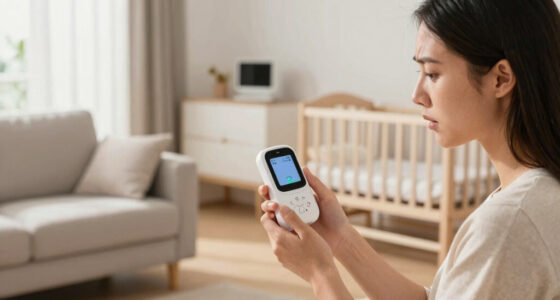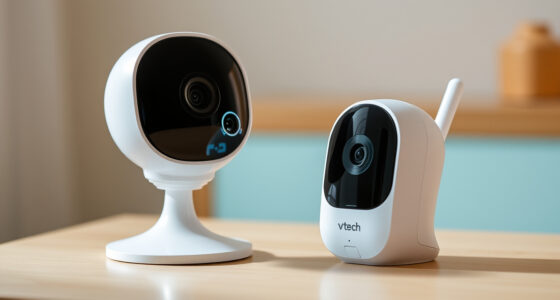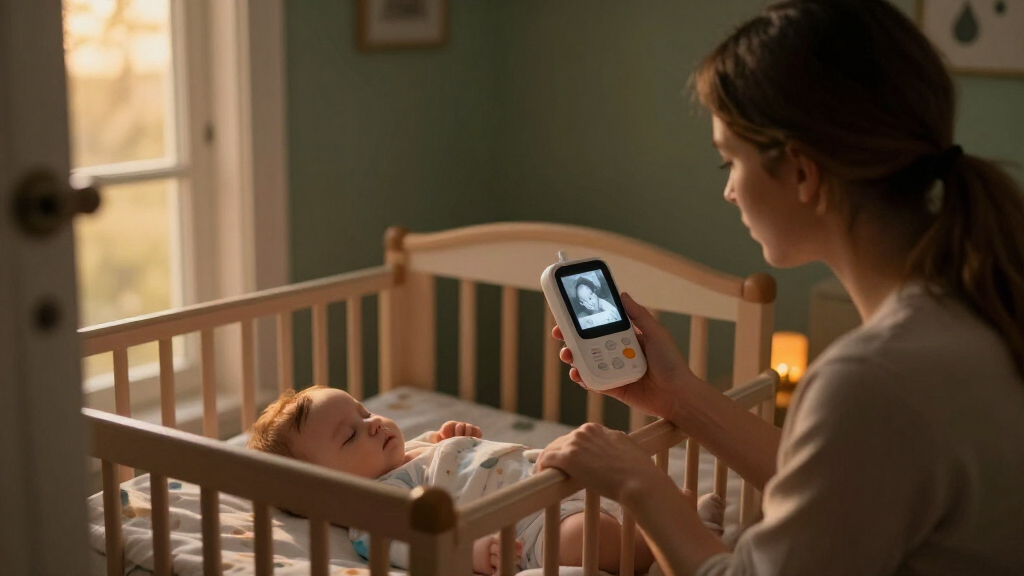
When comparing baby monitors with night vision, the key choice is not simply which one produces the sharpest image. It is whether you want a camera and its own parent screen, or a camera that sends video to an app over Wi-Fi. Both can show a dim or dark nursery without switching on a lamp, but they suit different routines and expectations.

Turn the school run and nap time into listening time
- Thousands of audiobooks, podcasts and originals
- Listen on your phone, tablet or Echo — also offline
- Cancel anytime
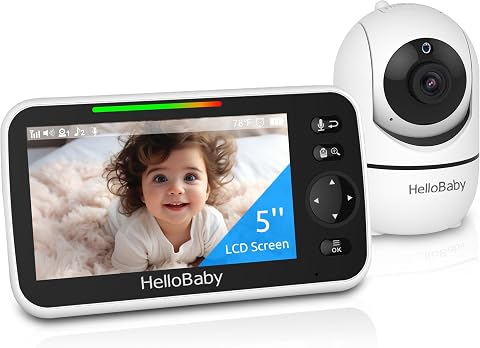
HelloBaby HB6550 Non-WiFi Baby Monitor with Camera and 5-Inch Screen
- ✔ Screen: 5-inch color screen
- ✔ Night vision: Infrared
- ✔ Camera movement: 355° pan, 120° tilt

GoodBaby 5-Inch Baby Monitor with Camera and Audio
- ✔ Display: 5-inch LCD
- ✔ Video resolution: 480p
- ✔ Night vision: Infrared

HelloBaby 4.3-Inch Video Baby Monitor with Remote Pan-Tilt-Zoom
- ✔ Screen: 4.3-inch IPS
- ✔ Night vision: Automatic infrared
- ✔ Camera movement: 350° pan, 120° tilt
A dedicated-screen monitor is usually the easier fit if you want a quick, self-contained check from home and do not want to rely on a phone or internet connection. A Wi-Fi model is more useful if you want to view the nursery while away from home, share access with another caregiver, or use app features such as saved clips. The tradeoff is that remote convenience brings more dependence on network quality, software, and account security.
Night-vision performance itself varies by camera, not just by monitor category. Infrared illumination can show a black-and-white image in darkness, but range, focus, glare, and placement affect what you can see. The comparison below focuses on the practical differences that matter when choosing between the two designs.
At a Glance
| Criteria | Dedicated-screen baby monitor with night vision | Wi-Fi baby monitor with night vision | Winner |
|---|---|---|---|
| Night-vision view | Infrared night vision displayed on a dedicated parent screen; quality and range depend on the specific model. | Infrared night vision appears in the phone app; low-light clarity, lag, and viewing controls vary by model. | Depends |
| Connection and reliability | Often connects directly between camera and parent unit, so basic viewing can work without home internet. | Usually relies on Wi-Fi for app viewing; weak or disrupted internet can affect access. | A |
| Viewing away from home | Generally intended for use within the monitor’s stated connection range at home. | Can often be checked remotely through the internet, subject to product features and connection. | B |
| Setup and everyday use | A separate screen is ready for quick checks and does not tie up a phone. | Uses a familiar phone, but alerts and viewing compete with other app activity and battery use. | A |
| Privacy and security | No camera app account is necessarily required, though wireless links still need sensible placement and use. | Requires careful account, password, software, and network security practices. | A |
| Alerts and extra features | Commonly offers sound or motion alerts and two-way talk; feature sets differ by model. | May add cloud clips, multiple-user access, notifications, or integrations, sometimes through paid plans. | B |
| Cost and ongoing value | Often a one-time purchase with fewer app-dependent extras; screen quality and battery life vary. | Can offer more remote features for the money, but some services may have recurring fees. | Depends |
HelloBaby HB6550 Non-WiFi Baby Monitor with Camera and 5-Inch Screen
The HelloBaby HB6550 is our best overall choice because it combines the features that matter most for checking a sleeping baby without making the setup depend on Wi-Fi. Its 5-inch color screen gives us a larger viewing area than the 4.3-inch HelloBaby, while remote 355° pan, 120° tilt, and 2× zoom help bring more of the nursery into view from the parent unit. Infrared night vision supports dark-room monitoring, and two-way audio gives caregivers a way to speak into the room without walking over immediately.Its clearest advantage over GoodBaby is expandability to up to four cameras. That makes the HB6550 the more adaptable pick for households with more than one child or a plan to monitor multiple spaces. The GoodBaby has a stated range of up to 1,000 feet and lists feeding alarms, while the HB6550 instead adds a sound-level LED indicator and audio-only power-saving mode. Those are different priorities: choose GoodBaby if its listed alerts matter more; choose this HelloBaby if adding cameras is the stronger reason to buy.The tradeoff is that the supplied information does not provide a video resolution or a range figure, so we cannot place it ahead of GoodBaby on those points. It is also not water resistant, and a dedicated monitor will not suit caregivers who want to check the nursery through a phone app. For a family seeking a larger screen, night vision, and a no-Wi-Fi system that can grow, however, this is the most balanced option in the group.
Pros:
- Infrared night vision with remote pan, tilt, and 2× zoom
- 5-inch color display is larger than the 4.3-inch model in this roundup
- Supports up to four cameras for monitoring multiple rooms
- Includes two-way audio, temperature alerts, lullabies, and audio-only mode
Cons:
- The provided specifications do not state video resolution or operating range
- Not water resistant
- No Wi-Fi or app-based remote viewing
Best for: Families who want a 5-inch no-Wi-Fi monitor with infrared night vision and the option to add cameras for other rooms.
Not ideal for: Caregivers who need a stated long-range specification, want phone-app viewing, or need a water-resistant device.
Bottom line: We recommend the HB6550 as the most flexible all-round night-vision monitor, especially for families likely to expand beyond one camera.
“We recommend the HB6550 as the most flexible all-round night-vision monitor, especially for families likely to expand beyond one camera.”
GoodBaby 5-Inch Baby Monitor with Camera and Audio
The GoodBaby 5-Inch Baby Monitor makes sense for caregivers who want a conventional parent unit with useful nursery controls and a clearly stated range. Its infrared night vision is paired with a 5-inch display, remote 355° pan and 120° tilt, and 2× zoom. Those camera controls match the HB6550 on paper, so either can help you reposition the view without entering the room; GoodBaby’s differentiators are its listed feeding alarms and stated range of up to 1,000 feet.That range figure may appeal in a larger home, but it is a listed maximum, not a promise of the same reach through walls or interference. Battery expectations need similar context. GoodBaby claims up to 30 hours in VOX mode, when the display is not continuously on, but lists up to 10 hours with the screen on. Compared with the 4.3-inch HelloBaby, that is a shorter stated screen-on estimate than its 16 hours in non-ECO mode, though the modes are not described identically and should not be treated as a direct test comparison.GoodBaby also offers two-way audio, eight lullabies, temperature alerts, and flexible mounting options. It is a richer listed feature set than the compact HelloBaby, but video resolution is limited to 480p, which constrains image detail. And unlike the HB6550, its supplied details do not mention support for multiple cameras. We would choose it for the stated range and practical alerts—not for sharper video or a multi-room system.
Pros:
- Infrared night vision with a 5-inch display and remote camera movement
- Lists up to 1,000 feet of range and two-way audio
- Includes feeding alarms, temperature alerts, and eight lullabies
- Up to 30 hours of battery life in VOX mode
Cons:
- 480p video resolution limits image detail
- Battery estimate falls to up to 10 hours with the screen on
- Multi-camera expandability is not specified
Best for: Caregivers who want a 5-inch dedicated monitor, remote camera controls, feeding alarms, and a stated range of up to 1,000 feet.
Not ideal for: Buyers who prioritize higher video detail, long continuous screen-on battery life, or support for several cameras.
Bottom line: GoodBaby is a strong fit when listed alerts and a stated range matter more than resolution or continuous screen-on endurance.
“GoodBaby is a strong fit when listed alerts and a stated range matter more than resolution or continuous screen-on endurance.”
HelloBaby 4.3-Inch Video Baby Monitor with Remote Pan-Tilt-Zoom
The HelloBaby 4.3-Inch Video Baby Monitor is the compact alternative for families who would rather carry or place a smaller parent unit than have the largest screen available. It still covers the essentials for dark-room checks: automatic infrared night vision, two-way audio, and remote camera movement. Its 350° pan and 120° tilt provide broad positioning control, although the stated pan range is slightly narrower than the 355° listed for the two 5-inch models.Battery life is its strongest point on paper. HelloBaby lists up to 30 hours in ECO mode and up to 16 hours in non-ECO mode. Sound-activated screen wake can help keep the display from running continuously, which is useful for caregivers who do not need a live image at every moment. The GoodBaby also lists up to 30 hours, but its estimate is specifically tied to VOX mode and drops to up to 10 hours with the screen on. Since the modes and conditions differ, we would compare the use cases rather than assume the claims are directly equivalent.The compromise is the 4.3-inch IPS screen: it is smaller than the displays on the HB6550 and GoodBaby, so it offers less viewing area for checking the room at a glance. Its stated range is approximately 1,000 feet, with a warning that actual range may vary. That makes it less definitive than a guaranteed reach and does not overcome the screen-size tradeoff for everyone. Choose this model if compactness and ECO-mode battery life are higher priorities than a larger display or multi-camera expansion; the HB6550 is the better fit when screen area and camera growth matter more.
Pros:
- Automatic infrared night vision and two-way audio
- Up to 30 hours in ECO mode and 16 hours in non-ECO mode
- Sound-activated screen wake can reduce continuous display use
- No Wi-Fi or app connection is required
Cons:
- 4.3-inch screen is smaller than the other two monitors here
- Range is approximate and may vary by conditions
- The listed pan range is 350°, slightly less than the 5-inch alternatives
Best for: Caregivers who want a smaller dedicated monitor with infrared night vision, sound-activated screen wake, and long listed ECO-mode battery life.
Not ideal for: Buyers who prefer a 5-inch display, need a specified multi-camera system, or want a firm real-world range guarantee.
Bottom line: Choose this HelloBaby when a compact receiver and ECO-mode battery claim outweigh the convenience of a larger screen.
“Choose this HelloBaby when a compact receiver and ECO-mode battery claim outweigh the convenience of a larger screen.”
As an Amazon Associate we earn from qualifying purchases.
Key Differences
The biggest practical split is where the video goes. A dedicated-screen monitor sends the camera feed to a paired parent unit, making it a straightforward choice for checking from another room without opening an app. Many models can keep working for ordinary in-home viewing if the internet goes down, although range, walls, interference, and battery life still matter. A Wi-Fi monitor routes viewing through a network and app. That can extend access beyond the house, but it adds points of failure and may introduce delay if the connection is poor.
Neither type automatically has better night vision. Both commonly use infrared LEDs to illuminate a dark room without visible light, and both may switch to a monochrome image. The actual result depends on the camera sensor, infrared range, lens, placement, and the nursery layout. A bright reflection from a nearby surface can wash out part of the view, and a camera aimed at the wrong area will not give a useful picture regardless of its advertised resolution. Check the model’s night-vision specifications and return policy rather than assuming that Wi-Fi or a larger screen means clearer darkness viewing.
For most families who only need dependable checks at home, the dedicated-screen option is the simpler default. Wi-Fi is the stronger choice when remote access, sharing, or app-based recording genuinely matters enough to justify the network and account requirements. Paying extra for a Wi-Fi model makes sense for those features, not just for the phrase “night vision” on the box.
Detailed Comparison
Night-vision view (moderate difference)
Neither category wins on night vision as a rule: infrared viewing is available in both, while image detail and usable range are model-specific. A dedicated screen may make a fast glance convenient, but a phone can offer a larger, sharper display on some Wi-Fi systems. Conversely, an app feed can be delayed or softened by network conditions. This is a moderate, model-dependent difference, not a reason to choose by category alone. Compare sample images or independent specifications, and check that the camera can see the crib area without glare.
Connection and reliability (Dedicated-screen baby monitor with night vision wins — major)
A dedicated-screen model generally wins for basic at-home access because the camera can communicate directly with its parent unit without requiring the household internet connection. That does not make it immune to interference or range limits, but it avoids a common Wi-Fi failure point. A Wi-Fi monitor can be perfectly steady on a strong network, yet an outage, router issue, or weak signal may interrupt app viewing. The gap is major for families who want the monitor to work independently of internet service; it is smaller in a home with reliable coverage.
Viewing away from home (Wi-Fi baby monitor with night vision wins — major)
Wi-Fi wins clearly when a parent or caregiver needs to check the camera from outside the home. App access can be useful during travel, at work, or when another authorized caregiver is elsewhere, depending on the product’s remote-viewing design. A typical dedicated-screen system is built for use within its local range and cannot provide the same internet-based access. This is a major advantage only if remote checks are part of the routine; if the monitor stays at home, it may have little practical value.
Setup and everyday use (Dedicated-screen baby monitor with night vision wins — moderate)
A dedicated parent unit usually wins for quick nighttime checks: pick up the screen, see the feed, and set it down without unlocking a phone or opening an app. It also leaves the phone free for calls and other tasks. A Wi-Fi monitor may be easier for people who already manage devices through an app, and it avoids carrying a separate screen. The difference is moderate and personal: choose the interaction you will find least distracting during overnight use.
Privacy and security (Dedicated-screen baby monitor with night vision wins — moderate)
A dedicated-screen system has an advantage when minimizing accounts and cloud services is a priority, since many models can be used without a camera app account. Wireless transmission still deserves care, and features differ, so “no app” is not a guarantee of security. Wi-Fi models add account credentials, network access, and potentially cloud storage or sharing settings. With a strong unique password, updated software, and carefully managed users, those risks can be reduced. The difference is moderate: families uncomfortable with connected cameras should favor A, while app users should check the maker’s security and data policies.
Alerts and extra features (Wi-Fi baby monitor with night vision wins — moderate)
Wi-Fi models often have the advantage in app notifications, shared access, cloud clips, and integrations, though not every camera offers every feature and some may require a subscription. Dedicated-screen models can still provide practical sound or motion alerts and two-way talk, but tend to center on live monitoring. The gap is moderate: additional functions are useful when they fit a real care routine, but more alerts can also mean more interruptions. Check which functions are included before paying for a model that advertises them.
Cost and ongoing value (moderate difference)
There is no universal price winner because both categories span basic and premium models. Dedicated-screen options can be better value when the need is simply live viewing at home: the separate unit is included, and there may be fewer app services to pay for. Wi-Fi can be worth the added cost if remote viewing, multiple caregivers, or recording saves effort in day-to-day use. Subscription fees can change the long-term calculation, so compare the total cost over the period you expect to use the monitor rather than the camera’s initial price alone. The difference is moderate and feature-dependent.
Dedicated-screen baby monitor with night vision: Pros and Cons
Pros:
- Often supports in-home viewing without relying on internet service.
- Dedicated parent screen offers quick access and leaves a phone free.
- May suit buyers who prefer fewer accounts and app-based services.
- Simple live-view needs can be met without paying for cloud extras.
Cons:
- Usually lacks convenient viewing from outside the home.
- Parent-unit range and battery life can limit where it works well.
- A separate screen is another device to charge and keep track of.
- Night-vision clarity depends on the particular camera, not the category.
Wi-Fi baby monitor with night vision: Pros and Cons
Pros:
- Can support remote viewing when the product and network allow it.
- Uses a phone many caregivers already carry.
- May offer shared access, app alerts, recording, or smart-home features.
- Can be convenient for households with multiple caregivers in different places.
Cons:
- Viewing depends more heavily on Wi-Fi, internet access, and app availability.
- Account security and data practices need attention.
- Some recording or advanced functions may require a recurring plan.
- Phone notifications, battery use, or app interruptions may affect overnight checks.
Who Should Choose What
Choose Dedicated-screen baby monitor with night vision if:
- You mainly monitor from another room and want a dedicated screen ready for quick checks.
- You prefer basic operation that can work without the home internet connection.
- You want to limit app accounts, cloud services, or phone-based monitoring.
- Remote access and stored video are not worth extra cost to you.
Choose Wi-Fi baby monitor with night vision if:
- You need to check the nursery while away from home.
- More than one caregiver needs app access from different locations.
- You value app notifications, recordings, or device integrations and have checked any subscription costs.
- Your home network is reliable and you are comfortable maintaining account security.
Skip both if: If you need monitoring with no wireless transmission at all, or require medical-grade breathing or health measurements, neither category alone meets that need. Check specialist products and clinical guidance rather than treating a standard video monitor as a medical device.
Value for Money
Paying more for a Wi-Fi monitor is worthwhile when remote access, sharing, or included app features solve a recurring problem. For a caregiver who travels or hands monitoring between people in different locations, those functions can justify the added setup and any subscription. If all checks happen at home, the premium often buys capabilities that go unused; a dedicated-screen model is usually the better value if it provides an acceptable night view and enough range.
Do not pay a premium solely for a night-vision label or a higher advertised resolution. Compare the actual infrared range, image examples, camera positioning options, parent-unit or app performance, and warranty. Factor subscription charges into Wi-Fi value, and factor the cost of replacing or charging a separate screen into dedicated-monitor value. The best buy is the least expensive model that meets your real viewing and reliability needs, not the one with the longest feature list.
Final Verdict
For most families monitoring from inside the home, choose a dedicated-screen baby monitor with night vision. It offers a more direct routine, does not occupy your phone, and often keeps basic viewing available when internet service is interrupted. The deciding factor is whether you need access from beyond the monitor’s local range.
Choose a Wi-Fi baby monitor if remote viewing or shared app access is a genuine need and you are willing to depend on a network and manage connected-camera security. Pay more for those capabilities only when you will use them. In either category, judge night vision by the individual camera’s dark-room performance and placement flexibility; the connection type alone does not promise a clearer view.
Frequently Asked Questions
Do Wi-Fi baby monitors have better night vision?
No. Both Wi-Fi and dedicated-screen monitors can use infrared LEDs to show a dark room, and the camera’s sensor, lens, infrared range, and placement matter more than its connection type. Compare the specific models rather than assuming an app-based camera will produce a clearer image.
Will a dedicated-screen monitor work if the internet goes out?
Many dedicated-screen systems connect the camera directly to the parent unit, so ordinary local viewing can continue during an internet outage. Range, interference, power, and model design still apply. Check the product specifications because not every monitor works the same way.
Can I view a Wi-Fi baby monitor when I am away from home?
Many Wi-Fi models support remote app viewing, but availability depends on the product, its service, and working internet connections at both ends. Confirm that remote access is included and check whether recording, extra users, or other features require a subscription.
Is infrared night vision safe for a baby’s room?
Baby monitors commonly use infrared illumination for dark-room viewing. Follow the manufacturer’s placement and use instructions, keep cords well out of reach, and avoid placing equipment where it could fall into the crib. A video monitor does not replace safe-sleep practices or adult supervision.
Should I pay extra for a Wi-Fi monitor if I only use it at home?
Usually not unless you will use a specific app feature, such as caregiver sharing or recording. For home-only live checks, a dedicated-screen model often offers better value and fewer dependencies. Spend extra only when a feature solves a regular need, and include any ongoing service fee in the comparison.
Fall Picks
fall essentials
As an affiliate, we earn on qualifying purchases.