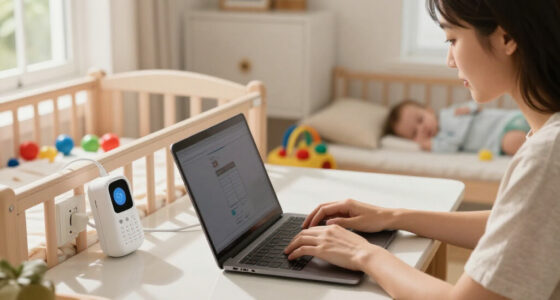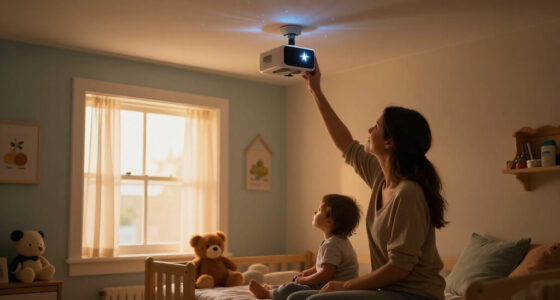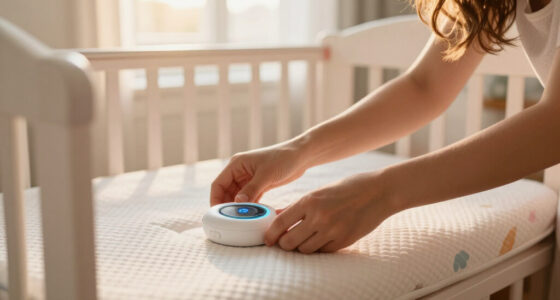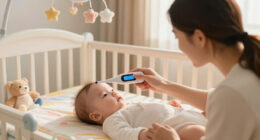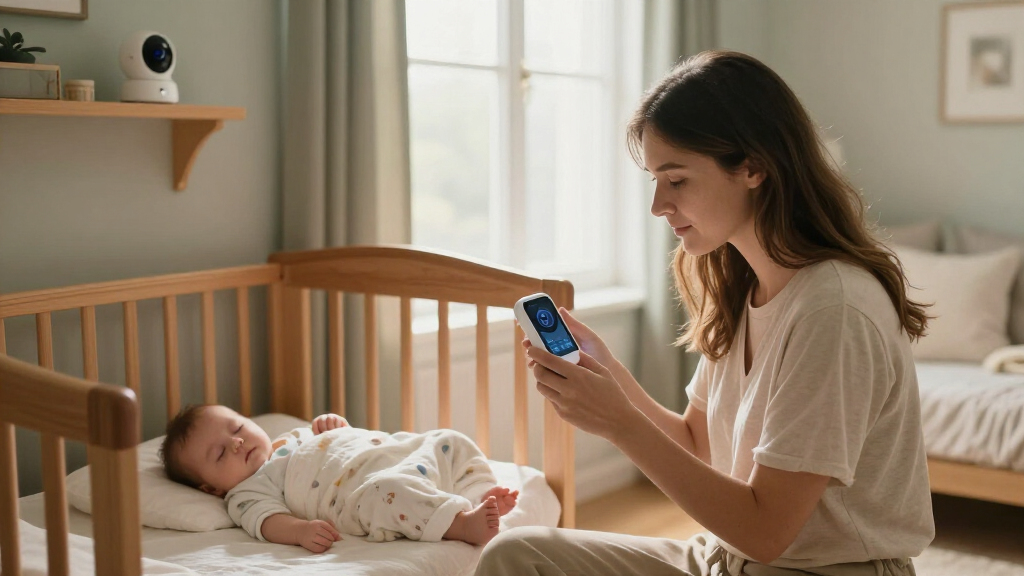

The best smart baby monitors pair clear video with a monitoring setup that suits your home and how you want to check in. I name the Philips Avent Premium Connected Baby Monitor my best overall pick for its 1080p camera and dedicated 5-inch screen, while the Nanit Smart Baby Video Monitor with Floor Stand stands out for a Wi-Fi-focused nursery setup and the VTech VM901-2HD for families who need two camera views. The main tradeoffs are app access versus a separate parent screen, one camera versus two, and connected features versus a simpler monitor that avoids Wi-Fi. No single choice suits every household, so I compare what each model is best at and where it falls short. Read on for the full breakdown, buying advice, and answers to common selection questions.

Turn the school run and nap time into listening time
- Thousands of audiobooks, podcasts and originals
- Listen on your phone, tablet or Echo — also offline
- Cancel anytime
Complete the kit


Key Takeaways
- A dedicated screen still matters: The Philips Avent combines connected viewing with a 5-inch display, making it a strong fit for parents who do not want to rely on a phone for every check-in.
- Two-camera kits solve a different problem than sharper video: The VTech VM901-2HD and Babysense TOUCH offer two camera views, which can be more useful for multiple sleep spaces than upgrading resolution alone.
- Nanit’s stand and mount versions suit different rooms: Floor-stand and wall-mount bundles change camera placement and setup flexibility, so the right Nanit depends on the nursery layout rather than the brand name alone.
- Smart connectivity is not the only route: HelloBaby HB6550 and GoodBaby’s no-Wi-Fi monitor trade app-based access for a simpler local-monitoring approach.
- Specialty monitoring is a separate buying decision: Owlet Dream Sock models focus on wearable sensing, while Dream Sight focuses on camera video; buyers should choose based on the function they actually want, not assume they are interchangeable.
| Philips Avent Premium Connected Baby Monitor with 1080p Camera and 5-Inch HD Screen |  | Best Overall for Screen-and-App Flexibility | Camera resolution: 1080p | Parent screen: 5-inch HD rechargeable screen | Parent-unit battery: Up to 12 hours in ECO mode | VIEW LATEST PRICE | See Our Full Breakdown |
| Momcozy Smart WiFi Baby Monitor with 5-Inch 1080p Camera and Wall Mount |  | Best for Sharing with Family | Model: BM04 | Display: 5-inch parent unit | Camera resolution: 1080p | VIEW LATEST PRICE | See Our Full Breakdown |
| Nanit Smart Baby Video Monitor System with Floor Stand and 8-Inch Display |  | Best Premium Sleep-Tracking System | Video resolution: 1080p HD | Display: 8-inch touchscreen | Setup options: Floor stand or wall mount | VIEW LATEST PRICE | See Our Full Breakdown |
| Dr.Care VistaView 5-Inch 1080p Smart Wi-Fi Baby Monitor with Camera and Clip Mount |  | Best for Flexible Camera Control | Screen size: 5 inches | Camera resolution: 1080p | Camera movement: 300° rotation and 65° tilt | VIEW LATEST PRICE | See Our Full Breakdown |
| Owlet Dream Sock Smart Baby Monitor |  | Best Wearable Vital-Sign Alerts | Intended age: 1–18 months | Intended weight: 6–30 lbs | Measurements: Pulse rate and oxygen levels | VIEW LATEST PRICE | See Our Full Breakdown |
| VTech VM901-2HD Smart Wi-Fi Baby Monitor with Two Cameras and 5-Inch HD Screen |  | Best for Monitoring Two Rooms | Cameras: 2 | Parent unit: 5-inch HD split-screen display | Camera movement: Pan, tilt, and zoom | VIEW LATEST PRICE | See Our Full Breakdown |
| Nanit Smart Baby Video Monitor with Camera and Floor Stand, 1080p Wi-Fi |  | Best for Flexible Placement and Sleep Insights | Camera resolution: 1080p HD | Connectivity: Wi-Fi; local-network viewing during internet outages | Night vision: Infrared | VIEW LATEST PRICE | See Our Full Breakdown |
| HelloBaby HB6550 No-WiFi Baby Monitor with 5-Inch Screen |  | Best No-Wi-Fi Pick | Display: 5-inch color screen | Wireless technology: 2.4 GHz FHSS with digital encryption | Camera rotation: 355° horizontal and 120° vertical | VIEW LATEST PRICE | See Our Full Breakdown |
| Nanit Smart Baby Video Monitor with Camera and Wall Mount, 1080p Wi-Fi |  | Best for a Fixed Wall-Mounted Setup | Video resolution: 1080p HD | Connectivity: Wi-Fi; local-network viewing supported | Night vision: Infrared | VIEW LATEST PRICE | See Our Full Breakdown |
| Babysense TOUCH 7-Inch Smart Wi-Fi Baby Monitor with App and Two Cameras |  | Best Large-Screen Two-Camera System | Display: 7-inch IPS touchscreen | Cameras: 2, with 4MP dual lenses | Zoom: 6× hybrid zoom | VIEW LATEST PRICE | See Our Full Breakdown |
| VTech VM901 Smart Wi-Fi Baby Monitor with 1080p Camera and 5-Inch Screen |  | Best Hybrid Monitor | Model: VM901 | Camera resolution: 1080p | Parent unit screen: 5-inch HD | VIEW LATEST PRICE | See Our Full Breakdown |
| Wi-Fi Baby Monitor with Camera, 4-Inch Screen, Pan and Tilt |  | Best Feature-Packed Value | Video resolution: 720p video; supports up to 1080p display | Screen: 4-inch IPS display | Connectivity: 2.4 GHz Wi-Fi and FHSS no-Wi-Fi connection | VIEW LATEST PRICE | See Our Full Breakdown |
| Owlet Dream Sight Smart Baby Monitor with 2K HD Wi-Fi Camera |  | Best for Detailed App Monitoring | Video resolution: 2K HD | Connectivity: Dual-band Wi-Fi (2.4 GHz and 5 GHz) and Bluetooth | Night vision and zoom: Night vision; 4x zoom | VIEW LATEST PRICE | See Our Full Breakdown |
| GoodBaby 5-Inch Baby Monitor with Camera and Audio, No Wi-Fi |  | Best for Wi-Fi-Free Monitoring | Model: SM663 | Screen: 5-inch IPS LCD | Video resolution: 480p | VIEW LATEST PRICE | See Our Full Breakdown |
| Owlet Dream Sock Smart Baby Monitor |  | Best Wearable Vital-Sign Monitor | Monitoring: Pulse rate and oxygen levels | Intended age: 1–18 months | Intended infant weight: 6–30 lbs | VIEW LATEST PRICE | See Our Full Breakdown |
| smart baby monitor | Connectivity |
|---|---|
| Philips Avent Premium Connecte | — |
| Momcozy Smart WiFi Baby Monito | Dedicated parent unit or 2.4 GHz Wi-Fi |
| Nanit Smart Baby Video Monitor | — |
| Dr.Care VistaView 5-Inch 1080p | 2.4 GHz Wi-Fi and FHSS |
| Owlet Dream Sock Smart Baby Mo | Bluetooth and 2.4 GHz Wi-Fi |
| VTech VM901-2HD Smart Wi-Fi Ba | 2.4 GHz FHSS and 2.4 GHz Wi-Fi |
| Nanit Smart Baby Video Monitor | Wi-Fi; local-network viewing during internet outages |
| HelloBaby HB6550 No-WiFi Baby | — |
| Nanit Smart Baby Video Monitor | Wi-Fi; local-network viewing supported |
| Babysense TOUCH 7-Inch Smart W | 2.4 GHz Wi-Fi; not compatible with 5 GHz |
| VTech VM901 Smart Wi-Fi Baby M | MyVTech Baby app and direct camera connection |
| Wi-Fi Baby Monitor with Camera | 2.4 GHz Wi-Fi and FHSS no-Wi-Fi connection |
| Owlet Dream Sight Smart Baby M | Dual-band Wi-Fi (2.4 GHz and 5 GHz) and Bluetooth |
| GoodBaby 5-Inch Baby Monitor w | 2.4 GHz FHSS; no Wi-Fi |
| Owlet Dream Sock Smart Baby Mo | Bluetooth and 2.4 GHz Wi-Fi |
More Details on Our Top Picks
Philips Avent Premium Connected Baby Monitor with 1080p Camera and 5-Inch HD Screen
I rank the Philips Avent first for families who want a dedicated parent screen and app access without giving up a private connection option. Its 5-inch HD display works alongside 1080p video, while Wi-Fi and non-Wi-Fi modes offer more flexibility than the Momcozy BM04, whose remote app access depends on 2.4 GHz Wi-Fi. Sleep and breathing motion tracking, cry detection, two-way talk, and room-comfort features make this a broader monitoring package than a camera-only setup. The tradeoff is that these tracking features are not medical tools, and the Cry Translation feature is only offered as a limited free trial through an outside provider. App availability is also restricted to the USA, Canada, and Mexico, so this connected pick is less suitable for families elsewhere.
Pros:- Combines a 5-inch parent screen with app-based monitoring
- Offers encrypted connectivity with Wi-Fi and non-Wi-Fi modes
- Includes night vision, two-way talk, and sleep and breathing motion tracking
- Parent unit lasts up to 12 hours in ECO mode
Cons:- App availability is limited to the USA, Canada, and Mexico
- Cry Translation is a limited free trial through an external provider
- Tracking features are not intended for diagnosis or as a substitute for adult supervision
Best for: Families who want a dedicated screen for routine monitoring plus app access and sleep-related features.
Not ideal for: Families outside the USA, Canada, and Mexico, or caregivers seeking medical-grade breathing or health monitoring.
- Camera resolution:1080p
- Parent screen:5-inch HD rechargeable screen
- Parent-unit battery:Up to 12 hours in ECO mode
- Range:Up to 1300 ft
- Connection:Private encrypted connection; Wi-Fi and non-Wi-Fi modes
- Special features:Sleep and breathing motion tracking, cry detection and translation, two-way talk, room thermometer, night light, white noise, and lullaby recording
- Mount:Wall mount
- App availability:USA, Canada, and Mexico
Our verdict“Choose the Philips Avent if you want screen-and-app flexibility with added sleep features, but not if you need medical monitoring or broad international app access.”
Momcozy Smart WiFi Baby Monitor with 5-Inch 1080p Camera and Wall Mount
The Momcozy BM04 is the most family-sharing-focused option here: its app can be shared with up to 20 family members, while a dedicated parent unit keeps everyday viewing from depending on a phone. That makes it a better fit for households coordinating care among relatives than the Philips Avent, which emphasizes privacy modes and sleep-related functions instead. Motion and safe-zone alerts add useful room awareness, and recording can be continuous or motion-triggered. The main catch is that motion alerts appear only in the app, so the parent unit alone does not provide the same alert experience. Remote access also needs a 2.4 GHz Wi-Fi network, and the stated mounting guidance limits where the camera should sit relative to the crib. Choose it for shared access, not maximum placement freedom.
Pros:- Pairs a dedicated parent unit with remote app viewing
- Allows video access for up to 20 family members
- Provides motion and safe-zone alerts through the app
- Supports continuous or motion-triggered recording and photo capture
Cons:- App pairing supports only 2.4 GHz Wi-Fi
- Motion alerts appear only in the app
- Camera placement guidance restricts mounting height and distance from the crib
Best for: Families who want several caregivers to view the camera remotely while keeping a dedicated parent unit at home.
Not ideal for: Households with only 5 GHz Wi-Fi, or caregivers who need motion alerts directly on the parent unit.
- Model:BM04
- Display:5-inch parent unit
- Camera resolution:1080p
- Connectivity:Dedicated parent unit or 2.4 GHz Wi-Fi
- App sharing:Up to 20 family members
- Recording:Continuous or motion-detected recording; photo capture
- Mounting guidance:At least 0.6 m (24 in) above the baby and within 5 m (16 ft) horizontally of the crib
- Certification:FCC
Our verdict“Pick the Momcozy BM04 for broad caregiver sharing, but choose the Philips Avent if private connection modes and on-device sleep features matter more.”
Nanit Smart Baby Video Monitor System with Floor Stand and 8-Inch Display
Nanit is the premium pick for parents who want a large dedicated touchscreen and more detailed sleep and nursery data in one system. Its 8-inch display is larger than the 5-inch screens on the Philips Avent and Momcozy, giving video more room without making a phone the only viewing option. It also measures temperature and humidity and supports local-network viewing during internet outages, a useful distinction from systems that rely on remote connectivity. The tradeoffs are substantial: initial camera setup requires internet access and a subscription, advanced insights and video history stay behind a subscription, and the display lasts only 3–6 hours on battery. Compared with the Philips Avent, Nanit leans harder into sleep analysis but asks for more ongoing commitment.
Pros:- Includes an 8-inch touchscreen alongside app viewing
- Tracks sleep and monitors nursery temperature and humidity
- Supports local-network viewing during internet outages
- Offers floor-stand or wall-mount setup
Cons:- Initial camera setup requires internet access and a subscription
- Advanced sleep insights and video history require a subscription
- Display battery lasts only 3–6 hours
Best for: Parents who want a large touchscreen, nursery-condition readings, and subscription-based sleep insights for a child from birth through age four.
Not ideal for: Families who want setup without a subscription, long portable-screen runtime, or access to advanced features without recurring fees.
- Video resolution:1080p HD
- Display:8-inch touchscreen
- Setup options:Floor stand or wall mount
- Audio:Two-way audio
- Night vision:Infrared
- Sensors:Temperature and humidity
- Display battery life:3–6 hours
- Compatibility:iOS, Android, Alexa, and Google Home
- Subscription:Required for initial camera setup; advanced features require a subscription
Our verdict“Choose Nanit for its large screen and deeper sleep tracking if subscription requirements and short display battery life fit your routine.”
Dr.Care VistaView 5-Inch 1080p Smart Wi-Fi Baby Monitor with Camera and Clip Mount
The Dr.Care VistaView stands out when adjustable camera coverage and local recording matter more than specialized sleep analysis. Its camera rotates 300° and tilts 65°, while 2x and 4x zoom help caregivers check different parts of the nursery from the parent unit. Split-screen viewing and support for up to 128GB of local storage make it a more flexible surveillance setup than the Philips Avent, which instead puts greater emphasis on sleep and breathing motion tracking. Wi-Fi and FHSS connectivity, plus an optional Wi-Fi-off mode, add connection choices. The tradeoffs are that the SD card is sold separately and Wi-Fi is limited to 2.4 GHz. Its feature set is broad, but families seeking subscription-backed sleep insights may prefer Nanit.
Pros:- Camera pans 300° and tilts 65°, with 2x and 4x zoom
- Supports split-screen viewing and local storage up to 128GB
- Offers 2.4 GHz Wi-Fi, FHSS connectivity, and an optional Wi-Fi-off mode
- Includes motion, temperature, and humidity alerts, plus feeding reminders
Cons:- SD card for local storage is not included
- Wi-Fi operates on the 2.4 GHz band only
- The camera is not water resistant
Best for: Caregivers who need pan-and-tilt camera control, split-screen viewing, and the option to store footage locally.
Not ideal for: Families who want built-in storage, 5 GHz Wi-Fi support, or detailed subscription-based sleep analysis.
- Screen size:5 inches
- Camera resolution:1080p
- Camera movement:300° rotation and 65° tilt
- Zoom:2x and 4x
- Battery:5000 mAh removable battery
- Battery life:Up to 11 hours streaming; 15 hours in VOX mode
- Storage:Supports up to 128GB SD card (not included); optional cloud storage
- Connectivity:2.4 GHz Wi-Fi and FHSS
- Security:256-bit AES encryption; optional Wi-Fi-off mode
Our verdict“Choose the VistaView if camera movement and local recording are priorities, but look to Nanit for subscription-based sleep insights.”
Owlet Dream Sock Smart Baby Monitor
The Owlet Dream Sock takes a different approach from the video-first Philips Avent and Nanit: a wearable sock tracks pulse rate and oxygen levels for eligible healthy infants, with alerts sent to the Base Station and phone when readings leave preset zones. That makes it the most specialized pick in this group, not a substitute for a camera monitor. Sleep trends and wake windows add context, and up to 16 hours of battery life reduces the need for frequent charging. Its fit is narrow by design: the product is specified for infants aged 1–18 months and weighing 6–30 lbs, and it is available only in the United States. Setup also requires 2.4 GHz Wi-Fi. Compared with the Philips Avent, it offers wearable measurements but does not provide the listed camera-and-screen monitoring features.
Pros:- Tracks pulse rate and oxygen levels with alerts to the Base Station and phone
- Provides sleep trends and wake-window features
- Fabric sock and battery life of up to 16 hours
- Uses 256-bit encryption and elliptic curve authentication
Cons:- Compatible only in the United States
- Requires 2.4 GHz Wi-Fi for setup and does not support 5 GHz during setup
- Designed only for infants aged 1–18 months and weighing 6–30 lbs
Best for: US families with healthy infants aged 1–18 months and weighing 6–30 lbs who want wearable pulse and oxygen alerts alongside sleep trends.
Not ideal for: Caregivers outside the United States, families whose baby is outside the stated age or weight range, or anyone seeking a video monitor rather than a wearable sensor.
- Intended age:1–18 months
- Intended weight:6–30 lbs
- Measurements:Pulse rate and oxygen levels
- Battery life:Up to 16 hours
- Connectivity:Bluetooth and 2.4 GHz Wi-Fi
- Wi-Fi compatibility:2.4 GHz only; not compatible with 5 GHz during setup
- Data security:256-bit encryption and elliptic curve authentication
- Compatibility:United States only
Our verdict“Choose the Dream Sock for wearable pulse and oxygen alerts within its specified age and weight range, not as a replacement for a camera monitor.”
VTech VM901-2HD Smart Wi-Fi Baby Monitor with Two Cameras and 5-Inch HD Screen
I’d choose the VTech VM901-2HD when seeing two rooms at once matters more than having the largest display. Its 5-inch split-screen parent unit shows both camera feeds together, while each camera can pan, tilt, and zoom—useful for checking separate sleep spaces without switching views. Remote app viewing and shared caregiver access add flexibility, but the dedicated screen means monitoring doesn’t have to rely solely on a phone. Compared with the Babysense TOUCH, VTech has a smaller parent display and less elaborate listed tracking features; its advantage is the straightforward two-camera setup with app access. The tradeoff is 2.4 GHz-only Wi-Fi, which limits network compatibility, and the indoor cameras aren’t water resistant. This is a focused multiroom pick, not an outdoor camera system.
Pros:- Split-screen parent unit displays both camera feeds simultaneously.
- Both cameras offer independent pan, tilt, and zoom.
- Free app supports remote viewing and shared caregiver access.
- Includes night vision, two-way audio, and motion and temperature alerts.
Cons:- Wi-Fi connectivity is listed for 2.4 GHz only.
- Cameras are not water resistant.
- The 5-inch screen is smaller than the 7-inch Babysense TOUCH display.
Best for: Caregivers monitoring two indoor rooms who want a dedicated split-screen display plus remote app access.
Not ideal for: Households with 5 GHz-only Wi-Fi or anyone needing water-resistant cameras for outdoor use.
- Cameras:2
- Parent unit:5-inch HD split-screen display
- Camera movement:Pan, tilt, and zoom
- Zoom:Up to 10× via app; up to 8× via parent unit
- Connectivity:2.4 GHz FHSS and 2.4 GHz Wi-Fi
- Audio:Two-way audio
- Night vision:Automatic
- Mounting:Table or wall
Our verdict“Choose this VTech if you want two-room split-screen monitoring on a dedicated parent unit, and skip it if your Wi-Fi requires 5 GHz.”
Nanit Smart Baby Video Monitor with Camera and Floor Stand, 1080p Wi-Fi
The Nanit floor-stand model suits parents who want a phone-based monitor with room to adjust camera placement as the nursery changes. Its 1080p video, infrared night vision, customizable motion and sound alerts, and temperature and humidity readings cover everyday checks, while local-network viewing can keep monitoring available during an internet outage. The three-month sleep-plan trial introduces Nanit’s analytics, but advanced sleep insights and video history require a subscription; core streaming and alerts do not. Compared with the wall-mount Nanit Smart Baby Video Monitor, this version’s included floor stand may better suit renters or families avoiding wall installation, though the camera features are similar. Setup still needs internet access and Wi-Fi, so it’s less suited to caregivers seeking a fully offline monitor with a dedicated parent screen.
Pros:- 1080p streaming with infrared night vision.
- Floor stand and wall-mount options support different nursery setups.
- Core streaming and alerts work without a subscription.
- Supports multiple caregivers and local-network viewing during internet outages.
Cons:- Advanced sleep insights and video history require a paid subscription.
- Initial setup requires internet access and Wi-Fi.
- Monitoring relies on the app rather than a dedicated parent unit.
Best for: Parents who want flexible floor-stand placement, detailed app alerts, and the option to explore Nanit sleep analytics.
Not ideal for: Caregivers who want a dedicated parent display, fully offline setup, or ongoing sleep-history features without a subscription.
- Camera resolution:1080p HD
- Connectivity:Wi-Fi; local-network viewing during internet outages
- Night vision:Infrared
- Audio:Two-way audio
- Alerts:Customizable motion and sound alerts
- Room monitoring:Temperature and humidity
- Mounting:Floor stand or wall mount
- Security:256-bit AES encryption and two-factor authentication
- Sleep-plan trial:Three months of Nanit Insights
Our verdict“Pick this Nanit for app-based monitoring with flexible stand placement, but choose the HelloBaby HB6550 if you need monitoring that works without Wi-Fi.”
HelloBaby HB6550 No-WiFi Baby Monitor with 5-Inch Screen
I’d put the HelloBaby HB6550 on the shortlist for families who want a direct camera-to-monitor connection instead of app-based remote access. Its 2.4 GHz FHSS link works without Wi-Fi, and the 5-inch display, remote pan and tilt, infrared night vision, and two-way audio cover the core nursery checks. That makes it a simpler fit for caregivers who prefer a self-contained setup, unlike the app-dependent Nanit floor-stand monitor, which adds phone alerts, room humidity readings, and optional sleep analytics. HelloBaby can also pair with up to four cameras, although extra cameras may need to be purchased separately. Its 2× digital zoom is more modest than the VTech VM901-2HD’s stronger zoom options, and it lacks remote viewing away from the parent unit. Choose it for local monitoring, not connected features.
Pros:- Operates without Wi-Fi using a 2.4 GHz FHSS connection.
- 5-inch display with remote pan and tilt and 2× digital zoom.
- Supports up to four cameras.
- Includes infrared night vision, two-way audio, and room temperature alerts.
Cons:- No app-based remote viewing or caregiver sharing is listed.
- Extra cameras may need to be purchased separately.
- 2× digital zoom is more limited than the VTech VM901-2HD’s zoom.
Best for: Families who want a dedicated-screen monitor that works without home Wi-Fi and may later add cameras for more rooms.
Not ideal for: Caregivers who need remote viewing on a phone, app sharing, or more detailed smart-room tracking.
- Display:5-inch color screen
- Wireless technology:2.4 GHz FHSS with digital encryption
- Camera rotation:355° horizontal and 120° vertical
- Zoom:2× digital
- Night vision:Infrared
- Audio:Two-way
- Lullabies:8
- Battery life:Up to 30 hours
- Camera capacity:Up to 4 cameras
Our verdict“Choose the HB6550 if reliable local viewing without Wi-Fi is your priority, and pass if you want app access from outside the home.”
Nanit Smart Baby Video Monitor with Camera and Wall Mount, 1080p Wi-Fi
The Nanit wall-mount monitor is a good match for families who want a set camera position and phone-based access rather than a handheld parent screen. Its 1080p video, infrared night vision, two-way audio, and customizable motion and sound notifications provide a connected monitoring setup, with temperature and humidity readings for room context. Local-network viewing is supported, and core monitoring features work without a subscription. The main boundary is that sleep insights and video history sit behind a paid plan; the three-month Insights trial offers a preview, not permanent access. Compared with the floor-stand Nanit model, the core feature set is similar, so the wall-mount version makes more sense when a fixed installation suits the room. Skip it if you need Wi-Fi-free operation or want analytics included indefinitely.
Pros:- 1080p video with infrared night vision.
- Customizable motion and sound notifications and two-way audio.
- Core streaming and monitoring alerts work without a subscription.
- Supports multiple caregivers and offers temperature and humidity readings.
Cons:- Advanced sleep insights and video history require a paid subscription.
- Initial setup requires internet access and Wi-Fi.
- App-based monitoring does not include a dedicated parent unit.
Best for: Parents who can mount a camera in a fixed nursery position and want app alerts, caregiver access, and room readings.
Not ideal for: Renters or families who need easy camera relocation, a dedicated parent display, or sleep-history features without a subscription.
- Video resolution:1080p HD
- Connectivity:Wi-Fi; local-network viewing supported
- Night vision:Infrared
- Audio:Two-way audio
- Alerts:Customizable motion and sound notifications
- Room monitoring:Temperature and humidity
- Security:256-bit AES encryption and two-factor authentication
- Mounting:Wall mount or floor stand
- Sleep-plan trial:Three months of Nanit Insights
Our verdict“Choose the wall-mount Nanit for a fixed, app-connected nursery setup; choose its floor-stand counterpart if you need easier placement changes.”
Babysense TOUCH 7-Inch Smart Wi-Fi Baby Monitor with App and Two Cameras
For families juggling two sleep spaces, the Babysense TOUCH combines a notably large 7-inch touchscreen with two 4MP dual-lens cameras and split-screen viewing. Auto tracking, 6× hybrid zoom, night vision, two-way talk, and room temperature and humidity sensing give it a broader feature mix than the simpler VTech VM901-2HD, whose 5-inch screen is smaller. Babysense also supports local monitoring without requiring the app or a subscription, with app-based remote viewing available over Wi-Fi. That mix makes it attractive for caregivers who want a dedicated screen at home and phone access away from it. The caveats are practical: Wi-Fi is 2.4 GHz only, the app is listed for the USA only, and local microSD storage requires a separate card. Battery-life information also conflicts between the supplied descriptions.
Pros:- 7-inch touchscreen supports split-screen viewing from two cameras.
- Two 4MP dual-lens cameras include 6× hybrid zoom and auto tracking.
- Local monitoring works without the app or a subscription.
- Includes two-way talk, alerts, night vision, and temperature and humidity sensing.
Cons:- Does not support 5 GHz Wi-Fi.
- The app is listed as available in the USA only.
- MicroSD card for optional local storage is not included.
Best for: Families monitoring two rooms who want a large touchscreen, local viewing, and optional app access without a subscription.
Not ideal for: Households using 5 GHz-only Wi-Fi, buyers outside the USA seeking app support, or anyone expecting a microSD card in the box.
- Display:7-inch IPS touchscreen
- Cameras:2, with 4MP dual lenses
- Zoom:6× hybrid zoom
- Connectivity:2.4 GHz Wi-Fi; not compatible with 5 GHz
- Monitoring:Local monitor and optional app-based remote viewing
- Storage:Optional microSD card, not included
- Weight:0.96 kg
- Warranty:1 year
Our verdict“Choose the Babysense TOUCH for a large local display and two-camera monitoring with optional app access, provided 2.4 GHz Wi-Fi and USA app availability fit your setup.”
VTech VM901 Smart Wi-Fi Baby Monitor with 1080p Camera and 5-Inch Screen
The VM901 is a flexible pick for parents who want a dedicated screen at home without giving up app access when away. Its 1080p video and pan, tilt, and zoom controls make it easier to check different parts of a room than a fixed-camera setup, while the parent unit connects directly to the camera for local viewing. Movement and temperature alerts, plus two-way talk, add useful checks without requiring constant screen watching. Compared with the Owlet Dream Sight, the VM901 gives you a 5-inch parent display and direct camera connection, while Owlet offers higher-resolution video and dual-band Wi-Fi. The tradeoff is that remote viewing on the VTech app needs internet, and the stated range can vary with walls and home layout. I’d choose it for a mix of at-home convenience and remote access, not for app-free monitoring everywhere.
Pros:- Combines a 5-inch parent unit with remote app viewing
- 1080p video with automatic night vision
- Pan, tilt, and up to 10x zoom from the app or parent unit
- Movement and temperature alerts with two-way talk
Cons:- Remote app viewing requires an internet connection
- The up-to-1,000-foot range may be reduced by walls and home layout
Best for: Parents who want a dedicated 5-inch monitor at home and the option to check video remotely through a phone app.
Not ideal for: Families who need remote viewing during internet outages or whose home layout may limit the direct connection’s range.
- Model:VM901
- Camera resolution:1080p
- Parent unit screen:5-inch HD
- Camera control:Pan, tilt, and zoom up to 10x
- Parent unit range:Up to 1,000 feet
- Night vision:Automatic
- Connectivity:MyVTech Baby app and direct camera connection
- Other features:Two-way talk, movement alerts, temperature alerts, and multi-user app access
Our verdict“Choose the VM901 if you want both a dedicated screen and app access; skip it if you need reliable remote viewing without internet.”
Wi-Fi Baby Monitor with Camera, 4-Inch Screen, Pan and Tilt
This monitor packs several everyday functions into one setup: a rechargeable 4-inch screen, app viewing, cry detection, temperature monitoring, two-way audio, and lullabies. Its separate FHSS connection gives families a local viewing option, while 2.4 GHz Wi-Fi enables phone access; that split is useful if you want choices rather than an app-only monitor. Compared with the VTech VM901, it offers a longer stated screen-use time of up to 14 hours, but the VTech provides 1080p camera video and up to 10x zoom. Here, the camera video is 720p, despite support for a display of up to 1080p, so buyers should not mistake the screen capability for the camera’s capture resolution. The camera stand is also not included, and Wi-Fi is limited to 2.4 GHz. It suits feature-seekers willing to accept those compromises.
Pros:- Offers smartphone app viewing and a separate FHSS connection
- Cry detection and room temperature monitoring
- Two-way audio and remote lullaby playback
- Screen use rated for up to 14 hours
Cons:- Camera video is 720p, even though the display supports up to 1080p
- Supports only 2.4 GHz Wi-Fi
- Camera stand is not included
Best for: Parents who want both app and local monitor viewing, plus cry detection and soothing features in one system.
Not ideal for: Buyers who prioritize higher-resolution camera footage, need a supplied camera stand, or use a network that lacks 2.4 GHz Wi-Fi.
- Video resolution:720p video; supports up to 1080p display
- Screen:4-inch IPS display
- Connectivity:2.4 GHz Wi-Fi and FHSS no-Wi-Fi connection
- Pan and tilt:340°
- Lens field of view:68°
- Night vision range:8 meters
- Battery life:Up to 14 hours of screen use
- Monitoring and audio:Cry detection, room temperature monitoring, and two-way audio
- Warranty:2 years
Our verdict“Pick this model for a broad feature set and dual viewing options, but choose the VTech VM901 if camera resolution matters more.”
Owlet Dream Sight Smart Baby Monitor with 2K HD Wi-Fi Camera
The Dream Sight is the strongest fit here for parents who want detailed video and adjustable alerts in an app-first setup. Its 2K HD camera, night vision, and 4x zoom provide more image detail than the VTech VM901, while customizable sound, motion, and crying alerts can reduce the need to watch a live feed continuously. Temperature and humidity tracking add room context, and the app automatically saves clips. 256-bit encryption and independently verified cybersecurity safeguards may also appeal to families attentive to connected-device security. The tradeoff is a reliance on Wi-Fi for streaming and app features; unlike the VM901, it does not list a dedicated parent screen or direct camera connection. Some features require an Owlet360 upgrade, so the included experience may not cover every desired function. This is a more connected, app-centered choice, not the simplest route to local viewing.
Pros:- 2K HD video with night vision and 4x zoom
- Customizable sound, motion, and crying alerts
- Tracks room temperature and humidity and supports two-way talk
- Encrypted video with 256-bit encryption and stated cybersecurity safeguards
Cons:- Camera streaming and app features require Wi-Fi
- Some features require an Owlet360 upgrade
- No dedicated parent screen is listed in the supplied product details
Best for: App-focused parents who value detailed video, customizable alerts, saved clips, and room temperature and humidity readings.
Not ideal for: Families who want a dedicated parent display, need monitoring independent of Wi-Fi, or prefer not to rely on upgrade-dependent features.
- Video resolution:2K HD
- Connectivity:Dual-band Wi-Fi (2.4 GHz and 5 GHz) and Bluetooth
- Night vision and zoom:Night vision; 4x zoom
- Alerts:Customizable sound, motion, and crying alerts
- Two-way talk:Yes
- Room monitoring:Temperature and humidity tracking
- Video storage:Automatic clips saved in the Owlet Dream App
- Encryption:256-bit
- Compatibility:Owlet Dream Sock
Our verdict“Choose Dream Sight for detailed, app-based monitoring and saved clips; choose the VTech VM901 if a dedicated parent screen is a priority.”
GoodBaby 5-Inch Baby Monitor with Camera and Audio, No Wi-Fi
The GoodBaby stands apart by keeping monitoring off Wi-Fi and out of an app. Its 2.4 GHz FHSS link connects the camera to a 5-inch parent screen, making it a straightforward choice for parents who want local viewing rather than phone access. Remote pan and tilt cover a broad area, and the feeding timer, temperature sensor, two-way audio, and lullabies add practical functions. Compared with the VTech VM901, it gives up 1080p video and app viewing for a simpler connection and a claimed battery life of up to 30 hours in VOX mode. The 480p resolution is a real compromise for anyone who wants clear image detail, and the camera itself still needs a power cord. Its range is listed as up to 1,000 feet, but actual reach can depend on the home. This is a local-monitor specialist, not a remote-access pick.
Pros:- Uses 2.4 GHz FHSS without Wi-Fi or an app
- 5-inch screen with remote pan and tilt
- Includes two-way audio, lullabies, a temperature sensor, and a feeding timer
- Parent unit battery is rated for up to 30 hours in VOX mode
Cons:- 480p video offers less detail than the 1080p VTech VM901
- Camera needs a power cord
- Claimed range may vary with the home layout
Best for: Parents who want a dedicated screen and local camera connection without Wi-Fi, apps, or phone-based monitoring.
Not ideal for: Families who want sharper video or need to check the nursery remotely from outside the home.
- Model:SM663
- Screen:5-inch IPS LCD
- Video resolution:480p
- Camera movement and zoom:355° pan, 120° tilt, and 2× zoom
- Range:Up to 1,000 feet
- Battery:3,500 mAh; up to 30 hours in VOX mode or 10 hours with the screen on
- Connectivity:2.4 GHz FHSS; no Wi-Fi
- Features:Night vision, two-way audio, 8 lullabies, temperature sensor, and feeding timer
- Mounting and power:Ceiling, wall, crib, desk, or freestanding; parent unit is battery-powered and camera requires a power cord
Our verdict“Choose the GoodBaby if local, Wi-Fi-free viewing matters more than video detail or remote app access.”
Owlet Dream Sock Smart Baby Monitor
The Dream Sock differs from every camera-focused option in this group: it tracks an infant’s pulse rate and oxygen levels rather than showing a nursery video feed. For healthy infants within its specified age and weight range, it sends alerts to the Base Station and phone when readings leave preset zones, with sleep trends and wake-window guidance adding context. Compared with the Owlet Dream Sight, this is a wearable monitoring system rather than a 2K camera with sound and motion alerts; buyers seeking visual checks may need a separate camera monitor. The sock’s 16-hour battery life means regular charging is part of the routine, and setup requires 2.4 GHz Wi-Fi rather than 5 GHz. Its eligibility limits are specific: ages 1–18 months and 6–30 pounds, with the U.S. version limited to use in the United States. This is a focused wearable, not a general-purpose video monitor.
Pros:- Tracks pulse rate and oxygen levels
- Sends alerts to the Base Station and phone when readings leave preset zones
- Includes sleep trend features and wake-window guidance
- Battery life is rated for up to 16 hours
Cons:- Limited to healthy infants aged 1–18 months who weigh 6–30 pounds
- Requires 2.4 GHz Wi-Fi and is not compatible with 5 GHz during setup
- U.S. version works only in the United States and does not provide a camera view
Best for: U.S. families with a healthy infant aged 1–18 months and weighing 6–30 pounds who want wearable pulse and oxygen tracking with alerts.
Not ideal for: Parents outside the United States, families using only 5 GHz Wi-Fi, or anyone seeking a camera-based view of the nursery.
- Monitoring:Pulse rate and oxygen levels
- Intended age:1–18 months
- Intended infant weight:6–30 lbs
- Battery life:Up to 16 hours
- Connectivity:Bluetooth and 2.4 GHz Wi-Fi
- Wi-Fi compatibility:Not compatible with 5 GHz
- Security:256-bit encryption and elliptic curve authentication
- Material:Nylon and spandex
- Region:U.S. version; compatible only in the United States
Our verdict“Choose the Dream Sock for wearable pulse and oxygen monitoring within its stated eligibility limits, not as a replacement for a video monitor.”
How We Picked
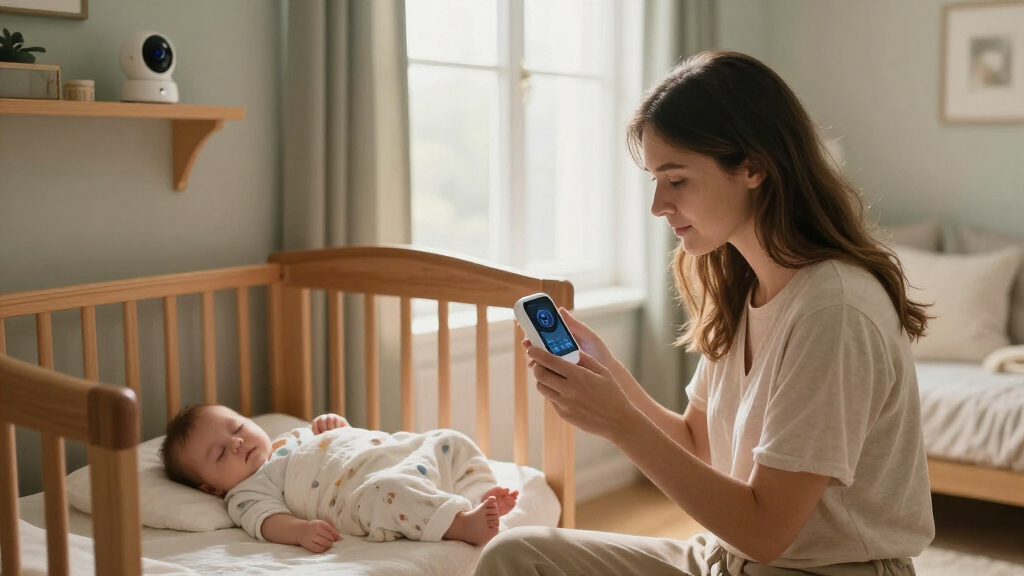
I ranked these smart baby monitors by how well their design matches real household needs: clear video, a usable viewing method, practical camera placement, and flexibility for one or more sleep spaces. I also considered whether the model relies on Wi-Fi, includes a separate parent display, or adds a distinct function such as a wearable sensor. Those differences affect daily convenience and privacy preferences as much as image quality does.
The higher-ranked picks offer a more adaptable balance of viewing options and nursery use, while specialized or simpler models rank higher for the particular buyers they serve. A two-camera bundle can outrank a single-camera monitor for a family with two sleep spaces, but it is not automatically the better choice for a one-room setup. I treated the duplicate Owlet Dream Sock listings as the same product, not as two distinct recommendations, and weighed their wearable approach separately from camera-only monitors.
Factors to Consider When Choosing Smart Baby Monitors
Before choosing a monitor, decide how you want to check in and what problem you need it to solve. The camera specification is only one part of the decision: connection method, placement, extra sensors, and who will use the monitor can have a bigger effect on fit.
Choose App Access, a Parent Screen, or Both
A Wi-Fi monitor can make remote viewing convenient, but it also ties check-ins to a phone, app, and home network. A dedicated parent screen is useful when you want a quick glance without opening an app or keeping a phone nearby. Hybrid models offer more flexibility, though they may involve more setup and more components. A common mistake is choosing based on app access alone without asking who else needs to view the feed. If caregivers share monitoring duties, check whether each person can use the same viewing method and whether the setup fits their comfort with connected devices.
Match the Camera Setup to Your Sleep Spaces
Think about where the camera will be used now and whether you may want to move it later. A single camera is straightforward for one nursery, while a two-camera system can reduce the need to reposition equipment between rooms or children. More cameras do not automatically mean a better view: check how the system switches between feeds and whether its display suits side-by-side or one-at-a-time viewing. Mounting style matters too, since a floor stand, wall mount, or clip mount each fits different room layouts. Before buying, map a safe camera position and confirm the included mounting approach can reach it.
Treat Resolution as One Part of Image Usability
Higher resolution can make details easier to see, but the usefulness of the picture also depends on camera placement, lighting, screen size, and connection quality. A 1080p camera paired with a small display may not feel as convenient as a somewhat simpler view on a screen you can keep nearby. Night viewing and the ability to adjust the camera can matter more than resolution for routine checks. Avoid assuming a sharper image will solve a poor angle or a weak wireless connection. Compare the complete viewing setup rather than selecting by the largest video number on the box.
Decide Whether You Want Wi-Fi in the Monitoring Path
Connected monitors can offer app-based viewing, but they rely on a network and introduce account and device setup into the routine. A no-Wi-Fi monitor may appeal if you prefer a more direct local connection and do not need remote app access. Neither approach is automatically right for every household; your priorities around convenience, network dependence, and privacy should guide the choice. Check the product’s connection details and app requirements before purchasing, rather than assuming every model labeled smart works the same way. Also think about what happens when the internet is unavailable and whether the monitor still provides the viewing method you expect.
Separate Camera Monitoring From Wearable Sensing
A camera helps you view the sleep space, while a wearable monitor adds a different kind of sensing and may require the child to wear a device. Those functions are not substitutes, so decide whether you want visual check-ins, wearable data, or both before comparing models. Wearables add fit, charging, cleaning, and routine considerations that a camera-only setup does not have. Do not treat a consumer monitor as a replacement for medical advice or established safe-sleep practices. If you are considering a specialty sensor, read its intended use and limitations closely and ask a healthcare professional about medical concerns.
Budget for Setup and Everyday Care, Not Just the Camera
The monitor is only part of the setup: stands, mounts, additional cameras, wearable components, and app-related requirements can affect what you need to buy or maintain. A fixed mount can provide a tidy position but may be less convenient if you move the camera between rooms. A portable or clip-on approach can offer flexibility, though placement still needs to be secure and suitable for the room. Think through who will install and adjust the system, how often it may move, and whether accessories are included. The best value is the model that fits your routine without adding equipment or functions you will not use.
Frequently Asked Questions
Should I choose a Wi-Fi monitor or a no-Wi-Fi model?
Choose based on where and how you want to view the feed. Wi-Fi models can support app-based access, which may suit parents who want to check from a phone, while a no-Wi-Fi monitor such as the HelloBaby HB6550 or GoodBaby option fits buyers who prefer a simpler local setup. A dedicated screen can also reduce dependence on a phone during routine checks. Before deciding, confirm the connection method, app requirements, and what viewing access remains if your internet connection is unavailable.
Is a two-camera monitor worth choosing if I have one baby?
It can be useful if your baby sleeps in more than one space, or if you expect to monitor another child soon, but it may be unnecessary for a single fixed nursery. Two-camera kits such as the VTech VM901-2HD and Babysense TOUCH address coverage rather than adding a different kind of sensing. Check how feed switching works and whether you can view both cameras in the way you prefer. If you will use only one camera, a simpler setup may be easier to place and manage.
Do I need a separate parent screen if the monitor has an app?
A separate screen is helpful if you want quick viewing without unlocking a phone, opening an app, or sharing a device. App viewing can be more convenient when caregivers want access from their own phones, but it depends on the connected setup. Hybrid options, including the Philips Avent and VTech VM901 models in this roundup, combine a camera with a dedicated display. Consider who will monitor the baby and where they will be during naps and overnight before paying for one viewing method or both.
Are wearable monitors like the Owlet Dream Sock interchangeable with video monitors?
No. A video monitor shows the sleep space, while a wearable product adds a sensor worn by the baby; they serve different purposes and involve different routines. The Dream Sock is not a camera, while Owlet Dream Sight is a camera-focused option. A wearable may require attention to fit, charging, and care, whereas a camera requires suitable placement and viewing access. Read the product’s intended use and limitations, and do not treat consumer monitoring as a substitute for medical care or safe-sleep guidance.
Which matters more: 1080p video or camera placement?
Both matter, but a well-positioned camera can be more useful than higher resolution from an obstructed or awkward angle. Room layout, mounting height, lighting, display size, and connection quality all affect what you can see. A floor stand may suit a room where a wall mount is impractical, while a clip mount can help with a different placement need. Plan the camera position before choosing a model, then compare resolution as part of the complete viewing setup rather than as the sole deciding factor.
Conclusion
For the best overall balance, I recommend the Philips Avent Premium Connected Baby Monitor, especially for buyers who want both connected viewing and a dedicated screen. The VTech VM901-2HD is my pick for families who need two camera views, while the Nanit floor-stand or wall-mount model is better suited to buyers prioritizing a Wi-Fi camera setup tailored to nursery placement. For beginners who want fewer connected features, I would start with the HelloBaby HB6550 or GoodBaby no-Wi-Fi monitor; buyers seeking a specialized wearable should compare the Owlet Dream Sock separately from camera options. My value recommendation is the VTech VM901 for shoppers who want a smart camera and dedicated screen without the two-camera bundle. Choose the setup that matches your viewing habits and sleep spaces, rather than paying for features you do not plan to use.
Halloween Picks
halloween
As an affiliate, we earn on qualifying purchases.