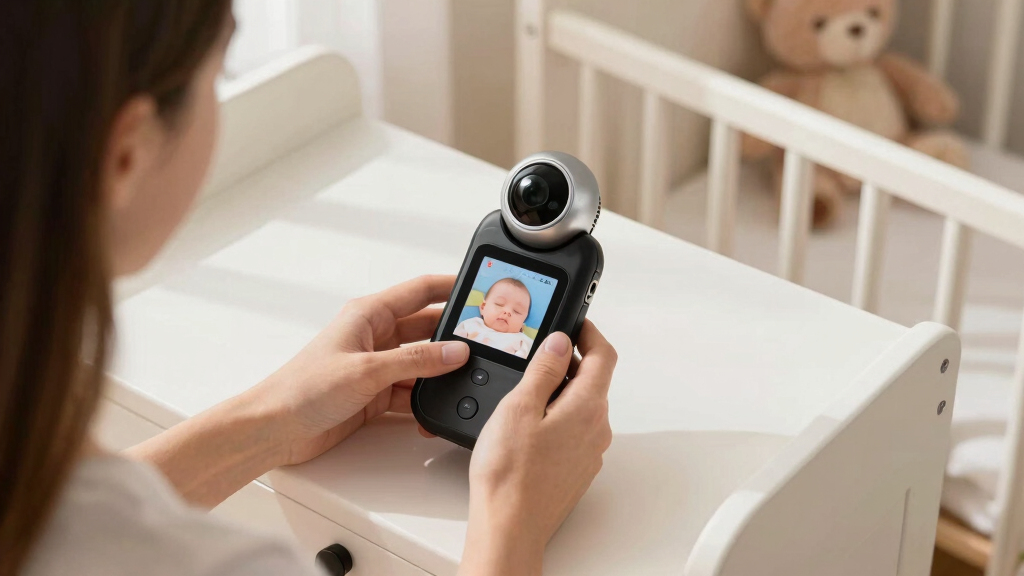

The best baby monitors with pan-tilt-zoom pair useful remote camera movement with a viewing setup that suits your nursery and comfort level with Wi-Fi. My best overall pick is the Blemil 6-Inch Split-Screen Monitor, which stands out for watching two cameras on one screen. The Infant Optics DXR-8 PRO is a strong alternative for parents who want a dedicated monitor with active noise reduction, while the VTech VM901 suits households that want app access and a handheld screen. The key tradeoffs are split-screen convenience versus single-camera simplicity, and local viewing versus Wi-Fi access. Read on for how the nine options differ and which one fits your setup.

Turn the school run and nap time into listening time
- Thousands of audiobooks, podcasts and originals
- Listen on your phone, tablet or Echo — also offline
- Cancel anytime
Complete the kit


Key Takeaways
- Two-camera viewing is the clearest point of separation: Blemil and two HelloBaby models offer split-screen setups, while the Infant Optics and Motorola picks are better suited to simpler camera arrangements.
- No-Wi-Fi monitors and app-connected cameras serve different needs: dedicated parent-unit systems avoid relying on home internet for monitoring, while the VTech VM901 and Kasa camera add phone-based access.
- The Infant Optics DXR-8 PRO has a distinct audio advantage: its active noise reduction separates it from the standard DXR-8 and other listed models.
- Long battery claims and advertised range do not tell the whole story: real-world results depend on screen use, walls, layout, and camera placement, so check how the monitor will work in your home.
- The Kasa camera is the outlier: its pan-and-tilt format may suit a phone-first setup, but buyers seeking a dedicated baby-monitor parent unit should favor the nursery-focused options.
| Blemil 6-Inch Split-Screen Video Baby Monitor with 2 Cameras |  | Best for Split-Screen Viewing | Display: 6-inch IPS screen | Cameras: 2 | Video resolution: 720p | VIEW LATEST PRICE | See Our Full Breakdown |
| Infant Optics DXR-8 PRO 5-Inch HD Video Baby Monitor with Active Noise Reduction | 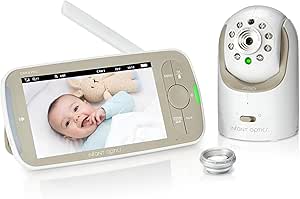 | Best for Adjustable Optical Zoom | Display: 5 inches | Video resolution: 720p | Connection: Wireless FHSS; no Wi-Fi, app, or cloud service | VIEW LATEST PRICE | See Our Full Breakdown |
| HelloBaby HB6550-2 5-Inch No-WiFi Baby Monitor with Two Cameras |  | Best for Expandable Camera Coverage | Display: 5-inch IPS | Cameras: 2 pre-paired; expandable to 4 | Connection: 2.4 GHz FHSS; no Wi-Fi or internet required | VIEW LATEST PRICE | See Our Full Breakdown |
| VTech VM901 Smart Wi-Fi Baby Monitor with 1080p Camera and 5-Inch Screen |  | Best for App-Based Remote Monitoring | Camera resolution: 1080p | Parent unit display: 5 inches | Camera movement: Pan, tilt, and zoom up to 10x | VIEW LATEST PRICE | See Our Full Breakdown |
| Motorola Nursery VM75 No-WiFi Video Baby Monitor with 5-Inch Screen |  | Best for Straightforward No-Wi-Fi Monitoring | Display: 5-inch color screen | Video resolution: 480p | Connection: 2.4 GHz FHSS; no Wi-Fi | VIEW LATEST PRICE | See Our Full Breakdown |
| Infant Optics DXR-8 Video Baby Monitor, Non-WiFi, FHSS Connection, Interchangeable Lenses, Pan Tilt Zoom, Night Vision, Two-Way Talk |  | Best for Customizable Viewing | Resolution: 480p | Connection: 2.4GHz FHSS; no Wi-Fi | Camera control: Remote pan, tilt, and zoom | VIEW LATEST PRICE | See Our Full Breakdown |
| HelloBaby Upgrade 5” Baby Monitor with 2 Cameras, 30-Hour Battery, Night Vision, VOX, 1000ft Range, No WiFi |  | Best for Long Battery Life | Screen size: 5 inches | Camera count: 2; expandable to 4 | Battery life: Up to 30 hours | VIEW LATEST PRICE | See Our Full Breakdown |
| HelloBaby Baby Monitor with 2 Cameras, 6-Inch Split Screen, No WiFi, 30H Battery, 2-Way Audio, Pan-Tilt-Zoom, Night Vision, 8 Lullabies, 1000ft Range |  | Best for Monitoring Two Rooms at Once | Display: 6-inch split-screen | Camera count: 2 | Battery life: Up to 30 hours | VIEW LATEST PRICE | See Our Full Breakdown |
| Kasa 1080p Indoor Pan/Tilt Wired Security Camera |  | Best Wi-Fi Camera for Image Detail | Resolution: 1080p HD | Pan and tilt range: 360° horizontal and 113° vertical | Night vision: Up to 30 feet | VIEW LATEST PRICE | See Our Full Breakdown |
| baby monitors with pan tilt zoom | Connection | Night vision | Display |
|---|---|---|---|
| Blemil 6-Inch Split-Screen Vid | 2.4 GHz FHSS; no Wi-Fi | — | 6-inch IPS screen |
| Infant Optics DXR-8 PRO 5-Inch | Wireless FHSS; no Wi-Fi, app, or cloud service | Yes | 5 inches |
| HelloBaby HB6550-2 5-Inch No-W | 2.4 GHz FHSS; no Wi-Fi or internet required | — | 5-inch IPS |
| VTech VM901 Smart Wi-Fi Baby M | — | Automatic | — |
| Motorola Nursery VM75 No-WiFi | 2.4 GHz FHSS; no Wi-Fi | Infrared | 5-inch color screen |
| Infant Optics DXR-8 Video Baby | 2.4GHz FHSS; no Wi-Fi | Yes | — |
| HelloBaby Upgrade 5” Baby Mon | 2.4GHz FHSS; no Wi-Fi | — | — |
| HelloBaby Baby Monitor with 2 | 2.4GHz FHSS; no Wi-Fi | Infrared | 6-inch split-screen |
| Kasa 1080p Indoor Pan/Tilt Wir | — | Up to 30 feet | — |
More Details on Our Top Picks
Blemil 6-Inch Split-Screen Video Baby Monitor with 2 Cameras
The Blemil makes the most sense when two camera views at once matter more than app access. Its 6-inch IPS display shows both included cameras in split-screen, so I can keep an eye on separate sleep spaces without switching views. Remote pan and tilt, night vision, and two-way audio add useful room coverage and communication. Compared with the HelloBaby HB6550-2, which switches between cameras but displays only one at a time, Blemil is the clearer fit for simultaneous monitoring. The tradeoff is that its listed 720p video is not as sharp as the VTech VM901’s 1080p, and the no-Wi-Fi design rules out remote viewing away from the parent unit. Its claimed outdoor range and ECO-mode battery life are also estimates, not guarantees for every home.
Pros:- Two cameras display simultaneously on the 6-inch screen
- Remote pan and tilt help adjust views without entering the room
- Private FHSS connection works without Wi-Fi or an app
- ECO mode is listed for approximately 30 hours of battery life
Cons:- 720p video is lower resolution than the VTech VM901’s 1080p
- No app or internet access for monitoring away from the parent unit
- Outdoor range and ECO-mode battery life may vary in use
Best for: Parents monitoring two children or sleep areas who want both camera views visible on one dedicated screen.
Not ideal for: Caregivers who need to check the nursery remotely by phone or prefer higher-resolution video.
- Display:6-inch IPS screen
- Cameras:2
- Video resolution:720p
- Connection:2.4 GHz FHSS; no Wi-Fi
- Camera movement:310° horizontal pan; 120° vertical tilt
- Battery:4000 mAh; approximately 30 hours in ECO mode
- Range:Up to 1000 ft outdoors
- Other features:Split-screen, night vision, cry detection, two-way audio
Our verdict“Choose the Blemil if simultaneous views of two rooms matter more than app monitoring or sharper video.”
Infant Optics DXR-8 PRO 5-Inch HD Video Baby Monitor with Active Noise Reduction
The DXR-8 PRO stands out for buyers who want more control over framing than a typical digital-zoom monitor offers. It includes standard and optical zoom lenses, alongside remote pan and tilt, so parents can adjust the view to suit the room rather than relying only on a cropped image. Its Active Noise Reduction can filter background sounds, which may help separate nursery noise from steady household sounds. Like the HelloBaby HB6550-2, it uses a direct FHSS connection without Wi-Fi or an app; unlike that two-camera model, this pick centers on one camera and adjustable lenses. That makes it a better match for tailoring one viewing angle than covering multiple spaces. The 5-inch display is smaller than Blemil’s 6-inch screen, and the wide-angle lens is sold separately.
Pros:- Remote pan, tilt, and zoom adjust the camera view
- Includes standard and optical zoom lenses
- Active Noise Reduction filters some background sounds
- User-replaceable rechargeable battery
Cons:- Wide-angle lens is sold separately
- One camera is included, unlike the two-camera HelloBaby HB6550-2
- No Wi-Fi or app access for monitoring away from the parent unit
Best for: Parents who want a dedicated no-Wi-Fi monitor with interchangeable lenses and noise filtering for one nursery.
Not ideal for: Families who need two cameras included, a larger display, or phone-based remote viewing.
- Display:5 inches
- Video resolution:720p
- Connection:Wireless FHSS; no Wi-Fi, app, or cloud service
- Camera controls:Remote pan, tilt, and zoom
- Included lenses:Standard lens and optical zoom lens
- Noise reduction:Active Noise Reduction
- Night vision:Yes
- Battery:Rechargeable lithium-ion; user-replaceable
Our verdict“Pick the DXR-8 PRO if interchangeable optical lenses and noise filtering matter more than a second camera or larger screen.”
HelloBaby HB6550-2 5-Inch No-WiFi Baby Monitor with Two Cameras
The HB6550-2 is a practical pick for families who want two cameras now and room to add more. It includes two pre-paired cameras, supports up to four, and offers remote pan, tilt, and zoom to reposition the view from the parent unit. One-tap switching and Auto Scan make it easier to check separate spaces, while VOX sound detection can keep the screen from staying on continuously. Compared with the Blemil, it does not show both cameras at once: it displays one camera at a time, so you trade split-screen awareness for expandability. Its no-Wi-Fi FHSS connection suits households that prefer a dedicated monitor, but it does not provide app viewing. The listed 1000-foot range applies outdoors, and the antenna must be extended for that range.
Pros:- Includes two pre-paired cameras and supports up to four
- Remote pan, tilt, and zoom help adjust each camera’s view
- One-tap switching and Auto Scan simplify checking multiple spaces
- VOX, two-way audio, night vision, and room temperature alerts are included
Cons:- Shows only one camera at a time rather than split-screen like the Blemil
- No Wi-Fi or app-based remote viewing
- The listed 1000-foot range is for outdoor use and requires an extended antenna
Best for: Families with multiple children or rooms who want a no-Wi-Fi system that can grow to four cameras.
Not ideal for: Parents who need simultaneous split-screen viewing or remote access through a phone app.
- Display:5-inch IPS
- Cameras:2 pre-paired; expandable to 4
- Connection:2.4 GHz FHSS; no Wi-Fi or internet required
- Camera movement:355° pan; 120° tilt
- Viewing angle:178°
- Battery life:Up to 30 hours in ECO mode
- Range:Up to 1000 ft outdoors
- Other features:VOX, two-way audio, night vision, 8 lullabies, room temperature alerts
Our verdict“Choose the HB6550-2 if you want a growable multi-camera system and can do without split-screen or app viewing.”
VTech VM901 Smart Wi-Fi Baby Monitor with 1080p Camera and 5-Inch Screen
The VTech VM901 is the strongest fit here for caregivers who need to check the nursery from outside the home. It pairs a 5-inch parent unit with the MyVTech Baby app, and its 1080p camera gives it a resolution advantage over the 720p Blemil and Infant Optics DXR-8 PRO. Pan, tilt, and up-to-10x zoom let caregivers reframe the view from either the parent unit or app; shared app access also helps when several people provide care. This flexibility comes with a different privacy and connectivity tradeoff than the FHSS-only options: remote app monitoring requires internet access. The product data also does not specify battery life, so I can’t compare its unplugged runtime with the ECO-mode claims from Blemil or HelloBaby.
Pros:- 1080p camera resolution exceeds the listed 720p resolution of several no-Wi-Fi picks
- Pan, tilt, and up-to-10x zoom work from the app or parent unit
- App enables remote monitoring and shared access for multiple caregivers
- Automatic night vision, motion alerts, and temperature alerts are included
Cons:- Remote app monitoring requires an internet connection
- Battery life is not specified in the product data
- A 5-inch parent-unit screen is smaller than the Blemil’s 6-inch display
Best for: Caregivers who want app access away from home, a parent-unit screen, and shared viewing among family members.
Not ideal for: Households that want a monitor with no Wi-Fi or internet dependency, or buyers who need specified battery runtime.
- Camera resolution:1080p
- Parent unit display:5 inches
- Camera movement:Pan, tilt, and zoom up to 10x
- App:MyVTech Baby
- Night vision:Automatic
- Parent unit range:Up to 1000 feet
- Communication:Two-way talk
- Alerts:Motion and nursery temperature
Our verdict“Choose the VM901 if remote app viewing and sharper video outweigh the appeal of a no-Wi-Fi connection.”
Motorola Nursery VM75 No-WiFi Video Baby Monitor with 5-Inch Screen
The Motorola Nursery VM75 covers the basics for parents who want remote pan, tilt, and digital zoom without relying on Wi-Fi, an app, or a cloud account. Its 5-inch color parent display works with a private 2.4 GHz FHSS connection, and the camera adds infrared night vision, two-way talk, lullabies, and a room temperature sensor. Compared with the Infant Optics DXR-8 PRO, the VM75 offers a simpler feature set rather than interchangeable optical lenses and active noise reduction. Its main compromise is image detail: the listed 480p resolution is lower than the 720p DXR-8 PRO and HelloBaby HB6550-2. The claimed 1000-foot range is another limit to interpret as a stated maximum, not an indoor guarantee. This model suits straightforward nursery coverage, not buyers prioritizing sharp video or advanced zoom flexibility.
Pros:- Works over private 2.4 GHz FHSS without Wi-Fi or an app
- Remote pan, tilt, and digital zoom help adjust the nursery view
- Includes infrared night vision, two-way talk, lullabies, and a temperature sensor
- Comes with a wall-mount option and two AC adapters
Cons:- 480p video has less detail than the 720p DXR-8 PRO and HelloBaby HB6550-2
- Digital zoom does not provide the interchangeable optical lenses of the DXR-8 PRO
- The stated 1000-foot range may not reflect indoor performance
Best for: Parents seeking a basic dedicated monitor with pan, tilt, digital zoom, and nursery alerts, without app setup.
Not ideal for: Buyers who prioritize higher-resolution video, optical zoom options, or remote phone access.
- Display:5-inch color screen
- Video resolution:480p
- Connection:2.4 GHz FHSS; no Wi-Fi
- Camera movement:Pan, tilt, and digital zoom
- Night vision:Infrared
- Range:Up to 1000 ft
- Other features:Two-way talk, lullabies, room temperature sensor
- Mount type:Wall mount
Our verdict“Pick the VM75 for simple no-Wi-Fi pan-tilt-zoom monitoring if lower-resolution video is an acceptable tradeoff.”
Infant Optics DXR-8 Video Baby Monitor, Non-WiFi, FHSS Connection, Interchangeable Lenses, Pan Tilt Zoom, Night Vision, Two-Way Talk
The Infant Optics DXR-8 is a strong fit for parents who want local, non-WiFi monitoring and more control over the camera’s view. Its remote pan, tilt, and zoom let you follow movement from the parent unit, while interchangeable lenses offer flexibility that the HelloBaby 5-inch dual-camera monitor does not emphasize. That lens choice can help tailor the view to a particular room, but the wide-angle lens is sold separately, so the supplied setup may not give every buyer the broad coverage they want. At 480p, it also has less image detail than the Kasa 1080p camera, though the Kasa relies on Wi-Fi rather than a private FHSS link. I’d choose the DXR-8 for adaptable framing and straightforward offline use, not for the sharpest picture or included multi-camera viewing.
Pros:- Non-WiFi FHSS connection avoids dependence on home internet
- Remote pan, tilt, and digital or optical zoom help adjust the view from the monitor
- Interchangeable lenses allow viewing-angle customization
- Night vision and two-way talk support monitoring after lights-out
Cons:- Wide-angle lens is sold separately
- 480p resolution provides less image detail than the Kasa 1080p camera
- Battery duration is not specified, and some viewing options require extra accessories
Best for: Parents who want a non-WiFi monitor with remote PTZ and the option to change lenses for different nursery layouts.
Not ideal for: Buyers who need a wide-angle view included, higher-resolution video, or a split-screen setup for multiple rooms.
- Resolution:480p
- Connection:2.4GHz FHSS; no Wi-Fi
- Camera control:Remote pan, tilt, and zoom
- Zoom:Digital and optical
- Interchangeable lenses:Yes; wide-angle lens sold separately
- Night vision:Yes
- Two-way talk:Yes
- Monitor dimensions:0.9 × 3.1 × 4.8 inches
Our verdict“Choose the DXR-8 if you value private, customizable PTZ monitoring more than high resolution or an included wide-angle lens.”
HelloBaby Upgrade 5” Baby Monitor with 2 Cameras, 30-Hour Battery, Night Vision, VOX, 1000ft Range, No WiFi
For caregivers who want two cameras and fewer charging interruptions, the HelloBaby Upgrade 5-inch pairs a claimed 30-hour battery life with remote pan, tilt, and zoom. Its two-camera bundle suits a nursery plus another room, and the system can expand to four cameras. Unlike the newer HelloBaby 6-inch split-screen model, this version has a single-view display, so you switch between camera feeds rather than watch both at once. That makes the larger split-screen model a better match for simultaneous monitoring, while this one keeps the appeal focused on battery life, a familiar-size screen, and bundled coverage. The stated 1,000-foot range is an outdoor figure, and indoor performance may be lower; an antenna extension is also recommended for best range. I’d pick it for mobile use around a home, not for constant side-by-side viewing.
Pros:- Two cameras included, with expansion capacity up to four
- Up to 30 hours of stated battery life
- Remote pan, tilt, and zoom for adjusting each camera’s view
- VOX, infrared night vision, two-way talk, and temperature monitoring
Cons:- Single-view display does not show both cameras at once, unlike the HelloBaby 6-inch split-screen model
- The 1,000-foot range is an outdoor specification and may not reflect indoor performance
- Antenna extension may be needed for best range
Best for: Parents or caregivers who want two PTZ cameras, long monitor runtime, and the option to add cameras later.
Not ideal for: Families who need to view two rooms simultaneously or depend on a strong signal through multiple walls.
- Screen size:5 inches
- Camera count:2; expandable to 4
- Battery life:Up to 30 hours
- Range:Up to 1,000 feet
- Connection:2.4GHz FHSS; no Wi-Fi
- Pan and tilt:355° pan and 120° tilt
- Sound detection:VOX
- Additional features:Infrared night vision, two-way talk, temperature monitoring, and 8 lullabies
Our verdict“Choose this HelloBaby if long battery life and two included PTZ cameras matter more than simultaneous split-screen viewing.”
HelloBaby Baby Monitor with 2 Cameras, 6-Inch Split Screen, No WiFi, 30H Battery, 2-Way Audio, Pan-Tilt-Zoom, Night Vision, 8 Lullabies, 1000ft Range
The HelloBaby 6-inch split-screen monitor stands apart from the 5-inch HelloBaby Upgrade by showing two camera feeds at once. That side-by-side view is useful when one caregiver needs to keep an eye on a sleeping baby and another room without switching feeds. Both cameras support remote pan, tilt, and zoom, and the non-WiFi 2.4GHz FHSS connection keeps monitoring independent of home internet. Its large display and up-to-30-hour battery life favor extended viewing, but this model offers less camera expansion detail than the other HelloBaby, which is specified as expandable to four cameras. Setup for each camera is manual, and the lack of Wi-Fi means there is no smartphone viewing away from the parent unit. Compared with the Wi-Fi Kasa, this trades remote app access for a dedicated-screen, offline setup.
Pros:- Six-inch split-screen displays two camera feeds simultaneously
- Remote PTZ and a stated 355-degree viewing angle help cover each room
- Up to 30 hours of stated battery life
- No-WiFi FHSS connection, two-way audio, infrared night vision, and 8 lullabies
Cons:- No Wi-Fi or smartphone access for viewing away from the parent unit
- Each camera requires manual setup
- The supplied data specifies two cameras but does not state expansion capacity
Best for: Households monitoring two rooms at the same time, especially caregivers who prefer a dedicated parent screen over a phone app.
Not ideal for: Parents who want smartphone access away from home or need a system explicitly expandable beyond two cameras.
- Display:6-inch split-screen
- Camera count:2
- Battery life:Up to 30 hours
- Connection:2.4GHz FHSS; no Wi-Fi
- Camera control:Remote pan, tilt, and zoom
- Viewing angle:355 degrees
- Night vision:Infrared
- Audio and extras:Two-way audio and 8 lullabies
Our verdict“Choose this model if simultaneous two-room viewing on a large dedicated screen outweighs app access and broader camera expansion.”
Kasa 1080p Indoor Pan/Tilt Wired Security Camera
The Kasa EC71 is the image-detail pick here: its 1080p video offers a sharper view than the 480p Infant Optics DXR-8, and its 360-degree horizontal pan range can cover a broad room. Motion tracking, notifications, and two-way audio make it useful as a nursery camera, but it is a Wi-Fi security camera, not a dedicated no-WiFi monitor. Unlike either HelloBaby system, it does not come with a parent display or a second camera in the supplied product data, so viewing depends on a connected device and network access. Local microSD storage is available, though the card is not included; cloud storage requires a subscription. I’d favor it when video detail and app-based monitoring matter more than an offline FHSS connection or a bundled parent-unit setup.
Pros:- 1080p HD video provides more image detail than the Infant Optics DXR-8’s 480p feed
- 360-degree horizontal pan and 113-degree vertical tilt cover a broad area
- Motion tracking and notifications can help flag activity
- Supports local microSD storage up to 256GB and two-way audio
Cons:- Requires 2.4GHz Wi-Fi rather than a dedicated FHSS connection
- MicroSD card is not included, and cloud storage requires a subscription
- No parent-unit screen or second camera is specified
Best for: Parents who already use a smartphone for monitoring and prioritize sharper video, motion tracking, and app notifications.
Not ideal for: Buyers who want a dedicated parent monitor, a non-WiFi connection, or a camera system with two cameras included.
- Resolution:1080p HD
- Pan and tilt range:360° horizontal and 113° vertical
- Night vision:Up to 30 feet
- Connectivity:2.4GHz Wi-Fi
- Storage:MicroSD up to 256GB or cloud storage with subscription
- Motion features:Motion detection, tracking, and notifications
- Audio:Two-way audio
- Smart home compatibility:Alexa and Google Home
Our verdict“Choose the Kasa if you want detailed app-based video and motion tracking, but skip it if you need a standalone no-WiFi monitor.”

How We Picked
I ranked these models around how well their pan-tilt-zoom controls support everyday nursery monitoring, not around feature count alone. I compared the viewing setup, number of cameras, screen or app access, connection type, audio features, and practical details such as battery and advertised range where provided. A camera that can turn remotely is only useful if caregivers can view it easily and keep track of more than one sleep space when needed.
The ranking favors dedicated baby-monitor systems with clear, convenient viewing for most households, then weighs specialization against tradeoffs. Split-screen models rise for families monitoring two rooms or children; the Infant Optics PRO earns distinction for its stated noise-reduction feature; and Wi-Fi options suit buyers who value phone access. I place the Kasa security camera lower for this roundup because it is a wired indoor camera rather than a complete monitor package with a dedicated parent unit. Product descriptions do not establish real-world image quality, connection reliability, or battery performance, so buyers should confirm current specifications and fit before choosing.
| baby monitors with pan tilt zoom | Night vision |
|---|---|
| Blemil 6-Inch Split-Screen Vid | — |
| Infant Optics DXR-8 PRO 5-Inch | Yes |
| HelloBaby HB6550-2 5-Inch No-W | — |
| VTech VM901 Smart Wi-Fi Baby M | Automatic |
| Motorola Nursery VM75 No-WiFi | Infrared |
| Infant Optics DXR-8 Video Baby | Yes |
| HelloBaby Upgrade 5” Baby Mon | — |
| HelloBaby Baby Monitor with 2 | Infrared |
| Kasa 1080p Indoor Pan/Tilt Wir | Up to 30 feet |
Factors to Consider When Choosing Best Baby Monitors With Pan Tilt Zoom
Remote camera movement can help you reframe a crib without entering the room, but it does not solve every monitoring problem. I’d start with how you will watch, how many sleep spaces you need to cover, and what happens if your home network or power is unavailable. These decisions often matter more than choosing the longest feature list.
Choose the viewing setup before the camera
A dedicated parent unit gives caregivers a screen they can keep nearby without opening an app, while a Wi-Fi model can put video on a phone. Think about who will use the monitor at night and whether they want a separate device or already rely on a phone. A phone can be convenient, but notifications, calls, and app settings may interrupt viewing. A standalone screen avoids that distraction but is another device to charge and keep within range. Do not assume that a product with an app also includes a parent unit; check the package details. The right choice depends on your household routine, not on which connection sounds more advanced.
Match camera count to rooms and caregivers
Two cameras are useful when children sleep in separate spaces or when you want views from different angles, but more cameras do not automatically mean better monitoring. Check whether the system shows both feeds at once or makes you switch between them. Split-screen lets you glance at two rooms, though each feed may occupy less screen space. If you monitor one child in one room, a second camera may add setup and placement work without much benefit. Consider who will adjust the cameras and whether both views need pan-tilt control. Buy for the number of views you will use, rather than treating camera count as a shortcut for quality.
Set expectations for pan, tilt, and zoom
Pan and tilt can help follow movement or reframe a crib from the parent unit, but the camera still needs a suitable mounting position and clear view. Zoom may enlarge an image while showing less of the surrounding area, so it is not a substitute for placing the camera close enough to see the sleep space clearly. Before purchase, check whether movement is controlled remotely and whether the listing explains the zoom type or limits. Avoid positioning a camera where cords or hardware could be reached from the crib. A wide view can be more useful than frequent repositioning for a child who moves around. Treat PTZ as a framing tool, not a guarantee of sharper detail.
Decide how much you rely on Wi-Fi
Wi-Fi viewing can support access from a phone, but it makes your monitoring setup depend on the home network, app, and device settings. A non-Wi-Fi system may appeal if you want a more self-contained connection and do not need remote access away from the parent unit. Neither approach removes the need to follow setup and security guidance. For an app-connected camera, use a strong account password, keep software current, and review who can access the feed. For a dedicated monitor, check the stated connection type and range rather than assuming it will cover every room. Choose based on the access you need and the interruptions you can tolerate.
Read battery and range claims in context
Advertised battery life and range are reference points, not promises for every home. Frequent screen use, active display settings, walls, floors, and interference can change how a system performs. A large home or a parent unit used throughout the day makes battery and connection checks more relevant than they may be in a small apartment. Look for details on what conditions apply to a battery claim, and plan to charge the unit where it will be accessible. Test the connection in the rooms where caregivers will actually spend time. Do not place a camera or parent unit based only on the maximum range printed in a listing.
Separate baby-monitor essentials from add-ons
Features such as lullabies, two-way audio, and noise reduction can be useful, but each solves a different problem. Two-way audio may help a caregiver speak through the monitor; it does not replace checking on a child when a caregiver needs to respond in person. A noise-reduction feature may matter if background sounds make it harder to hear a nursery, while lullabies are optional for families who already use another sleep routine. Check whether the monitor’s controls are simple enough to use in low light and whether the display fits your viewing preferences. Avoid paying attention to a long feature list before confirming camera movement, feed access, and camera count. Prioritize the functions that match your routine, then treat extras as tie-breakers.
Frequently Asked Questions
Is a split-screen monitor worth choosing if I only have one child?
It can be useful if you want to monitor two angles or plan to add a second camera, but split-screen is most valuable when you need to watch separate rooms at the same time. With one camera, a larger single view may be easier to read at a glance. Check whether the monitor can show one feed full-screen as well as split-screen. Also confirm whether the second camera is included or sold separately, since that changes the practical value of the setup. Choose split-screen for a real second-view need, not simply because it sounds like a larger feature set.
Should I choose a no-Wi-Fi monitor or a Wi-Fi camera?
Choose a no-Wi-Fi monitor if you prefer a dedicated parent unit and do not need to view the nursery from outside the monitor’s local connection. A Wi-Fi camera is a better match if phone access is central to your routine and you are comfortable maintaining the app and network connection. A Wi-Fi setup may be less convenient during internet or router problems, while a standalone system will not provide the same app-based access. Check exactly what devices are included: the Kasa is a camera-based option, while dedicated monitor systems are built around parent-unit viewing. Your decision should reflect how and where you expect to watch.
Does pan-tilt-zoom mean I can check every part of the room?
No. Remote movement helps change the camera’s direction, but walls, furniture, mounting position, and the camera’s viewing limits still restrict what it can see. Zooming in can make a smaller area fill more of the screen while removing context around it. Place the camera so the sleep space is visible without putting cords or hardware within reach. If you need to monitor two separate areas, a second camera may be more practical than repeatedly turning one camera. Check the product’s movement and zoom details rather than relying on the PTZ label alone.
Is a security camera like the Kasa a good substitute for a baby monitor?
It may suit a caregiver who wants a phone-first camera and is comfortable with a wired, app-connected setup. It is a less direct fit for someone who expects a dedicated handheld parent unit or a bundled multi-camera baby-monitor system. Before choosing it, check how the app handles alerts and whether the camera’s connection and power arrangement fit the nursery. A security camera’s pan-and-tilt feature does not automatically provide the same workflow as a purpose-built monitor. Compare the complete setup you need, rather than comparing camera movement alone.
Should I pay more for active noise reduction or extra cameras?
Extra cameras are more useful when you actually need simultaneous views of multiple rooms or children. Active noise reduction is more relevant if ordinary room sounds make it harder for you to hear what is happening through a monitor. Neither feature is a universal upgrade, and a more specialized model may add complexity without changing your daily routine. Decide which limitation you are trying to solve, then compare models that address it. If neither issue applies, prioritize an easy-to-use viewing setup and dependable placement over add-ons.
Conclusion
For most families, I’d start with the Blemil 6-Inch Split-Screen Monitor as the best overall choice because it addresses the practical need to view two cameras on one screen. For best value, I’d compare the HelloBaby two-camera models and choose between the split-screen version and the 5-inch upgrade based on whether simultaneous viewing matters more than a simpler screen setup. The Infant Optics DXR-8 PRO is my premium pick for buyers who value its active noise reduction and a dedicated monitor format; beginners who want a straightforward no-Wi-Fi, two-camera setup can start with the HelloBaby HB6550-2. For app-based access, the VTech VM901 is the stronger fit, while the Kasa camera is best reserved for phone-first households that accept a wired camera rather than a full parent-unit package. Choose the system that matches how many views you need and where you plan to watch.
Fall Picks
fall essentials
As an affiliate, we earn on qualifying purchases.