
TL;DR

Turn the school run and nap time into listening time
- Thousands of audiobooks, podcasts and originals
- Listen on your phone, tablet or Echo — also offline
- Cancel anytime
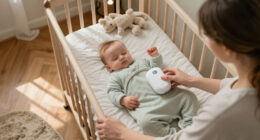
Sock monitor false alarms are often caused by poor placement, movement, or connectivity issues. Knowing the common triggers and simple fixes helps you respond calmly and keep your baby safe.
Nothing wakes you faster than a sudden alarm, especially when your tiny baby seems perfectly fine. Those alerts can feel alarming—literally—and leave you questioning whether your monitor is faulty or if something is seriously wrong. But most false alarms are caused by simple, fixable issues that you can address with a little know-how.
If you understand what triggers these false signals—like movement, poor fit, or connectivity—you gain confidence in handling alarms without panic. This guide walks through common causes and straightforward fixes, helping you keep your baby safe and your nerves intact during those late-night wake-ups.
Proper sock fit and placement are essential—misalignment causes over 70% of false alarms.
Baby movement and position shifts are common triggers—try to keep your infant calm during monitoring.
Connectivity issues, like weak Wi-Fi or low battery, often produce false disconnect alerts.
Regular cleaning and correct sensor contact prevent obstruction-related false signals.
Understanding your monitor’s alerts helps you respond calmly and avoid unnecessary panic.
Sock Monitor False Alarms: Common Triggers and Fixes
A sudden alarm in the middle of the night is terrifying—especially when your baby seems perfectly fine. The good news: most false alarms stem from simple, fixable issues like placement, movement, or connectivity. Understanding them keeps your baby safe and your nerves intact.
of false alarms in home sock monitors trace back to just two causes: movement artifacts and improper sock fit. Placement isn’t a detail—it’s the foundation of reliable readings.
Five things every sock-monitor parent should know
Placement is everything
Misalignment, a loose sock, or the wrong foot causes over 70% of false alarms. The sensor must sit snugly on the correct spot to read reliably.
Movement creates artifacts
Kicking, squirming, feeding, and crying scramble the optical signal. Keep your infant calm during monitoring and look for models with motion filtering.
Connectivity mimics crisis
Weak Wi-Fi, thick walls, or a low battery often fire “disconnect” alerts that feel like emergencies—but are purely technical glitches.
Obstructions distort signals
Lotion, sweat, lint, and dirt between sensor and skin mimic distress. Clean the sensor, dry the foot, and skip lotions at the monitoring site.
Light & cold feet mislead
Stray ambient light and reduced peripheral circulation both weaken the optical reading—especially when the sock fits loosely.
Know your alerts
A physiological alert, a poor-signal alert, and a connectivity alert mean very different things. Understanding them prevents panic and alert fatigue.
What to do when the alarm sounds
Check the baby
Look at breathing, color, responsiveness, muscle tone, and overall behavior—before anything else.
Escalate if needed
Blue or gray skin, struggling to breathe, limpness, or unresponsiveness: call emergency services.
Inspect the setup
Sock orientation, sensor alignment, fit, battery, connection, cold or moving foot.
Reapply & clean
Remove and reapply per instructions. Clean and dry sensor and skin; try the other approved foot.
Reconnect & update
Restart the system, install updates, and contact support or your pediatrician for repeats.
Never rely on the app alone
A normal reading cannot rule out illness, and an abnormal reading does not confirm it. Consumer sock monitors are not equivalent to hospital pulse oximeters—sensor location, fit, and motion filtering all create differences. Always check your baby first.
Common triggers and their fixes
| Trigger | Why it happens | Simple fix |
|---|---|---|
| Poor placement | Sensor misaligned, wrong part of the foot, or wrong foot entirely | Follow the manual’s placement guide; recheck after every move or fuss |
| Wrong size / fit | Loose sock loses contact; tight sock irritates skin and distorts readings | Use the correct size for age and weight; snug but never tight |
| Movement artifacts | Kicking, feeding, crying, rocking, or being carried scrambles the optical signal | Soothe your baby; consider a monitor with better motion filtering |
| Cold feet | Reduced peripheral circulation weakens the pulse signal | Warm the feet; try the other approved foot if instructions allow |
| Sensor obstruction | Lotion, sweat, lint, dirt, or clothing blocks sensor–skin contact | Clean and dry both sensor and skin; never apply lotion beneath it |
| Ambient light | Stray light enters a loose sock and disrupts optical readings | Improve the fit; dim direct light during daytime naps |
| Wireless problems | Distance, thick walls, router changes, or Bluetooth/Wi-Fi interference | Move the base station closer; keep firmware updated |
| Low battery | Incomplete charging disrupts data flow and drops connections | Establish a charging routine; replace aging batteries |
| Software issues | Outdated apps, permissions, or notification settings suppress or fake alerts | Update the app; verify permissions and notification settings |
| Foot pressure | Foot pressed against mattress, carrier, or caregiver alters the signal | Adjust your baby’s position so the sensor foot is free |
Not all alarms mean the same thing
Quick fixes for calm nights
01Master the fit
Choose the right size for age and weight, position the sensor exactly where the manual says, and recheck after every wriggle. A loose sock shifts; a tight one distorts.
02Time monitoring wisely
Monitor during calm, still periods. Soothe your baby before bedtime monitoring to minimize motion artifacts that trigger false signals.
03Keep it clean & dry
Wipe the sensor regularly, dry your baby’s foot before application, and replace worn or damaged socks that harbor residue and lint.
04Harden the connection
Keep the base station in range, update firmware, maintain charge, and limit interference from other electronics near the nursery.
Why Sock Placement and Fit Matter More Than You Think
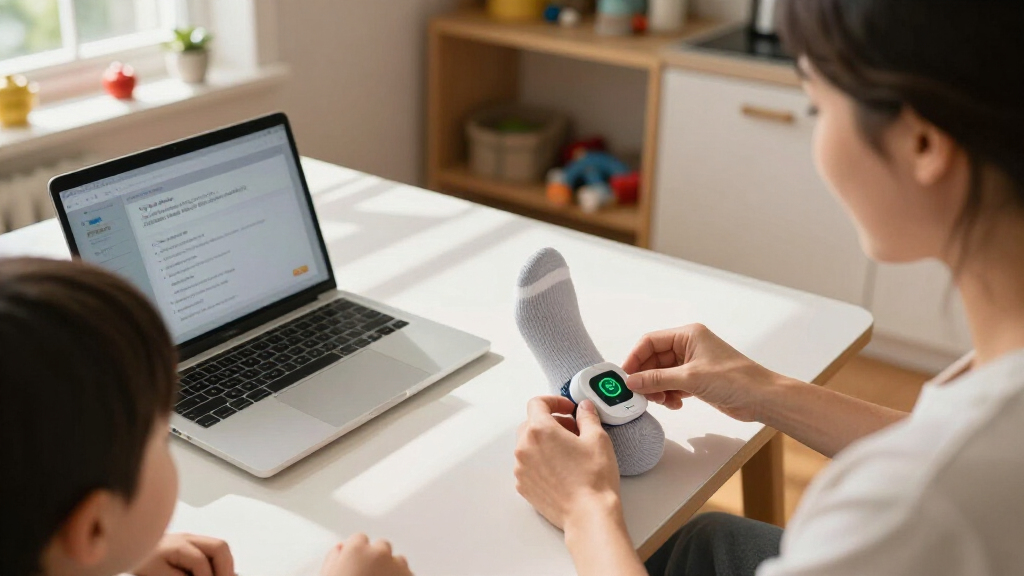
Proper sock placement is the foundation of reliable readings. If the sensor isn’t aligned correctly or the sock is too loose, signals become fuzzy or vanish entirely. Imagine trying to listen to a radio station with a loose antenna—static, interruptions, and lost signals.
When the sock isn’t positioned correctly—say, on the heel instead of the ball of the foot—the sensor may not detect oxygen saturation or heartbeat accurately, leading to false alarms or missed warnings. A sock that’s too loose can shift during your baby’s movements, causing the monitor to interpret these shifts as abnormal vital sign changes, which might trigger unnecessary alerts. Conversely, a sock that’s too tight can cause skin irritation or restrict circulation, which can also distort readings and potentially cause discomfort or skin damage.
Choosing the right size and following the manufacturer’s instructions helps ensure the sensor maintains proper contact without causing harm. Rechecking placement after your baby moves or fusses isn’t just about accuracy—it’s about ensuring the safety and comfort of your child. Misaligned or ill-fitting socks can lead to false alarms that create unnecessary worry, so understanding the importance of proper fit helps you avoid these pitfalls and trust your monitor’s readings more reliably.
baby sock monitor replacement socks
As an affiliate, we earn on qualifying purchases.
As an affiliate, we earn on qualifying purchases.
How Movement and Positioning Trigger False Alarms
Baby kicking, squirming, crying, or even shifting during sleep can send false signals to the monitor. When your baby thrashes or wiggles, the optical sensor struggles to get a steady, consistent reading. Think of it like trying to take a clear photo in a moving car—blurry and unreliable. This movement can cause the sensor to momentarily lose contact or interpret the motion as abnormal vital sign fluctuations.
This isn’t just an annoyance; it can lead to a cascade of false alarms that diminish your trust in the monitor’s accuracy. If you respond to these alarms without understanding their cause, you might unnecessarily wake or disturb your baby or become desensitized to genuine alerts. Minimizing movement-related triggers involves keeping your baby calm during monitoring—perhaps by gently soothing them or choosing times when they’re more likely to be still. Repositioning the sock or switching to a model with better motion filtering can also help reduce these false signals, ensuring you get more reliable data and peace of mind.
Understanding how movement impacts sensor readings helps you interpret alarms correctly. It emphasizes that not all alarms require immediate panic—sometimes, they are just artifacts of your baby’s natural sleep movements. This awareness allows you to respond more calmly, focusing on the overall context rather than reacting reflexively to each alert.
baby sock monitor sensor replacement
As an affiliate, we earn on qualifying purchases.
As an affiliate, we earn on qualifying purchases.
Common Connectivity and Power Problems That Cause False Alarms
Sometimes, alarms aren’t about your baby at all—they’re about the monitor’s connection. Wireless issues like distance from the base station, thick walls, or interference from other electronics can cut the signal or cause disconnections. Similarly, a low battery or incomplete charging disrupts data flow, prompting false alerts. These connectivity glitches can make it seem like your baby’s vital signs are abnormal or that the device has lost contact, which can lead to unnecessary stress and repeated checks.
Understanding the implications of these technical issues is crucial because they can mask or mimic real problems. For example, a false disconnection alert might cause you to panic or think your system is faulty, but often it’s just a matter of weak signals or power issues. Addressing these problems by ensuring the base station is within range, updating firmware, or replacing batteries can restore confidence in the device’s accuracy. Regular checks and maintenance prevent these false alarms, so you can focus on your baby’s well-being rather than troubleshooting technical glitches.
Recognizing that connectivity and power issues can cause false alarms helps you troubleshoot more effectively. It underscores the importance of routine system checks and environment adjustments, which can save you from unnecessary worry and ensure your monitor functions correctly when it matters most.
As an affiliate, we earn on qualifying purchases.
Sensor Obstructions: Lotion, Moisture, and Dirt Are Hidden Culprits
Anything that gets between the sensor and your baby’s skin can distort readings. Lotion, sweat, dirt, lint, or clothing fibers create a barrier that prevents the optical sensor from working properly. This interference can cause the sensor to misread oxygen saturation or heartbeat, leading to false alarms or missed warnings. Essentially, obstructions can mimic signs of distress or mask actual issues, which impacts your ability to trust the monitor’s accuracy.
For example, applying lotion or having sweaty feet can temporarily skew readings. If the sensor is coated with residue or dirt, it may produce inconsistent signals that trigger alarms unnecessarily. Regular cleaning of the sensor and ensuring the foot is dry before application help maintain accurate contact. Keeping the skin and sensor free of lotions, lint, and debris isn’t just about cleanliness—it’s about safeguarding the device’s ability to provide reliable data. Replacing worn or damaged socks prevents persistent obstructions that could compromise your baby’s safety or your peace of mind.
Understanding the impact of obstructions underscores the importance of routine maintenance. Proper cleaning routines and attentive inspection can prevent false alarms caused by sensor interference, ensuring you receive dependable information about your baby’s health.
baby sock monitor calibration tools
As an affiliate, we earn on qualifying purchases.
As an affiliate, we earn on qualifying purchases.
Ambient Light and External Factors That Fool the Sensor
Bright lights, especially during daytime naps, can reach the sensor and cause false signals. If the sock isn’t fitted tightly, stray light may enter and disrupt the optical readings. Think of it like trying to read a candle through a cracked window—distorted and unreliable. External light sources, such as sunlight streaming through windows or strong indoor lighting, can interfere with the sensor’s ability to accurately detect oxygen levels and heartbeat, especially if the sock is loose or poorly positioned.
This interference can cause the monitor to register abnormal readings or trigger alarms that aren’t reflective of your baby’s actual condition. Recognizing that external light can impact sensor performance emphasizes the importance of proper fit and environmental control. Using snug-fitting socks that cover the sensor completely, closing curtains, or positioning the monitor away from direct light sources can significantly reduce this risk. These steps not only improve measurement accuracy but also reduce unnecessary alarms, helping you maintain trust in your device and avoid needless disturbance to your baby’s sleep.
Understanding how ambient light affects readings and implementing simple environmental adjustments can make a big difference in the reliability of your monitor’s data. It reinforces that sometimes, the solution is as straightforward as optimizing the setup and environment.
Understanding the Different Types of Alerts and What They Really Mean
Not all alarms mean the same thing. It’s vital to distinguish between physiological alerts, signal issues, or connectivity problems. A high or low pulse reading could be a real concern—or just a glitch. A disconnect alert usually points to a Wi-Fi or Bluetooth hiccup. Misinterpreting these alerts can lead to unnecessary anxiety or delayed responses to genuine issues.
For example, a low oxygen level alarm might scare you, but if your baby looks pink, is breathing normally, and responds well, it could be a sensor misread caused by movement or poor contact. Conversely, a disconnection alert indicates a system failure—perhaps due to interference or battery issues—that requires immediate attention. Recognizing the different alert types helps you respond appropriately, avoiding overreaction to false signals and ensuring prompt action when necessary. Familiarizing yourself with your device’s manual and alert patterns enables you to interpret signals correctly, which is crucial for maintaining trust in the monitor and ensuring your baby’s safety.
This understanding reduces panic, saves time, and helps you allocate your attention where it’s most needed, rather than reacting to every beep or alert as an emergency.
Quick Troubleshooting Checklist for False Alarms
- Ensure the sock is the right size for your baby’s foot, fitting snugly without causing discomfort.
- Position the sock on the approved foot, with the sensor aligned as instructed, ensuring proper contact with the skin.
- Make sure the sock is snug but not tight—look for signs of red marks, swelling, or skin indentation, which indicate it’s too tight.
- Warm cold feet gently using a soft cloth or warm (not hot) water, avoiding direct heat sources that can cause burns or excessive sweating.
- Remove any lotion, sweat, lint, or dirt from the sensor and skin, as obstructions can interfere with readings.
- Inspect the sock and sensor for damage, tears, or excessive wear that could impair function.
- Charge the sock fully and check the base station’s connection, ensuring it’s powered and within range.
- Keep the system within the recommended distance, avoiding interference from other electronics or thick walls.
- Restart the device, app, and router if you notice persistent errors or connectivity issues, to refresh the system.
- Update firmware and app software to the latest versions to prevent glitches and bugs.
- Track alarm times and note your baby’s activity or symptoms, helping identify patterns or triggers.
- If alarms continue despite troubleshooting, stop use and contact support for professional assistance, as persistent false alarms could indicate a system fault or the need for replacement.
Following this detailed checklist will help you identify and fix common causes of false alarms, restoring confidence in your monitor and ensuring your baby’s safety during sleep.
Frequently Asked Questions
Why does the sock alarm when my baby seems fine?
This usually happens because of movement, poor sensor contact, cold feet, or connection issues. Always check your baby first, then inspect the sock’s placement and system status before panicking.
Can kicking or crying cause a false low-oxygen reading?
Yes. Movement can disrupt the optical sensor, creating inaccurate readings temporarily. If your baby is active, wait until they settle to get a more reliable measurement.
Can a cold foot affect the monitor?
Definitely. Reduced circulation weakens the optical signal, resulting in false or unreliable readings. Warm the foot gently, recheck placement, and wait for your baby to calm down.
How tight should the sock be?
The sock should stay in contact with the skin without leaving marks, swelling, or restricting circulation. Follow the sizing guide carefully, and adjust if alarms persist.
Should I call a doctor after one alarm?
If your baby shows signs of distress—like difficulty breathing, color changes, or unresponsiveness—call emergency services immediately. If your baby appears fine and alarms stop after adjustment, monitor closely and discuss with your pediatrician if alarms continue.
Conclusion
False alarms in sock monitors are frustrating but often fixable with a little troubleshooting. Your best tool is understanding what causes these signals—then addressing those issues calmly and systematically.
Think of your monitor as a helpful but imperfect assistant. It’s your job to keep the system working smoothly, so you can focus on what really matters: your baby’s safety, comfort, and peaceful sleep.
Fall Picks
fall essentials
As an affiliate, we earn on qualifying purchases.