TL;DR
Open a free Amazon Business account
Business pricing, bulk buying and tax-exempt orders.
Create a free accountAs an affiliate, we earn on qualifying purchases.
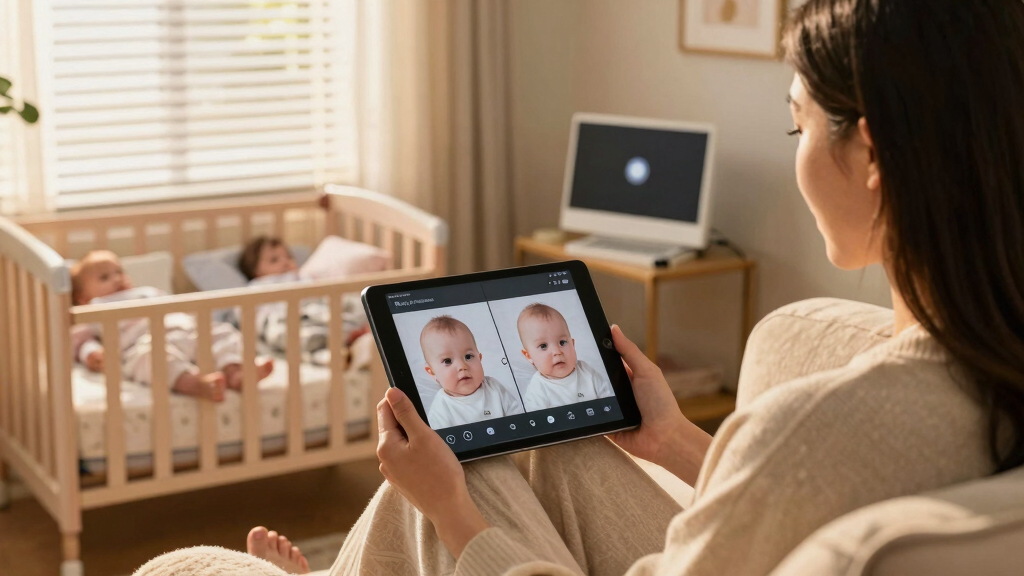
Split-screen baby monitors allow you to watch two cribs at once, making twin parenting easier. Focus on security, video quality, and flexibility. Recent tech trends boost reliability and safety.
Picture this: your twins are sleeping soundly in separate cribs, but your eyes are glued to a tiny screen. You want to keep an ear and eye on both, without jumping from room to room. That’s where split-screen baby monitors step in.
These monitors are game-changers for parents with twins. They give you a live, simultaneous view of two cribs, helping you respond quickly to fussing or movement. But with so many options, what really matters? Let’s break down what makes a good split-screen monitor, what recent tech trends are shaping the market, and how to choose the right one for your family.
Prioritize dual camera support and HD video quality for clear, reliable twin monitoring.
Security features like encryption and password protection are essential to safeguard your family’s privacy.
Latest tech trends, including AI and Wi-Fi 6, improve safety and reduce connection worries.
Choose a monitor that matches your nursery setup, power needs, and comfort level with technology.
Always position cameras thoughtfully and keep software updated to maintain security.
How Do Split-Screen Baby Monitors Work, and Why They’re a Game-Changer
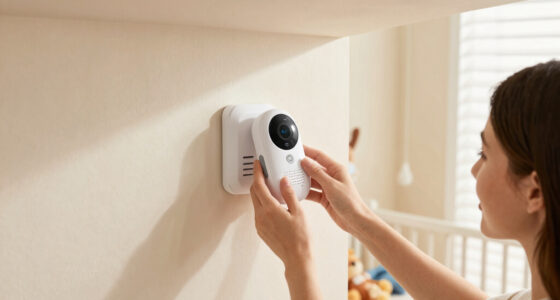
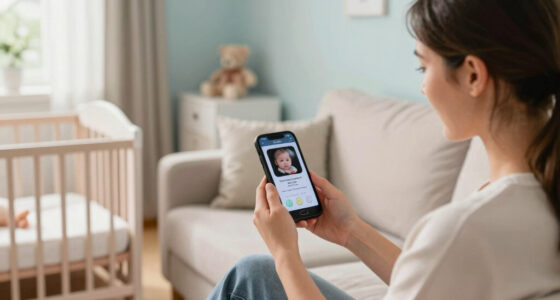
Split-screen monitors show two video feeds side by side on one screen. They’re like having two mini CCTV cameras in your nursery, but all controlled from one device. This setup allows parents to monitor both babies simultaneously, which is crucial when caring for twins. The ability to see both babies at once reduces the need to flip between different views or physically check each crib, saving time and minimizing disturbance.
Understanding why this matters involves recognizing the tradeoffs. While split-screen monitors offer convenience, they might compromise on the size or clarity of each feed compared to single-focus cameras. The key is that they provide a comprehensive view that enables quicker responses to emergencies—like a baby waking or fussing—without delay. This immediacy can be life-changing, especially during night feedings or when multitasking around the house.
Most models support features like two-way audio, temperature alerts, and zoom controls, which enhance the monitoring experience. These added functionalities allow parents to communicate with their babies or check environmental conditions, making the monitor a more versatile tool. The core benefit, however, remains the ability to keep both infants in sight effortlessly, which directly impacts safety and peace of mind.
split-screen baby monitor for twins
As an affiliate, we earn on qualifying purchases.
As an affiliate, we earn on qualifying purchases.
What Features Matter Most When Choosing a Split-Screen Monitor for Twins
Not all monitors are created equal, and understanding why certain features matter helps you make an informed choice. For example, dual camera support isn’t just about viewing two feeds; it’s about ensuring you can adapt if your twins sleep in different rooms or change arrangements. The flexibility to expand your setup without needing to buy another monitor can be a significant cost and convenience saver.
Video quality is equally critical. HD or 4K resolution isn’t just a luxury; it’s about clarity—being able to distinguish between a fuss, a smile, or subtle movements. This level of detail can prevent unnecessary disturbances or missed cues, ultimately helping you respond more effectively. Conversely, lower resolution might lead to misinterpretations, causing unnecessary worry or delays.
Connectivity and security are intertwined. Wi-Fi-enabled models offer convenience, but if they’re not encrypted, they can pose security risks. A breach could allow unauthorized access to your baby’s feed, which is a serious privacy concern. Understanding the implications of security features helps you weigh convenience against safety.
Ease of use influences day-to-day effectiveness. A complicated interface or unresponsive app can turn monitoring into a chore rather than a comfort. Likewise, battery life and power options determine how reliably you can depend on your monitor during late-night checks or power outages. Longer battery life reduces interruptions, ensuring continuous monitoring when you need it most.
Choosing a monitor with these features means balancing safety, clarity, and practicality—each tradeoff affecting your peace of mind and your babies’ safety.
As an affiliate, we earn on qualifying purchases.
The Latest Tech Trends Making Twin Monitoring Safer and Easier
Recent advancements are transforming how parents monitor twins, with each innovation addressing specific challenges. HD and 4K video quality mean that details are sharper, enabling you to notice subtle cues—like a slight smile or a frown—that could indicate discomfort or happiness. This clarity reduces guesswork and helps you respond more precisely, creating a safer environment for your babies.
AI features such as motion detection, sleep analysis, and even baby crying alerts are emerging. These tools analyze patterns and notify you proactively, reducing the need for constant manual checks. For instance, a monitor with sleep analytics can help you understand your babies’ routines, making nighttime care more predictable and less stressful. Motion detection can alert you if a baby wakes or if there’s unusual movement, which is crucial for safety.
Connectivity improvements like Wi-Fi 6 promise more stable streams, even in busy or congested networks. This stability minimizes lag or disconnections, which can be dangerous if you rely on real-time monitoring. Sleeker designs and intuitive interfaces also make these devices less intimidating, encouraging consistent use and reducing user error during stressful moments.
Overall, these technological innovations are not just about convenience—they directly impact safety by providing clearer visuals, faster alerts, and more reliable connections. They empower parents with better tools to care for their twins confidently, even in challenging circumstances.
As an affiliate, we earn on qualifying purchases.
How to Pick the Best Split-Screen Monitor for Your Twins: A Step-by-Step Guide
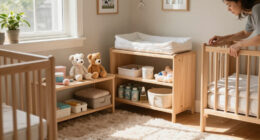
- Assess Your Nursery Setup: Do your babies sleep in the same room or separate spaces? This determines if you need one dual-camera system or two separate units. Understanding your space helps you choose a system that offers full coverage without unnecessary complexity.
- Prioritize Security Features: Choose models with encrypted Wi-Fi and strong password protection—your babies’ privacy depends on it. Security isn’t just about preventing hacking; it’s about safeguarding your family’s sensitive data and ensuring peace of mind.
- Check Video and Audio Quality: Look for HD resolution and clear two-way audio to catch the tiniest fuss or giggle. High-quality feeds enable faster, more accurate responses, reducing stress and increasing safety.
- Consider Power and Connectivity: Long battery life, reliable Wi-Fi, and easy app controls reduce the risk of interruptions. Reliable connectivity ensures you can monitor your twins continuously, especially during late-night checks or emergencies.
- Read Reviews and Ratings: Real user feedback reveals how the monitor performs in everyday situations—connectivity issues, ease of use, durability. This insight helps you avoid models with hidden flaws that could compromise safety or convenience.
For example, a parent once chose a monitor with a 10-hour battery, HD video, and encrypted Wi-Fi. It’s now her go-to for peace of mind, even during power outages or Wi-Fi hiccups. Such real-world experiences highlight the importance of weighing practical features against marketing claims to select a truly reliable device.
baby monitor with two-way audio and temperature alerts
As an affiliate, we earn on qualifying purchases.
As an affiliate, we earn on qualifying purchases.
Compare the Best Features of Popular Split-Screen Monitors
| Feature | Monitor A | Monitor B | Monitor C |
|---|---|---|---|
| Dual Camera Support | Yes | Yes | No |
| Video Resolution | 1080p HD | 4K Ultra HD | 720p HD |
| Battery Life | 8 hours | 12 hours | Plug-in only |
| Security | Encrypted Wi-Fi | Encrypted Wi-Fi | Basic Wi-Fi |
| Ease of Use | Intuitive app, large screen | Simple setup, sleek interface | Basic controls, smaller display |
Choosing between these depends on your priorities: do you want ultra-clear 4K, longer battery, or just a straightforward setup? Knowing what features matter most makes the decision easier. Consider how each feature impacts your daily routine and safety—sometimes, a slightly lower resolution with better security or longer battery life offers more peace of mind than the highest resolution alone.
Safety Tips for Using Split-Screen Baby Monitors Without Worry
Security is a big deal. Make sure your monitor uses encrypted Wi-Fi, and change default passwords straight away. Avoid public Wi-Fi or unsecured networks to keep your babies’ feeds private. Failing to secure your device can expose your family to hacking or unauthorized access, which could compromise your twins’ safety and your peace of mind.
Position cameras high enough to avoid accidental knocks or damage. Regularly check for firmware updates to patch security vulnerabilities—outdated software can be a major weak point. And, never leave the monitor unattended when it’s charging or connected to unknown networks, as these are common points of vulnerability. Treat your monitor as a vital safety device, maintaining it diligently to ensure it functions correctly when needed most.
Think of your monitor as a tiny guardian—treat it with the same care you give your twins, as neglect or insecurity can undermine its purpose. Proper security and careful placement are essential to ensure continuous, safe monitoring.
Frequently Asked Questions
Are split-screen baby monitors safe and secure?
Yes, when you choose models with encrypted Wi-Fi and reputable brands, they protect your data and your babies. Always change default passwords and keep firmware updated to prevent hacking risks.What features should I prioritize for twins?
Focus on dual camera support, high video resolution, reliable Wi-Fi, and simple controls. These ensure you see and hear both babies clearly and respond quickly when needed.Can I monitor more than two babies with a split-screen monitor?
Most dual-camera monitors support only two feeds, but some advanced systems can handle multiple cameras for larger nurseries. Check the specs before buying if you need more than two views.Are wireless monitors reliable?
Wireless monitors are convenient but depend on your Wi-Fi network’s stability. A strong, consistent connection ensures smooth video and audio without interruptions.How do I choose between a dedicated monitor and a smartphone app?
Dedicated monitors are straightforward and don’t depend on internet stability, while apps offer remote access and extra features. Consider your tech comfort level and home Wi-Fi quality.Conclusion
Monitoring twins with split-screen baby monitors isn’t just about keeping an eye on two cribs. It’s about peace of mind, safety, and embracing smarter tech that adapts to your busy life. When you pick the right monitor, those midnight checks become a little easier, a little calmer.
Imagine a future where you see both your babies clearly, safely, and effortlessly—every night, every day. That’s the power of a well-chosen split-screen monitor. Trust your instincts, focus on security, and let technology give you one less thing to worry about.
Labor Day sales Picks
labor day deals
As an affiliate, we earn on qualifying purchases.