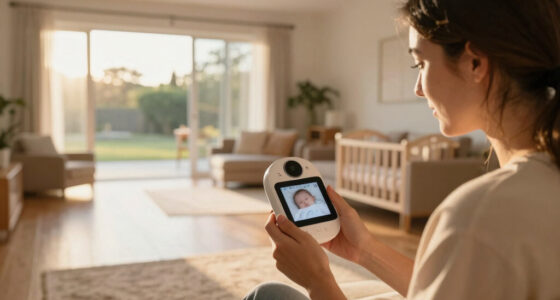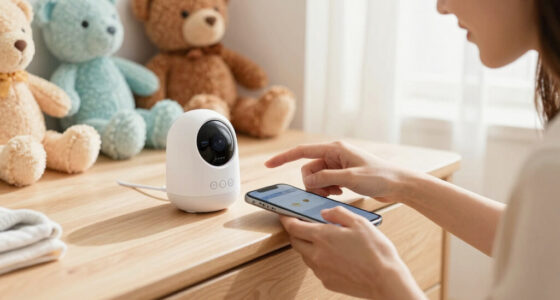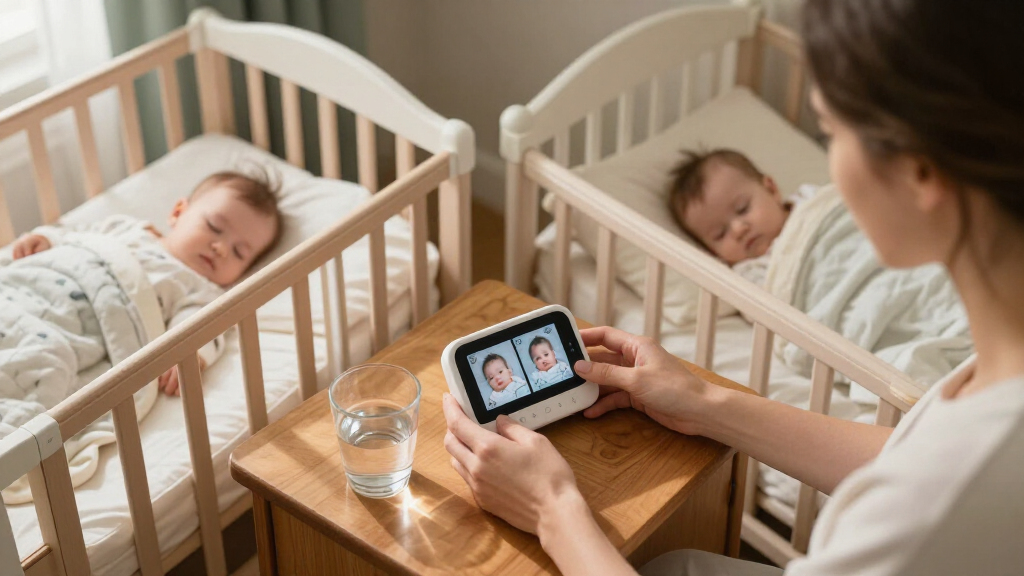
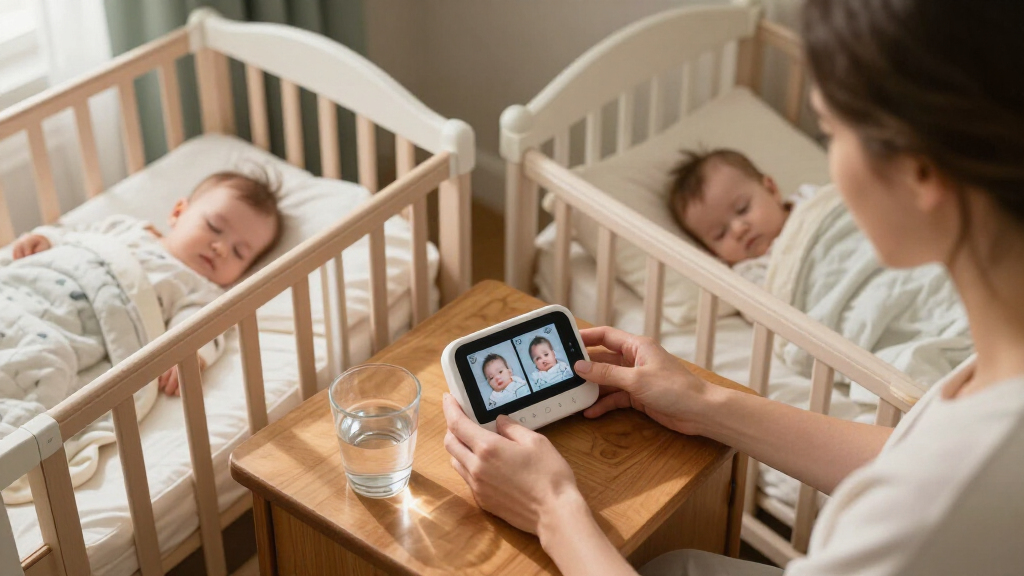
For families monitoring two rooms or children at once, baby monitors with split screen show multiple camera feeds on a single parent display. I’d put the Blemil 6-Inch Split-Screen Video Baby Monitor forward as the best overall pick for its larger viewing area, while the Babysense 5-Inch HD Non-WiFi stands out for families who want extra monitoring features without app reliance and the Momcozy BM04 for shoppers who want Wi-Fi alongside a dedicated screen. The main tradeoffs are screen size versus portability, local connection versus app access, and whether both camera views remain easy to read at once. Camera count and split-screen support can vary by bundle, so check the exact package before buying. Read on for the full comparison, selection criteria, and advice on which setup suits your home.

Get baby and family essentials delivered free — and shop member deals
- Fast, free delivery on millions of items
- Access to Prime Big Deal Days deals on October 6–7
- Prime Video, Amazon Music and more included
Complete the kit



Key Takeaways
- Screen size changes how useful split view feels: the Comfyer’s 7-inch display and the 6-inch Blemil and HelloBaby options give each camera feed more room than the 4.3-inch iFamily models.
- Wi-Fi is a choice, not a requirement: the Momcozy BM04 and VTech VM901-2HD pair app-based access with monitor features, while several HelloBaby, Babysense, and other picks focus on non-Wi-Fi monitoring.
- Non-Wi-Fi models dominate this lineup: buyers who want a simpler local monitor have many choices, but should still check stated range and home layout rather than assuming signal coverage.
- Feature-rich listings need careful comparison: the Babysense 5-inch HD model lists night light, two-way audio, zoom, night vision, and a 4000mAh battery, while other models emphasize display size or connectivity.
- Brand and screen size alone do not settle the choice: several HelloBaby models differ in display size and bundle details, so confirm camera count, included accessories, and split-view behavior for the exact model.
| GoodBaby 5-Inch Split-Screen Baby Monitor with 2 Cameras |  | Best for Long VOX Battery Life | Display: 5-inch LCD | Included cameras: 2 | Maximum cameras: 4 | VIEW LATEST PRICE | See Our Full Breakdown |
| VTech VM901-2HD Smart Wi-Fi Baby Monitor with Two Cameras |  | Best for App and Parent-Unit Flexibility | Parent unit display: 5-inch HD split-screen | Cameras: 2 pan-tilt-zoom cameras | Connectivity: 2.4 GHz FHSS and 2.4 GHz Wi-Fi | VIEW LATEST PRICE | See Our Full Breakdown |
| AnKeKe 5-Inch Split-Screen Video Baby Monitor with 2 Cameras |  | Best for Flexible Power-Saving Modes | Display: 5-inch IPS | Camera resolution: 1280 × 720p | Included cameras: 2 | VIEW LATEST PRICE | See Our Full Breakdown |
| Blemil 6-Inch Split-Screen Video Baby Monitor with 2 Cameras |  | Best for a Larger Offline Display | Display: 6-inch IPS | Cameras: 2 | Video resolution: 720p | VIEW LATEST PRICE | See Our Full Breakdown |
| Momcozy BM04 Smart WiFi Baby Monitor with Two Cameras, 5-Inch 1080p Split-Screen Display |  | Best for Sharing Access with Caregivers | Model: BM04 | Display: 5-inch 1080p split-screen | Cameras included: 2 | VIEW LATEST PRICE | See Our Full Breakdown |
| iFamily 4.3″ Split Screen Baby Monitor with 2 Cameras and Audio |  | Best for Flexible Camera Control | Display: 4.3-inch split-screen | Cameras: 2 included | Camera movement: 355° pan and 120° tilt | VIEW LATEST PRICE | See Our Full Breakdown |
| HelloBaby 6″ No WiFi Video Baby Monitor with Camera and Audio, 30h Battery | 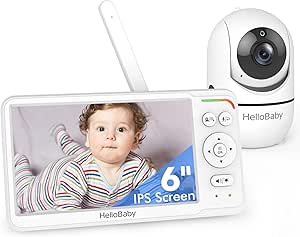 | Best for a Large Screen and Long Runtime | Display: 6-inch IPS | Camera capacity: Up to 2 cameras; split-screen supported | Battery life: 16–30 hours | VIEW LATEST PRICE | See Our Full Breakdown |
| HelloBaby Baby Monitor with 2 Cameras and Audio, 5″ Split Screen, No WiFi |  | Best Value for Ready-to-Use Dual Cameras | Display: 5-inch LCD | Cameras: 2 included | Battery life: Up to 30 hours | VIEW LATEST PRICE | See Our Full Breakdown |
| HelloBaby HB6560-2 Baby Monitor with Two Cameras and 6-Inch Split-Screen Display | 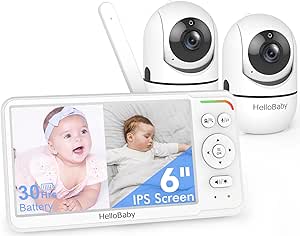 | Best for a Large, Complete Split-Screen Setup | Display: 6-inch IPS split-screen | Cameras: 2 included | Connection: 2.4 GHz FHSS; no Wi-Fi | VIEW LATEST PRICE | See Our Full Breakdown |
| Comfyer BM01 7-Inch Split-Screen Baby Monitor with 2 Cameras, No Wi-Fi |  | Best for Future Camera Expansion | Display: 7-inch 720p color screen | Cameras: 2 included; supports up to 4 | Camera resolution: 1080p | VIEW LATEST PRICE | See Our Full Breakdown |
| Babysense 5″ HD Non-WiFi Split-Screen Baby Monitor with 2 Cameras, Night Light, 1000ft Range, Two-Way Audio, 4X Zoom, Night Vision, 4000mAh Battery |  | Best for Long Battery Life | Screen size: 5 inches | Video resolution: 720p HD | Split-screen cameras: 2 included; supports up to 4 | VIEW LATEST PRICE | See Our Full Breakdown |
| HelloBaby HB6550 No-WiFi Baby Monitor with Two Cameras and 5-Inch Screen |  | Best for Remote Camera Control | Screen: 5-inch IPS | Cameras: 2 included; supports up to 4 | Camera movement: 355° pan and 120° tilt | VIEW LATEST PRICE | See Our Full Breakdown |
| Babysense PRO Full HD 5.5-Inch Split-Screen Baby Monitor with Two Cameras |  | Best for Full HD Split-Screen Viewing | Display: 5.5-inch Full HD split-screen | Included cameras: 2 Full HD PTZ cameras | Camera capacity: Supports up to 4 cameras | VIEW LATEST PRICE | See Our Full Breakdown |
| HelloBaby 6-Inch Split-Screen Video Baby Monitor with Two Cameras, No Wi-Fi | 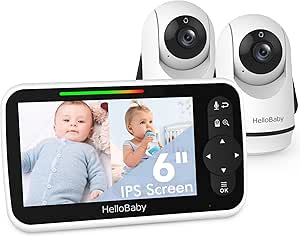 | Best for a Larger Split-Screen Display | Screen size: 6 inches | Included cameras: 2 | Viewing: Split-screen | VIEW LATEST PRICE | See Our Full Breakdown |
| iFamily 4.3-Inch Split-Screen Baby Monitor with Two Cameras |  | Best Compact Split-Screen Pick | Display: 4.3-inch split-screen | Cameras: 2 | Camera movement: 355° pan and 120° tilt | VIEW LATEST PRICE | See Our Full Breakdown |
| baby monitors with split screen | Connection | Display | Camera movement | Cameras |
|---|---|---|---|---|
| GoodBaby 5-Inch Split-Screen B | No Wi-Fi | 5-inch LCD | 355° pan, 120° tilt, 2x zoom | — |
| VTech VM901-2HD Smart Wi-Fi Ba | — | — | — | 2 pan-tilt-zoom cameras |
| AnKeKe 5-Inch Split-Screen Vid | 2.4 GHz FHSS; no Wi-Fi required | 5-inch IPS | 355° pan, 95° tilt, 1x, 2x, or 4x digital zoom | — |
| Blemil 6-Inch Split-Screen Vid | 2.4GHz FHSS; no Wi-Fi | 6-inch IPS | — | 2 |
| Momcozy BM04 Smart WiFi Baby M | — | 5-inch 1080p split-screen | — | — |
| iFamily 4.3" Split Screen Baby | 2.4 GHz FHSS; no Wi-Fi | 4.3-inch split-screen | 355° pan and 120° tilt | 2 included |
| HelloBaby 6" No WiFi Video Bab | 2.4 GHz FHSS; no Wi-Fi | 6-inch IPS | 355° pan and 120° tilt | — |
| HelloBaby Baby Monitor with 2 | 2.4 GHz FHSS; no Wi-Fi | 5-inch LCD | 318° pan and 120° tilt | 2 included |
| HelloBaby HB6560-2 Baby Monito | 2.4 GHz FHSS; no Wi-Fi | 6-inch IPS split-screen | 355° pan and 120° tilt | 2 included |
| Comfyer BM01 7-Inch Split-Scre | 2.4 GHz FHSS; no Wi-Fi | 7-inch 720p color screen | — | 2 included; supports up to 4 |
| Babysense 5" HD Non-WiFi Split | 2.4GHz FHSS; no Wi-Fi | — | — | — |
| HelloBaby HB6550 No-WiFi Baby | 2.4GHz FHSS; no Wi-Fi or app required | — | 355° pan and 120° tilt | 2 included; supports up to 4 |
| Babysense PRO Full HD 5.5-Inch | 2.4GHz FHSS; non-Wi-Fi | 5.5-inch Full HD split-screen | — | — |
| HelloBaby 6-Inch Split-Screen | 2.4GHz wireless; no Wi-Fi required | — | — | — |
| iFamily 4.3-Inch Split-Screen | 2.4GHz FHSS; no Wi-Fi | 4.3-inch split-screen | 355° pan and 120° tilt | 2 |
More Details on Our Top Picks
GoodBaby 5-Inch Split-Screen Baby Monitor with 2 Cameras
The GoodBaby’s main advantage is long standby between screen checks: its battery is listed for up to 30 hours in VOX mode, while continuous screen use is listed at up to 10 hours. Its 5-inch split-screen shows both included cameras together, and remote pan, tilt, and zoom help adjust a view without entering the room. Unlike the VTech VM901-2HD, this monitor does not depend on Wi-Fi or an app, making it a better fit for caregivers who want a dedicated parent unit. The tradeoff is that audio focuses on one camera at a time, so seeing both rooms does not mean hearing both at once. The listed range also varies between the title and specifications, so I would not choose it for a precise range claim.
Pros:- Shows both included camera feeds on a 5-inch display
- Up to 30 hours of battery life is listed for VOX mode
- Remote pan, tilt, and 2x zoom help adjust the camera view
- Works without Wi-Fi and supports up to four cameras
Cons:- Audio focuses on one camera at a time
- The listed range differs between the title and product specifications
- Screen-on battery life is listed at up to 10 hours, well below VOX mode
Best for: Caregivers who want to monitor two rooms on a dedicated screen and prioritize longer battery life in VOX mode.
Not ideal for: Parents who need simultaneous audio from both cameras, or who want app-based remote viewing and a consistent published range.
- Display:5-inch LCD
- Included cameras:2
- Maximum cameras:4
- Camera movement:355° pan, 120° tilt, 2x zoom
- Battery life:Up to 30 hours in VOX mode; up to 10 hours with screen on
- Connection:No Wi-Fi
- Night vision:Infrared, up to 15 ft
- Audio and alerts:Two-way audio, sound and motion detection, temperature sensor
Our verdict“Choose the GoodBaby if long VOX-mode battery life and Wi-Fi-free split-screen viewing matter more than simultaneous audio or app access.”
VTech VM901-2HD Smart Wi-Fi Baby Monitor with Two Cameras
The VTech VM901-2HD is the most flexible pick here for families who want split-screen at home and app access away from home. Its two cameras can be viewed on the 5-inch parent unit or through a smartphone or tablet, while shared app access lets other caregivers check in too. That gives it an advantage over the Wi-Fi-free AnKeKe, which keeps monitoring on its dedicated unit. The VTech also offers independent pan, tilt, and zoom, with stronger zoom available through the app than on the parent unit. The tradeoff is connectivity: remote app viewing requires Wi-Fi, and the system also uses 2.4 GHz Wi-Fi alongside its FHSS connection. It suits households comfortable with connected monitoring, but it is a less fitting choice for families seeking an entirely offline setup.
Pros:- Views two rooms on the parent unit or through a smartphone or tablet
- Two cameras support independent pan, tilt, and zoom
- App zoom reaches up to 10x
- Shared app access makes caregiver check-ins easier
Cons:- Remote app viewing requires Wi-Fi
- Uses 2.4 GHz Wi-Fi, which may not suit households seeking an offline monitor
- Designed for indoor use and is not water resistant
Best for: Households that want two-room split-screen viewing at home plus remote app access and shared viewing for caregivers.
Not ideal for: Families who avoid Wi-Fi-connected monitoring or need cameras that can be used outdoors.
- Parent unit display:5-inch HD split-screen
- Cameras:2 pan-tilt-zoom cameras
- Connectivity:2.4 GHz FHSS and 2.4 GHz Wi-Fi
- App compatibility:Android and iOS smartphones and tablets
- Zoom:Up to 10x via app; up to 8x via parent unit
- Night vision:Automatic
- Audio and alerts:Two-way audio; audio, motion, and room-temperature alerts
- Mounting:Table or wall
Our verdict“Choose the VTech if you want split-screen on a parent unit with the option to check both rooms through an app when away.”
AnKeKe 5-Inch Split-Screen Video Baby Monitor with 2 Cameras
The AnKeKe stands out among these Wi-Fi-free options for its choice of power-saving modes: the listed battery life ranges from up to 12 hours with the screen on to 30 hours in VOX and 100 hours in ECO mode. That range gives caregivers more ways to balance visibility with fewer charging interruptions than the GoodBaby, whose listed screen-on runtime is shorter. The 5-inch IPS split-screen shows two included 720p camera feeds, with remote pan, tilt, and zoom for repositioning the view. It also adds feeding reminders and eight lullabies. ECO mode prioritizes battery conservation, though, so its maximum runtime should not be read as continuous full-screen monitoring. The cameras need corded power, which limits how freely they can be placed compared with the rechargeable parent unit.
Pros:- Works over 2.4 GHz FHSS without Wi-Fi or an app
- Two 720p cameras appear on a 5-inch IPS split-screen
- Multiple power modes are listed, including up to 100 hours in ECO mode
- Includes remote camera control, two-way talk, feeding reminders, and lullabies
Cons:- Cameras need to be plugged in
- Battery life varies substantially by mode, with up to 12 hours listed for screen-on use
- Advertised range and runtime depend on conditions and settings
Best for: Caregivers who want an offline two-camera system and the option to trade screen activity for longer battery runtime.
Not ideal for: Families who need cordless cameras or who expect the longest advertised battery figure during continuous screen viewing.
- Display:5-inch IPS
- Camera resolution:1280 × 720p
- Included cameras:2
- Connection:2.4 GHz FHSS; no Wi-Fi required
- Camera movement:355° pan, 95° tilt, 1x, 2x, or 4x digital zoom
- Battery life:Up to 12 hours screen-on, 30 hours VOX, or 100 hours ECO
- Open-area range:Up to 984 ft (300 m)
- Features:Infrared night vision, motion detection, temperature alerts, two-way talk, 8 lullabies, feeding reminders
Our verdict“Choose the AnKeKe if you want offline split-screen monitoring with several ways to extend parent-unit battery life.”
Blemil 6-Inch Split-Screen Video Baby Monitor with 2 Cameras
The Blemil is the straightforward choice for caregivers who want a larger screen without Wi-Fi. Its 6-inch IPS display gives split-screen feeds more room than the 5-inch GoodBaby and AnKeKe, which can help when checking two rooms at a glance. The private 2.4GHz FHSS connection also avoids app setup, while cry detection and two-way audio add useful ways to respond without walking in. Its ECO mode is listed for approximately 30 hours of standby, not continuous screen viewing, so buyers should not compare that figure directly with active-monitoring runtimes. Another limitation shared with the GoodBaby is that sound comes from only one camera at a time. The listed 1,000 ft range applies outdoors and can be affected by interference, so it is not a guarantee for indoor use.
Pros:- 6-inch IPS screen provides a larger split-screen view than the 5-inch options here
- Private 2.4GHz FHSS connection works without Wi-Fi or an app
- Includes cry detection, two-way audio, and night vision
- ECO mode is listed for approximately 30 hours of standby
Cons:- Audio plays from only one camera at a time
- The up-to-1,000 ft range is specified for outdoor use and may be affected by interference
- The listed ECO runtime is standby time, not a continuous screen-on figure
Best for: Caregivers who prefer a larger split-screen parent display and want a private, Wi-Fi-free connection.
Not ideal for: Families who need simultaneous audio from both rooms or are choosing based on an indoor 1,000 ft range.
- Display:6-inch IPS
- Cameras:2
- Video resolution:720p
- Camera rotation:310° horizontal, 120° vertical
- Connection:2.4GHz FHSS; no Wi-Fi
- Battery capacity:4000mAh
- ECO mode:Approximately 30 hours standby
- Features:Split-screen, two-way audio, cry detection, night vision, PTZ
Our verdict“Choose the Blemil if a larger offline split-screen display matters more than hearing both rooms at once.”
Momcozy BM04 Smart WiFi Baby Monitor with Two Cameras, 5-Inch 1080p Split-Screen Display
For families who want to share monitoring beyond the parent holding the screen, the Momcozy BM04 offers app access for up to 20 users alongside a dedicated 5-inch split-screen unit. That makes it a stronger fit for shared caregiver access than the GoodBaby or Blemil, which are described as Wi-Fi-free parent-unit systems. At home, the parent unit provides a direct way to view two cameras; the app adds remote viewing over 2.4 GHz Wi-Fi. The system can connect up to four cameras, which leaves room to expand beyond the two included. The tradeoffs are practical: Wi-Fi pairing supports only 2.4 GHz networks, and the stated mounting guidance puts limits on camera distance from the crib. Night vision may also be insufficient when the camera sits more than 5 m away.
Pros:- 5-inch split-screen parent unit displays two camera feeds at once
- Supports parent-unit monitoring and app viewing over 2.4 GHz Wi-Fi
- Video access can be shared with up to 20 users
- Supports up to four cameras and includes night vision and two-way audio
Cons:- Wi-Fi pairing supports only 2.4 GHz networks
- Night vision may be insufficient when the camera is more than 5 m from the crib
- Camera placement has stated height and distance requirements
Best for: Families who want two-room split-screen viewing plus app access that can be shared with several caregivers.
Not ideal for: Households without a 2.4 GHz Wi-Fi network, or caregivers who cannot follow the camera placement guidance near the crib.
- Model:BM04
- Display:5-inch 1080p split-screen
- Cameras included:2
- Maximum camera connections:4
- Connectivity:Parent unit and 2.4 GHz Wi-Fi
- Shared users:Up to 20
- Features:Night vision and two-way audio
- Mounting guidance:At least 0.6 m (24 in) high and no more than 5 m (16 ft) horizontally from the crib
Our verdict“Choose the Momcozy BM04 if shared app access and room to add cameras matter more than Wi-Fi-free operation.”
iFamily 4.3″ Split Screen Baby Monitor with 2 Cameras and Audio
The iFamily SM43EV2 is a practical pick if remote camera movement matters more to you than a large display. Its two cameras appear together on a 4.3-inch screen, and 355° pan with 120° tilt lets you adjust the view without entering either room. Compared with the HelloBaby HB6560-2, its screen is smaller, but it includes a feeding clock alongside temperature monitoring, two-way audio, and lullabies. The private FHSS link and stated range of up to 1,000 feet suit homes where you want a dedicated parent unit rather than app access. The tradeoff is that it has no Wi-Fi or smartphone monitoring, and its battery life is unspecified; crowded 2.4 GHz environments may also affect the connection.
Pros:- Shows two camera views simultaneously on the parent unit
- Remote 355° pan and 120° tilt help reposition the view from another room
- FHSS connection operates without Wi-Fi or an app
- Includes temperature monitoring, two-way audio, lullabies, and a feeding clock
Cons:- The 4.3-inch display is smaller than the 6-inch screen on the HelloBaby HB6560-2
- Battery life is not specified
- No smartphone monitoring, and the 2.4 GHz band may be crowded in some homes
Best for: Caregivers who want two-camera split-screen monitoring, remote pan and tilt, and a feeding clock on a standalone parent unit.
Not ideal for: Parents who need a large display, smartphone access away from home, or a clearly stated battery runtime.
- Display:4.3-inch split-screen
- Cameras:2 included
- Camera movement:355° pan and 120° tilt
- Connection:2.4 GHz FHSS; no Wi-Fi
- Stated range:Up to 1,000 ft
- Night vision:Automatic infrared
- Additional features:Temperature monitoring, two-way audio, lullabies, and feeding clock
Our verdict“Choose the iFamily SM43EV2 if adjustable two-camera views and feeding reminders matter more than a larger screen or app access.”
HelloBaby 6″ No WiFi Video Baby Monitor with Camera and Audio, 30h Battery
This HelloBaby HB6560 makes sense for parents who want a large, comfortable viewing screen and the option to add a second camera for split-screen monitoring. Its 6-inch IPS display is larger than the iFamily SM43EV2’s 4.3-inch screen, making it easier to check details at a glance. The stated 16–30-hour battery range also supports longer stretches away from an outlet, though actual runtime varies. Remote 355° pan and 120° tilt, infrared night vision, and two-way audio cover everyday monitoring needs. Unlike the HelloBaby HB6560-2, this listing describes a monitor that can expand to two cameras rather than a package explicitly including two. That distinction matters if you need split-screen right away. The no-Wi-Fi design keeps monitoring local, but also rules out viewing from outside the monitor’s range.
Pros:- 6-inch IPS display is larger than the iFamily SM43EV2’s 4.3-inch screen
- Expandable to two cameras with split-screen viewing
- Battery life is specified at 16–30 hours
- Remote pan and tilt, night vision, two-way audio, and temperature alerts
Cons:- The listing describes expansion to a second camera, so split-screen use may require an additional camera
- No Wi-Fi or smartphone access outside the monitor’s range
- Battery runtime varies, with the maximum not guaranteed for every use pattern
Best for: Parents who prioritize a roomy screen and long parent-unit battery life, and are comfortable adding a second camera for split-screen use.
Not ideal for: Families who want two cameras included for immediate split-screen viewing or need to check the nursery from outside the monitor’s range.
- Display:6-inch IPS
- Camera capacity:Up to 2 cameras; split-screen supported
- Battery life:16–30 hours
- Connection:2.4 GHz FHSS; no Wi-Fi
- Camera movement:355° pan and 120° tilt
- Night vision:Infrared
- Audio and alerts:Two-way audio and room-temperature alerts
- Lullabies:8 built-in
Our verdict“Pick this HelloBaby if a large screen and extended battery life are your priorities and you can add a second camera when you need split-screen.”
HelloBaby Baby Monitor with 2 Cameras and Audio, 5″ Split Screen, No WiFi
This HelloBaby package is a straightforward choice for families who want two cameras and split-screen viewing from the start. The 5-inch screen is a middle ground between the iFamily SM43EV2’s smaller display and the 6-inch HelloBaby HB6560-2. Its 30-hour battery claim and ECO mode can reduce how often the parent unit needs charging, while two-way talk, temperature monitoring, and eight lullabies add useful nursery controls. Remote camera movement and 2x digital zoom help adjust the view, although the stated 318° pan range is narrower than the 355° offered by the Comfyer BM01. One specification is internally inconsistent: the description says split-screen, while the listed cons say only one camera can appear at a time. I would verify simultaneous viewing before choosing it specifically for split-screen.
Pros:- Package includes two cameras and a 5-inch display
- Up to 30 hours of battery life with ECO mode
- Two-way talk, temperature monitoring, and eight lullabies
- 2x digital zoom and remote pan and tilt
Cons:- Product information conflicts on whether both cameras can display simultaneously
- 318° pan range is narrower than the 355° range on the Comfyer BM01
- No Wi-Fi or app access for remote monitoring outside the local connection
Best for: Families who want a two-camera, no-Wi-Fi monitor with a mid-size screen and long stated battery life, after confirming its split-screen behavior.
Not ideal for: Buyers who need guaranteed simultaneous two-camera viewing or a wider camera pan range.
- Display:5-inch LCD
- Cameras:2 included
- Battery life:Up to 30 hours
- Connection:2.4 GHz FHSS; no Wi-Fi
- Camera movement:318° pan and 120° tilt
- Zoom:2x digital
- Night vision:Infrared
- Additional features:ECO mode, temperature monitoring, two-way talk, and 8 lullabies
Our verdict“Consider this HelloBaby for its included cameras and long stated runtime, but confirm simultaneous split-screen viewing before buying for that purpose.”
HelloBaby HB6560-2 Baby Monitor with Two Cameras and 6-Inch Split-Screen Display
The HB6560-2 is the clearest fit here for parents who want two included cameras and a large split-screen without setting up Wi-Fi. Its 6-inch IPS display gives both views more room than the 5-inch HelloBaby package, while 355° pan and 120° tilt make it easier to redirect either camera from the parent unit. The stated battery range of 16–30 hours is useful for portable monitoring, and VOX/ECO mode can extend use by reducing screen activity. Compared with the Comfyer BM01, this model lists feeding-timer support and a longer maximum battery claim, but the Comfyer supports up to four cameras rather than two. The HB6560-2’s maximum runtime depends on power-saving use, and its stated outdoor range assumes the antenna is extended.
Pros:- Two cameras are included for immediate split-screen monitoring
- 6-inch IPS display gives the paired views more viewing area than the 5-inch HelloBaby model
- Remote 355° pan and 120° tilt with infrared night vision
- Includes two-way audio, temperature alerts, feeding timer, and VOX/ECO mode
Cons:- Camera capacity is limited to the two included cameras, unlike the Comfyer BM01’s support for up to four
- Maximum battery life depends on VOX/ECO use
- The stated range of up to 1,000 feet is specified with the antenna extended
Best for: Households monitoring two children or rooms that want both camera views on a large dedicated screen without Wi-Fi.
Not ideal for: Families likely to add more than two cameras, or parents who need app-based viewing away from home.
- Display:6-inch IPS split-screen
- Cameras:2 included
- Connection:2.4 GHz FHSS; no Wi-Fi
- Battery life:16–30 hours
- Stated outdoor range:Up to 1,000 ft with antenna extended
- Camera movement:355° pan and 120° tilt
- Monitoring features:Infrared night vision, two-way audio, and room-temperature alerts
- Additional features:8 lullabies, feeding timer, and VOX/ECO mode
Our verdict“Choose the HB6560-2 for a large, ready-to-use two-camera split-screen system, but skip it if you expect to expand beyond two cameras.”
Comfyer BM01 7-Inch Split-Screen Baby Monitor with 2 Cameras, No Wi-Fi
The Comfyer BM01 suits families who want a large split-screen now and room to grow later. It includes two cameras and supports up to four, giving it a clear expansion advantage over the two-camera-only HelloBaby HB6560-2. Its 7-inch display is the largest in this group, and remote 355° pan, 120° tilt, and 2x/4x digital zoom offer flexibility when adjusting nursery views. The 6000 mAh battery is listed for up to 13 hours of video or two days in audio-only VOX mode, so extended operation depends on using the lower-power setting. One meaningful limitation is audio monitoring across cameras: audio stays on one camera at a time or switches every 10 seconds in SCAN mode. The unit is also not water resistant, so placement needs care.
Pros:- 7-inch screen is larger than the 6-inch HelloBaby HB6560-2 display
- Includes two cameras and supports expansion to four
- Remote pan and tilt with 2x/4x digital zoom
- Two-way audio, VOX alerts, night vision, and temperature monitoring
Cons:- Audio is limited to one camera at a time or switches every 10 seconds in SCAN mode
- Video runtime is listed at up to 13 hours, shorter than the 30-hour claim for the 5-inch HelloBaby monitor
- Not water resistant
Best for: Families who want a large display, plan to monitor more than two rooms over time, and can work with alternating audio in multi-camera mode.
Not ideal for: Parents who need continuous audio from multiple rooms, long video runtime between charges, or equipment that can tolerate moisture.
- Display:7-inch 720p color screen
- Cameras:2 included; supports up to 4
- Camera resolution:1080p
- Battery:6000 mAh; up to 13 hours video or 2 days audio-only VOX
- Connection:2.4 GHz FHSS; no Wi-Fi
- Camera movement and zoom:355° pan, 120° tilt, and 2x/4x digital zoom
- Audio features:Two-way audio, VOX mode, and sound alerts
- Additional features:Night vision, temperature alerts, 5 lullabies, and 3 ambient sounds
Our verdict“Choose the Comfyer BM01 if a large screen and expansion beyond two cameras matter more than continuous multi-camera audio or longer video runtime.”
Babysense 5″ HD Non-WiFi Split-Screen Baby Monitor with 2 Cameras, Night Light, 1000ft Range, Two-Way Audio, 4X Zoom, Night Vision, 4000mAh Battery
The Babysense 5-inch HD earns this role by pairing simultaneous two-camera viewing with a specified 4000mAh battery, a useful combination for parents who want to check both rooms without keeping the parent unit constantly plugged in. Its private, non-Wi-Fi connection avoids app setup, while the adjustable night light and sound options add nursery comforts beyond the video feed. Compared with the Babysense PRO, this model has a smaller, lower-resolution display, but it lists a larger battery capacity; the PRO instead offers Full HD video and a 5.5-inch screen. The main compromise is 720p resolution, which provides less detail than the PRO, and the stated 1000-foot range applies to open space, not every home. It also supports up to four cameras if the family grows.
Pros:- Split-screen display shows two camera feeds at the same time.
- 4000mAh parent-unit battery capacity is specified.
- Non-Wi-Fi 2.4GHz FHSS connection avoids app and router setup.
- Supports up to four cameras and includes an adjustable night light.
Cons:- 720p resolution is lower than the Full HD Babysense PRO.
- The 1000-foot range is an open-space figure and may fall with obstacles.
- A 5-inch screen gives less viewing area than the 5.5-inch Babysense PRO.
Best for: Parents who want a non-Wi-Fi split-screen monitor with two cameras, a high-capacity parent-unit battery, and nursery sound features.
Not ideal for: Buyers who prioritize sharper Full HD detail or need a reliable long-range connection through multiple walls.
- Screen size:5 inches
- Video resolution:720p HD
- Split-screen cameras:2 included; supports up to 4
- Zoom:4x digital
- Battery capacity:4000mAh
- Connection:2.4GHz FHSS; no Wi-Fi
- Maximum range:Up to 1000 ft in open space
- Audio and comfort features:Two-way talk, white noise, lullabies, adjustable night light
Our verdict“Choose this Babysense if battery capacity and private two-camera viewing matter more than Full HD sharpness.”
HelloBaby HB6550 No-WiFi Baby Monitor with Two Cameras and 5-Inch Screen
The HelloBaby HB6550 is the pick here for parents who value steering a camera from the parent unit more than seeing both rooms at once. Its remote 355-degree pan and 120-degree tilt help follow movement around a room, and the system includes two cameras with support for up to four. But despite its two-camera setup, it shows one camera at a time, so it does not meet the split-screen priority as directly as the Babysense 5-inch or HelloBaby 6-inch split-screen models. Voice-activated ECO mode is a practical battery-saving feature, with up to 30 hours stated for the screen, though that figure is tied to ECO mode. The private FHSS link needs no Wi-Fi or app; the advertised 1000-foot range is an outdoor maximum with the antenna extended.
Pros:- Remote camera control provides 355-degree pan and 120-degree tilt.
- Includes two cameras and supports up to four.
- Voice-activated ECO mode is listed for up to 30 hours of screen battery life.
- Private 2.4GHz FHSS connection works without Wi-Fi or an app.
Cons:- Does not provide simultaneous split-screen viewing.
- The 1000-foot range is an outdoor maximum with the antenna extended.
- Cameras need corded power, limiting placement options.
Best for: Parents who want remote pan-and-tilt control, two included cameras, and long stated ECO-mode screen runtime, and can switch between feeds.
Not ideal for: Families who need both children visible simultaneously; this model displays one camera at a time.
- Screen:5-inch IPS
- Cameras:2 included; supports up to 4
- Camera movement:355° pan and 120° tilt
- Connection:2.4GHz FHSS; no Wi-Fi or app required
- Screen battery life:Up to 30 hours in ECO mode
- Maximum range:Up to 1000 ft outdoors with antenna extended
- Night vision:Infrared
- Other features:Two-way audio, temperature alerts, 8 lullabies, VOX ECO mode
Our verdict“Pick the HB6550 for remote camera movement and ECO-mode runtime, but skip it if split-screen viewing is non-negotiable.”
Babysense PRO Full HD 5.5-Inch Split-Screen Baby Monitor with Two Cameras
The Babysense PRO is the clearest fit for buyers who want split-screen monitoring without settling for 720p. Its 5.5-inch Full HD display and two Full HD PTZ cameras are aimed at keeping details legible across both feeds, giving it a resolution advantage over the standard Babysense 5-inch model. The non-Wi-Fi FHSS connection keeps monitoring off a home network, and Eco Mode is listed for up to 20 hours of parent-unit battery life. That runtime is substantial, though it is shorter on paper than the HB6550’s ECO-mode claim, and the HB6550 sacrifices simultaneous viewing. A six-color night light and white-noise sound machine add soothing functions, but both cameras require corded power. Choose this model for display detail and dual viewing, not cordless camera placement.
Pros:- 5.5-inch Full HD split-screen display shows both feeds simultaneously.
- Includes two Full HD PTZ cameras and supports expansion to four.
- Non-Wi-Fi 2.4GHz FHSS connection keeps the monitor independent of router access.
- Eco Mode offers up to 20 hours of parent-unit battery life, with night light and white noise.
Cons:- Cameras require corded electrical power.
- The stated 20-hour battery life applies to Eco Mode.
- Its screen is smaller than the 6-inch HelloBaby split-screen model.
Best for: Parents who want two camera feeds visible together in Full HD and prefer a private, non-Wi-Fi system.
Not ideal for: Families who need battery-powered cameras or place a higher priority on the longest stated parent-unit runtime.
- Display:5.5-inch Full HD split-screen
- Included cameras:2 Full HD PTZ cameras
- Camera capacity:Supports up to 4 cameras
- Connection:2.4GHz FHSS; non-Wi-Fi
- Parent-unit battery life:Up to 20 hours in Eco Mode
- Night vision:Yes
- Sound and lighting:White-noise sound machine and six-color night light
- Camera power:Corded electric
Our verdict“Choose the Babysense PRO if Full HD detail across two simultaneous feeds matters more than cordless camera placement.”
HelloBaby 6-Inch Split-Screen Video Baby Monitor with Two Cameras, No Wi-Fi
For parents who want both camera feeds to be easy to scan on one parent unit, the HelloBaby 6-inch split-screen offers the largest stated display in this five-product batch. It combines simultaneous two-camera viewing with remote pan-tilt-zoom, so the feeds can be repositioned without giving up the side-by-side view. Cry detection, temperature monitoring, two-way talk, and infrared night vision round out a broad feature set. Compared with the 5.5-inch Babysense PRO, the HelloBaby offers a larger screen but does not specify Full HD resolution or parent-unit battery runtime. Its 4000mAh battery capacity is listed, yet capacity alone does not establish how long it runs. The non-Wi-Fi 2.4GHz connection suits families avoiding apps, though the product data gives little detail about range.
Pros:- 6-inch display provides more screen area than the 5.5-inch Babysense PRO.
- Split-screen shows both included camera feeds simultaneously.
- Remote pan-tilt-zoom helps adjust camera views from the parent unit.
- Includes cry detection, temperature monitoring, two-way audio, and infrared night vision.
Cons:- Display resolution is not specified in the provided product data.
- Battery runtime is not stated, despite the listed 4000mAh capacity.
- The connection range is not specified.
Best for: Parents who want a larger screen for simultaneous viewing and value cry detection and remote camera movement.
Not ideal for: Buyers who need documented Full HD resolution, a stated operating range, or a clear battery-runtime estimate.
- Screen size:6 inches
- Included cameras:2
- Viewing:Split-screen
- Connection:2.4GHz wireless; no Wi-Fi required
- Battery capacity:4000mAh
- Camera control:Remote pan-tilt-zoom
- Monitoring features:Cry detection and temperature monitoring
- Audio and night vision:Two-way audio, lullabies, infrared night vision
Our verdict“Choose this HelloBaby for a larger split-screen and extra alerts, but favor the Babysense PRO if specified Full HD resolution matters more.”
iFamily 4.3-Inch Split-Screen Baby Monitor with Two Cameras
The iFamily 4.3-inch monitor is the compact choice for parents who want two camera feeds at once without carrying a larger parent unit. Its split-screen view, remote camera movement, and 2.4GHz FHSS connection cover the core needs for watching two children without Wi-Fi. It also includes useful routine features—feeding alarms, temperature monitoring, and lullabies—that are not listed for the Babysense PRO. The tradeoff is screen area: at 4.3 inches, it is notably smaller than the 5.5-inch Babysense PRO and 6-inch HelloBaby, so each feed will have less room on screen. The stated range is up to 1000 feet outdoors but 150 feet indoors, a more limited indoor figure than the outdoor headline suggests. This makes it a better fit for compact setups than larger homes with long distances between rooms.
Pros:- Split-screen displays both camera feeds simultaneously.
- Remote cameras offer 355-degree pan and 120-degree tilt.
- Non-Wi-Fi 2.4GHz FHSS connection needs no phone or router.
- Includes temperature monitoring, feeding alarms, and lullabies.
Cons:- The 4.3-inch display is smaller than the Babysense PRO and 6-inch HelloBaby screens.
- Listed range is up to 150 feet indoors, shorter than the stated outdoor maximum.
- The provided product data does not specify display resolution or battery runtime.
Best for: Parents who want a smaller parent-unit screen with simultaneous two-camera viewing and built-in feeding reminders.
Not ideal for: Buyers who need a large, easy-to-scan display or depend on coverage beyond the stated 150-foot indoor range.
- Display:4.3-inch split-screen
- Cameras:2
- Camera movement:355° pan and 120° tilt
- Connection:2.4GHz FHSS; no Wi-Fi
- Range:Up to 1000 ft outdoors and 150 ft indoors
- Audio:Two-way audio
- Monitoring and routine features:Night vision, temperature monitoring, feeding alarm, lullabies
- Power:Battery powered
Our verdict“Choose the iFamily if compact size and feeding reminders outweigh the larger viewing area offered by the Babysense PRO or HelloBaby.”
How We Picked
I ranked these monitors around the job split screen needs to do: keep two camera feeds visible and usable on one parent unit. I weighed display size and clarity, the stated camera bundle, connection type, and practical features such as audio, night vision, zoom, battery capacity, and listed range. I also considered whether the setup appears better suited to a straightforward local monitor or to families who want app access alongside a dedicated display.
The order reflects the balance of those factors, not a claim that one monitor suits every home. Larger screens receive an advantage when they make simultaneous feeds easier to distinguish, while non-Wi-Fi options rank well for buyers prioritizing a simpler setup. Wi-Fi models earn a place for their added access flexibility, but that feature may be unnecessary for families who only need a parent unit at home. Since product bundles and specifications can vary, I give weight to clearly stated details and recommend checking the exact listing before purchase.
Factors to Consider When Choosing Baby Monitors With Split Screen
Split-screen monitoring is most useful when the hardware matches how you watch, where you place the cameras, and whether you need access away from the parent unit. I’d use these broader checks to narrow the field before choosing between models with similar camera counts.
Decide Whether Split Screen Is Better Than Scanning
A split view keeps both feeds visible, but each feed takes up less screen space than a full-screen camera view. That matters if you often check small details, such as whether a child’s eyes are open or a blanket has shifted. Some monitors may let you switch between split and single-camera views, but verify that behavior rather than assuming it. If you mainly need a quick check of two rooms, simultaneous viewing is convenient; if you need close visual detail, camera switching may serve you better. Think about whether you will watch both children at once or mostly listen for sound from one room. The best layout is the one you can read comfortably at your usual viewing distance.
Match Screen Size to Your Viewing Distance
A larger display can make two small feeds easier to tell apart, especially when the parent unit sits on a dresser or is viewed from across a room. It also takes up more space and may be less convenient to carry around the house. Compact screens are easier to handle, but split view can feel crowded, particularly if icons or controls use part of the display. Compare the usable video area rather than relying on diagonal screen size alone, since borders and menus reduce the room available to each feed. If possible, consider where the parent unit will live overnight and during daytime chores. Do not choose the biggest screen automatically if portability matters more to your routine.
Choose Local Monitoring or Wi-Fi Access
Non-Wi-Fi monitors can appeal to parents who want a dedicated parent unit and do not need to check video through an app. Wi-Fi models can add remote access, but they introduce dependence on home internet, account setup, and app compatibility. These are different use cases rather than a simple quality ladder. Ask whether you need to see the feed when away from home, or whether a local display covers your needs. Also check what the monitor can do if internet access drops, and whether the dedicated screen still works independently. A feature you never use may add setup steps without improving your daily monitoring routine.
Plan Camera Placement and Room Coverage
Two cameras do not guarantee that both sleeping areas will be framed well from convenient mounting spots. Check how each camera is powered, how its cable can be routed safely, and whether the included mounts suit the crib or room layout. A stated range is only a guide; walls, floors, and interference can affect a signal in a real home. Before relying on a monitor across floors or through several walls, think about the distance and obstacles between each camera and the parent unit. Avoid placing cords within a child’s reach, and follow the manufacturer’s mounting guidance. For a larger home, prioritize a setup that fits your layout over one with the most attractive feature list.
Look Beyond the Camera Count
Camera bundles may differ even when product names sound nearly identical, so confirm that the package includes two cameras and supports split-screen viewing with both. Check whether extra cameras can be added later if you expect to monitor another room. Also distinguish between two-way audio, sound alerts, and viewing controls; these functions solve different problems. Night vision and zoom can help when checking a dim room, while a night light may matter more for bedtime routines. Battery capacity and stated battery life are not interchangeable, so look for runtime claims and charging details rather than relying on capacity alone. Reading the exact model number and included accessories can prevent a mismatch between the listing and your needs.
Pay for Features That Change Your Routine
A premium feature is worthwhile when it removes a recurring inconvenience, such as needing remote app access or wanting a larger screen for two feeds. Extra functions that you rarely use can add complexity without making split view clearer. For a first monitor, a straightforward parent-unit setup may be easier to learn than a connected system with app settings and network requirements. Families monitoring twins or separate rooms may value clear simultaneous views more than added smart features. If you are choosing a compact model, check that you can still distinguish each feed at the distance where you will use it. Set priorities before comparing feature lists, then pay for the functions that match your home and habits.
Frequently Asked Questions
Can a split-screen baby monitor show two cameras at the same time?
That is the main purpose of split-screen viewing, but check that the exact model and camera bundle support simultaneous feeds. Some monitors may offer multiple camera connections yet show only one camera at a time in certain modes. Confirm whether both views include audio or whether sound switches between cameras. The screen’s usable area also affects how easy it is to interpret both feeds. If continuous viewing of two rooms is your priority, look for explicit split-screen support for the included cameras.
Should I choose a Wi-Fi monitor or a non-Wi-Fi monitor?
Choose Wi-Fi if you want to check the camera through an app while away from the parent unit and are comfortable with network setup. A non-Wi-Fi model may suit you better if you mainly monitor at home and prefer a dedicated local display. Check what happens to viewing when the internet is unavailable, especially with connected models. Also review app requirements and whether the parent screen works separately from the app. The right choice depends on where you need access, not on Wi-Fi being inherently better.
Is a 4.3-inch screen large enough for split-screen viewing?
It can work if you keep the parent unit close and mainly need a quick view of both rooms. Each camera image will be smaller than on the 5-, 6-, or 7-inch displays in this roundup, which can make fine details harder to see. A compact screen may be easier to carry or store, so it can be a sensible tradeoff for portability. Consider your viewing distance and whether you can switch to a larger single-camera view when needed. If you plan to watch two feeds from across the room, a larger display is likely more comfortable.
What should I check before buying a monitor for two children?
Confirm that two cameras are included, that both can appear together on the screen, and that the package has the mounts and power supplies you need. Check camera placement, cable routing, and signal path for both rooms rather than assuming one location will work for each. Consider whether you need two-way audio, night vision, or the ability to add cameras later. For twins sharing a room, camera positioning may matter more than remote access; for children in separate rooms, signal coverage and clear split view may matter more. Read the exact model details because product names within a series can refer to different bundles.
Does a larger screen matter more than extra features?
For split-screen use, a larger display can make both feeds easier to interpret, so it may be more useful than features you rarely use. Extra capabilities such as app access, zoom, or a night light can be valuable when they solve a specific need in your routine. A bigger screen also takes up more space and may be less convenient to carry. Decide first whether you need clearer simultaneous viewing, remote access, or added monitoring functions. Then compare models that meet that priority instead of treating the longest feature list as the best fit.
Conclusion
For the strongest all-around balance in this lineup, I’d start with the Blemil 6-Inch Split-Screen; the larger display makes it a compelling pick for two simultaneous feeds. For best value, compare the straightforward non-Wi-Fi options, including the GoodBaby and HelloBaby two-camera models, against the exact bundle and features you need. The Momcozy BM04 is my premium-style choice for families who want Wi-Fi and a dedicated display, while a simple non-Wi-Fi HelloBaby setup is a sensible starting point for beginners. For specific needs, choose the Comfyer 7-inch if screen size is your priority, the Babysense 5-inch HD if its listed monitoring features fit your routine, or the iFamily 4.3-inch if compact handling matters most. Before ordering, confirm the camera count, split-screen behavior, and included accessories for the exact model.
Halloween Picks
halloween
As an affiliate, we earn on qualifying purchases.