
TL;DR

Turn the school run and nap time into listening time
- Thousands of audiobooks, podcasts and originals
- Listen on your phone, tablet or Echo — also offline
- Cancel anytime
Cybersecurity researchers have identified security vulnerabilities in several popular TV streaming sticks. Consumers are urged to verify device security before purchase to protect personal data. The issue highlights the importance of firmware updates and manufacturer transparency.
Cybersecurity researchers have uncovered security flaws in several widely used TV streaming sticks, prompting consumer advisories to verify device security before making a purchase. The vulnerabilities could allow hackers to access personal data or control devices remotely, making this a significant concern for anyone considering a new streaming device.
Multiple popular TV streaming sticks, including models from Amazon Fire TV, Roku, and Google Chromecast, have been found to contain security vulnerabilities that could be exploited by cybercriminals. The flaws, identified by cybersecurity firms, involve outdated firmware, weak encryption protocols, and insufficient security updates.
Experts recommend consumers check whether devices have received recent firmware updates, which often patch known vulnerabilities. Manufacturers have issued statements acknowledging the issues and advising users to update their devices promptly. However, some models still lack timely security patches, raising concerns about ongoing risks.
Consumers are also advised to purchase devices from reputable sources that verify security features and to review user feedback regarding device updates and security. The issue underscores the importance of cybersecurity awareness in consumer electronics, especially as more devices connect to home networks.
Why Security Matters When Buying Streaming Devices
This development matters because compromised streaming devices can serve as entry points for cyberattacks, potentially exposing personal information or enabling unauthorized access to home networks. As these devices are increasingly integrated into daily life, their security vulnerabilities pose broader risks to consumer privacy and digital safety.
Manufacturers’ transparency about security updates and consumers’ vigilance in verifying device firmware are crucial steps in mitigating these risks. The incident also highlights the need for stronger industry standards and consumer education regarding connected device security.
Popular right now

Ninja Flip Toaster Oven & Air Fryer, Large Capacity, Stainless, SP151
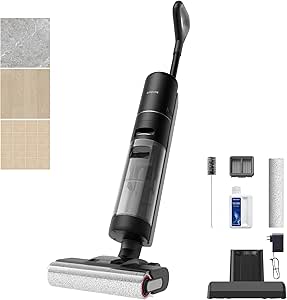
Dreame G10 Pro Wet and Dry Vacuum Mop

KitchenAid 5.5-Qt Bowl-Lift Stand Mixer, Porcelain White (KSM55SXXX)
As an affiliate, we earn on qualifying purchases.
Recent Trends in Streaming Device Security Concerns
Over the past year, cybersecurity experts have repeatedly warned about vulnerabilities in smart home devices, including streaming sticks. These devices often run on firmware that can be outdated or poorly maintained, making them attractive targets for hackers. Several high-profile incidents have involved malicious actors exploiting such vulnerabilities to gain access to home networks.
Manufacturers have responded with firmware updates and security advisories, but delays and inconsistent update practices continue to leave some devices exposed. Consumers have become more aware of these risks, leading to increased scrutiny of security features during device purchases.
Unconfirmed Aspects of the Vulnerability Scope
It is not yet clear how many models remain vulnerable due to lack of firmware updates or manufacturer transparency. The full extent of potential exploits and whether certain regions or retailers are more affected remains under investigation. Some manufacturers have not disclosed the specific vulnerabilities or the timeline for security patches, leaving uncertainties about ongoing risks.
Next Steps for Consumers and Manufacturers
Manufacturers are expected to release security patches and clarify the scope of vulnerabilities in the coming weeks. Consumers should check for firmware updates on their devices and consider replacing older models lacking recent security support. Industry regulators may also increase oversight to enforce better security standards for connected consumer electronics.
Experts recommend that consumers stay informed through official manufacturer channels and cybersecurity advisories to ensure their devices remain protected against emerging threats.
Key Questions
How can I check if my streaming stick has security vulnerabilities?
Check the device manufacturer’s website or app for recent firmware updates and security advisories. Look for the latest firmware version and update if needed.
Should I buy a streaming stick now or wait?
If you need a device immediately, choose models from reputable brands that have recently issued security updates. Otherwise, wait for official confirmation that vulnerabilities have been addressed.
What are the risks of using an insecure streaming device?
Insecure devices can be exploited by hackers to access personal data, control the device remotely, or penetrate your home network, potentially leading to further security breaches.
Are all streaming devices vulnerable to these issues?
No, only certain models with outdated firmware or poor security practices are affected. Confirm with the manufacturer or check for recent security updates before purchasing.
What steps can I take to protect my existing devices?
Regularly update your device firmware, change default passwords, and ensure your home network has strong security measures like WPA3 encryption and a secure router.
Source: hn