
TL;DR

Turn the school run and nap time into listening time
- Thousands of audiobooks, podcasts and originals
- Listen on your phone, tablet or Echo — also offline
- Cancel anytime
Baby cameras can overheat within hours if not placed correctly. Proper ventilation, avoiding heat sources, and smart placement prevent malfunctions and safety hazards. Regular checks keep your device working smoothly.
Place your baby camera in a shaded, well-ventilated spot, avoiding direct sunlight and heat sources.
Keep vents unobstructed and clean to promote airflow and prevent heat buildup.
Use cameras with built-in temperature alerts or auto-shutdown features for extra safety.
Regularly check your device’s temperature, especially during hot weather or in warm rooms.
Avoid enclosing the camera in cabinets or behind glass where heat can trap and cause overheating.
Baby Camera Overheating
A baby camera can become dangerously hot within hours when sunlight, trapped air, dust, and nearby heat sources work together. A shaded position, open airflow, and regular checks help prevent shutdowns, video failures, and premature component wear.
Direct sun and warm rooms can accelerate temperature rise.
Equivalent to approximately 5–35°C.
A camera near a sunny window in an 85°F room.
With consistently better placement and airflow.
Spot heat before performance slips
Overheating often appears first as a subtle combination of physical heat, unstable video, and unexpected power behavior.
Hot housing
The casing feels unusually hot, especially near vents, the power connection, or infrared components.
Video lag
The live feed freezes, stutters, loses quality, or takes longer than usual to reconnect.
Sudden shutdown
The camera powers off or restarts without warning as internal protection or instability takes over.
Heat alert
The camera app, warning light, or built-in sensor reports an unsafe device temperature.
Choose shade, space, and open air
Placement controls how quickly heat escapes. The best view of the crib should never come at the cost of blocked ventilation or direct heat exposure.
Prefer these locations
-
✓
Wall opposite the windowUse blinds or curtains to keep direct sunlight off the camera.
-
✓
Open-sided shelfAllow air to move around the front, back, sides, and top.
-
✓
Stable wall mountMaintain several inches of clearance from walls, fabrics, and furniture.
-
✓
Cool interior zoneChoose a shaded area with steady room circulation.
Avoid these heat traps
-
×
Sunny windowsillGlass and direct solar gain can rapidly heat the housing.
-
×
Enclosed cabinetWarm exhaust air recirculates instead of dissipating.
-
×
Radiator or heater zoneNearby heat sources raise both ambient and surface temperature.
-
×
Behind curtains or glassFabric blocks vents while glass creates a heat-retaining pocket.
Why the same camera runs hotter
Relative risk rises as airflow falls and environmental heat increases.
Placement heat-load index
Illustrative comparison based on airflow and exposure factors.
Operating environment
A typical stated ambient range is 41–95°F; always follow the limits in your model’s manual.
Turn routine care into cooler operation
Airflow depends on both the room and the device. A good location cannot compensate for vents packed with dust or covered by fabric.
| Action | Recommended practice | Heat effect | Cadence |
|---|---|---|---|
| ✓Clear vents | Keep furniture, curtains, toys, and cables away from every intake and exhaust opening. | Restores the intended airflow path | At every setup check |
| ✓Remove dust | Use compressed air or a soft brush without pushing debris deeper into the housing. | Reduces insulating buildup | Monthly |
| ✓Add clearance | Leave at least a few inches around the device unless the manufacturer specifies more. | Helps warm air disperse | Whenever repositioned |
| ~Check room heat | Monitor warm nurseries during summer, especially near windows and upper shelves. | Catches environmental risk early | More often in hot weather |
| ×Enclose device | Do not hide the camera inside cabinetry or behind glass for aesthetic reasons. | Prevents exhaust heat from being trapped | Never |
✓ recommended ~ monitor closely × avoid
The cool-camera chain
Each small action protects the next link: airflow supports temperature control, which supports reliability and device life.
Choose shade
Remove direct sunlight and nearby heat sources.
Make space
Keep several inches open around the housing.
Expose vents
Prevent curtains, dust, and clutter from blocking air.
Watch for heat
Check the housing, app alerts, feed stability, and room temperature.
Extend service life
Lower thermal stress supports safer, steadier operation.
Features that add an early-warning layer
Built-in safeguards help, but they complement good placement and maintenance rather than replacing them.
Temperature alerts
On-device sensors can send a phone notification when internal or nearby temperatures exceed a set threshold.
Automatic shutdown
Thermal protection can switch the camera off before excessive heat causes permanent damage or instability.
Passive cooling
Heat-dissipating housings, improved vents, efficient processors, and heat-resistant materials reduce thermal strain.
If a device reports excessive heat, move it to a cooler open location, clear the vents, power it down if necessary, and follow the manufacturer’s safety instructions.
What to do when heat becomes a concern
Use the camera’s manual as the final authority for operating limits, cleaning methods, and restart instructions.
Can the camera stay on all day?
Generally yes, provided it is designed for continuous use, remains well ventilated, and shows no signs of excess heat or instability.
What if it overheats?
Turn it off, disconnect power if safe, move it away from heat, clear blocked vents, and let it cool fully before following the maker’s restart guidance.
Are some models better in hot climates?
Look for clearly stated operating ranges, temperature alerts, automatic thermal protection, efficient hardware, and recognized safety certifications.
How often should it be checked?
Inspect placement and vents regularly, clean them monthly, and increase temperature checks during hot days or whenever the room feels unusually warm.
How to Spot if Your Baby Camera Is Overheating
Baby camera overheating can sneak up on you. The first signs? The device feels unusually hot, especially around vents or the housing. You might notice it shutting off unexpectedly or your video feed freezing. Some models even send alerts when they get too hot.
For example, in a room with a temperature of 85°F, a camera placed near a sunny window might reach 110°F after just 30 minutes, causing malfunctions. Regularly touching the device and checking for shutdowns or lag can catch overheating early.
baby monitor with temperature alerts
As an affiliate, we earn on qualifying purchases.
As an affiliate, we earn on qualifying purchases.
Where to Place Your Baby Camera for Cool, Safe Operation
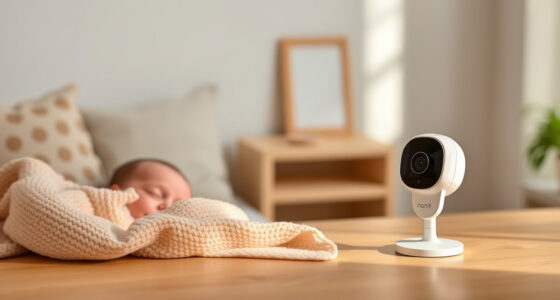
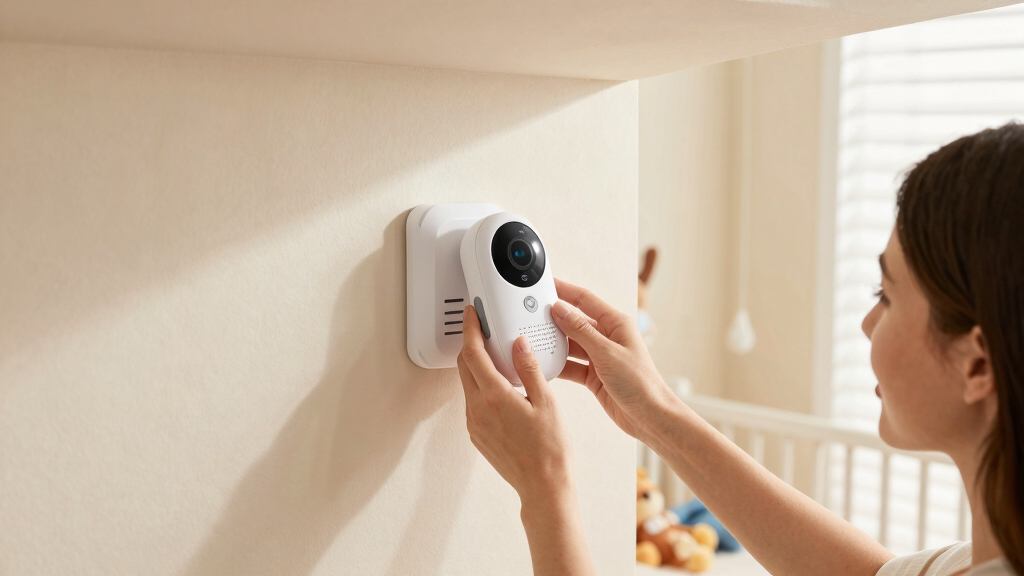
Placement is everything. Keep the camera in a shaded, well-ventilated spot, away from direct sunlight or heat sources like radiators or heaters. For example, mount it on a wall opposite a window with blinds to block the sun’s rays.
Maintaining at least a few inches of space around the device isn’t just about comfort — it’s about preventing heat buildup that can lead to component stress or failure over time. Enclosed cabinets or behind glass can trap heat, causing the device to work harder to cool itself, which accelerates wear and risks overheating. Choosing a cooler, shaded area allows heat to dissipate naturally, prolonging the device’s lifespan and ensuring consistent performance.
baby camera ventilation accessories
As an affiliate, we earn on qualifying purchases.
As an affiliate, we earn on qualifying purchases.
Ventilation Tips to Keep Your Camera Cool
Proper ventilation isn’t just about placement — it’s about airflow. Make sure vents aren’t blocked by furniture, curtains, or clutter. Regularly dust or clean vents to prevent dust buildup that can trap heat and reduce cooling efficiency.
If your camera has built-in fans or heat-dissipating features, ensure they’re unobstructed. Placing the device on a stand or shelf that’s open on multiple sides allows air to circulate around it, helping to carry away heat more effectively. Neglecting these details can cause the device to reach higher temperatures, increasing the risk of overheating and component degradation over time.
| Tip | What to Do |
|---|---|
| Unobstructed vents | Always keep vents clear of dust and debris to maintain optimal airflow, preventing heat from accumulating inside the device. |
| Good airflow | Place on a stand with open sides or near open windows to facilitate air movement, reducing internal heat buildup and prolonging device lifespan. |
| Regular cleaning | Wipe vents with compressed air or a soft brush monthly to remove dust, which can insulate heat and impair cooling efficiency. |
outdoor baby monitor with auto-shutdown
As an affiliate, we earn on qualifying purchases.
As an affiliate, we earn on qualifying purchases.
Smart Features That Help Prevent Overheating
Many modern baby cameras include temperature sensors that alert you if the device gets too hot. Some even shut off automatically to prevent hazards. These features are crucial because they act as early warning systems, giving you the opportunity to intervene before overheating causes damage or safety issues.
For instance, a camera with a built-in sensor might send a notification to your phone if it reaches 100°F, prompting you to move it or turn it off. This proactive approach helps avoid the tradeoff of having to replace damaged components or deal with safety hazards later. Regularly monitoring temperature readings allows you to stay ahead of potential problems, ensuring your device remains safe and functional over time.
As an affiliate, we earn on qualifying purchases.
Frequently Asked Questions
How can I tell if my baby camera is overheating?
Look for signs like the device feeling hot to touch, sudden shutdowns, or lagging video. Some cameras alert you via app if they reach unsafe temperatures. Regularly check the device, especially during hot days.
Where is the safest place to position a baby camera?
Position it in a shaded, open space with good airflow, away from direct sunlight, radiators, or enclosed cabinets. Mount it on a wall or shelf that allows air to circulate freely.
Can I leave my baby camera on all day?
Yes, if it’s placed correctly in a ventilated spot with safety features like temperature alerts. Just remember to periodically check for signs of overheating, especially in warm weather.
What do I do if my camera overheats?
Turn it off immediately, move it to a cooler location, clear any blocked vents, and wait until it cools before restarting. Regular checks can help prevent this situation.
Are some models better for hot climates?
Yes, choose cameras with enhanced cooling features, built-in temperature sensors, and sturdy, heat-resistant materials. These are designed to handle warmer environments safely.
Conclusion
A little attention to placement and ventilation goes a long way. Think of your baby camera as a tiny, sensitive engine — it needs fresh air and space to run smoothly. When in doubt, prioritize cool, shaded spots, keep vents clear, and trust safety features. Your device will thank you, and so will your peace of mind.Halloween Picks
halloween
As an affiliate, we earn on qualifying purchases.