TL;DR

Turn the school run and nap time into listening time
- Thousands of audiobooks, podcasts and originals
- Listen on your phone, tablet or Echo — also offline
- Cancel anytime
Grainy night vision on baby monitors often results from low-quality IR LEDs, resolution limits, dirt on the lens, interference, or environmental factors. Recent tech improvements are making night vision sharper, but maintenance and device choice remain key.
Ever peek into your baby’s room at night and see a grainy, black-and-white blur instead of a clear picture? That fuzzy image is more common than you think, and it often leaves parents frustrated. You’re not alone—many parents face this issue, especially with older or budget monitors.
Understanding what causes grainy night vision can turn that frustrating, blurry scene into a clear view of your little one. Whether it’s hardware limits, environmental factors, or interference, knowing the real culprits helps you troubleshoot and make smarter choices. Let’s break down what’s behind those grainy images and how recent tech advances are improving the night-time viewing experience.
High-quality IR LEDs and sensors dramatically improve night vision clarity.
Regularly cleaning the camera lens and updating firmware can fix many graininess issues.
Environmental factors like reflections, shadows, and obstructions significantly impact image quality.
Recent tech advances like adaptive IR and AI-enhanced processing make night vision sharper than ever.
Choosing a monitor with better night vision features can reduce frustration and give peace of mind.
What exactly causes grainy night vision on your baby monitor?
Grainy night vision mainly comes down to hardware and environmental factors. The most common culprit? Low-quality infrared (IR) LEDs. These tiny lights brighten the scene in black and white but can produce grainy images if they’re old or cheap. When IR LEDs are subpar, they often emit uneven or insufficient illumination, which leads to images that are noisy and lack detail. This affects your ability to see your baby clearly, especially in critical moments, and can cause unnecessary worry.
Another big factor is camera resolution. Lower resolution sensors struggle to capture fine detail in dim lighting. This isn’t just about clarity—poor resolution can hide subtle cues like facial expressions or movements, which are vital for assessing your baby’s comfort or distress. Dirt, smudges, or dust on the camera lens act like fog, scattering light and reducing contrast, which makes everything look fuzzy and less defined. Plus, interference from Wi-Fi signals or other wireless devices can disrupt transmission, adding static and grain that obscure the image. These issues compound, making it hard to get a reliable view of your baby during the night.
Imagine trying to watch a blurry, grainy movie in a dark room. That’s what your baby sees when IR LEDs or sensors aren’t up to the task. And if your monitor’s power supply is weak or unstable, it can cause the camera to underperform at night, further degrading image quality. Recognizing these factors helps you understand that graininess isn’t just a nuisance—it’s often a sign of hardware limitations or environmental interference that can be mitigated with proper adjustments or upgrades.
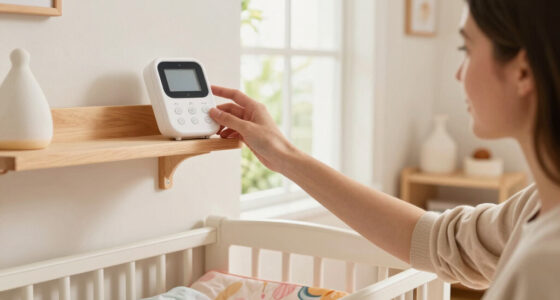
baby monitor with high-quality IR LEDs
As an affiliate, we earn on qualifying purchases.
As an affiliate, we earn on qualifying purchases.
How do recent tech upgrades make night vision clearer than ever?
Newer baby monitors now pack **enhanced IR LEDs** that emit more powerful, evenly distributed light. These advancements mean more consistent illumination across the entire image, reducing dark spots and uneven brightness that contribute to graininess. Some models include **adaptive night vision**, which automatically adjusts IR brightness based on ambient light levels. This prevents overexposure—where the image appears washed out—and under-illumination, which leaves parts of the image too dark to interpret. These features are crucial because they optimize visibility in changing room conditions, ensuring the image remains clear and detailed regardless of the environment.
High-resolution sensors, like those offering **HD or even 4K video**, provide sharper images in low light, but their real impact lies in revealing subtle details that lower resolutions miss. This allows you to distinguish a yawn from a cry or see if your baby is shifting positions, which can be vital for assessing comfort and safety. AI-driven image processing algorithms further reduce graininess and enhance contrast by intelligently filtering noise and sharpening edges, much like photo editing software but integrated into the device. For example, a recent monitor with **smart IR technology** can brighten dark corners without washing out the image, giving you a much crisper view of your sleeping baby. These technological improvements mean fewer grainy nights, enabling parents to monitor with greater confidence and peace of mind.
As an affiliate, we earn on qualifying purchases.
Comparison table: Old vs. new baby monitor night vision features
| Feature | Older/Basic Models | Latest High-End Models |
|---|---|---|
| IR LEDs | Limited brightness, uneven illumination | Powerful, adaptive IR, evenly distributed |
| Camera resolution | Low (VGA or 720p) | HD, 4K options |
| Image processing | Basic, no enhancement | AI-driven noise reduction & contrast enhancement |
| Interference mitigation | Minimal; prone to static | Wi-Fi 5/6, encrypted streams, less interference |
| Night vision quality | Grainy, blurry, inconsistent | Sharp, clear, adaptive brightness |
As an affiliate, we earn on qualifying purchases.
Simple steps to improve night vision clarity right now
- Clean the camera lens with a soft cloth—dust and fingerprints are sneaky fog-makers that scatter IR light and reduce image sharpness. Proper cleaning ensures maximum clarity and prevents build-up from degrading night vision performance.
- Ensure the camera is within the recommended distance—usually under 10 feet for best night vision. Being too far can cause the IR light to weaken before reaching the subject, leading to grainy images. Maintaining optimal distance ensures the IR LEDs illuminate effectively, providing a clearer picture.
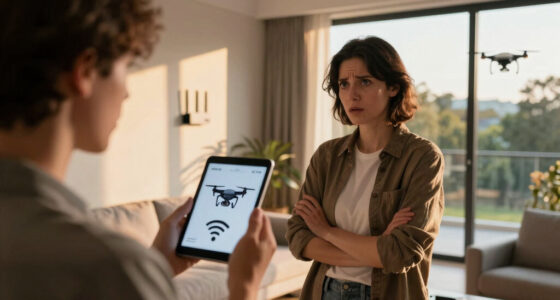
- Reduce interference by turning off or relocating other wireless devices near the monitor. Wireless signals can compete for the same spectrum, causing static and distortion. Minimizing interference helps ensure a stable video feed, reducing graininess caused by signal disruptions.
- Update your monitor’s firmware—manufacturers often release improvements for night vision quality. These updates can optimize IR performance, fix bugs, and enhance image processing algorithms, leading to clearer images without hardware changes.
- Upgrade to a newer model if your current monitor’s night vision remains grainy after basic fixes. Newer devices incorporate the latest tech, offering better IR LEDs, higher resolution sensors, and smarter image processing, which collectively provide a much clearer view of your sleeping baby.
Think of it like cleaning your glasses or adjusting a dimmer switch—simple tweaks can make a big difference in visibility. For example, a parent once cleaned her monitor’s lens and moved her Wi-Fi router; suddenly, her night images were crystal clear. These small but meaningful steps can significantly improve your monitoring experience and peace of mind.
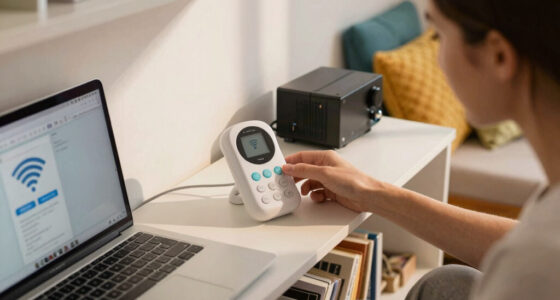
Wi-Fi interference reducing device for baby monitors
As an affiliate, we earn on qualifying purchases.
As an affiliate, we earn on qualifying purchases.
What else affects how well you see at night?
Environmental factors play a big role. Bright reflective surfaces like mirrors or glossy furniture can bounce IR light away, reducing clarity. When IR light reflects unpredictably, it creates glare and shadows, making the image appear grainy or distorted. Dark, cluttered rooms with lots of shadows can absorb or scatter IR illumination, resulting in uneven lighting that diminishes detail and contrast. Room layout matters—if your little one sleeps behind a large stuffed animal or under a canopy, the camera might struggle to get a clear shot because objects block or diffuse IR light, leading to obscured or grainy images. Ambient lighting, like nightlights or glow-in-the-dark decorations, can interfere with IR illumination by adding competing light sources or causing reflections that diminish the contrast of the night vision image. For example, a parent in a room with shiny, reflective walls noticed her monitor’s night vision was grainier than usual. Moving some reflective items and dimming other lights made her baby’s face much clearer on the screen. Recognizing and managing environmental factors can significantly improve night vision clarity, ensuring you get the best possible view of your baby during those critical nighttime hours.
Understanding these influences helps parents create a room environment that supports optimal monitoring conditions, reducing graininess caused by external factors and increasing overall safety and peace of mind.
Frequently Asked Questions
Why does my baby monitor’s night vision look grainy or blurry?
It’s often caused by low-quality IR LEDs, poor resolution, dirt on the lens, or interference from other wireless devices. Regular cleaning and checking device specs can help.How can I improve night vision clarity on my baby monitor?
Clean the camera lens, keep the monitor within optimal range, reduce wireless interference, update firmware, and consider upgrading to a higher-quality model with better IR and resolution.Are there baby monitors with better night vision technology?
Yes, newer models feature advanced IR LEDs, adaptive night vision, higher resolution sensors, and AI processing, all of which boost clarity during nighttime.Can environmental factors affect night vision quality?
Absolutely. Reflective surfaces, shadows, obstructions, and ambient lighting can all diminish image clarity, so room setup matters.Is grainy night vision normal?
Some graininess is common in lower-end models, but persistent poor quality might mean hardware issues or that it’s time for an upgrade.Conclusion
Grainy night vision isn’t just an annoyance—it’s often a sign of hardware limits or environmental hurdles. Regular maintenance, smart placement, and investing in newer tech can transform your baby monitor from fuzzy to crystal clear. The next time you peek into your child’s room, imagine a night vision so sharp it feels like you’re right there.
Remember, clear night vision isn’t magic—it’s smart tech and careful choices working together. Keep those lenses clean, reduce interference, and consider an upgrade if needed. Your peace of mind, and your baby’s peaceful sleep, are worth it.
Halloween Picks
halloween
As an affiliate, we earn on qualifying purchases.