
TL;DR

Turn the school run and nap time into listening time
- Thousands of audiobooks, podcasts and originals
- Listen on your phone, tablet or Echo — also offline
- Cancel anytime
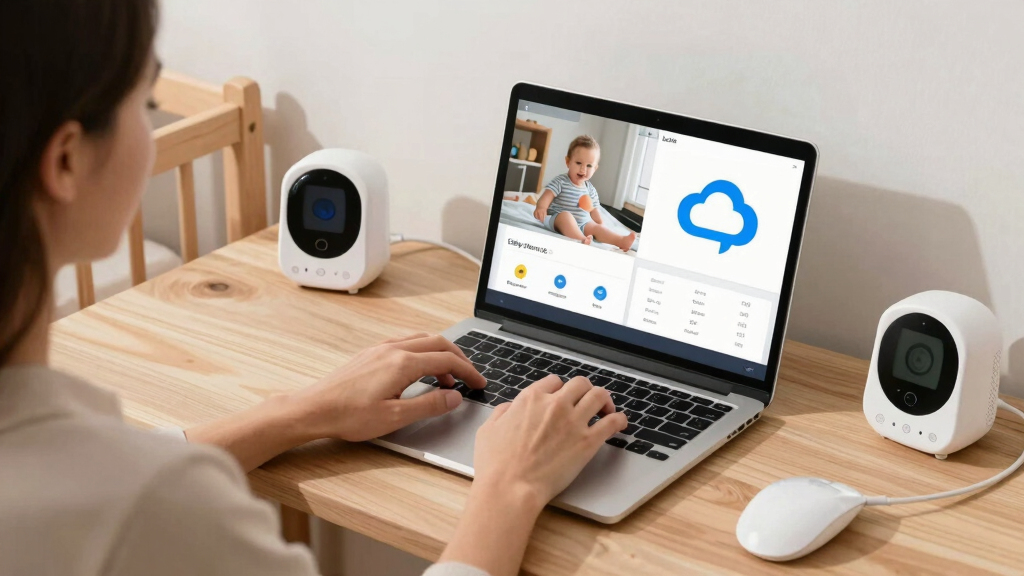
Local storage keeps footage on a device, offering better privacy but limited access. Cloud storage provides remote viewing and scalability but involves ongoing costs and security considerations. Your choice hinges on what matters most—security, convenience, or budget.
If you’re a parent shopping for a baby monitor, you’ve probably noticed options with local storage and others with cloud storage. Each promises peace of mind, but behind the scenes, they’re very different. Understanding how each works can save you headaches, money, and even your child’s privacy.
In this guide, you’ll learn exactly what sets local and cloud storage apart. We’ll cover security risks, convenience factors, costs, and recent tech trends. By the end, you’ll know which storage type aligns best with your family’s needs—no fluff, just plain facts.
Local storage keeps footage on a device, offering better privacy but limited remote access.
Cloud storage enables easy remote viewing and AI features but involves ongoing subscription costs and security risks.
Choosing depends on what matters most: privacy, convenience, or budget.
Recent trends include hybrid solutions and enhanced security protocols, giving parents more options.
Always secure your baby monitor with strong passwords and firmware updates, regardless of storage type.
What is local storage in a baby monitor—and why does it matter?
Local storage means your baby monitor saves video footage directly onto a nearby device, like an SD card or internal memory—no internet needed. It keeps your videos off the cloud, so only someone with physical access to the device can see the footage.
Imagine a monitor with an SD card slot tucked into the side. You pop in a card, and all recordings are stored there. If you want to review footage, you simply remove the card or connect to the device. It’s like having a tiny vault right in your nursery.
This method is often praised for being more private, since your videos aren’t floating around online. Plus, it can be cheaper: no monthly fees, just a one-time purchase of a storage medium.
As an affiliate, we earn on qualifying purchases.
How does cloud storage in baby monitors give you remote access?
Cloud storage uploads your baby’s video footage to remote servers, accessible via an app on your phone or tablet. This means you can check in from anywhere—whether you’re at work, grandma’s house, or on vacation.
Picture yourself glancing at your phone at 2am, seeing your sleeping baby through a sleek app. Cloud storage makes this seamless, often with real-time alerts for motion or sound. But it’s not just about access; cloud storage often includes features like AI-based motion detection, sleep tracking, and sharing options.
However, this convenience comes with an ongoing cost: subscription fees that can add up over time. Plus, your footage is stored off-site, raising questions about privacy and security.
baby monitor with cloud storage subscription
As an affiliate, we earn on qualifying purchases.
As an affiliate, we earn on qualifying purchases.
Compare local vs cloud storage: Which is better for your family?
| Feature | Local Storage | Cloud Storage |
|---|---|---|
| Privacy | Higher; data stays on device | Lower; data stored on remote servers |
| Accessibility | Limited; physical access needed | Remote; view from anywhere |
| Cost | One-time; device and storage medium | Recurring; subscription fees |
| Storage Capacity | Limited by device or medium size | Scalable; automatic management |
| Security Risks | Physical theft or device damage | Hacking, data breaches |
| Setup Ease | More technical; manual management | Usually straightforward via app |
Choosing depends on your priorities. Want privacy? Local storage wins. Need remote access and AI features? Cloud is more convenient, but consider the ongoing subscription costs and security risks.
secure baby monitor with local storage
As an affiliate, we earn on qualifying purchases.
As an affiliate, we earn on qualifying purchases.
Recent tech trends: What’s shaping the future of baby monitor storage?
Baby monitor technology keeps evolving fast. Recent trends include hybrid storage options, letting you combine local and cloud for flexibility. Some brands now offer encrypted cloud storage with end-to-end security, addressing privacy worries.
AI-powered features like motion alerts or sleep analysis are mostly cloud-driven, pushing the boundaries of what monitors can do. Meanwhile, stricter privacy regulations mean manufacturers are being more transparent about data handling, giving you more control.
If you’re looking at a monitor today, check whether it supports both storage types or offers enhanced security protocols. Those features can make a big difference in your peace of mind.
As an affiliate, we earn on qualifying purchases.
Security and privacy: What parents should watch out for?
Security is the big concern with cloud storage. Reports show that 60% of baby monitor breaches involve weak passwords or unsecured accounts. Choosing a reputable brand that uses strong encryption and regular updates can protect your footage.
Local storage may feel safer because your videos stay on a physical device, but it’s not immune to theft or damage. If someone steals your SD card or hacks into your device, your privacy could still be compromised.
Always change default passwords, keep firmware updated, and consider monitors with features like two-factor authentication to safeguard your data.
Which storage option saves you money in the long run?
Local storage often costs less overall—just buy an SD card once, and you’re set. No monthly fees, no ongoing expenses. If your budget is tight, this can be a decisive factor.
Cloud storage, however, charges monthly or yearly subscription fees. Over a few years, these can add up to hundreds of dollars. But cloud options often include automatic updates, AI features, and easier access—value that might justify the cost for some families.
Think about your long-term needs. Do you prefer a simple setup with minimal ongoing costs or the convenience of remote access and extra features?
Frequently Asked Questions
Is cloud storage in baby monitors safe and secure?
Reputable brands use strong encryption and regular security updates to protect your footage. However, no system is completely immune from hacking, so choose models with added security features like two-factor authentication and change default passwords immediately.
What are the privacy risks associated with cloud storage?
Cloud storage involves uploading your videos to remote servers, which could be vulnerable to hacking or data breaches if not properly secured. Always opt for providers with transparent privacy policies and robust security measures.
Can I access my baby monitor footage remotely with local storage?
Typically, local storage limits remote access unless you set up specific solutions like network-attached storage (NAS) or a device with remote viewing capabilities. Many parents prefer cloud for easy, instant remote access.
Which option is more cost-effective in the long run?
Local storage usually involves a one-time purchase of a memory card or device, making it more budget-friendly over time. Cloud storage incurs ongoing subscription fees, but offers added convenience and features.
Are there hybrid options that combine both storage types?
Yes. Some baby monitors now support both local and cloud storage, giving you flexibility to store videos locally while also enjoying remote access and AI features—ideal for balancing privacy and convenience.
Conclusion
Your choice between local and cloud storage in a baby monitor hinges on your family’s priorities. Want privacy and simplicity? Local storage might be your best bet. Crave easy access and smart features? Cloud storage offers that, with some extra costs and risks.
Remember, technology evolves quickly. Stay informed about security updates and new features. The right choice today could change tomorrow—stay curious, stay cautious, and keep your little one’s world safe.
Halloween Picks
halloween
As an affiliate, we earn on qualifying purchases.