
TL;DR

Turn the school run and nap time into listening time
- Thousands of audiobooks, podcasts and originals
- Listen on your phone, tablet or Echo — also offline
- Cancel anytime
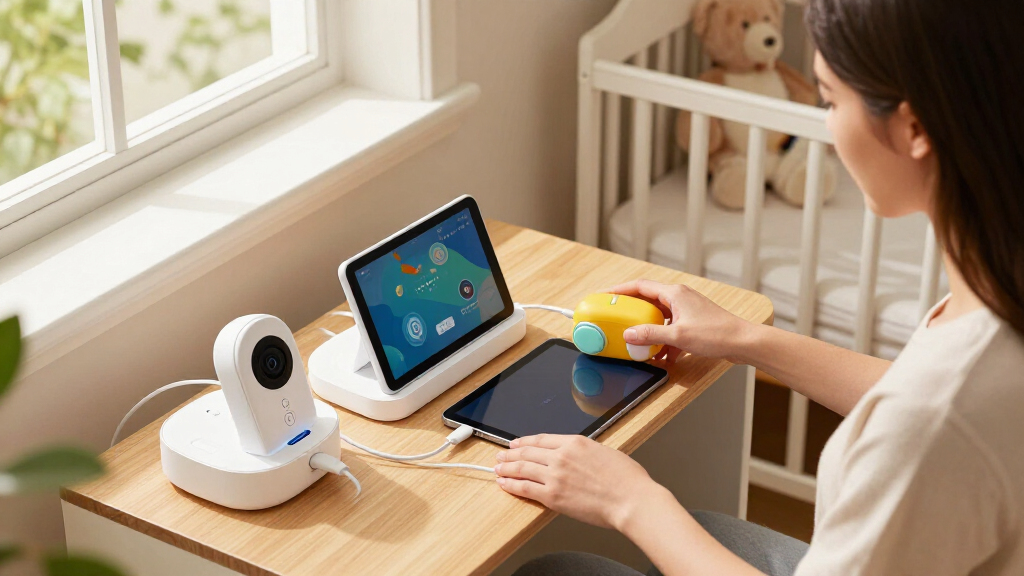
A nursery tech charging station centralizes all your devices—smartphones, tablets, baby monitors—in one safe, tidy spot. It reduces clutter, prevents hazards, and can include extra features like nightlights or cable management for a smoother parenting routine.
Imagine walking into your nursery and seeing a cluttered mess of tangled cords, devices scattered across surfaces, and a constant struggle to find where you last plugged in your phone or monitor. Sound familiar?
What if you could transform that chaos into a clean, safe, and stylish space—where every device has its home? A nursery tech charging station does just that. It’s more than a gadget—it’s a parenting hack that streamlines your day-to-day routine and keeps your nursery looking neat and safe.
This guide will show you what makes a good nursery charging station, recent innovations that make them smarter, and how to set up one that fits your space and needs. Ready to make tech clutter a thing of the past?
A nursery tech charging station centralizes all devices, reducing clutter and tripping hazards.
Look for stations with multiple ports, cable management, child-proofing, and extra features like nightlights or sound machines.
Measure your nursery space and device needs carefully before choosing a station.
Wireless stations offer a sleek look but check device compatibility and safety standards.
Regularly inspect cords and keep devices out of baby’s reach for safety.
Why a nursery charging station is your new best friend
A nursery tech charging station pulls together all your devices—phones, tablets, baby monitors—into one dedicated spot. It’s like a command center for your nursery. Instead of hunting for chargers or untangling cords, everything stays organized and accessible.
Think about a typical morning: you’re juggling a hundred things—changing diapers, preparing bottles, and trying to get a quick check on your baby. When your devices are charged and ready in a designated spot, it cuts down on stress and saves precious seconds.
Plus, a good station prevents cords from trailing on the floor, reducing tripping hazards. It keeps water, baby messes, and curious little hands away from electrical outlets or loose wires. That’s peace of mind in a busy nursery.
Popular right now

Apple AirPods Pro 3 Wireless Earbuds with Active Noise Cancellation

Samsung 42-Inch S90H OLED 4K Smart TV Bundle

KitchenAid Artisan 5-Quart Tilt-Head Stand Mixer, Almond Cream
As an affiliate, we earn on qualifying purchases.
What features make a nursery tech charging station worth installing
The best stations combine safety, convenience, and style. Here’s what to look for:
- Multiple charging ports: USB, USB-C, AC outlets—so you can charge everything at once.
- Cable management: Clips, channels, or sleeves that hide cords and prevent tangling.
- Child-proof design: Rounded edges, secure covers, and safety certifications (like UL) to keep little hands safe.
- Additional features: Built-in nightlights, sound machines, or storage compartments to maximize space.
Imagine a sleek wooden station with three USB ports, a soft glow nightlight, and a hidden compartment for extra batteries or wipes. It’s both functional and pretty enough to blend with your nursery decor.
How to choose the right nursery station for your space
Not all nurseries are the same size or layout. Here’s a step-by-step to pick one that fits:
- Measure your space: Know where you want it—near the crib, changing table, or a corner.
- Assess your device needs: Count your devices, note the types of ports, and consider future additions.
- Check safety certifications: Look for UL or ETL marks—these ensure electrical safety.
- Decide on style and materials: Choose eco-friendly, non-toxic woods or plastics that match your nursery’s vibe.
- Compare features: Use the table below to match your needs with available options.
Choosing the right nursery station is about balancing your space constraints with your device needs. A compact station might be perfect for small nurseries but could limit future growth, while larger stations with extra features can accommodate more devices and provide additional storage. Considering safety certifications ensures that you’re not compromising safety for style or convenience. Think about how the station’s design and materials will interact with your nursery’s decor and environment—non-toxic, eco-friendly options not only protect your baby but also contribute to a healthier space. Matching features with your lifestyle—like wireless charging for a quick setup or nightlights for late-night feedings—can make your nursery more functional and tailored to your routines.
Comparison table: Wired vs. wireless nursery charging stations
| Feature | Wired Charging Stations | Wireless Charging Stations |
|---|---|---|
| Convenience | Requires plugging in devices individually, which can be time-consuming and cluttered, especially with multiple cords. This setup often leads to a tangle of wires that can be difficult to organize or hide. It also means managing multiple cables that can get tangled or damaged over time, potentially exposing your devices to electrical hazards. | Drop device on pad, no cords needed, offering a cleaner look and easier setup. However, compatibility is limited to Qi-enabled devices, and some devices may charge slower or less efficiently. The tradeoff is that wireless stations eliminate many clutter issues but require you to ensure your devices are compatible and that the charging pad is placed in a safe, accessible spot. |
| Speed | Typically faster, especially with fast-charging ports, making it ideal for quick power-ups. You can also connect multiple devices simultaneously without concern for interference or power limits. | Depends on device compatibility; some devices may charge slower than wired options. This can be a tradeoff if you frequently need rapid charging, but the convenience of a tidy space might outweigh this for some parents. |
| Safety | High safety standards, but cords can be tripping hazards and may pose risks if damaged or improperly managed. Proper cord management is essential to prevent accidents. | Minimizes cords, reducing trip risks and making the nursery safer overall. Still, wireless pads should be placed out of reach of children, and overuse or faulty devices could pose electrical risks if not certified properly. |
| Compatibility | Works with all devices that have a charging port, offering maximum flexibility. This includes older devices that may not support wireless charging. | Only compatible with Qi-enabled devices, which might exclude some older or specialized gadgets. The limitation means you need to check your device compatibility before investing. |
| Aesthetics | Can look cluttered with cords, especially if not well-managed, which can detract from your nursery’s decor. | Sleek, minimal, and modern look that can seamlessly blend into most nursery designs, creating a calming environment. |
Choosing between wired and wireless depends on your device compatibility, safety preferences, and aesthetic priorities. Wired options may be more versatile and faster but require careful cord management. Wireless stations offer a clean, modern look and reduce tripping hazards, but they might involve compromises in speed or device compatibility. Consider your daily routines and safety concerns to find the best fit for your nursery environment.
How to keep cords tidy and out of baby’s reach
Cords are the biggest safety concern in any nursery. Here’s how to tame them:
- Use cable clips and sleeves: Secure cords along the wall or behind furniture to prevent accidental tugging or pulling, which could unplug devices or cause them to fall.
- Install a dedicated station: Keep all cords and devices in one spot, preferably on a high shelf or behind a barrier, to prevent baby access and reduce the risk of choking or electrical shock.
- Choose stations with built-in management: Features like channels, hidden compartments, or cord covers not only hide cords but also prevent curious hands from pulling or chewing on them, reducing risks of injury or damage.
- Regularly inspect cords: Frayed, cracked, or damaged cords can pose serious electrical hazards. Replacing them immediately ensures ongoing safety and prevents potential fires or shocks.
Imagine a tidy station with cords tucked neatly behind a panel or within a cable management system. This setup not only looks better but significantly reduces the chance of accidental tugs, chews, or trips, creating a safer nursery environment for your baby to explore freely.
Smart features that make your nursery tech station even better
Newer stations are smarter, safer, and more integrated. Here are some features worth considering:
- Fast-charging ports: Cut down charging time, especially for phones and tablets, ensuring your devices are ready when you need them most without long waits.
- Built-in nightlights: Soft, gentle glow to soothe your baby during nighttime checks, providing enough light without disturbing sleep cycles.
- Sound machine integration: Calm your little one with built-in lullabies or white noise, making late-night nursing or diaper changes less disruptive.
- Modular design: Add or remove components as your nursery evolves, allowing customization and adaptability for changing needs.
- Eco-friendly materials: Non-toxic, sustainably sourced woods or plastics contribute to a healthier environment and peace of mind for parents concerned about toxins.
Imagine a station that charges your devices, dims a nightlight, and plays lullabies—all in one sleek package. This integration simplifies nighttime routines, reduces the number of separate gadgets, and creates a calming nursery environment, embodying smart parenting.
Safety tips for using your nursery charging station
Electrical safety is paramount, especially around curious little hands. Here’s what to keep in mind:
- Choose certified products: Look for safety marks like UL or ETL to ensure the station meets rigorous safety standards, reducing the risk of electrical faults or fires.
- Avoid overloading outlets: Use stations with enough ports for your devices and avoid plugging multiple adapters into a single outlet, which can cause overheating or short circuits.
- Keep devices out of reach: Place your station on a high surface or behind a barrier to prevent your baby from pulling or chewing on cords and devices, which could cause injuries or damage.
- Inspect cords regularly: Damaged or frayed cords increase the risk of electrical shock or fire. Replacing them promptly maintains a safe environment.
- Turn off when not in use: Unplug devices during storms, or if you won’t be using them for an extended period, to prevent power surges or electrical hazards.
Remember, a safe nursery isn’t just about the right equipment but also about ongoing vigilance, proper maintenance, and awareness of potential hazards to keep your little one protected.
Key takeaway: Simplify your nursery with one smart spot
Investing in a nursery tech charging station isn’t just about keeping devices charged. It’s about reducing clutter, enhancing safety, and creating a calm space for both you and your baby. A well-chosen station becomes the hub of your nursery—efficient, safe, and stylish.
Think of it as a small but mighty upgrade that makes your daily routine smoother and your nursery more peaceful. Start with your space, assess your needs, and choose a station that grows with you. Your future self will thank you.
Frequently Asked Questions
How many devices can a nursery charging station handle at once?
Most stations can handle 4 to 8 devices simultaneously, with a mix of USB ports, USB-C, and AC outlets. Check your devices’ charging needs and the number of ports on the station before buying.
Are wireless charging stations safe for a nursery?
Yes, if they meet safety standards like UL certification. Keep wireless pads out of your baby’s reach and use them on stable, flat surfaces to avoid accidents.
What’s the best way to hide cords in a small nursery?
Use cable clips along the wall or behind furniture, and choose stations with built-in cable management. Regularly check for frayed cords and replace them immediately.
Can I use one station for all my devices, including my baby monitor?
Most stations are designed to be versatile, with multiple ports. Just verify the number and types of ports to ensure compatibility with your device lineup.
Are eco-friendly nursery charging stations available?
Yes, many brands now offer stations made from sustainable, non-toxic materials, helping you create a safer and greener nursery environment.
Conclusion
Creating a nursery tech charging station is a simple step that pays off in safety and sanity. It’s about transforming chaos into calm, one cord at a time.
Imagine a nursery where every device has a home, cords stay hidden, and safety is built-in. That’s the power of a well-designed charging station. Do it today—your future self and your little one will thank you for it.