TL;DR

Turn the school run and nap time into listening time
- Thousands of audiobooks, podcasts and originals
- Listen on your phone, tablet or Echo — also offline
- Cancel anytime
A travel sound machine can run on replaceable batteries, a built-in rechargeable battery, USB power, or a combination; its real runtime changes with volume and features. Charge it before leaving, pack spare lithium batteries and power banks in your carry-on, check current airline rules, and treat sound as a comfort aid rather than a way to block announcements or every cabin noise.
Check whether your exact machine uses AA or AAA cells, an internal rechargeable battery, USB power, or a combination.
Test runtime using your usual volume, sound, light, and Bluetooth settings; the maker’s estimate is a guide, not a guarantee.
Pack spare lithium batteries and power banks in your carry-on, protect loose cells, and check current airline rules and power-bank Wh limits.
Charge before departure and carry a suitable backup because airport and aircraft USB ports may be absent or too slow.
Use comfortable volume, keep the machine clear of bedding, and follow crew directions; sound masking can soften steady noise but cannot block announcements.
Travel Sound Machine Batteries Flights, Naps and Layovers
A dependable battery plan can keep a familiar sound available through naps, flights, and delays. Check the exact device and current airline rules before you travel.
Know your power options
Check whether USB charges the battery or only powers the machine while plugged in.
AA or AAA cells
Bring the correct size and protect spare cells from metal contact.
Built-in battery
Charge before departure and check how to recharge the exact model.
Plug-in power
Airport and aircraft ports may be absent or too slow, so carry a backup.
Runtime changes with your routine
The maker’s estimate is a guide; your settings and conditions affect real runtime.
Pack for the flight
Keep the device and a suitable backup accessible in your carry-on.
Read the exact model’s battery and charging instructions.
Confirm its Wh rating and current airline requirements; larger batteries may need approval or may be prohibited.
Keep loose cells in original packaging or a case, and leave damaged, swollen, or recalled batteries at home.
Sound is a comfort aid
Plan for a calmer rest while staying aware of the cabin.
- Softening steady background noise
- Providing a familiar sound at naps or bedtime
- It cannot reliably block announcements or sudden noise
- Use comfortable volume and follow crew directions
Know what powers your travel sound machine before you leave
A travel sound machine can use replaceable AA or AAA cells, a built-in rechargeable lithium-ion battery, USB power, or more than one of those options. Check the manual or label for your exact model; “portable” doesn’t tell you whether it can play without an outlet. A USB socket may recharge an internal battery, or it may simply power the machine while plugged in. Those are different arrangements: in the first, you need enough stored charge for a flight; in the second, a cable alone won’t help where no outlet or compatible port is available. This distinction determines what backup can actually keep the sound playing through a gate delay or overnight stay. Test the device away from home before relying on it. Unplug it, start the sound you expect to use, and check the controls in a dim room. Try the timer, too. A device that is simple to operate in a bright kitchen may be hard to adjust while holding a sleepy child. If the timer is confusing, it may run longer than intended and use power you expected to save. A short practice run shows whether the device is genuinely convenient in the conditions where you’ll use it. Each power option moves the planning burden somewhere different. Replaceable batteries let you restore power quickly, but you must bring the correct size and protect loose cells from contact with metal. A rechargeable unit avoids loose spares but depends on charging before departure and on a compatible backup if the trip runs long. A model that supports both battery use and USB operation can offer more flexibility, but only if you know what each connection does. Check which features work on battery and whether the machine can play while charging. These details tell you whether a cable, a power bank, spare cells, or some combination is a meaningful fallback.Popular right now
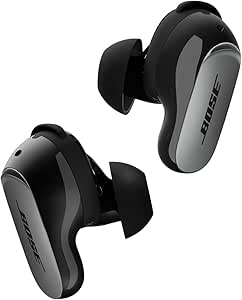
Bose QuietComfort Ultra Earbuds (2nd Gen) – Wireless Noise‑Cancelling Earbuds with Mic, Immersive Audio, USB‑C Charging, Up to 6 Hours Batte

De'Longhi La Specialista Arte Evo Espresso Machine with Grinder

KitchenAid 5.5-Qt Bowl-Lift Stand Mixer, Porcelain White (KSM55SXXX)
As an affiliate, we earn on qualifying purchases.
Estimate real runtime by testing your usual settings
A travel sound machine’s runtime depends on its model and use, so treat the maker’s estimate as a guide rather than a promise. Higher volume, a night light, Bluetooth, and some sound or timer settings can draw more power; battery age and temperature can also affect performance. The estimate matters because it shapes how much backup to carry. If it describes sound alone at a lower volume, it may leave too little margin for a long nap or a delayed connection when your usual setup also uses a light. Run a simple test before the trip. Fully charge the machine or install fresh batteries, choose the sound and volume your child usually hears, and use the light and timer settings you expect to use away from home. Note how long it plays, then repeat with any feature you could comfortably skip. This is not a lab measurement; it’s a way to see whether your real routine has enough reserve. If it doesn’t, you can reduce a nonessential setting, plan an earlier recharge, or pack a compatible backup before you are away from home. For example, test the dim light and low-volume rain sound your family uses at bedtime, rather than relying on a runtime quoted for sound alone. Pack a cable even if the test looks reassuring, and consider a compatible power bank if it is allowed for your trip. If the machine uses replaceable cells, bring the right size in a protective case. The test helps match your backup to your itinerary, but it cannot guarantee the same runtime in very hot or cold conditions or after the battery has aged. Leaving some margin is useful because travel delays are unpredictable, while battery failure at a nap is immediately inconvenient.Pack batteries and power banks where you can reach them
Pack a rechargeable sound machine, spare lithium batteries, and power banks in your carry-on, and check current airline and aviation authority guidance before flying. Many aviation rules allow lithium-ion batteries up to 100 Wh without special approval; larger batteries may need airline approval, while still larger ones may be prohibited. The rating is often printed on the power bank, but requirements depend on the route and carrier. Carry-on access matters because the device is useful during a delay only if you can reach it; cabin carriage is also required for many spare lithium batteries and power banks.- Check the device. Find out whether its battery is built in, removable, or replaceable, and read the maker’s travel and charging instructions. This helps you identify which battery rules apply and whether the machine itself can travel in checked baggage under your airline’s rules.
- Check the power bank. Find its Wh rating and confirm that your airline permits it; don’t guess from the USB capacity printed in mAh. The rating gives airline staff a standard measure for comparing stored energy, while mAh alone can be difficult to interpret without voltage information.
- Protect loose cells. Keep spares in their original packaging or a battery case so terminals can’t touch keys, coins, or other metal objects. This prevents accidental short circuits and keeps the batteries easier to identify when you need them.
- Inspect before packing. Leave damaged, swollen, or recalled batteries at home, and check relevant recall information if you have doubts about a product. These batteries can be unreliable and may pose a safety risk, which defeats the purpose of carrying a backup.
- Keep the kit together. Put the machine, cable, and approved power bank in an easy-to-reach part of your carry-on. Keeping them together saves time during a connection and reduces the chance that the device arrives without the cable or power source it needs.
Plan for flights when outlets and use rules can change
You can usually bring a small personal sound machine in your carry-on, but using it in flight depends on airline instructions, the device’s wireless features, and the phase of flight. Follow crew directions and don’t assume Bluetooth or another wireless feature can stay on throughout the trip. Airline and aviation rules can vary, so check current guidance before you fly. A machine with physical controls and built-in sounds is easier to use if wireless features need to be disabled; relying on an app could leave you unable to change settings at the moment you need them. USB charging is useful when a suitable port is available, but an airport seat or aircraft cabin may have no port, an awkwardly placed one, or a connection too slow for your device. A port can extend your reserve, but it is uncertain whether it will be available when you need it or supply enough power. Start with a full charge and treat charging access as extra margin. This makes your plan resilient to boarding changes, occupied outlets, or a port that cannot keep up with the machine’s power use. A sound machine may soften steady background noise, such as the low rumble of an aircraft cabin, but it won’t reliably block a public-address announcement, conversation, or sudden burst of crying. Keep the volume comfortable and follow crew instructions; the machine is a comfort aid, not soundproofing. If you use it for a child during the flight, position it so you can still hear and respond to the cabin. Raising the volume to overcome announcements may make it harder to notice instructions without making the cabin quiet. The device works best as one part of a flight routine, not as a substitute for listening to the crew.Make layovers and unfamiliar rooms easier to manage
A travel sound machine can provide a familiar sound in a place that feels unfamiliar, such as an airport lounge, hotel, or airplane seat. It may soften some steady background noise, but it can’t make a bright gate area quiet or guarantee a nap. Thinking about the whole environment sets a more realistic expectation: sound may be manageable while light, movement, and interruptions still affect whether a child can rest. That helps you decide whether the machine is worth setting up or whether a quieter resting spot would make a bigger difference. Picture a two-hour layover after a delayed flight. Your child finally nods off in a stroller, the terminal lights are sharp, and nearby announcements keep chiming. A compact machine with a built-in sound, simple buttons, and a reliable battery may help mask the steady HVAC hum. It will not erase the loudspeaker or nearby conversations, so aim for a calmer resting spot rather than perfect silence. Simple controls and an accessible battery matter here because searching through a bag or changing settings can disturb the child and consume time you may not have. At a hotel, check the machine’s placement and controls before bedtime. Set it on a stable surface clear of bedding, choose a comfortable volume, and use a timer or continuous-play setting that suits your routine. A bright display may draw attention in a dark room; app-dependent features may become a hassle if the phone is packed away or Wi-Fi is unreliable. Testing built-in sounds and physical controls at home helps reveal those snags before bedtime. For infant sleep or feeding questions, follow your pediatrician’s guidance; a sound machine doesn’t replace safe-sleep practices. Familiar sound can support a routine, but safe placement and the room setup determine whether using the device is practical.Choose features that help at 3 a.m., not just on a product page
The best travel sound machine is one you can operate reliably where you expect to use it. Comparing features is useful when each one is tied to a practical need: power for an overnight stay, simple controls for a layover, or less light in a dark room. Extra features can solve problems, but they may also add charging needs, power draw, or steps to remember. Consider the cost in attention and battery life alongside the convenience.| Feature | Why it helps while traveling | What to check |
|---|---|---|
| Built-in rechargeable battery | Lets you use the machine away from a wall outlet | Charging method, stated runtime, and whether it plays while charging |
| Replaceable AA or AAA cells | Makes a quick power swap possible | Exact battery size and how to store spares safely |
| Built-in sounds and physical controls | Can work without Wi-Fi, an app, or a phone | Whether you can select and adjust a sound in the dark |
| Timer or continuous play | Fits different nap and bedtime routines | Which setting uses less power and how easy the timer is to set |
| Dim or absent light | Avoids adding a bright glow to a dark room | Whether the light switches off independently |
| Bluetooth or app features | May offer extra control or sound choices | Wireless-use instructions and whether essential controls work offline |
Use a simple routine to avoid a dead battery at the wrong time
A dependable travel sound machine routine starts with a home test, a full charge or fresh cells, and an accessible backup. You don’t need to track every percentage; you need to know how the device behaves under normal settings and where its cable or spare power will be. These checks address different risks: the test shows whether the machine works unplugged, a full charge gives you a predictable starting point, and a backup gives you options if a trip runs long. Together, they reduce the chance that a small, preventable power problem becomes a bedtime disruption.- The day before: Charge the device, inspect the charging cable, and play the sound you’ll use. Replacing a damaged or incompatible cable is easier before departure than after you arrive.
- Before packing: Confirm the machine works unplugged and that spare cells are protected from metal objects. This catches devices that charge over USB but cannot play without a live connection.
- At the airport: Keep the device and power bank in your carry-on; use an outlet only if one is available and convenient. An accessible kit lets you respond to a delay without unpacking checked luggage.
- Before a nap: Set the volume and light, check the timer or continuous-play option, and place the unit clear of bedding. Making these adjustments first reduces fiddling after your child has settled.
- After landing: Recharge when practical, but don’t count on an airport or aircraft port being available or fast enough. Treat each charging opportunity as extra margin for later in the trip.
Frequently Asked Questions
Can I bring a travel sound machine on a plane?
Usually, you can carry a small personal electronic device in your cabin bag. Check your airline’s current rules and keep the machine accessible if you plan to use it. Follow crew directions during the flight.
Can I use a sound machine during the flight?
That depends on airline instructions, the device’s wireless features, and the phase of flight. Follow crew directions and don’t assume Bluetooth or other wireless functions can be used at all times. Keep the volume comfortable and remain able to hear announcements.
Should I pack the machine in carry-on or checked luggage?
Carry-on is the practical choice, especially if you may need the device during a layover. Spare lithium batteries and power banks generally belong in the cabin under aviation rules. Check current requirements for your airline and route.
How long will its battery last?
Check the manufacturer’s estimate for your exact model, then treat it as a guide. Volume, sound, lights, Bluetooth, battery age, and temperature can change runtime. Testing your usual settings before travel gives you a more useful estimate.
Can I charge it at the airport or on the plane?
Sometimes, but outlets and USB ports aren’t guaranteed, and a port may charge too slowly for your device. Start with a full charge and bring the right cable. A suitable, permitted power bank can provide another option.
Are replaceable batteries better than rechargeable ones?
It depends on the trip. Replaceable cells are quick to swap if you carry compatible spares safely; rechargeable models reduce the need for disposable batteries but need charging access or a suitable power bank. Compare runtime, charging options, and trip length.
Will a travel sound machine work without Wi-Fi or an app?
Many models include built-in sounds and physical controls, but some features may depend on an app or wireless connection. Test the controls and sound offline before leaving. That way you’ll know what still works in an airplane seat or hotel room without reliable Wi-Fi.