
TL;DR

Turn the school run and nap time into listening time
- Thousands of audiobooks, podcasts and originals
- Listen on your phone, tablet or Echo — also offline
- Cancel anytime
Sharing wearable data between two parent phones is often possible through cloud accounts and separate profiles. Direct Bluetooth pairing usually supports only one device, but cloud-based sharing provides flexible access. Proper setup, permissions, and legal considerations are key to safe, effective sharing.
Imagine this: it’s 3 a.m., and your child’s wearable suddenly triggers an alert. You and your partner both want instant access to that data, to reassure yourselves your kid is safe. But how do you set up two phones to see the same info without chaos or confusion? That’s what this guide is all about.
If you’re a parent managing a child’s wearable device, understanding how data sharing works can make a real difference. It’s not just about convenience — it’s about keeping your child safe, respecting privacy, and avoiding tech headaches. Whether you’re setting up a new device or trying to troubleshoot, knowing the ins and outs of sharing data between two phones can save you time, stress, and even prevent security slip-ups.
Use separate guardian accounts whenever possible for clearer control and better security.
Cloud-based sharing allows both parents to see the same data without Bluetooth pairing conflicts.
Always test emergency alerts and location accuracy before relying on the device in real situations.
Read and understand the privacy policies to know what data is collected, who can see it, and how it’s protected.
Have a backup plan — wearables are helpful, but shouldn’t replace a solid family communication strategy.
Parent Tech Guide · Child Wearables
Sharing Wearable Data Between Two Parent Phones
It’s 3 a.m., and your child’s wearable triggers an alert. Both parents want instant access to the same data — without conflicts, confusion, or security slip-ups. Here’s how cloud accounts, permissions, and separate logins make it work.
Key Insight
“Most wearables share data through cloud accounts with multiple authorized caregivers — direct Bluetooth pairing supports only one device at a time.”
1
Bluetooth connection limit per wearable
2+
Parents via separate cloud logins
3
Main access models for multi-parent management
9+
Data types shareable between caregivers
~15m
Typical lag seen in stale location updates
5
Key rules for safe, reliable sharing
The Three Access Models
How your wearable handles multiple caregivers depends on its account structure. One model is clearly safer and more flexible than the others.
Family / Guardian Model
One adult creates the child’s profile and invites the other parent as a guardian. Each gets separate login credentials with independently set permissions.
✓ Safe · Flexible · Revocable
Shared-Account Model
Both parents sign in with the same credentials. Simple, but causes confusion when settings are changed simultaneously — and one leaked password compromises everything.
~ Works, but insecure
Primary-Owner Model
Only one account has full control. The other parent may see location and alerts but cannot change settings, contacts, or privacy controls.
✗ Uneven control
Expert consensus: choose the family or guardian setup — each parent manages their own access independently, and permissions can be revoked at any time with a clear activity log.
What Can Both Parents See?
Sharing is rarely a full mirror. Access is often layered to protect the child’s privacy while keeping both caregivers informed.
| Data / Setting | Both Guardians | Primary Owner Only | Notes |
|---|---|---|---|
| Location & geofence alerts | ✓ Shared | — | Real-time accuracy depends on signal & sync |
| Steps, sleep & activity | ✓ Shared | — | Synced via cloud, not Bluetooth |
| Emergency / SOS alerts | ✓ Shared | — | Test before relying on them |
| Battery & connection status | ✓ Shared | — | Alerts when device goes offline |
| Health data (HR, medication) | ~ Varies | ~ Depends | Sensitive; check platform policy |
| Approved contacts list | ✗ View only | ✓ Edit | Prevents unauthorized changes |
| Privacy controls & retention | ✗ No access | ✓ Full | Only the controlling account |
| Subscriptions & billing | ✗ No access | ✓ Full | Shared logins expose billing data |
How Real-Time Sharing Actually Works
Sharing isn’t always instant. Wi-Fi, cellular signal, app permissions, and the wearable’s update interval all affect how current the data on both phones is.
Wearable Captures
GPS, heart rate, steps, and SOS events are recorded on the device.
Upload Path
Data travels via the single paired phone, Wi-Fi, or built-in cellular.
Cloud Sync
The vendor cloud processes, stores, and distributes the update.
Both Apps Update
Each parent’s app pulls the same data from their own login.
Alerts Fire
Geofence and SOS notifications reach both phones — if signal allows.
What Slows Data Down
Indoor positioning, weak coverage, low battery, and restricted background apps can make location updates stale — exactly when you need them most.
Security: Protecting Your Child’s Data
Wearable data reveals location, health, routines, and relationships. Unsecured accounts can expose all of it. Follow these essentials:
Unique Strong Passwords
One password per parent account — never share credentials. Leaked shared logins expose billing and health records.
Enable MFA
Multifactor authentication on every guardian account blocks most takeover attempts.
Audit Authorized Users
Regularly review the caregiver list and remove anyone who no longer needs access — immediately.
Handle Location Links Carefully
Treat sharing links like keys. Update device software and use remote-lock if the wearable is lost or stolen.
Custody & Legal Checklist
Technical access does not equal legal authority. In separated families, a written agreement should clarify — before disputes arise:
Who can access the device and its data
Whether location history is enabled at all
Who pays for cellular plans and subscriptions
How to transfer or revoke access when needed
How data is used and how long it’s retained
Age-appropriate consent — kids should know what’s monitored and why
Five Key Takeaways
The essentials to remember before you set up — or troubleshoot — shared wearable access.
Use separate guardian accounts whenever possible for clearer control and better security.
Cloud-based sharing lets both parents see the same data without Bluetooth pairing conflicts.
Test emergency alerts and location accuracy before relying on them in real situations.
Read the privacy policy — know what’s collected, who sees it, and how it’s protected.
Have a backup plan. Wearables supplement — they don’t replace — solid family communication.
How Do You Actually Share Wearable Data Between Two Phones?
The short answer: most wearables don’t support direct Bluetooth connections to two phones at once. Instead, they rely on cloud accounts that can be accessed by multiple authorized users. Think of it as a shared online mailbox — each parent logs into their own account to see the same messages.
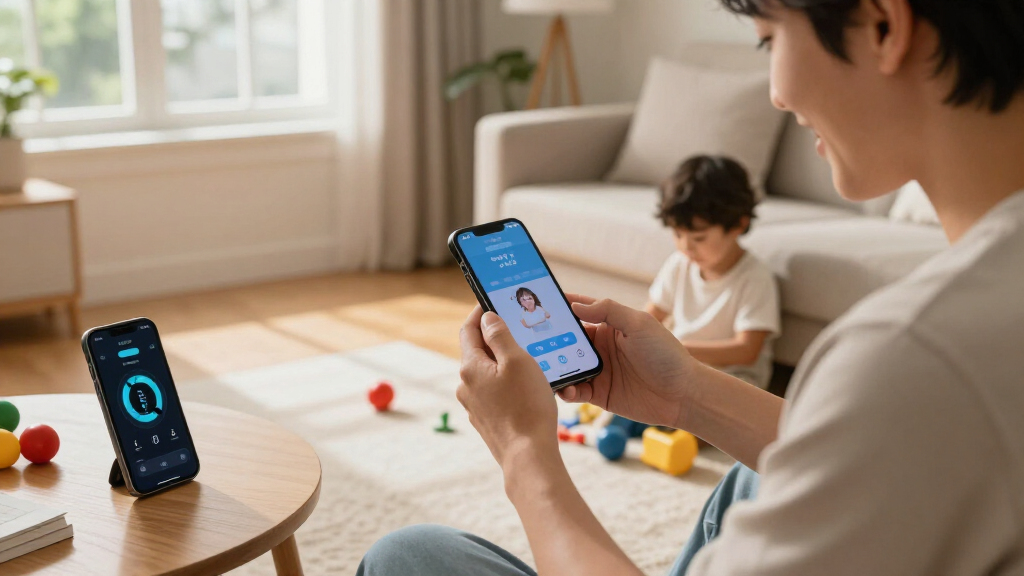
For example, a child’s GPS watch might only pair with one phone via Bluetooth, but both parents can see the location history through their separate apps once they’re logged into the same cloud account. This setup lets each parent have their own login, permissions, and notifications, without messing up the device’s core connection.
child wearable device with multi-user sharing
As an affiliate, we earn on qualifying purchases.
As an affiliate, we earn on qualifying purchases.
The Three Main Models for Managing Multiple Parents’ Access
Understanding how your wearable handles multiple caregivers starts with its account structure. Here are the common models:
- Family or guardian model: One adult creates the child’s profile and invites another as a guardian. Both get their own login credentials, with permissions set separately.
- Shared-account model: Both parents sign into the same account. It’s simple but risky — it can cause confusion if both try to change settings simultaneously.
- Primary-owner model: Only one account has full control. The other parent might see location and alerts but can’t change settings or add contacts.
Most experts recommend the family or guardian setup for safety and flexibility — each parent manages their own access independently.
As an affiliate, we earn on qualifying purchases.
What Data Can Both Parents Access, and What’s Usually Off-Limits?
Sharing data isn’t always a full mirror. Commonly, both parents can see:
- Location and geofence alerts
- Activity stats like steps and sleep
- Emergency alerts or SOS messages
- Battery and connection status
- Health info like heart rate or medication reminders
But some settings — like changing contacts, privacy controls, or subscription options — might only be manageable by the phone that has primary control. This layered setup helps protect the child’s privacy while keeping parents informed.
child GPS tracker with multiple caregivers
As an affiliate, we earn on qualifying purchases.
As an affiliate, we earn on qualifying purchases.
How Real-Time Sharing Really Works — What You Need to Know
Sharing isn’t always instant. It depends on many factors: Wi-Fi, cellular signals, app permissions, and the wearable’s update interval. For example, if your child runs into a building with poor reception, location updates might lag behind or become stale.
In practice, you might see your child’s last known location as “15 minutes ago,” which isn’t ideal during emergencies. To get the most current info, ensure the device has a good signal, and that background apps aren’t being restricted.
wearable device for kids with cloud account
As an affiliate, we earn on qualifying purchases.
As an affiliate, we earn on qualifying purchases.
Pairing Limitations — Can a Wearable Be Connected to Two Phones?
Most wearables are designed to pair with only one phone at a time via Bluetooth. When you try to connect a second device, the wearable often disconnects from the first. This means two parents can’t both have a live Bluetooth connection to the same device simultaneously.
However, cloud-based data sharing doesn’t rely on Bluetooth pairing. Each parent can have their own app and login, viewing the same data remotely. This setup is the most common and practical method for shared access.
Why Separate Logins Are Safer Than Sharing One Password
Using one shared login might seem easier, but it’s risky. When both parents use the same credentials, it’s harder to track who changed a setting or made a decision. Plus, if the password leaks, the whole account is compromised.
Instead, opt for separate accounts with role-based permissions. Many platforms allow you to add multiple guardians, each with their own login. That way, you can revoke access when needed, and keep a clear activity log.
Privacy and Legal Considerations When Sharing Data
Wearable data can reveal a child’s location, health, routines, and even social relationships. It’s essential to ask: who controls the data? Is the child aware of what’s being shared? Are both parents authorized by law to access this info?
In separated families, custody agreements may specify who can view or control the device’s data. It’s wise to document these arrangements to prevent disputes and protect your child’s privacy. Remember: children should understand, in age-appropriate terms, what is being monitored and why.
Legal and Custody Tips for Families Using Wearables
In custody situations, data sharing can become sensitive. A written agreement clarifies:
- Who can access the device and data
- Whether location history is enabled
- Who pays for cellular plans
- How to transfer or revoke access
- How data is used or retained
Consult legal advice if necessary, because laws vary by region. The goal: avoid surprises, protect your child’s privacy, and keep everyone honest.
Security Risks — Protecting Your Child’s Data
Wearables can expose sensitive info if accounts are left unsecured. Always use unique, strong passwords for each account, and enable multifactor authentication. Regularly review authorized users and remove anyone who no longer needs access.
Be cautious with location-sharing links, and keep device software up-to-date. In case of loss or theft, use remote-lock features or contact support immediately. These steps help keep your child’s data safe from hackers or accidental leaks.
Platform Compatibility — Will Both Phones Work Seamlessly?
Compatibility depends on the device and app ecosystem. Many wearables support both iOS and Android, but some features may be limited on one platform. For example, an Apple device might handle certain health alerts differently than an Android device.
Before setting up, verify whether the platform supports cross-platform sharing, and check regional and carrier restrictions. Compatibility issues can cause delays or missing alerts during emergencies.
Reliability and Backup: Don’t Depend on One Safety Net
Wearables are helpful but not foolproof. Batteries die, signals drop, and updates lag. Always have a backup plan: keep a charged phone nearby, have emergency contacts listed, and establish an alternative way to communicate if needed.
Think of wearable data sharing as a supplement, not the sole safety measure. Regularly test your setup — send test alerts, check location accuracy, and ensure both parents receive notifications.
Recent Trends Making Sharing Easier and Safer
Manufacturers now focus on family-friendly features: multiple guardian support, standalone cellular connectivity, and granular permissions. Some devices process more health info locally, reducing cloud reliance — boosting privacy.
Regulators and privacy advocates are pushing for better safeguards, including data portability and clearer privacy controls. Expect these trends to continue shaping future devices and platforms.
Key Facts Every Parent Should Remember About Wearable Sharing
- A device paired with one phone often still shares data via cloud with multiple authorized caregivers.
- Bluetooth pairing usually supports only one device at a time; cloud access is the key to sharing between phones.
- Separate accounts are safer than sharing login credentials, offering better control and transparency.
- Location updates depend on signals, device settings, and environment — real-time isn’t always instant.
- Privacy policies vary; children’s data should be protected and handled according to local laws.
Frequently Asked Questions
Can one wearable connect directly to two phones at the same time?
Most wearables don’t support Bluetooth connections to two phones simultaneously. They pair with one device at a time. However, cloud accounts can still let both parents access the data through their own apps, providing shared visibility without Bluetooth conflicts.
Can both parents receive SOS alerts from the device?
This depends on the wearable and its settings. Some devices send alerts to all guardians, while others only notify the primary account holder. It’s essential to test the alert system beforehand to ensure both parents get notified in emergencies.
Do both parents need the same type of phone?
Not necessarily. Many platforms support both iOS and Android, but features can vary. Check the device’s compatibility and app support for both ecosystems before setting up shared access.
Should parents share one login or use separate accounts?
Separate accounts with individual permissions are safer and clearer. They prevent confusion, allow revoking access easily, and keep each parent’s activity transparent. Many platforms now support multiple guardians with individualized logins.
What if one parent wants to change device settings?
Only users with administrator or guardian privileges can modify settings. Ensure each parent has the appropriate role assigned, and verify permissions in the app’s account management options.
Conclusion
Sharing wearable data between two parents isn’t as complicated as it sounds, but it does require some planning. The key is using cloud accounts with proper permissions, understanding what data is shared, and staying alert to security and privacy issues. When set up thoughtfully, these devices can become a trusted safety net — giving you peace of mind in the chaos of family life.
In the end, trust your setup, test regularly, and keep the lines of communication open. That vivid, real-time glimpse into your child’s world can be a comfort — as long as you handle it with care and clarity.
Evergreen bestsellers Picks
bestsellers
As an affiliate, we earn on qualifying purchases.