TL;DR

Turn the school run and nap time into listening time
- Thousands of audiobooks, podcasts and originals
- Listen on your phone, tablet or Echo — also offline
- Cancel anytime
Wearables can make health patterns easier to notice, but more measurements do not automatically lead to better health. Pick metrics tied to a clear goal, such as activity or a consistent bedtime, and judge patterns over time rather than reacting to one unusual reading. Turn off scores or alerts that add worry without changing your next step, and seek clinical advice for concerning symptoms.
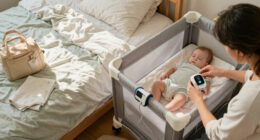
At 3 a.m., a watch can light up your bedroom with a neat red score while your baby finally sleeps on your shoulder. The number looks precise. Your exhausted body may tell a messier story. More measurements do not automatically mean better health, especially when a score leaves you worried and gives you nothing useful to do.
Wearables can help you spot patterns in activity, sleep schedules, or recurring symptoms. They can also turn every night and every heartbeat into a new thing to check. This guide will help you choose a small set of readings that answer real questions, decide what not to track, and understand when a device’s estimate needs a clinician’s judgment.
You do not need to earn a gold star from your wrist. You need information that fits your life, including its sleepless nights, medication changes, stress, and ordinary surprises. If a metric does not help you make a decision—or makes you feel worse without offering a next step—you can leave it off.
Keep a metric only when you can name the question it answers and the action it could change.
Steps, activity minutes, workout frequency, and sleep schedules can support practical habit changes when they match your goal.
Treat readiness, stress, recovery, and sleep-stage scores as estimates; judge patterns over time and alongside how you feel.
Mute or stop tracking a feature that adds worry, guilt, or compulsive checking without offering a useful next step.
Check sharing, retention, export, and deletion settings before connecting wearable data to another service.
A calmer guide to health data
Wearable Data Overload: Choosing What Not to Track
Wearables can help reveal patterns. Keep the readings that answer a real question, guide a useful next step, and fit the life you are actually living.
01 / Choose with intent
Every metric needs a job
Before turning on a feature, name the question it answers, the action its answer could change, and whether seeing it helps you.
Question
What am I trying to understand?
Start with a real goal: move more, steady a bedtime, or notice a recurring symptom.
Action
What could I do with the answer?
A useful reading may support a short walk after lunch or putting your phone down earlier.
Impact
Does seeing it help?
If a score adds guilt or worry without a next step, you can hide it or stop tracking it.
02 / Keep what supports a habit
Simple measures can guide practical changes
Steps, activity minutes, workout frequency, and sleep schedules are easier to connect to everyday choices than a score built from hidden calculations.
Movement
Steps & active minutes
Use a weekly pattern to spot desk-bound days and try a walk that fits your schedule.
Routine
Workout frequency
Notice whether a routine is taking shape over time. A perfect daily number is not the goal.
Sleep timing
Bedtime & wake time
Timing may show a shift in your schedule. It cannot grade caregiving, illness, or a hard night.
Make the experiment small. A weekly activity trend might suggest walking around the block after lunch three times. Judge whether it fits and feels useful—not whether you hit a perfect total.
Try → Review03 / Read the signal carefully
A score is an estimate, not a verdict
Readiness, stress, recovery, and sleep-stage scores are device-derived estimates. Fit, movement, skin contact, software, and personal circumstances can affect what appears.
Interpretation guide, not a measurement of device accuracy. Compare readings collected under similar conditions and look for repeated patterns rather than reacting to one unusual number.
04 / Keep people in the picture
Your dashboard does not know your whole day
Illness, medication changes, stress, disability, caregiving, and broken sleep can shape both your experience and your readings.
Your experience
How do you feel?
Use how you feel alongside the dashboard. A score cannot decide whether you are ready for an ordinary activity.
Your boundaries
What can you turn off?
Mute alerts or hide scores that prompt anxious checking, guilt, or choices that do not help.
Your data
Who can access it?
Before connecting another service, review sharing, retention, export, and deletion settings.
Symptoms need clinical judgment. Follow device instructions, but do not use a reassuring app score to rule out a problem. Seek advice from a qualified clinician for concerning symptoms.
Person firstA practical reset
Choose what stays on
You do not need to earn a gold star from your wrist. Keep information that fits your goal and your life.
Pick a goal
Choose one thing you want to understand.
Choose a measure
Prefer a reading you can explain simply.
Review a pattern
Use a pace that suits the question, such as weekly.
Keep or mute
Keep it if it helps; turn it off if it only adds noise.
Your rule: If you cannot name the question, the action, and the benefit of seeing a metric, it may be more noise than use. Choosing what not to track is part of using a wearable well.
Less, with purposeChoose a metric only when it can change your next step
Wearable data overload happens when your device collects more readings than you can use to make a decision. A metric earns its place when it answers a practical question and points to an action you might take. If you cannot name the question or the action, you probably do not need to watch that number every day.
Start with the thing you want to understand. If you want more movement, step counts or active minutes may help you notice that your workday keeps you at a desk. If you want a steadier bedtime, a simple sleep and wake schedule may show whether late scrolling is pushing your night later. In both cases, the reading supports an ordinary choice: take a short walk after lunch or put your phone down earlier.
Now compare that with a polished readiness score that drops after a rough night. If the score makes you cancel a gentle walk even though you feel fine, it may be taking the place of your own judgment without giving you better advice. Your dashboard can offer a clue; it cannot know that the baby was teething, you had a late shift, or your legs feel comfortable today.
Try this three-part check before turning on a new feature: What question does it answer? What would I do with the answer? Does seeing it help? A metric that fails one of those tests may be a poor fit for your current goal. Choosing what not to track is part of using the device well, not a failure to keep up.
Popular right now

De'Longhi 15-Bar Pump Espresso Machine with Milk Frother & Temperature Control

Vitamix Propel Series 750 Professional-Grade Blender, 4 Programs, Black

Shark PowerDetect Corded Stick Vacuum, Self-Cleaning (Eggplant, HZ4002)
As an affiliate, we earn on qualifying purchases.
Keep the readings that help you build a habit
Steps, activity minutes, workout frequency, and sleep schedules can be useful everyday measures when they support a specific habit. They are easier to connect to a change than a score that combines several hidden calculations. You can look at the week and ask whether your routine is shifting, rather than trying to win every day.
Say you want to move more but spend most afternoons at a computer. You notice that your usual step total is low on workdays and higher on weekends. That pattern gives you a reasonable experiment: walk around the block after lunch three times this week. The useful result is not a perfect number; it is whether that small walk fits your schedule and leaves you feeling better.
Sleep schedule tracking can work the same way. A parent might see that nights are all over the place because one evening includes a late feed and the next includes a long commute home. A wearable can show the timing, but it cannot fairly grade the effort involved. For infant sleep, feeding, or medical concerns, follow your pediatric clinician’s guidance rather than trying to solve the question with a watch score.
Keep the measure simple enough that you can explain what it means without opening three app screens. If a weekly activity trend helps you plan, keep it. If calorie estimates or streaks make a walk feel like punishment, turn them off. The best metric supports a routine you can live with, including weeks when caregiving or illness changes the plan.
- Keep a measure linked to a habit you want to change.
- Review a pattern at a pace that feels useful, such as once a week.
- Skip a daily target that turns missed movement into guilt.
Treat readiness and sleep-stage scores as estimates
Readiness, stress, recovery, and sleep-stage scores are device-derived estimates, not direct windows into your body. A wearable may combine motion, heart-rate patterns, and other signals, then use software to label the result. A tidy score can look more certain than the underlying measurement deserves.
Imagine your watch says you had very little deep sleep after a night of frequent waking. You remember getting up twice with a child and then falling back asleep quickly. The reading may be a rough clue about a restless night, but it does not prove exactly how much of each sleep stage you experienced. A single estimate should not become a verdict on your health or your ability to parent the next day.
That does not make every summary useless. If a score tends to move alongside your own experience over several weeks, it might help you notice a pattern worth discussing or changing. But if it makes you anxious before you even get out of bed, it may have a real cost. Some people feel better when they hide sleep scores and track only their bedtime or how rested they feel.
More measurements do not automatically provide more certainty. Devices and features differ, and accuracy depends on the metric, fit, movement, skin contact, and software. Check how the manufacturer describes a feature and whether it is meant for general wellness or clinical use. When symptoms trouble you, a reassuring app score cannot rule out a problem; ask a qualified clinician.
Read trends over time instead of chasing one odd number
A pattern over time is usually more informative than one unusual wearable reading. Measurements can shift because the watch is loose, your arm moved, skin contact changed, or the device processed the signal differently. Personal circumstances such as illness, stress, medication, and a broken night can also affect what you see.
Suppose your heart-rate reading looks different after you tighten the band for a workout. Before treating that change as a health signal, check that the device sits as the maker recommends and compare readings collected under similar conditions. A number that jumps once and then settles may not tell the same story as a repeated change across several days.
Pick a review period that matches your question. If you are trying to build a walking routine, a weekly view may make more sense than checking every hour. If you have a symptom that keeps returning, note when it happens and what you felt, rather than relying on a graph alone. A short note like “felt dizzy after standing; watch was loose” adds context the dashboard cannot supply.
Use alerts thoughtfully. Passive monitoring may flag an unusual pattern, but alerts can be false alarms and devices can miss problems. Read the device’s instructions, check the fit if the result seems surprising, and follow up with a clinician when symptoms or repeated readings concern you. Do not use the absence of an alert as proof that all is well.
A wearable can show a pattern worth asking about; it cannot tell the whole story of how you feel.
Turn off tracking that makes you feel worse
Tracking should support your day, not make every day feel like a test. Frequent checking can feed worry, compulsive habits, or guilt around sleep, calories, heart rate, and missed goals. If you notice that you reach for your phone before you notice how you feel, the dashboard may be taking up too much space.
For example, a parent might wake after a fragmented night, see a poor sleep score, and assume the whole day is ruined. The score has turned a hard night into a forecast. Try hiding sleep stages and checking only your bedtime pattern once a week, or take a week off wearing the device and see whether mornings feel calmer.
There is no single right amount of tracking. A runner may enjoy watching training trends, while someone recovering from a stressful period may prefer to remove calorie totals and heart-rate notifications. You can turn off a feature, mute alerts, or leave the watch on the dresser. Taking a break is a reasonable response when the emotional cost outweighs the information.
Before you pause tracking, decide what would make you turn it back on. Perhaps you want to revisit step counts when your schedule settles, or only use workout timing during a training block. That boundary keeps a useful tool available without letting it become the loudest voice in your pocket.
- Mute alerts that interrupt sleep or keep pulling you into the app.
- Hide scores that increase worry but do not change your next action.
- Take a short break if checking feels hard to stop.
Check who can see your health data before sharing it
Your wearable data may be stored or shared under the device maker’s policies, and your privacy settings affect what happens to it. Before you connect another app or share a dashboard, check which information it receives, how long data stays available, and whether you can delete or export it. A smooth setup screen can make data sharing feel automatic, so slow down long enough to read the choices.
Picture a family member who connects a fitness app to a wellness platform, then realizes that several services now hold activity and sleep records. They may decide that sharing steps is fine but that exporting location-linked workout history is not. The right choice depends on what you want to share and what the service needs to provide its feature.
Look for settings that control linked apps, data sharing, account access, retention, and deletion. If you stop using a device, check whether removing the app also deletes stored account data; those steps may be separate. The goal is to know where the information goes before you add another connection, not to spend every evening reading policy pages.
Privacy choices are part of deciding what to track. If you do not need a sensitive metric for a useful purpose, leaving it off reduces both clutter and the amount of information you share. If a service’s handling of your data is unclear, choose settings you understand and contact the company for details before relying on it.
Use this quick process to choose what stays on
You can decide what to track by testing each metric against your goal, next action, and experience. This takes a few minutes and works whether you are setting up a new watch or clearing an app full of colored rings. Keep the process simple: a useful metric should make one real decision easier.
- Name your goal. Pick one question, such as “Am I getting regular movement during workdays?” Avoid trying to improve sleep, fitness, stress, and weight all at once.
- Choose the smallest useful measure. Steps or active minutes may answer a movement question. A sleep schedule may be enough if you want to notice bedtime drift.
- Name the action. Decide what you would do if the pattern changes. You might add a short walk or move your evening routine earlier.
- Review a trend, not a single score. Give the measure a reasonable trial and notice whether the pattern connects to your own experience.
- Keep, mute, or remove it. If the information guides a useful action and feels okay to see, keep it. If it adds worry or changes nothing, switch it off.
Consider someone who wants to feel less sluggish during desk-heavy days. They choose daily steps, try a ten-minute lunchtime walk, and review the week on Sunday. They ignore a stress score that bounces around during busy afternoons because it gives no clear action and makes them check their watch more often.
This is choosing what not to track in practice: not rejecting technology, but setting a boundary around its role. Your routine and your feelings belong in the decision too. If a device points one way and your symptoms point another, take the symptoms seriously and seek qualified advice.
Frequently Asked Questions
Which wearable metrics are useful for everyday health?
Steps, activity minutes, workout frequency, and sleep schedules can help when they connect to a goal you care about. For example, a weekly step pattern may show that your desk days need a short walk. Use each measure as one clue alongside your routine and how you feel.
Are sleep-stage and readiness scores accurate?
They are estimates based on signals the device can collect and the software that interprets them. Accuracy differs by device and metric, so a score cannot confirm exactly how much deep sleep you got or diagnose a health issue. If the score worries you, hide it and discuss persistent concerns with a clinician.
What should I do when my wearable gives an unusual reading?
Check the fit and device instructions, then consider the reading alongside your symptoms and any pattern over time. A loose band or movement can affect a measurement, and one odd result may not tell you much. Follow up with a qualified clinician for concerning symptoms or repeated readings that worry you; do not rely on an app to rule out illness.
Can tracking make anxiety or sleep worse?
Yes, frequent checking can add worry or guilt, especially around sleep, calories, heart rate, and missed goals. You can mute alerts, hide scores, review trends less often, or take a break from wearing the device. If tracking feels difficult to stop or causes ongoing distress, consider talking with a qualified health professional.
Can I stop wearing my wearable or turn off features?
Yes. You can pause wearing it or switch off features that do not help you. For instance, you might keep activity tracking for a walking goal but turn off overnight alerts. If you return to tracking later, choose a clear purpose so the device fits your life again.
Who can see my wearable data, and can I delete it?
That depends on the device maker’s policies, your account settings, and connected apps. Review sharing permissions, retention choices, and options to export or delete account data. Removing an app may not delete data stored by the service, so check the account controls directly.
Conclusion
Choose one question you want your wearable to help answer, then keep only the measurements that make your next step clearer. A number that adds worry without changing what you do can stay off.
Your health is bigger than the glowing screen on your wrist: some days the most useful reading is noticing that you feel ready for a walk, or that you need rest and a quiet room.