TL;DR

Turn the school run and nap time into listening time
- Thousands of audiobooks, podcasts and originals
- Listen on your phone, tablet or Echo — also offline
- Cancel anytime
Baby monitors with night vision use infrared illumination and a camera sensor to show a dark room, usually as a black-and-white image. Compare real night footage, camera placement, connection reliability, privacy settings, and subscription costs—not just advertised resolution—and keep the camera and cords outside your child’s reach.
At 3 a.m., you do not need a cinematic view of the nursery. You need to tell whether your baby is lying comfortably and whether that tiny rustle came from the crib or the heating vent. Night vision can give you that view without switching on a lamp and washing the room in bright light.
Most baby monitors with night vision use infrared (IR) LEDs and a camera sensor to show a dark or dim room, usually in black and white. But a sharp number on a product box does not promise a sharp picture at home. Placement, connection, privacy, and recurring costs matter too.
This guide explains what night vision can—and cannot—show, what to compare before you buy, and how to set up a monitor with safety in mind. Think of it as a useful extra set of eyes, not a replacement for safe sleep practices or direct supervision.
Infrared LEDs and a camera sensor let most monitors show a dark room as a black-and-white image.
Compare real night footage, camera placement, infrared coverage, and room layout—not resolution claims alone.
Check how your chosen model behaves when Wi-Fi or power fails, especially if you rely on phone viewing.
For Wi-Fi models, use a unique password, enable available two-factor authentication, update software, and review data-storage terms.
Follow the manufacturer’s placement instructions, keep cameras and cords out of your child’s reach, and treat the monitor as a convenience rather than a guaran…
How night vision lets you check the crib without turning on a light
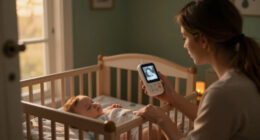
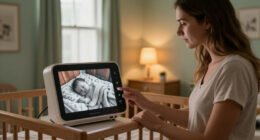
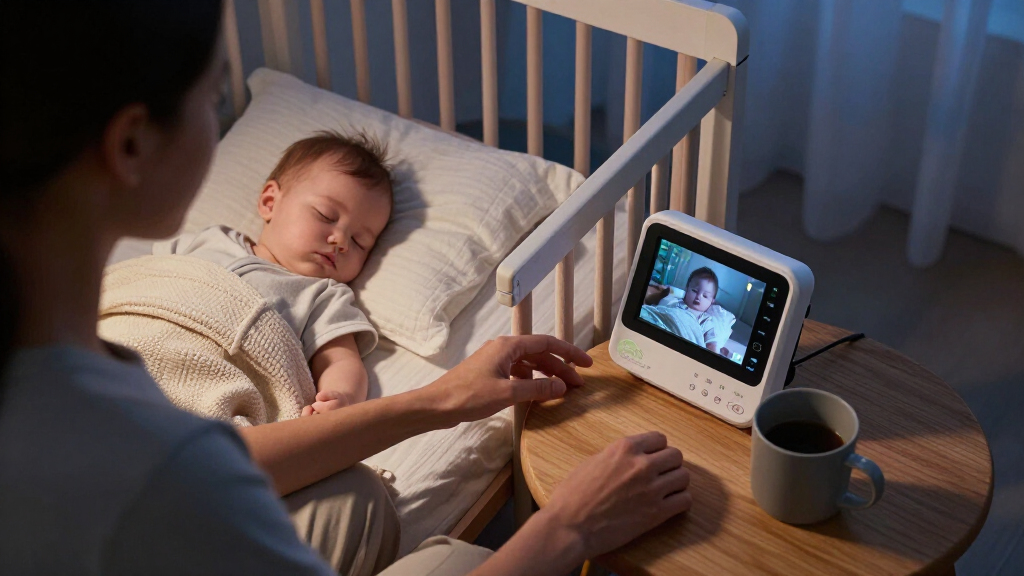
Baby monitors with night vision use infrared light, which people generally cannot see, and a camera sensor that captures the reflected light to create a picture in a dark room. Most models show that picture in black and white, so you can check the crib without turning on a lamp and filling the room with a bright glow.
The familiar term “night vision” really means camera-assisted viewing in low light, not seeing perfectly in darkness. When a room gets dim, many cameras switch to infrared automatically; some models let you control the setting. During the day you may see soft blue pajamas and a yellow blanket. After the switch, those colors usually become shades of gray.
Does it work in complete darkness? It can, if the camera has its own infrared illumination, but the image still depends on the equipment and surroundings. A camera across the room with a toy shelf between it and the crib may show less than one mounted closer with a clear view. At night, the screen can look grainier than it did in daylight.
Infrared illumination is outside the range of human vision, but camera designs differ. If you have questions about a specific model’s infrared light, check the manufacturer’s specifications and follow its instructions for distance and placement. Keep the camera and cords out of the crib and beyond your child’s reach; the monitor is for viewing, not something to attach within the sleeping space.
baby monitor with night vision infrared
As an affiliate, we earn on qualifying purchases.
As an affiliate, we earn on qualifying purchases.
Why the best night image may not come from the biggest resolution
Baby monitors with night vision do not all produce the same low-light picture, even when their packaging advertises similar or high video resolutions. The camera’s sensor, lens, infrared illumination, distance from the crib, and anything blocking the view all shape what you can see. Resolution is one detail, not a guarantee.
Imagine two cameras pointed at the same crib. One has a larger resolution number but sits behind a curtain edge; the other has a lower number, a clear view, and useful infrared coverage. The second may give you the more helpful picture when you check whether your baby has shifted position. A colorful product-page image cannot answer that question for your nursery.
Use this short comparison checklist before choosing:
- Look for real night footage or sample images, not only daytime photos or resolution claims.
- Check the stated infrared range and compare it with the distance from your planned camera position to the crib.
- Think about the room layout: shelves, bars, furniture, and corners can block or change the view.
- Check the field of view and focus so the camera can cover the crib from a safe mounting position.
Manufacturers’ range claims describe what a product may cover under particular conditions; real results vary with obstructions and the room. If you can, compare sample clips taken in similar lighting and at similar distances. A clear view of the area you need beats an impressive spec that does not fit your room.
Wi-Fi baby monitor with camera and night vision
As an affiliate, we earn on qualifying purchases.
As an affiliate, we earn on qualifying purchases.
Choose the connection that still makes sense at 3 a.m.
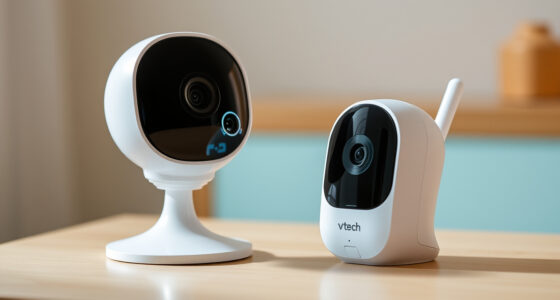
Baby monitors with night vision may use a dedicated parent screen, a Wi-Fi-connected phone app, or both. A dedicated-screen model can be simpler: pick up the receiver, glance at the picture, and listen. It does not rely on your home internet in the same way remote app viewing does, though you should check how that particular model connects and what happens during an outage.
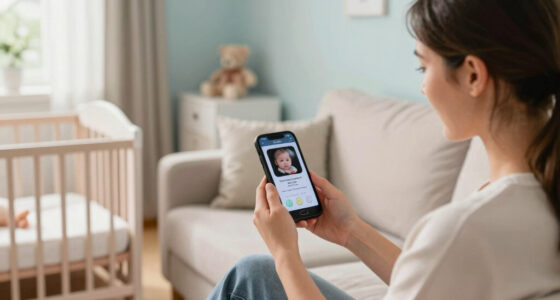
Wi-Fi monitors can let you check the nursery from a phone, which may be handy when one parent is downstairs and the other is out of the house. That convenience comes with dependencies: the network, app, account, and device all need to work. If the router loses power, remote access may stop. Some hybrid monitors keep a local parent unit available, while app-only models may not. Check the manufacturer’s outage guidance rather than guessing.
Here’s a realistic choice: if you mostly want a quick screen beside the bed, a dedicated unit may suit you better than an app with several menus and alerts. If you need access away from home, Wi-Fi viewing may be useful—but ask whether basic live video requires internet and whether another screen can still work without it.
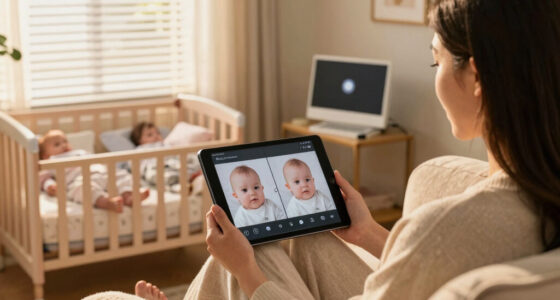
Newer models may add high-definition video, sound or motion notifications, two-way audio, lullabies, temperature readings, or split-screen viewing for several cameras. Those extras vary by model, and an alert is not a promise that every event will be detected. Choose the connection you trust during a routine night, then check its limits before you need it during an outage.
baby monitor with privacy and security features
As an affiliate, we earn on qualifying purchases.
As an affiliate, we earn on qualifying purchases.
Protect your privacy without making setup a project
Baby monitors with Wi-Fi connect the nursery camera to your home network and may allow app viewing, so account and router security matter. A dedicated parent unit avoids some app and internet dependencies, but every model has its own connection details. Pick a setup you can secure and comfortably maintain.
Start with the basics: use a unique password for the monitor account, switch on two-factor authentication if the app offers it, install available software updates, and secure your home router. These are small jobs that take less time than a late-night hunt for a forgotten login. Review the app’s privacy information too, including what data it collects and how any recordings are stored.
Take a parent who likes to check the baby from the kitchen while the kettle boils. Phone viewing is handy, but if the account uses the same password as several other services, that convenience comes with avoidable risk. A unique password and available security settings make the setup more considered without changing the basic routine.
Check the product’s storage terms before you buy. Live viewing, cloud recording, video history, and advanced alerts may be treated as separate features, and some can require a subscription. App features can also change with software updates or plan terms. If a recording history is not something you expect to use, do not let a promise of “smart” features obscure the cost of the functions you actually want.
baby monitor with real night footage
As an affiliate, we earn on qualifying purchases.
As an affiliate, we earn on qualifying purchases.
Place the camera for a useful view and a safer sleep space
Baby monitors with night vision work best when the camera has a clear view from a position that follows the manufacturer’s instructions and stays out of your child’s reach. A strong picture is not worth placing a cord or camera where a child can grab it. Keep the camera and cords away from the crib and follow the product’s safety directions.
For example, you might set up the camera before bedtime and find that a shelf lip cuts off part of the crib on the screen. Rather than moving the camera into the sleeping space, adjust its position according to the manufacturer’s guidance and check the image again in the dim room. Make sure the view covers the area you want to see and that furniture or fabric does not obstruct the lens or infrared illumination.
Night-vision range figures are useful for narrowing options, but they do not promise the same result in every nursery. A wall, shelf, or room shape can change what the camera captures. Test the view at night from the intended position; the grainy picture you see at 10 a.m. in a bright room will not tell you much about how it performs after lights-out.
A monitor is a convenience tool, not a medical device or a guarantee of safety. Sound and motion alerts may help you notice activity, but they may not detect every event. For sleep and care questions, follow your pediatrician’s guidance and the monitor maker’s instructions rather than treating a screen or alert as a substitute for supervision.
Separate useful features from costs you may not want
Baby monitors with night vision range from straightforward camera-and-screen systems to app-connected products with recording and alerts. The right choice depends on what you will actually use, whether the system works without internet, and what its ongoing plan costs. A longer feature list does not automatically make a better fit.
| Feature | What it can help with | What to check |
|---|---|---|
| Dedicated parent screen | Quick local viewing without opening a phone app | How it connects and what remains available during an outage |
| Wi-Fi app viewing | Checking from a phone, including away from home on supported models | Internet needs, account security, updates, and privacy terms |
| Cloud recording | Saving video history where the service supports it | Whether a subscription is required and how recordings are stored |
| Extra cameras or split screen | Switching between children or viewing more than one room | Supported camera count and how the parent unit or app displays them |
| Sound, motion, or temperature features | Extra information or notifications | What the feature measures and what the alert cannot promise |
Picture a family comparing two models: one has a dedicated screen and basic live viewing; the other adds cloud history that costs extra each month. If nobody plans to review saved clips, that subscription may buy little for this household. But a family that regularly needs phone access may value an app-based option—provided they understand the network and account requirements.
Before paying, write down your non-negotiables: a clear night view from a safe position, a connection that fits your home, and any extra feature you genuinely expect to use. Then check the current plan and product terms, since subscription features can change. Pay for the job you need done, not every feature the box can name.
Frequently Asked Questions
Do all baby monitors have night vision?
No. Many video monitors include night vision, but features vary by model. Check the specifications for the exact product rather than assuming every camera can show a dark room.
Can babies see infrared light from a monitor?
Infrared illumination is outside the range of human vision, though camera designs vary. If you have concerns about a specific model, check its manufacturer’s specifications and follow its placement instructions.
Will night vision work in complete darkness?
It can when the camera has its own infrared illumination. The image may still look grainy or limited by distance, obstructions, room layout, or the camera’s equipment.
Can I watch my baby monitor on my phone?
Wi-Fi monitors typically offer app viewing, while dedicated-screen models may not. Some hybrid models provide both; check whether phone access needs internet and what remains available during an outage.
Does a Wi-Fi baby monitor need a subscription?
Not always. Basic live viewing may be included, while cloud storage, longer video history, or advanced alerts may cost extra. Check the current plan terms before buying.
What should I compare when looking at night images?
Compare sample footage taken in similar conditions, then check focus, field of view, camera position, and stated infrared range. Resolution alone does not tell you how clearly the camera will show your crib at night.
Conclusion
Choose a monitor by testing the thing you will rely on most: the night view from a safe camera position. Then check whether the connection, privacy settings, and any subscription fit your household. Resolution numbers and extra alerts matter less if the crib is hard to see or the app stops working when you need it.
Set the camera up before bedtime, dim the room, and take a careful look at the screen. The best monitor is the one that gives you a calm, useful check-in—without asking you to turn the nursery into daylight.
Fall Picks
fall essentials
As an affiliate, we earn on qualifying purchases.