TL;DR

Turn the school run and nap time into listening time
- Thousands of audiobooks, podcasts and originals
- Listen on your phone, tablet or Echo — also offline
- Cancel anytime
Baby monitors, especially Wi-Fi models, can be hacked if not protected. Changing default passwords, updating firmware, and securing your Wi-Fi are key to keeping your device safe.
Imagine checking your baby’s monitor, only to realize someone else is watching. It’s unsettling, and it’s more common than you think. Baby monitors, especially Wi-Fi-enabled ones, can be vulnerable to hacking if you don’t lock them down properly. This guide will show you how to keep your device safe and your family private, without turning into a tech expert.
Whether you’re new to baby tech or just want to tighten security, understanding the risks and taking simple steps can make a huge difference. In the next sections, you’ll learn exactly how hackers get in, what recent trends mean for your safety, and how to lock your monitor down like a pro.
Always change default passwords to a strong, unique one on your baby monitor.
Regularly update your device’s firmware to patch security holes.
Secure your Wi-Fi network with strong encryption and consider a separate IoT network.
Disable remote access features if you don’t need them, reducing attack vectors.
Stay vigilant by monitoring access logs and device activity for suspicious signs.
Are Baby Monitors Vulnerable to Hackers? Yes, and Here’s How That Happens
Baby monitors, especially Wi-Fi models, are vulnerable because they connect to your home network. Hackers can exploit weak points, like default passwords or outdated software, to gain access. For example, in 2019, several monitors were found with default passwords still in use, making them easy targets.
Once inside, hackers can listen, watch, and even send false alerts, turning your peace of mind into chaos. The risk isn’t just theoretical. Families have reported strangers speaking to their babies or watching through cameras late at night. Knowing how they get in helps you understand how to lock them out.
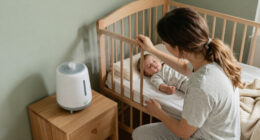
baby monitor with strong security features
As an affiliate, we earn on qualifying purchases.
As an affiliate, we earn on qualifying purchases.
How Hackers Break Into Baby Monitors — The Common Weak Spots
Hackers mainly target three weak spots:
- Default passwords — Many devices come with easy-to-guess passwords like ‘admin’ or ‘1234’. These are often the first attack point because users neglect to change them, leaving a glaring security hole that can be exploited within seconds.
- Unsecured Wi-Fi networks — Devices connected to open or weak Wi-Fi are like an open door for hackers. If your network lacks encryption or uses simple passwords, intruders can easily intercept communications or gain access to connected devices, including your monitor.
- Outdated software — Firmware glitches or old software leave exploitable holes. Hackers often scan for devices with known vulnerabilities that haven’t been patched, allowing them to take control or eavesdrop without your knowledge.
Imagine a hacker scanning a neighborhood Wi-Fi, quickly spotting a monitor with default login info. That’s how simple it can be for them to slip in unnoticed. Your device’s security depends heavily on how well you close these gaps. Neglecting any one of these weak points increases the likelihood of a breach, which can compromise your family’s privacy and safety.
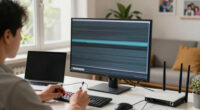
Wi-Fi baby monitor with firmware update
As an affiliate, we earn on qualifying purchases.
As an affiliate, we earn on qualifying purchases.
Recent Trends in Baby Monitor Security — What’s Changing?
Manufacturers are catching on. Many now include end-to-end encryption, making it much harder for outsiders to snoop. This means that even if a hacker intercepts the data, they can’t interpret it without the decryption keys, significantly reducing the risk of eavesdropping. Firmware updates are more frequent, patching known vulnerabilities and reducing the window of opportunity for hackers. For example, some brands now automatically push updates when a security flaw is discovered, like a digital immune system that adapts to emerging threats.
According to BabyUI, the industry is moving toward more secure default settings and better encryption standards. Parents are also more aware, asking questions about security when shopping, which incentivizes manufacturers to prioritize privacy features. However, no device is completely foolproof, and attackers continually develop new methods. Staying proactive by understanding these trends helps you maintain control over your device’s security, reducing the odds of a breach and ensuring your family’s privacy remains protected.
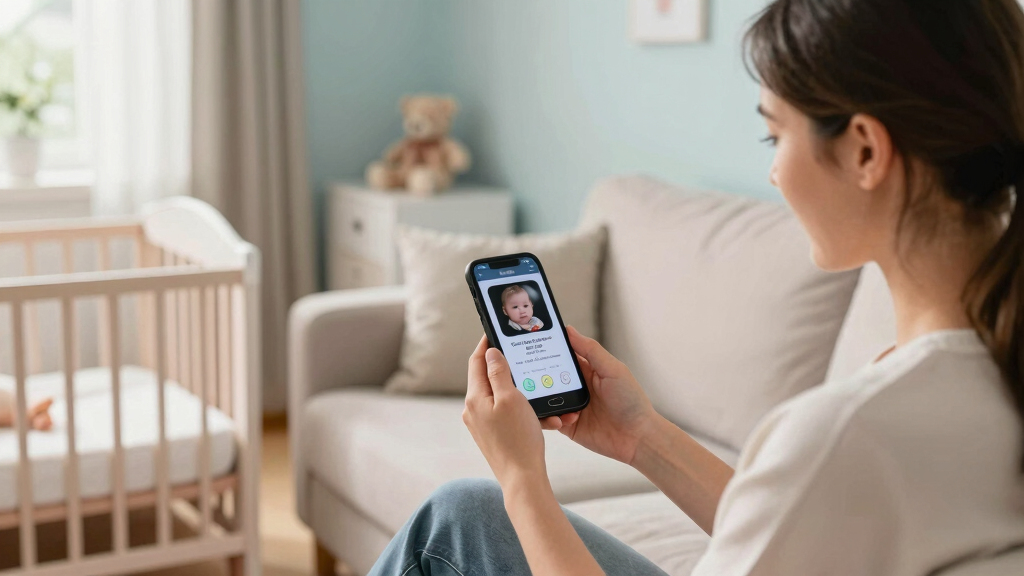
secure baby monitor with password protection
As an affiliate, we earn on qualifying purchases.
As an affiliate, we earn on qualifying purchases.
Lock Your Baby Monitor Down in 6 Simple Steps
Securing your monitor isn’t complicated. Follow these steps to make sure hackers stay out:
- Change the default password — Make it strong, unique, and hard to guess. Use a combination of letters, numbers, and symbols. This is crucial because many devices come with passwords that are well-known or easy to find online, making it a simple target for intruders.
- Update the firmware — Regularly check for updates from the manufacturer and install them promptly. Firmware updates often include security patches that fix vulnerabilities, closing gaps that hackers could exploit.
- Secure your Wi-Fi — Use WPA3 or WPA2 encryption, and consider creating a separate network just for your IoT devices. This segmentation limits the damage if one device is compromised, preventing hackers from moving laterally across your network.
- Disable remote viewing if not needed — Turn off access from outside your home unless absolutely necessary. This reduces attack vectors and limits access to trusted devices only.
- Use two-factor authentication (if available) — Adds an extra layer of protection, even if someone guesses your password. It often involves a code sent to your phone or email, making unauthorized access much more difficult.
- Monitor device access logs — Check if your monitor shows recent activity or logins to spot suspicious behavior. Early detection of unauthorized access can prevent further breaches and alert you to potential threats.
For example, after switching her default password to a complex one, a parent noticed no unusual activity on her monitor for months—peace of mind restored. These steps, when combined, create a layered security approach that significantly reduces hacking risks and keeps your family’s privacy intact.
As an affiliate, we earn on qualifying purchases.
Extra Tips to Keep Your Baby Monitor Safe and Sound
- Keep the device in a secure spot — Avoid placing it where anyone can tamper with it physically, like near windows or unlocked doors. Physical security complements digital safeguards, preventing someone from disabling or stealing the device.
- Consider non-Wi-Fi models — Audio-only monitors or those without internet access are less vulnerable because they don’t connect to your home network, eliminating remote hacking risks altogether. While they might lack some features, they provide peace of mind through simplicity.
- Regularly review device settings — Make it a habit to check your monitor’s security options every few months. Over time, firmware updates or changes in your household can introduce new vulnerabilities, so staying vigilant helps maintain security.
One parent switched to a non-Wi-Fi audio monitor after a scare, finding it gave her extra peace without the worry of remote hacking. This approach emphasizes that sometimes, less connectivity can mean more security, especially if you value simplicity and peace of mind.
Frequently Asked Questions
Are all baby monitors vulnerable to hacking?
No, but Wi-Fi-enabled models are more at risk. Traditional audio-only or non-networked monitors are far less vulnerable. Your security depends on device features and your practices.
How can I tell if my baby monitor has been hacked?
Unusual noises, unfamiliar activity, or sudden device malfunctions can be signs. However, many breaches happen silently, so regular checks and security measures are your best defense.
What brands are more secure?
Brands that prioritize regular firmware updates, strong encryption, and clear security features tend to be safer. Research reviews and security reports before purchasing.
Is it safe to use Wi-Fi baby monitors?
Yes, if you implement strong security measures like changing default passwords and updating firmware. Properly secured, Wi-Fi monitors can be safe and convenient.
What should I do if I suspect my monitor was hacked?
Reset the device, change passwords, update the firmware, and consider switching to a more secure model. Contact the manufacturer if needed for further support.
Conclusion
Your baby’s safety depends on more than just the monitor’s physical security. Taking a few simple steps — changing passwords, updating firmware, securing Wi-Fi — can make your device a fortress against hackers. Think of it like locking every door and window in your digital house.
Next time you check your monitor, remember: a little effort now can save you from a nightmare later. Keep your family’s privacy locked tight, and sleep peacefully tonight.
Halloween Picks
halloween
As an affiliate, we earn on qualifying purchases.