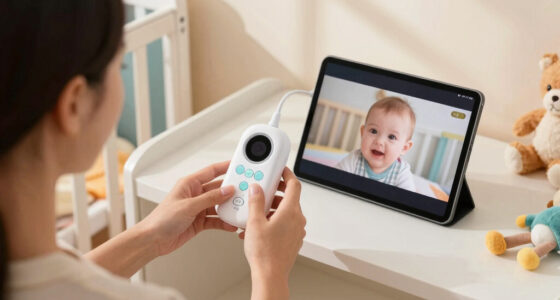
Choosing a baby monitor with Wi-Fi connectivity means deciding whether checking the nursery from anywhere is worth relying on your home network, a phone app, and an account. A Wi-Fi baby monitor can stream to a smartphone when you are away from home and may offer alerts, recordings, or smart home links. A non-Wi-Fi monitor usually pairs a camera with a dedicated parent unit, keeping monitoring local and straightforward.

Give the gift of listening to the whole family
- Choose a 1-, 3-, 6- or 12-month membership
- They pick the audiobooks they love
- Easy to send by email

Nanit Smart Baby Monitor System with Wall Mount & 8" Display Screen
- ✔ Video: 1080p HD streaming
- ✔ Parent display: 8-inch touchscreen
- ✔ Connectivity: 2.4 GHz Wi-Fi; app and local network viewing

Dr.Care LumiView Plus Smart WiFi Baby Monitor with Clip Mount, 5.5" 1080P
- ✔ App video: Up to 2K, according to listing
- ✔ Parent display: 5.5-inch HD screen; listing describes 1080p
- ✔ Connectivity: 2.4 GHz Wi-Fi and 2.4 GHz FHSS

1080P WiFi Baby Monitor With Camera And Audio, 4" Screen, PTZ 360°, 2.4GHz
- ✔ Video: Listing says 720p video and up to 1080p display support; title says 1080p
- ✔ Parent display: 4-inch IPS screen
- ✔ Connectivity: 2.4 GHz Wi-Fi and FHSS local connection
The practical dividing line is remote access. Choose Wi-Fi if you expect to check in while away, share access with caregivers, or want app-based features. Choose a non-Wi-Fi monitor if you mainly need dependable viewing at home, prefer a dedicated screen, or want fewer network and account dependencies. Neither type can replace safe sleep practices or an adult’s direct attention.
At a Glance
| Criteria | Wi-Fi baby monitor | Non-Wi-Fi baby monitor | Winner |
|---|---|---|---|
| Remote access | View the camera through an app over the internet, including away from home, subject to service and connectivity. | Usually works within the monitor’s local range using a dedicated parent unit; not generally viewable away from home. | A |
| Setup and daily use | Requires Wi-Fi, an app, and often an account; convenient once configured, but phone-based. | Often quick to pair and use; the parent screen is ready without opening an app. | B |
| Reliability and network dependence | Depends on camera power, Wi-Fi, internet, app, and sometimes the manufacturer’s cloud service. | Does not depend on home internet, though local radio interference, range, and battery still matter. | Depends |
| Privacy and account security | Adds network and account security considerations; available protections vary by model. | Keeps video off internet-connected services in typical local-only designs; check product details and security features. | B |
| Range and portability | Useful wherever the phone has service; performance depends on internet access and the product’s service. | Bound by the camera-to-parent-unit range and walls; a dedicated unit avoids draining a phone. | A |
| Alerts and extra features | Often supports motion or sound alerts, multiple users, clips, or smart home features; varies by model. | Commonly offers sound or temperature alerts, but app sharing and cloud features are less common. | A |
| Cost and value | Can cost more, and some brands charge for cloud storage or advanced features. | Often lower running costs, with no cloud plan required for basic local viewing. | Depends |
Nanit Smart Baby Monitor System with Wall Mount & 8" Display Screen
The Nanit is the most complete system in this group for parents who want more than a camera feed. It combines 1080p app streaming with an 8-inch touchscreen display, so one caregiver can keep the dedicated screen nearby while another checks in through a phone. That two-screen approach gives it an advantage over Jeeber’s smaller 4-inch display and makes Nanit the strongest fit for a household with multiple caregivers.Its differentiator is the layer of sleep and nursery information: temperature and humidity readings, sleep tracking, and alerts for sounds, movement, crying, coughing, or standing. These tools may help families spot patterns, but the product description says feature access varies by Insights plan, and setup requires internet access and a subscription. That makes it more involved than Dr.Care’s simpler hybrid monitoring proposition. Nanit does describe local viewing over the home Wi-Fi network during internet outages; it is not a Wi-Fi-free monitor, so the router still matters. The portable display’s stated 3–6-hour battery life is another practical constraint if you expect to carry it around all day.For buyers who want sleep records, caregiver permissions, and a dedicated home display as part of one ecosystem, Nanit has the broadest offer here. Those who only need remote video and two-way talk may find the added services harder to justify, especially if subscription-dependent features are central to the appeal.
Pros:
- 8-inch touchscreen display plus iOS and Android app streaming
- 1080p video, infrared night vision, and two-way audio
- Temperature, humidity, sleep tracking, and configurable alerts
- Local viewing on the home Wi-Fi network during internet outages
Cons:
- Initial setup requires internet access and a subscription; some features vary by plan
- Portable display battery is listed at 3–6 hours
- Additional camera needed for split-screen viewing is sold separately
Best for: Families who want app access, a large dedicated display, nursery readings, and sleep-tracking tools in one connected system.
Not ideal for: Parents seeking a straightforward monitor without subscription-dependent features, or a parent display that can run untethered for a full day.
Bottom line: Choose Nanit when a large home display and connected sleep tools matter as much as checking in remotely.
“Choose Nanit when a large home display and connected sleep tools matter as much as checking in remotely.”
Dr.Care LumiView Plus Smart WiFi Baby Monitor with Clip Mount, 5.5" 1080P
Dr.Care makes the strongest case for households that want to switch between a dedicated parent unit and app access. Its listing describes local viewing at home and Wi-Fi monitoring away, which gives it a more explicit hybrid-monitoring pitch than Nanit’s home-network viewing during internet outages. The 5.5-inch screen is smaller than Nanit’s 8-inch panel but larger than Jeeber’s 4-inch display, landing in a useful middle ground for caregivers who want a screen without a full-size tablet-like unit.The camera’s 300-degree pan and 135-degree tilt, plus digital zoom, help cover a room from one position. Other family-oriented features include two-way audio, a nightlight, white noise, temperature alerts, split-screen viewing, and motion-zone alerts. Its 5,000mAh removable battery is listed for up to 10 hours of continuous use, which is a more substantial stated runtime than Nanit’s portable display. The listing also claims app video up to 2K while describing the parent unit as 1080p; buyers should distinguish between those viewing modes rather than assume identical resolution on both screens.Compared with Nanit, Dr.Care emphasizes flexible monitoring and camera movement over sleep analysis. Compared with Jeeber, it provides a larger screen, a removable battery, and more clearly described local and Wi-Fi modes. The tradeoffs are that SD card and cloud storage are sold separately, and the listing’s naming shifts between LumiView Plus and LumiLite Plus. If recording or a consistent, clearly documented feature set is essential, check the exact package and app details before choosing.
Pros:
- Describes switching between local parent-unit viewing and Wi-Fi app monitoring
- 5.5-inch display with pan, tilt, and digital zoom controls
- Removable 5,000mAh battery with up to 10 hours of stated continuous use
- Includes two-way audio, nightlight, white noise, and motion-zone alerts
Cons:
- SD card and cloud storage are sold separately
- App and parent-unit video resolutions are described differently
- Product description uses both LumiView Plus and LumiLite Plus naming
Best for: Caregivers who want to use a parent screen at home and app access when away, with broad camera movement and a removable battery.
Not ideal for: Buyers who want sleep analytics, included recording storage, or a product listing with one clearly stated resolution across all viewing modes.
Bottom line: Dr.Care is the best fit when flexible local and remote viewing matters more than sleep coaching or a large display.
“Dr.Care is the best fit when flexible local and remote viewing matters more than sleep coaching or a large display.”
1080P WiFi Baby Monitor With Camera And Audio, 4" Screen, PTZ 360°, 2.4GHz
Jeeber suits parents who want a small dedicated screen plus phone access without moving up to Nanit’s larger display or Dr.Care’s 5.5-inch unit. Its listing says the 4-inch screen and app can be used at the same time, which can be handy when one caregiver keeps the monitor nearby and another checks the nursery remotely. The camera supports pan and tilt, cry alerts, two-way talk, temperature monitoring, and preset lullabies, covering the basic connected-monitor tasks in a compact setup.There is an important specification caveat: the product title says 1080p, while the description says 720p video with support for up to a 1080p display. That wording does not establish that the camera itself streams 1080p, so buyers who prioritize image detail should compare it cautiously with Nanit’s stated 1080p stream and Dr.Care’s separate app and parent-unit resolutions. Jeeber also specifies 2.4 GHz Wi-Fi for app control and FHSS for a no-Wi-Fi connection, but the listing does not explain the switching behavior as clearly as Dr.Care does.The claimed 14-hour screen battery life is appealing for carrying the parent unit between rooms, though the camera base itself needs power. The camera stand is not included, so placement may require a separate mount or a suitable surface. Overall, Jeeber is the compact, function-forward option in this lineup; Nanit is more informative about sleep and nursery data, while Dr.Care offers a larger display and more explicit mode descriptions.
Pros:
- 4-inch screen and app can be used at the same time, according to listing
- Pan-and-tilt camera with cry alerts and two-way audio
- Parent screen battery life is stated as up to 14 hours
- Temperature alerts and preset lullabies are included
Cons:
- Video description says 720p while the title says 1080p
- Camera stand is not included
- Local FHSS and Wi-Fi mode behavior is not clearly explained
Best for: Parents who want a compact screen, phone access, pan-and-tilt camera control, and a stated long parent-unit battery runtime.
Not ideal for: Buyers who need a clearly specified camera resolution, an included stand, or a well-explained process for switching between Wi-Fi and local monitoring.
Bottom line: Jeeber is a compact hybrid choice, provided its conflicting video-resolution description and missing stand fit your setup.
“Jeeber is a compact hybrid choice, provided its conflicting video-resolution description and missing stand fit your setup.”
As an Amazon Associate we earn from qualifying purchases.
Key Differences
The clearest advantage of Wi-Fi is access beyond the house. A parent can check the nursery from work, another room in a different building, or while a trusted caregiver is watching the baby. That convenience only works when the monitor, internet connection, app, and any required service are available. A local monitor trades that reach for a direct camera-to-screen connection that does not need home internet.
That difference shapes everyday reliability and privacy. A dedicated monitor is less exposed to account or cloud-service issues, but it can lose signal when the parent unit moves too far away or through obstructive walls. Wi-Fi systems can provide richer alerts and sharing, yet add app permissions, passwords, updates, and possibly subscription costs. The better value depends on whether those connected features solve a real need: paying extra for remote access makes sense for caregivers who routinely leave the home, but is harder to justify for parents who only check in from nearby.
Detailed Comparison
Remote access (Wi-Fi baby monitor wins — major)
Wi-Fi wins by a major margin if you need to see the nursery while away from home: the app can connect over the internet, depending on the model and service. A non-Wi-Fi monitor generally works only while its parent unit remains within local range. For parents who stay home or want a screen beside the bed, that extra reach may go unused.
Setup and daily use (Non-Wi-Fi baby monitor wins — moderate)
A non-Wi-Fi monitor usually wins by a minor to moderate margin for simplicity. Its dedicated screen can be switched on without opening an app, and basic pairing often avoids account setup. Wi-Fi brings phone access and can make sharing easier, but configuration may involve connecting the camera to the network, installing an app, and managing notifications.
Reliability and network dependence (moderate difference)
This is a tradeoff rather than a universal win. A local monitor avoids internet outages and cloud-service disruptions, which matters when you want a direct link at home. Wi-Fi is more versatile but adds possible failure points, including the router, internet service, app, and camera connection. Local monitors still have limited range and can encounter radio interference; compare the actual operating range and connection type.
Privacy and account security (Non-Wi-Fi baby monitor wins — moderate)
A typical local-only monitor has the advantage because video need not pass through an internet account or cloud service. The gap is moderate, not absolute: product designs vary, and local wireless devices still deserve sensible placement and security. With Wi-Fi, use a unique password, enable available account protections, install updates, and check whether video is stored or shared through a subscription service.
Range and portability (moderate difference)
Wi-Fi wins for reach beyond the home, while a non-Wi-Fi monitor can be more convenient inside the home because it does not require a phone. The result depends on the use case. App access can work wherever there is a suitable connection, but a local monitor’s range is limited by distance, walls, and interference. A dedicated parent unit also means the caregiver does not need to keep a phone available.
Alerts and extra features (Wi-Fi baby monitor wins — moderate)
Wi-Fi often wins by a moderate margin for feature variety. Depending on the model, it may offer activity alerts, multiple caregiver logins, video clips, or smart home connections. A local monitor can cover core viewing and sound alerts with fewer app features. Check which functions are included, since some Wi-Fi brands reserve recordings or advanced alerts for a paid plan.
Cost and value (moderate difference)
Neither category always wins on value. A basic local monitor often has a lower purchase price and no cloud plan, making it a strong fit when live viewing at home is all that is needed. A Wi-Fi model earns its higher cost when remote checks, caregiver sharing, or useful alerts will be used regularly. Compare the full cost, including any ongoing subscription and replacement parent-unit or phone needs.
Wi-Fi baby monitor: Pros and Cons
Pros:
- Remote viewing from a phone when away from home, if the connection and service are available.
- Convenient sharing with other caregivers on supported models.
- May include richer alerts, clips, or smart home links.
Cons:
- Depends on Wi-Fi, internet, an app, and possibly cloud services.
- Requires attention to account security, updates, and app permissions.
- Advanced features or video storage may require recurring fees.
Non-Wi-Fi baby monitor: Pros and Cons
Pros:
- Usually works without internet or an app.
- Dedicated parent screen is ready for monitoring and does not depend on phone battery.
- Basic local viewing often avoids cloud subscriptions and account setup.
Cons:
- Usually cannot provide video access when the caregiver is away from the home.
- Local range can be limited by distance, walls, and interference.
- Often offers fewer sharing, recording, and connected alert features.
Who Should Choose What
Choose Wi-Fi baby monitor if:
- You regularly leave the home while another caregiver looks after the baby and want remote check-ins.
- More than one caregiver needs app access, and the model supports secure sharing.
- You will use specific alerts or recording features enough to justify any extra cost or subscription.
Choose Non-Wi-Fi baby monitor if:
- You mainly monitor from nearby and want a screen dedicated to the nursery feed.
- You want basic live viewing that does not rely on home internet or a cloud account.
- You prefer a simpler setup and want to avoid paying for app features you will rarely use.
Skip both if: Skip both if you need a specialist feature neither model provides, such as a particular medical monitoring capability; discuss medical monitoring needs with a clinician and choose a product designed and cleared for that purpose.
Value for Money
Pay more for Wi-Fi only when remote access or connected features will change how you care for the baby. For a caregiver who is often away while someone else watches the child, app viewing can justify a higher upfront price, especially if the required features have no recurring fee. Check subscription terms before buying: a low-priced camera can become less attractive if recordings or alerts require a monthly plan.
If you monitor from home and need a clear live feed, a non-Wi-Fi model is often the better value. Its dedicated screen and local connection cover the basic job without relying on internet service. The best comparison is total cost against actual use, not the number of app features listed on the box.
Final Verdict
For most families who monitor from home, choose a non-Wi-Fi baby monitor with a dedicated parent unit: it covers routine viewing with fewer dependencies and often lower ongoing costs. Choose a Wi-Fi monitor if remote viewing is a regular need or its caregiver-sharing and alert features solve a specific problem. The deciding factor is whether you need access from outside the home; if you do, Wi-Fi earns its premium, and if you do not, the simpler local monitor is the more practical buy.
Frequently Asked Questions
Can I watch a Wi-Fi baby monitor when I am away from home?
Usually, if the camera has internet access and your phone can connect to the required app or service. Check the model’s requirements and whether remote viewing depends on a subscription.
Will a Wi-Fi baby monitor work if the internet goes out?
Remote app viewing may stop when internet service is unavailable. Some models retain local viewing or recording, while others rely on cloud features. Check the manufacturer’s specifications for offline behavior before buying.
Are non-Wi-Fi baby monitors more private?
A local-only design typically avoids sending video through an internet account or cloud service, which reduces those particular exposure points. Read product details to confirm whether the monitor uses only a local link and what security features it offers.
Is a Wi-Fi baby monitor worth the extra cost?
It can be worth paying more if you regularly need remote check-ins, caregiver sharing, or alerts you will use. If you only need a live feed at home, a local monitor is usually better value, especially when Wi-Fi features require a recurring plan.