
TL;DR

Turn the school run and nap time into listening time
- Thousands of audiobooks, podcasts and originals
- Listen on your phone, tablet or Echo — also offline
- Cancel anytime
Monitor privacy shutters act as a physical barrier to prevent unauthorized camera access, while indicator LEDs provide visual alerts when cameras or microphones are active. Together, they boost your privacy and peace of mind.
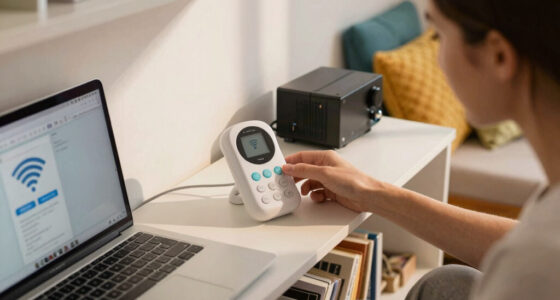
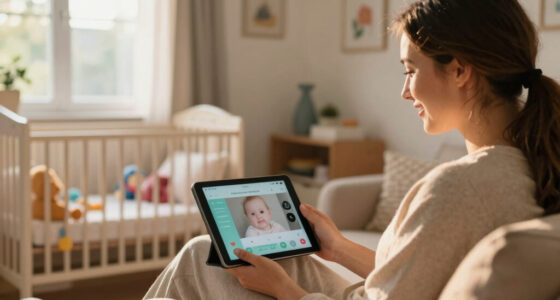
At 3 a.m., you wake up and wonder if your baby monitor’s camera is secretly watching you. The truth is, many devices now include simple but powerful features designed to give you control: privacy shutters and indicator LEDs. These small, often overlooked components can make a big difference in how secure and aware you feel about your device’s activity.
In this guide, you’ll learn exactly what these features do, why they matter, and how to use them effectively to keep your family safe. Whether you’re choosing a new baby monitor or want to better understand your current setup, understanding these features can turn a confusing tech detail into your best privacy ally.
Physical privacy shutters provide a tangible barrier, making unauthorized access nearly impossible without your knowledge.
Indicator LEDs are quick visual cues; however, they can be manipulated, so don’t rely on them alone for security.
Choosing a device with both features offers a layered approach—cover the camera physically and stay visually informed.
Regularly test and verify that shutters slide smoothly and LEDs light up correctly to ensure ongoing security.
Always combine hardware features with strong passwords and software updates to protect your devices effectively.
Monitor Privacy Shutters and Indicator LEDs
A physical shutter stops the camera from seeing. An indicator LED tells you when a camera or microphone appears to be active. Used together—and backed by secure settings, passwords, and updates—they turn a small hardware detail into a practical privacy system.
Two features, two different jobs
A shutter provides prevention. An LED provides information. Neither replaces passwords, firmware updates, or careful device settings—but together they make privacy easier to see and control.
Privacy shutter
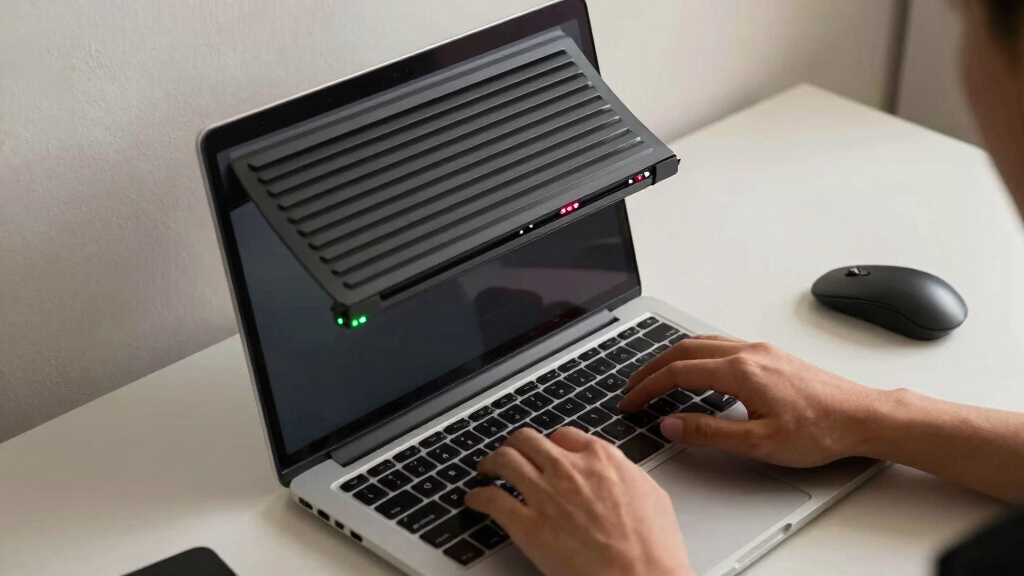
A sliding or flip cover sits directly over the camera lens. When fully closed, it prevents the camera from capturing a usable image, even if an app or attacker activates the camera.
Indicator LED
A light near the camera signals activity without requiring you to open an app. Multi-color versions may distinguish camera use, microphone use, streaming, or privacy mode.
Software controls
Permissions, strong passwords, automatic updates, and account security reduce the chance of unauthorized access and help protect functions that a shutter or light cannot cover.
Close the shutter whenever the camera is unnecessary, then check the LED and device settings for unexpected activity.
Which feature matters most?
The shutter is stronger for preventing visual capture. The LED is stronger for immediate awareness. A device that includes both offers the clearest layered defense.
| Feature | Physical privacy shutter | Indicator LED |
|---|---|---|
| Primary role | ✓ Prevents capture Physically blocks the camera’s view. |
✓ Signals activity Shows when a camera or microphone is active. |
| Digital bypass | ✓ Highly resistant A correctly closed cover cannot be overridden by camera software. |
✗ Potentially vulnerable Malware or poor hardware design may suppress or manipulate the signal. |
| Ease of use | ✓ Direct Slide or flip the cover; no menu is required. |
✓ Automatic Check the light, though colors and blinking patterns may need interpretation. |
| Main limitation | ~ Requires action It only protects you when you remember to close it. |
~ Awareness only It does not physically stop recording or transmission. |
| Best use | ✓ Sensitive moments Bedrooms, nurseries, home offices, and private conversations. |
✓ Everyday monitoring Quick confirmation of expected or suspicious device activity. |
Protection is strongest in layers
These bars are a qualitative comparison of each control’s intended strength—not measured percentages. No single feature covers every privacy risk.
Turn features into a habit
At bedtime or whenever a camera is unnecessary, follow a repeatable chain. The routine takes seconds and helps expose unexpected device behavior.
Finish camera use
End the call, stream, or monitoring session.
Close the shutter
Confirm the cover fully blocks the lens.
Check the LED
Investigate any unexpected glow or blinking.
Review permissions
Disable camera or microphone access when unused.
Keep it current
Install trusted firmware and software updates.
Make sure it slides smoothly, remains in place, and fully covers the lens.
Activate the camera and microphone separately to learn the expected signals.
Use a unique password and multi-factor authentication when available.
Look for a mechanical cover, a clearly visible LED, and documented status meanings.
Physical control creates certainty. Visible status creates awareness.
Best practice: choose a device with both a built-in shutter and a clear indicator LED, then support them with restricted permissions, strong credentials, trusted updates, and regular testing.
What Are Privacy Shutters and Why Do You Need Them?
Privacy shutters are physical covers that slide over or flip in front of your camera lens. They serve as a tangible, immediate barrier that physically blocks the camera’s view, ensuring that no digital or hacking method can override this protection when engaged. This is especially critical in an age where cyber threats evolve rapidly, and software-based controls can be disabled or bypassed by malicious actors.
Why does this matter? Because a shutter provides a foolproof way to guarantee privacy—if you close it, you can be certain the camera isn’t watching. This is particularly important in sensitive moments or when you’re home alone with your family, as it prevents accidental recordings, hacking, or unauthorized access. It essentially shifts control from the device’s software to a straightforward, physical action, reducing reliance on potentially vulnerable digital safeguards.
Many modern monitors now include built-in shutters, but if yours doesn’t, you can buy affordable external covers or use tape as a temporary fix. Just remember: a shutter or cover isn’t just a gimmick; it’s a tangible line of defense against unauthorized access, providing peace of mind that’s both immediate and reliable.
Popular right now

De'Longhi Stilosa Compact Manual Espresso Machine with Milk Frother

Dyson Cyclone V10 Origin Cordless Vacuum

Ninja DualZone Smart Air Fryer, 10 Qt, 6-in-1, DZ950
As an affiliate, we earn on qualifying purchases.
How Do Indicator LEDs Keep You Informed?
Indicator LEDs are tiny lights that serve as visual cues, signaling when your camera or microphone is active. Their importance lies in providing an instant, unambiguous notification about device activity, which is crucial because software alerts can sometimes be delayed, suppressed, or manipulated by malware. These LEDs act as a constant, physical reminder that your device is recording or transmitting data.
For example, a monitor might have a green LED that glows whenever the camera is recording or streaming. If the light is on, you know the camera is active—no guessing or relying solely on software notifications that could be disabled or hidden by malware. This immediate visual feedback helps you stay aware of your device’s state without navigating settings or guessing based on performance.
Some devices now include multi-color LEDs, which can differentiate between camera and microphone use or indicate privacy mode. This layered visual signaling enhances transparency, making it easier to detect suspicious activity at a glance. The key implication is that these LEDs serve as a quick, reliable safeguard—if the light is on unexpectedly, you can take immediate action, such as disabling the device or investigating further. They are a vital part of a layered security approach, providing an extra layer of reassurance in your digital privacy toolkit.
Compare Built-In Shutters and LEDs: Which Features Matter Most?
| Feature | Physical Privacy Shutter | Indicator LED |
|---|---|---|
| Purpose | Physically blocks the camera view, ensuring no visual feed can be captured when engaged. It’s a direct, tangible barrier that can’t be bypassed digitally, providing absolute certainty of privacy. | Provides a visual cue about device activity, alerting you instantly if the camera or microphone is active. While useful, it relies on your observation and can be manipulated if disabled. |
| Effectiveness | Highly effective against hacking, accidental recordings, and malware because it physically prevents the camera from capturing anything when closed. It’s a zero-failure method when used correctly. | Offers quick awareness but can be fooled or disabled by malicious software or hardware manipulations, making it less reliable as a sole security measure. |
| Ease of Use | Instant, manual control—simply slide or flip the cover over the lens. No software or settings required, making it accessible for all users. | Automatic or software-controlled; usually involves a simple visual check, but may require navigating menus or settings to interpret the LED status. |
| Limitations | Doesn’t alert you if the camera is active without shutter engaged. If you forget to close it, you might be unaware of ongoing recordings. | Can be turned off, manipulated, or disabled by malware, and doesn’t physically prevent access. It’s a helpful indicator but not a standalone security measure. |
| Ideal For | Maximum security and privacy—especially in sensitive environments or when privacy is paramount. | Quick visual confirmation that the device is active, useful for everyday awareness but best combined with physical covers for critical privacy needs. |
Simple Tips to Use Privacy Shutters and LEDs Effectively
- Use shutters whenever possible—cover the camera when not in use, especially in private moments. This guarantees that no digital or accidental recording can occur, even if software fails or is compromised.
- Check the LED status before assuming the camera is off; a blinking or glowing LED signals activity, which should prompt further investigation if unexpected.
- Combine hardware and software controls for maximum security. Disable camera access in device settings when not needed, and keep firmware up to date to patch vulnerabilities that could manipulate indicators or disable shutters.
- Test your device’s features regularly. Make sure shutters slide smoothly and LEDs light up correctly—this ensures your privacy measures are functioning as intended and alerts you to any malfunctions.
- Stay updated with firmware or software patches that improve security and indicator accuracy, reducing the risk of vulnerabilities that could bypass your privacy safeguards.
For example, at bedtime, physically covering the camera and confirming the LED is off reassures you that your device isn’t recording secretly. Regular testing and updates keep your privacy measures reliable and effective.
Watch Out for Hidden Risks and Limitations
While privacy shutters and LEDs are powerful tools, they aren’t foolproof. Malware can disable or manipulate LEDs, or even disable physical shutters if a hacker gains access to your device. This highlights the importance of viewing these features as part of a comprehensive security strategy rather than standalone solutions. Relying solely on physical shutters or indicator lights can create a false sense of security, especially if malware or advanced hacking techniques are involved.
For instance, malicious apps or malware can disable the LED indicator, making it appear as if the camera is off when it’s still active. Similarly, hackers with deep access might physically or digitally disable shutters, rendering your physical barrier ineffective. Therefore, always verify that your device’s privacy features are functioning correctly—test shutters regularly and observe LED indicators during use.
Remember, these tools should be complemented with strong passwords, software updates, network security measures, and cautious app management. Only through layered security can you truly safeguard your privacy against sophisticated threats.
What to Look for When Buying a Baby Monitor with Privacy Features
If privacy matters to you, look for devices that explicitly advertise built-in physical shutters and indicator LEDs in their specifications. These features should be easy to activate or deactivate and should have clear indicators, such as sliding covers or multi-color LEDs. Prioritize models that offer intuitive controls and reliable signaling, as these directly impact your ability to maintain control over your device’s privacy.
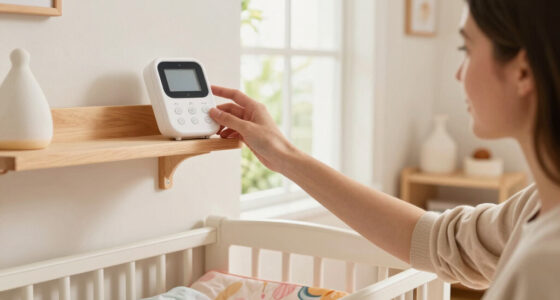
For example, some baby monitors include a sliding shutter that can be quickly closed during private moments, and a red LED that lights up only during active streaming, providing immediate visual confirmation. These straightforward features help you maintain peace of mind without complex setup or guesswork. Remember, not all devices include both features, so consider which aspect—physical security or visual alerts—is more critical for your situation. Reading reviews and checking user feedback can also reveal how well these features perform in real-world use, ensuring your investment provides the privacy assurances you seek.
Ultimately, select a device that aligns with your privacy priorities, balancing ease of use, reliability, and security to protect your family effectively.
Frequently Asked Questions
Can hackers disable indicator LEDs or shutters?
Yes, malware can sometimes manipulate LEDs or disable shutters if they gain access. That’s why these features should be combined with other security measures like strong passwords and software updates.Are physical shutters easy to use daily?
Most are designed for quick, one-handed operation—slide or flip in seconds. They’re especially handy for parents wanting instant control without fiddling with settings.Do all baby monitors come with these features?
No, they vary widely. High-end or security-focused models are more likely to include physical shutters and clear indicator LEDs. Always check specifications before buying.Can indicator LEDs be turned off?
Some devices allow disabling LEDs via settings, which can be a privacy risk. Always verify the default behavior and keep them enabled if possible for transparency.What’s the best way to test if my privacy features work?
Try covering the camera with the shutter and see if the LED turns off. Conversely, turn on the camera and check if the LED lights up. Regular tests ensure they function properly.Conclusion
Knowing how to use privacy shutters and indicator LEDs turns your monitor from a passive device into an active tool for privacy. A quick slide or a glance at a tiny light can save you from unwanted surprises.
Remember: these features aren’t just gadgets—they’re your front line of defense. Make them part of your routine, and you’ll sleep a little easier tonight.