
TL;DR

Turn the school run and nap time into listening time
- Thousands of audiobooks, podcasts and originals
- Listen on your phone, tablet or Echo — also offline
- Cancel anytime
If your monitor app keeps logging out, it’s usually due to session timeouts, network hiccups, or security policies. Updating the app, checking internet stability, and reviewing security settings can often fix the issue fast.
Imagine this: it’s 3 a.m., your baby stirs, and you reach for your phone. But instead of a steady view, the app logs you out. Frustrating, right? You’re not alone. Many parents and caregivers face this issue, disrupting peace of mind when you need it most.
This guide walks through what causes these logouts and how to fix them. No tech jargon, just real solutions that keep your baby’s monitor connected and you calm.
Always keep your app and device firmware current to patch bugs causing logouts.
Use a stable, high-quality internet connection—preferably wired or 5GHz Wi-Fi—for uninterrupted sessions.
Review and adjust security settings cautiously—balance safety with convenience.
Clear cache or reinstall if persistent issues occur, but contact support if needed.
Recognize that security policies may enforce session limits; work within them or consult your provider.
Keep the Monitor Connected When Peace of Mind Matters Most
If your baby monitor app keeps logging out, the cause is usually session timeouts, unstable internet, or security rules. The fix is often practical: update the app, steady the connection, clear stale data, and review login settings without weakening safety.
When the baby stirs and the app asks you to log in again, it feels like a tech issue. Most of the time, it is a stability or policy issue you can narrow down quickly.
The logout is usually a signal, not a mystery.
Monitor apps keep sessions alive through network handshakes, cookies, app storage, device permissions, and account rules. When one of those breaks, the app may protect itself by signing you out.
Brief Wi-Fi drops
A tiny connection flicker can look like a lost session, especially with cloud-based monitoring.
Short session limits
Some apps, daycares, schools, or organizations require re-authentication after minutes or hours.
Stale cache or app data
Old cookies, privacy settings, browser extensions, or corrupted app files can reset logins.
Fix repeated monitor app logouts in five practical moves.
Start with the least disruptive fixes. If the app still signs out, you will have clear evidence for support instead of guessing.
Stabilize Internet
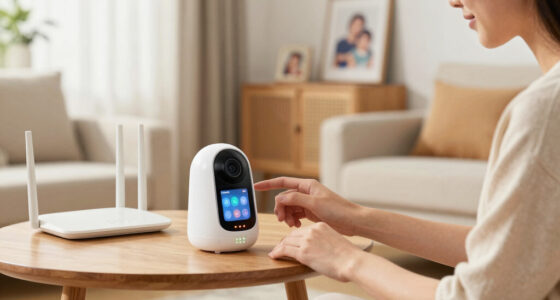
Move closer to the router, reduce congestion, use 5GHz Wi-Fi, or try a wired base station connection.
Update Everything
Install the newest monitor app, phone OS, browser, and camera or base firmware.
Clear Stored Data
Clear cache and cookies for web apps, or clear app storage if your device allows it.
Reinstall Cleanly
Remove the app, restart the device, reinstall, and sign in fresh to reset corrupted files.
Check Policy
Review stay-signed-in, MFA, VPN, firewall, privacy, and session timeout settings.
Compare the usual suspects before changing security settings.
Use this table to match the symptom to the likely cause. Convenience matters, but security rules may exist for a reason.
| Cause | Impact | Best Fix | Status Signal |
|---|---|---|---|
| Network instability | Frequent disconnects, frozen feed, session drops | Use wired connection, 5GHz Wi-Fi, or reduce interference. | ✓ Fixable |
| Security timeout | Automatic logout after a set idle period | Adjust timeout if allowed, or plan for re-authentication. | ~ Policy-driven |
| Outdated app or firmware | Crashes, repeated sign-outs, broken session persistence | Update app, phone OS, camera firmware, and browser. | ✓ High payoff |
| Browser or device mismatch | Login loops, cookie failures, session resets | Switch browser, test another device, review privacy settings. | ✓ Test quickly |
| Backend or account issue | Logout continues after all local fixes | Contact support and ask them to check account/session logs. | ✗ Needs support |
Do not simply disable security.
Longer sessions are convenient, but they can reduce protection if multiple people use the same device or account. Prefer “stay logged in” options from the app over workarounds that weaken privacy.
Session Balance
How a tiny signal drop becomes a logout screen.
Quick answers for the most common logout headaches.
When the basic fixes do not work, support can confirm whether the issue is account-specific, policy-based, or caused by a backend session problem.
Why does it keep logging me out?
Most often, session timeouts, unstable internet, or security policies require the app to re-authenticate.
Can switching devices help?
Yes. A different browser or device can bypass cache problems, strict privacy settings, or compatibility bugs.
Is it safe to extend sessions?
Sometimes. Use official settings only, and balance convenience with account and baby monitor privacy.
When should I contact support?
If updates, cache clearing, reinstalling, and network checks fail, ask support to inspect your account and session logs.
Why does my monitor app keep logging me out unexpectedly?
Most logouts happen because of security policies, session timeouts, or network hiccups. For example, a common cause is a security setting that requires re-authentication after a certain period. If your internet connection drops briefly, the app might interpret that as a session loss.
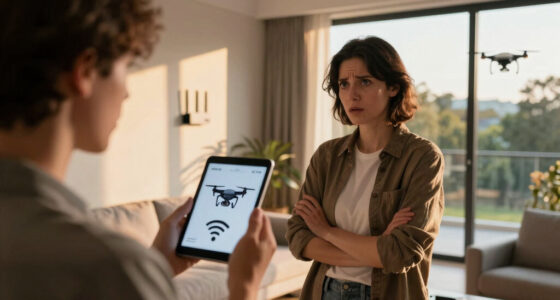
Imagine you’re on a shaky Wi-Fi connection while trying to check in on your baby. The moment the signal flickers, the app signs you out. It’s frustrating but often fixable.
As an affiliate, we earn on qualifying purchases.
How to fix your monitor app logging out all the time in 5 easy steps
- Ensure your internet connection is stable and strong. Use a 5GHz Wi-Fi network if possible, and avoid network congestion.
- Update your monitor app to the latest version. Developers regularly patch bugs that cause logouts.
- Clear your browser or app cache. For web apps, this means clearing cookies and cache to reset stored data.
- Reinstall the app if issues persist. Sometimes, a fresh install resets corrupted files or settings.
- Check your account security and session timeout settings. Adjust if your app or organization enforces short sessions.
For example, updating your app on your smartphone might fix a bug that causes repeated logouts every hour. It’s a simple step but often overlooked.
high speed Wi-Fi router for baby monitor
As an affiliate, we earn on qualifying purchases.
As an affiliate, we earn on qualifying purchases.
Compare common causes and solutions for persistent logouts
| Cause | Impact | Fix |
|---|---|---|
| Network instability | Frequent disconnects, session drops | Use wired connection, upgrade to 5GHz Wi-Fi, minimize interference |
| Security settings (session timeout) | Automatic logouts after set period | Adjust timeout policies, if possible, or re-authenticate more often |
| Outdated app or firmware | Software bugs causing crashes or logouts | Update app and device firmware regularly |
| Browser or device compatibility issues | Login failures or session resets | Switch browsers, clear cache, test on another device |
wired internet adapter for baby monitor
As an affiliate, we earn on qualifying purchases.
As an affiliate, we earn on qualifying purchases.
What security policies or settings could be causing your app to log out?
Many apps now incorporate tighter security, like shorter session durations or mandatory re-authentication. If your organization enforces strict policies, your app might automatically log you out after a set time. For instance, a school or daycare’s security system could restrict sessions to 15 minutes for safety reasons.
Review your app’s security settings or contact your provider if you suspect these policies are causing frequent logouts. Sometimes, adjusting your account preferences can extend session time without compromising safety.
As an affiliate, we earn on qualifying purchases.
How to prevent future logouts without compromising security
Here are some practical tips:
- Keep your app and device software up to date. Updates often fix bugs and improve session stability.
- Use a reliable, steady internet connection. Wired or 5GHz Wi-Fi reduces drops and interruptions.
- Review your security settings. Enable features like “stay logged in” if available, but avoid lowering security unnecessarily.
- Turn on notifications for app updates or security alerts. Staying informed helps prevent surprises.
- Contact support if recurrent logouts persist despite troubleshooting. Sometimes, backend issues or account-specific quirks are the culprit.
Imagine you’re on a weekend trip, and your Wi-Fi suddenly drops. Having your app set to keep you logged in through that glitch keeps your peace of mind intact.
Frequently Asked Questions
Why does my monitor app keep logging me out unexpectedly?
Most often, it’s due to session timeouts, unstable internet, or security policies that require re-authentication. Ensuring a stable connection and updating your app usually solves the problem.How can I prevent my monitor app from logging out automatically?
Adjust your app’s security settings if possible, use a reliable internet connection, and keep your app up to date. Avoid using browsers or devices with strict privacy settings that may interfere with sessions.Is it safe to change security or session timeout settings?
It depends. Increasing session length can improve convenience but might slightly reduce security. Balance your safety needs with your monitoring requirements, especially if multiple users access the app.What should I do if reinstalling the app doesn’t fix the issue?
Contact support or check for updates. Sometimes, backend issues or account-specific quirks require professional assistance or waiting for a patch.Can switching browsers or devices help stop logouts?
Yes. Compatibility issues or cached data can cause logouts. Trying a different device or browser often clears up the problem and restores stability.Conclusion
Frequent logouts can be a headache, but most are fixable with a few simple steps. Keep your apps updated, ensure your internet is solid, and review your security settings. This way, you’ll stay connected when it matters most — right at 3 a.m., watching your little one sleep peacefully.
Remember, a stable monitor means peace of mind. Don’t let technical glitches rob you of that calm. Stay proactive, and your baby’s safety stays in your hands — steady and secure.
Cold & flu season Picks
humidifiers
As an affiliate, we earn on qualifying purchases.