TL;DR

Turn the school run and nap time into listening time
- Thousands of audiobooks, podcasts and originals
- Listen on your phone, tablet or Echo — also offline
- Cancel anytime
Smart bottles use sensors to track water intake, temperature, and opening patterns. While not medical devices, they offer reliable data to help improve hydration habits through connected apps and reminders.
Imagine a bottle that not only holds your water but also whispers to your phone about how much you’ve drunk. That’s the promise of smart bottles. These devices are packed with tiny sensors that turn everyday hydration into data you can see and act on.
But what exactly do these sensors track? And how accurate are they? If you’ve ever wondered whether your smart bottle really knows what’s going on, this guide is for you. We’ll break down the sensors, what they measure, and how that info can help you drink smarter — not just have the latest tech gadget.
Most smart bottle sensors measure intake in 10-50 ml increments, providing reliable daily hydration data.
Sensors track when, how much, and how often you drink, but don’t measure hydration quality or health effects directly.
Regular cleaning and correct usage improve sensor accuracy and data reliability.
Syncing with health apps and setting reminders makes it easier to reach your hydration goals.
Use smart bottle data as a helpful guide, not a substitute for medical advice.
Smart Bottles: What the Sensors Actually Track
A smart bottle turns everyday drinking into a stream of useful signals: how much you consume, when you drink, how often the lid moves, and—in some models—the temperature of your beverage. The result is a practical hydration diary, not a medical diagnosis.
The sensors—and the signal each one sees
No single sensor understands hydration on its own. Each component observes a narrow event, while the app combines those events into an estimate of your drinking behavior.
Flow sensor
Detects liquid moving out of the bottle and estimates the volume of individual sips or pours.
Weight sensor
Measures changes in bottle weight to estimate how much liquid remains or has been removed.
Cap sensor
Records opening and closing events. These suggest drinking moments but do not prove liquid was consumed.
Temperature sensor
Monitors whether a beverage is cold, warm, or changing temperature over time.
Optical sensor
Uses light to estimate liquid level and, in some designs, identify broad changes in the beverage.
UV or ambient input
Some models add environmental readings that can enrich reminders, but these are not universal features.
How a drinking moment becomes app data
The bottle observes a physical event, converts it into a volume estimate, places it on a timeline, and then compares the pattern with your chosen hydration goal.
You drink
Flow, weight, tilt, or cap activity creates a measurable change.
Sensor logs
The device estimates volume, time, temperature, or opening activity.
App syncs
Bluetooth or Wi-Fi transfers the event into a daily record.
Pattern emerges
Goals, reminders, and health-app context turn events into guidance.
What they track vs. what they cannot know
Smart bottles are strong at recording container events. They cannot directly measure what is happening inside your body, identify every ingredient, or calculate fluid loss.
| Signal area | What they track | What they do not track |
|---|---|---|
| Consumption | ✓Volume consumed in approximate 10–50 ml increments | ✗How much fluid your body absorbs |
| Timing | ✓Frequency and time of drinking events | ✗Whether each opening produced a real sip |
| Beverage | ✓Temperature in supported models | ✗Exact calories, ingredients, quality, or supplements |
| Hydration loss | ✓Intake recorded through the bottle | ✗Sweat loss, illness, or other fluid losses |
| Health status | ✓Progress toward a user-defined drinking goal | ✗Electrolyte balance or clinical hydration status |
Interpretation rule: bottle data describes behavior around the container—not a complete physiological assessment.
Useful estimates with a margin of error
For everyday habit-building, smart bottle readings are generally dependable. Precision can shift with calibration, bottle angle, residual moisture, cleaning, sensor design, and how the user pours or drinks.
Fit for purpose
Relative usefulness by task—not a clinical performance score.
The complete hydration-data chain
Value appears when a raw signal survives every step—from the sensor to a useful action. A weak reading or missed sync can affect everything downstream.
Physical event
A sip, pour, weight shift, or lid movement occurs.
Sensor signal
The bottle captures a narrow measurable change.
Estimate
Software translates the signal into volume or timing.
Context
Goals, weather, and activity can enrich the record.
Action
A reminder or pattern insight supports better habits.
Drink smarter without overreading the data
The best smart bottle is a behavior tool: it makes invisible routines visible and nudges you when your drinking pattern slips.
Expect approximate intake tracking in 10–50 ml increments.
Use timing and frequency to uncover gaps in your routine.
Clean, calibrate, and handle the bottle consistently.
Sync reminders and health apps for richer context.
Treat the result as guidance—not medical advice.
What sensors in smart bottles actually measure — no fluff
Smart bottles use different sensors to track how much you drink, the temperature of your beverage, and even when you open and close the lid. These small tech pieces work together to give you a picture of your hydration habits.
Flow sensors detect when liquid flows out, recording the volume. Weight sensors weigh the bottle to estimate how much is left or poured. Cap sensors notice every time you open or close the lid, hinting at drinking moments. Temperature sensors, found in some models, tell you how warm or cold your drink is, which can be useful if you prefer ice-cold water or warm milk.
For example, a HidrateSpark bottle uses a flow sensor to record each sip, giving you real-time data on your app. Meanwhile, a Thermos Smart Lid tracks temperature, helping you decide if your drink is still at its peak.
Understanding these sensors is crucial because they determine the accuracy and usefulness of the data you receive. For instance, a flow sensor’s ability to detect small sips versus large gulps affects how precisely your intake is recorded. Temperature sensors can influence how you interpret your hydration quality—hot drinks might mean different things depending on your activity, and some sensors might struggle with accuracy if the beverage is very cold or warm. Recognizing these nuances helps you gauge how much trust to place in the data and whether the device suits your hydration style.
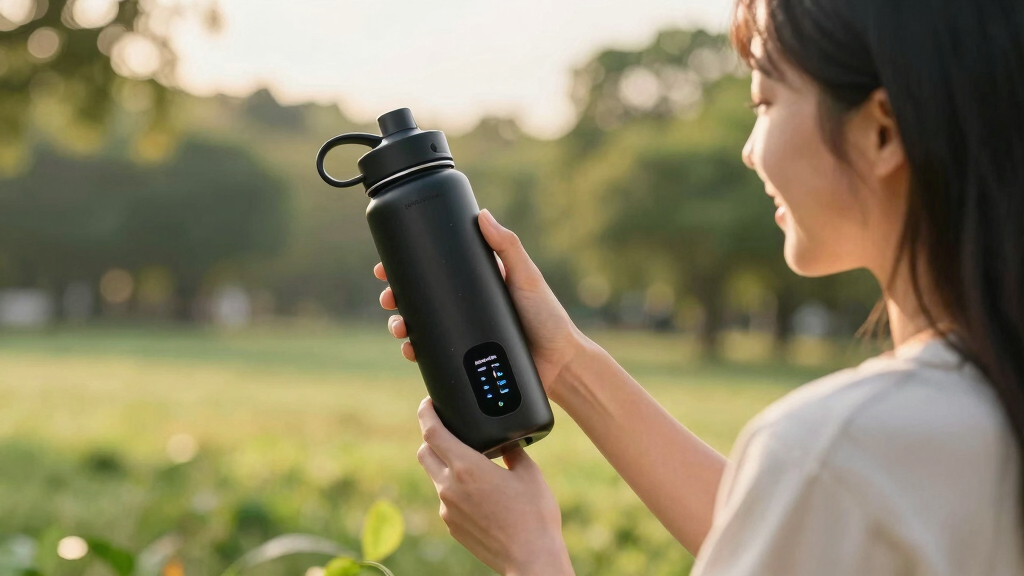
smart water bottle with hydration tracking
As an affiliate, we earn on qualifying purchases.
As an affiliate, we earn on qualifying purchases.
How sensors translate your drinking habits into useful data
Smart bottle sensors don’t just record numbers — they tell a story about your hydration. When you sip, the device logs the volume, and over time, it builds a pattern. That pattern can show you if you’re drinking enough during busy mornings or neglecting hydration after workouts.
For instance, if your app notices you only drink 200ml in the afternoon, it might suggest a reminder to hydrate more. Or if you usually drink warm beverages in the evening, it can track that too, helping you understand your preferences.
This data becomes especially powerful when combined with other health info. A modern smart bottle can sync with fitness trackers, giving you a full picture of how activity, weather, and hydration link together.
However, interpreting this data requires understanding the limitations. For example, a pattern of low intake might reflect your hydration habits, but it could also be influenced by sensor inaccuracies or external factors like the bottle being left untouched for hours. Recognizing these nuances helps you make smarter decisions and avoid over-relying on potentially imperfect data. The key is to see the data as a helpful guide, not an infallible truth, and consider context—such as weather, activity level, or even the type of beverage—to fully grasp your hydration needs.
Bluetooth enabled hydration reminder bottle
As an affiliate, we earn on qualifying purchases.
As an affiliate, we earn on qualifying purchases.
Comparison: What smart bottle sensors track vs. what they don’t
| What They Track | What They Don’t |
|---|---|
| Volume of water consumed (10-50 ml increments) | Exact calorie count of beverages |
| Frequency and timing of drinking | How much you sweat or lose hydration through other means |
| Temperature of beverage | Details about beverage ingredients or quality |
| Opening and closing patterns | If you add flavorings or supplements |
| Environmental factors like ambient temperature | Hydration effects of external factors beyond bottle data |
Knowing what sensors measure helps you understand their limits. They give you a solid idea of your drinking habits but aren’t designed to replace medical tools or track every tiny detail of your health.
It’s important to recognize these boundaries because relying solely on sensor data can give a false sense of complete understanding. For example, a device might accurately record drinking volume but can’t account for how much you actually absorb or how hydration impacts your overall health. This tradeoff means that while sensors are valuable for building good habits, they should complement, not replace, other health assessments or medical advice. Being aware of these limitations ensures you use the data wisely, avoiding overconfidence in the device’s insights and maintaining a holistic view of your hydration and well-being.
temperature sensing smart water bottle
As an affiliate, we earn on qualifying purchases.
As an affiliate, we earn on qualifying purchases.
How accurate are smart bottle sensors? The real deal
Sensor accuracy varies but is generally good enough for daily hydration habits. They can usually estimate your intake within 10-20% of actual volume. For example, if you drink 250ml, your smart bottle might record 230-270ml.
However, factors like how you hold the bottle, the angle, or even residue on sensors can affect precision. They’re not medical devices, but for most users, they reliably help build better hydration routines.
Think of these sensors as a friendly coach — not a doctor. They motivate and guide, but don’t replace professional medical advice.
It’s worth noting that while these sensors are sufficiently accurate for everyday use, they can sometimes misinterpret data due to external factors like sensor calibration issues, residual moisture, or user handling. This means that while they generally provide a reliable estimate, they shouldn’t be relied upon for precise medical measurements. Recognizing these tradeoffs helps you set realistic expectations and use the data to support, rather than replace, good hydration practices.
hydration app compatible smart bottle
As an affiliate, we earn on qualifying purchases.
As an affiliate, we earn on qualifying purchases.
What smart sensors tell you about your hydration habits — and what they miss
Smart bottles excel at showing how much you drink and when. If you’re aiming for 2 liters a day, your app can show if you’re on track or falling behind. They also highlight patterns, like skipping water during busy afternoons.
But they don’t measure your actual hydration status — like electrolyte balance or how well you’re absorbing fluids. They also can’t tell if you’re drinking enough due to sweat loss or illness.
That’s why it’s smart to use these insights as a guide, not a medical diagnosis. Think of them as your hydration diary, not a health report card. The data provides a useful overview but doesn’t capture the full complexity of your body’s hydration needs, which depend on factors beyond just water intake, such as electrolyte levels, body temperature, and health conditions. Recognizing these gaps helps you avoid overestimating what the device can tell you about your overall hydration and health status.
Frequently Asked Questions
Are smart bottle sensors accurate enough for tracking my daily water intake?
Yes, most sensors estimate intake within about 10-20% accuracy, making them useful for general hydration tracking. They’re not perfect but help you stay on top of your goals.
How often do I need to charge or replace batteries in a smart bottle?
Most models require recharging every few days to a few weeks, depending on features and usage. Check your specific bottle’s guidelines for best results.
Can these sensors tell me if I’m properly hydrated or healthy?
No, sensors mainly track how much you drink, not your actual hydration status or health. Use their data as a helpful guide, not a medical diagnosis.
Do smart bottles work with any beverage?
Most are optimized for water, but some can track other non-carbonated, non-alcoholic drinks. Always check if your specific bottle supports other beverages.
What’s the biggest benefit of using a smart bottle with sensors?
They turn hydration into a visual, trackable habit. Reminders, pattern analysis, and goal-setting make it easier to drink enough and develop healthier routines.
Conclusion
Smart bottles are more than just tech gadgets — they turn simple hydration into a pattern you can see and improve. Understanding what their sensors measure helps you use them wisely, turning data into better habits.
So next time you sip, remember — these sensors are giving you a tiny window into your daily hydration story. Use that insight to drink smarter, every day.
Fall Picks
fall essentials
As an affiliate, we earn on qualifying purchases.