
TL;DR

Turn the school run and nap time into listening time
- Thousands of audiobooks, podcasts and originals
- Listen on your phone, tablet or Echo — also offline
- Cancel anytime
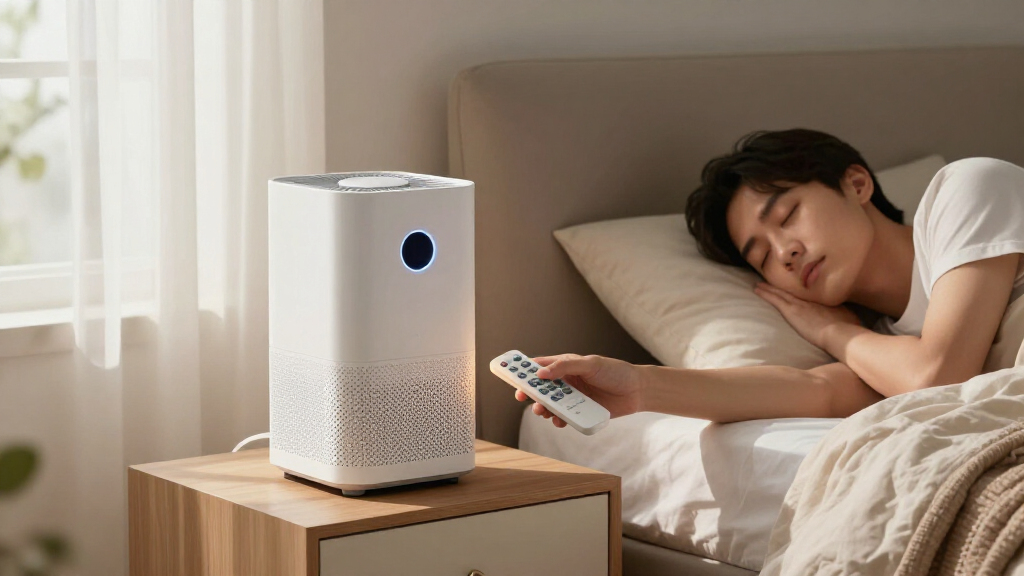
Air purifiers are louder at higher speeds, but sleep mode and placement can reduce noise without sacrificing air quality. A larger, well-placed unit often cleans more air quietly, making it a smarter choice for nights. Steady sound helps you sleep better than fluctuating noise.
When you’re trying to sleep, the last thing you want is a noisy air purifier disturbing your rest. But if you want clean air—free of dust, pollen, pet dander, or smoke—you need some airflow. The trick is balancing noise with effectiveness, especially during the dark hours when quiet matters most.
This guide explains how different speeds, modes, and placement influence noise levels. You’ll learn practical tips to keep your bedroom peaceful while still breathing clean, fresh air all night long.
The quietest setting isn’t always the most effective—balance airflow with sleep comfort.
A larger, properly placed purifier can clean more air quietly than a smaller one running at max speed.
Steady, non-tonal noise is less disruptive than fluctuating or high-pitched sounds.
Pre-running your purifier on high before bed can lower pollutant levels, then switching to a quieter setting helps maintain clean air without waking you.
Regular maintenance and smart placement are key to keeping purifier noise low and performance high.
Air Purifier Noise at Night
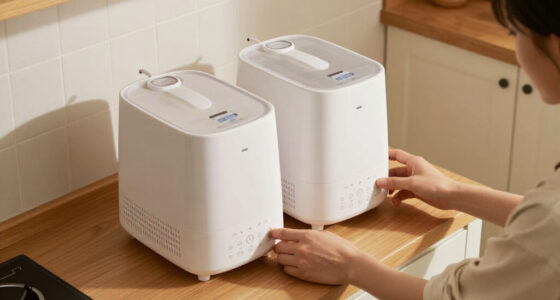
The goal is not absolute silence. It is the quietest setting that still moves enough clean air for your bedroom. A larger, well-placed purifier can often do that more gently—and more steadily—than a small unit pushed to maximum.
Approximately the level of a whisper or softly rustling leaves.
More clean-air delivery, but potentially as noticeable as conversation or background TV.
Smooth broadband airflow is usually easier to tolerate than whines, rattles or changing speeds.
More speed cleans faster. More noise does not always clean smarter.
Fan speed increases clean-air delivery, but the acoustic cost rises too. For most ordinary nights, a tolerable medium speed can provide a useful balance between continuous filtration and uninterrupted sleep.
20–30 dBA
Quietest option. Suitable for smaller rooms and lower pollutant loads, but airflow may be inadequate during smoke, pollen or allergy spikes.
30–45 dBA
Nighttime sweet spot. Often delivers substantially more airflow than sleep mode without the sharper acoustic character of turbo speed.
45–65+ dBA
Fastest cleanup. Useful before bedtime or during severe pollution, though it may be too intrusive for continuous overnight use.
| Speed setting | Approx. noise | Illustrative airflow | Best nighttime role |
|---|---|---|---|
| Sleep / low | 20–30 dBA | 40–70 CFM | Quiet maintenance in a small room with a low pollutant load |
| Low / medium | 30–45 dBA | 70–130 CFM | Balanced continuous cleaning for many ordinary nights |
| High / turbo | 45–65+ dBA | 130–200 CFM | Rapid pre-cleaning or response to smoke, pollen and other spikes |
CFM and dBA ranges are broad illustrations. CADR varies by purifier, filter condition, test method and fan setting; cross-brand noise ratings may not be directly comparable.
Sleep mode is a comfort feature—not an air-quality guarantee.
Most sleep modes reduce fan speed, dim lights and suppress alerts. That can make the bedroom calmer, but a large room or heavy pollution event may require more airflow than the mode provides.
Common sleep-mode actions
Features vary by model, but the label often bundles several comfort adjustments.
- Selects the lowest or a very low fan speed
- Dims or switches off indicator lights
- Silences buttons, beeps and spoken alerts
- Reduces sudden automatic speed changes
- May limit air-quality sensor responses
Decibels tell only half the story
The dBA scale approximates human hearing, but tone, vibration and fluctuation determine whether a sound blends in or demands attention.
A smooth 32 dBA whoosh may be easier to sleep through than a quieter unit with motor whine, rattling, pulsing airflow or unpredictable speed changes.
Clean aggressively before bed, then maintain quietly.
Pre-running reduces the initial pollutant load. A lower continuous speed can then help maintain cleaner air while producing a steadier, less disruptive sound.
Close the room
Limit new smoke, pollen or dust entering through open windows and unnecessary door movement.
Pre-run on high
Use higher airflow before bedtime to reduce the room’s starting pollutant concentration.
Step down
Select the quietest effective continuous speed—not automatically the lowest setting.
Keep it steady
Avoid frequent automatic surges when possible; stable broadband sound is usually less noticeable.
Create distance
Position the purifier a few feet from the bed with its intake and outlet unobstructed. Distance reduces perceived noise without cutting airflow.
Use a stable base
Place the unit on a firm, level surface. A thin vibration-damping pad can reduce buzzing from floors, furniture or loose panels.
Avoid reflective corners
Walls and hard furniture can amplify or reflect sound. Leave clearance while keeping the purifier away from curtains that restrict airflow.
Size up thoughtfully
An oversized purifier may achieve the required airflow at a quieter lower speed. Compare performance at a tolerable noise level.
Keep resistance low
Clogged filters force the fan to work harder. Clean pre-filters, replace filters on schedule and check panels for rattles.
Darken the display
Disable LEDs and audible alerts. Even a quiet fan can disturb sleep when indicator lights brighten or controls beep.
Maximum CADR is not the nighttime specification that matters most.
CADR generally rises with fan speed, while ACH describes how often an equivalent room volume of cleaned air is delivered each hour. Published maximum performance may reveal little about what the purifier achieves quietly.
Clean air delivered
Higher CADR means faster particle removal under the rated conditions. Manufacturers often report it only at maximum speed.
Room turnover
ACH = hourly clean-air delivery ÷ room volume. Five ACH means an equivalent room volume is cleaned five times per hour.
Quiet performance
Look for airflow or CADR at the speed you can tolerate overnight—not merely the largest number printed on the box.
Match the room, pollutant load and sleeper—not just the decibel label.
Actual results depend on room volume, air mixing, open doors, drafts, filter condition and pollution sources. Noise sensitivity is equally personal.
Moderate and continuous
A purifier running all night at a tolerable moderate speed often cleans more effectively than brief high-speed operation followed by switching it off.
Respond to real conditions
Use more airflow during wildfire smoke, pollen surges, active dust sources or larger-room use—even if that means temporarily accepting more noise.
Choose the quietest setting that still meets the room’s airflow need. Favor a steady whoosh, pre-clean before bed, maintain the filters and use enough purifier capacity to avoid running a small fan at its loudest setting.
What’s the real noise level of a typical sleep mode?
Most air purifiers on sleep or lowest setting produce around 20-30 dBA. That’s roughly the sound of a whisper or rustling leaves. But even at this level, some units emit a gentle hum that can be noticeable if your room is silent.
For example, a purifier running on sleep mode might sound like a soft whoosh—steady and non-intrusive. However, some models generate high-pitched whines or vibrations that can disturb sensitive sleepers. The key is not just the decibel number but also the sound’s character.
Understanding these nuances is important because what’s tolerable varies from person to person. Some may find the hum soothing, while others find high-pitched noises disruptive. The sound quality and the room’s acoustics—like soft furnishings that absorb sound—also influence how noticeable the purifier noise is. Recognizing these factors helps you choose a model and setting that blend seamlessly into your sleep environment.
As an affiliate, we earn on qualifying purchases.
How do fan speeds affect noise and cleaning power overnight?
Fan speed directly impacts both noise and how much air the purifier cleans. Higher speeds push more air through filters, but they also produce louder sounds—often 45-65 dBA or more, comparable to a normal conversation or background TV noise.
Choosing the right speed involves weighing the need for effective filtration against the disturbance noise can cause. For instance, during heavy pollution events like wildfires or pollen spikes, higher speeds may be necessary to keep indoor air safe, but they can also lead to sleep disruptions if the noise is too loud.
On the other hand, running at the lowest setting might minimize noise but might not move enough air to remove pollutants effectively during high pollution periods. This creates a tradeoff: sacrificing some filtration efficiency for quieter operation, which could mean pollutants linger longer, potentially affecting your health.
Therefore, the optimal choice is often a moderate speed that provides sufficient airflow for your environment while keeping noise at a level that doesn’t interfere with sleep. This balance is especially critical for households with children or allergy sufferers, where maintaining good air quality is vital but sleep quality cannot be compromised. The implication is that understanding your specific needs allows you to adjust settings proactively—perhaps increasing speed during high pollution events and lowering it for standard nights, ensuring both safety and comfort without constant manual adjustments.
As an affiliate, we earn on qualifying purchases.
Comparison: Noise levels and airflow at different speeds
| Speed Setting | Approximate Noise (dBA) | Airflow (CADR)* |
|---|---|---|
| Sleep/Low | 20-30 | 40-70 CFM |
| Low/Medium | 30-45 | 70-130 CFM |
| High/Turbo | 45-65+ | 130-200 CFM |
This table illustrates the fundamental tradeoff: as you increase the fan speed, you get more air circulation and filtration, but at the cost of increased noise levels. Understanding this helps you decide which setting is appropriate for your environment. For example, in a large room with high pollution levels, louder, higher-speed settings might be justified despite the noise. Conversely, a small bedroom might only require lower speeds to maintain both quiet and clean air. The key is to assess your specific environment, considering factors like room size and pollution levels, and choose a setting that balances comfort with air quality. This understanding empowers you to customize your use of the purifier so it supports restful sleep without sacrificing safety.
As an affiliate, we earn on qualifying purchases.
Why sleep mode isn’t always enough to clean the air
Sleep mode typically sets the fan to the lowest speed, aiming for quiet operation. But in large bedrooms or during heavy pollution (like wildfire smoke or pollen spikes), this low setting might not move enough air to keep pollutants at bay. The implication is that while sleep mode is convenient for noise reduction, it may compromise air quality if used exclusively during high pollution periods.
For example, a small bedroom with a purifier on sleep mode might effectively reduce dust but struggle with outside smoke infiltration. The lower airflow means pollutants can accumulate, reducing the air quality benefits of your purifier. This can be problematic during pollution spikes when rapid removal of harmful particles is critical for health and comfort. The consequence is that relying solely on sleep mode can give a false sense of security—believing you’re maintaining clean air, while in reality, pollutants are lingering.
To mitigate this, it’s advisable to pre-run the purifier at higher speeds before sleep, especially during pollution episodes, then switch to a quieter, lower setting for overnight. This approach ensures pollutants are reduced beforehand, and you maintain cleaner air without disturbing your sleep. The implication is that understanding your environment and adjusting your usage accordingly prevents poor air quality from undermining your sleep quality and health. This proactive strategy maximizes both safety and comfort, demonstrating that a flexible approach to modes is often necessary for optimal results.
As an affiliate, we earn on qualifying purchases.
How to make your purifier quieter without losing cleaning power
Placement is everything. Keep your purifier at least a few feet from your bed, on a stable surface. Avoid walls or furniture that vibrate or reflect sound. Positioning it near an open window or across the room can cut perceived noise while maintaining good airflow. The implication is that strategic placement reduces the impact of operational noise, making it less intrusive without diminishing performance.
For example, placing your unit on a sturdy nightstand, away from fabric curtains, can reduce rattling and muffling the hum. Using a soft pad underneath can dampen vibrations further. Additionally, consider models with features like vibration suppression or sound-dampening cabinets, which can significantly lower operational noise. The choice of placement and features directly affects how noticeable the noise is, especially during sleep when even small disturbances matter. Therefore, thoughtful positioning combined with selecting a model designed for quiet operation maximizes comfort and effectiveness.
Why your purifier might get noisier over time—and what to do
Clogged filters, dust buildup, or loose panels can turn a whisper into a whine. For example, a filter clogged with pet hair or dust increases airflow resistance, causing the motor to work harder and make more noise. This not only disrupts sleep but also reduces the purifier’s efficiency in removing pollutants. The implication is that neglecting maintenance can lead to louder operation and compromised air quality.
Regularly checking filters—most brands recommend every 6-12 months—and replacing them when dirty is essential. Dirty filters decrease filtration effectiveness and cause the motor to strain, which can elevate noise levels over time. Keeping the unit on a stable, vibration-free surface helps prevent rattling sounds caused by loose panels or unsecured parts. If you notice rattling or grinding sounds, tighten panels or clean dust from vents to restore quiet operation. The key takeaway is that consistent maintenance prevents unnecessary noise escalation and ensures your purifier continues to operate quietly and efficiently, supporting better sleep and healthier indoor air.
Features to look for in a quiet, effective bedroom air purifier
When shopping, prioritize these features:
- Low noise levels at all speeds, especially sleep mode
- CADR suitable for your room size
- True sleep or night mode with dimmed lights
- Adjustable automatic modes that avoid sudden speed changes
- Filter change indicators and easy maintenance
- Quiet, brushless motors and vibration suppression
- Certification for performance and low ozone emissions
For example, a purifier with a published noise level of 25 dBA at low speed and a CADR matching your room size offers both quiet operation and effective cleaning. Understanding these features helps you choose a model that balances performance with a peaceful sleep environment, reducing the likelihood of noise disruptions during the night. The implication is that selecting a model with these features ensures you don’t have to compromise on either cleanliness or sleep quality, making your choice more future-proof and adaptable to changing needs.
Latest trends making purifiers quieter and smarter
Modern purifiers focus on quieter operation with smoother airflow and better vibration isolation. Many now feature app controls, scheduled operation, and adaptive sensors that prevent abrupt speed changes—making them more sleep-friendly. The implication is that these innovations allow for a more seamless, unobtrusive operation that adapts to your environment, reducing disturbance during sleep.
Smart designs include larger filters that deliver high airflow at lower speeds, automatic dimming of lights, and multi-sensor systems measuring particles, gases, and humidity. These improvements mean you get quiet, efficient, and smarter air cleaning. For example, sensors that detect when the room is unoccupied can automatically reduce noise by lowering fan speeds, saving energy and minimizing disturbance. The key is that integrating these features creates a more harmonious balance between air quality and sleep comfort, but they still require proper setup and understanding to maximize benefits. The implication is that choosing smarter, more advanced units enhances your sleep environment without sacrificing performance.
Frequently Asked Questions
What decibel level is quiet enough for sleeping?
Most people find 20-30 dBA unobtrusive—roughly as loud as a whisper or rustling leaves. But personal sensitivity varies; some sleepers prefer even quieter environments, while others tolerate a gentle hum.
Should I leave an air purifier running all night?
Yes. Continuous operation ensures consistent removal of airborne particles. Choose a low or medium speed for overnight, and maintain filters regularly to keep performance steady.
Is sleep mode enough to clean the air?
Sleep mode can be effective in small, low-pollution rooms. But during heavy pollution episodes, higher speeds or pre-cleaning may be necessary to keep air quality high throughout the night.
Can I put my purifier across the room to make it quieter?
Absolutely. Placing your unit farther from your bed reduces perceived noise while still circulating air effectively—just ensure it’s not obstructed and is positioned according to the manufacturer’s guidance.
Will a larger purifier be quieter?
Often, yes. Larger units can often deliver the same airflow at lower speeds, which typically produces less noise. Look for models with published noise levels and suitable capacity for your room.
Conclusion
Choosing the right night-time air purifier isn’t just about the lowest noise rating. It’s about finding that perfect balance where clean air and peaceful sleep coexist. With thoughtful placement, appropriate settings, and a bit of regular upkeep, you can breathe easier—and sleep better—every night.
Remember, a quiet purifier is a better purifier. Make it part of your nightly routine, not a source of disturbance. Your sleep—and your lungs—will thank you.
Fall Picks
fall essentials
As an affiliate, we earn on qualifying purchases.