
TL;DR

Turn the school run and nap time into listening time
- Thousands of audiobooks, podcasts and originals
- Listen on your phone, tablet or Echo — also offline
- Cancel anytime
Portable monitors without WiFi rely on wired connections like USB-C or HDMI, making them ideal for cabins and camping trips. They offer high-resolution displays, long battery life, and rugged builds, ensuring you stay productive or entertained off-grid.
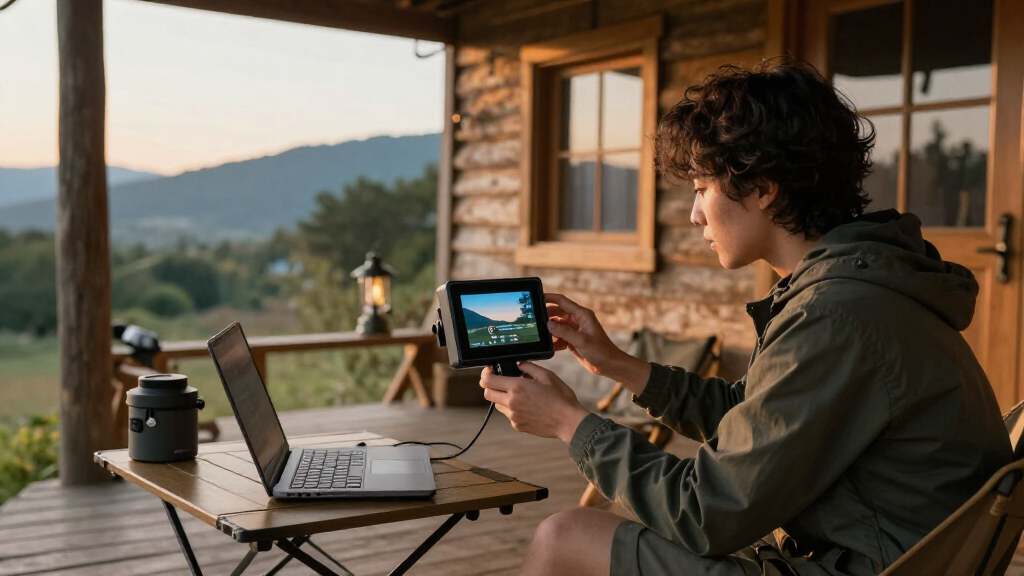
Imagine sitting in a cozy cabin or out in the wild, surrounded by nature’s quiet beauty, but missing your usual screen. No WiFi? No problem. These wired portable monitors turn your off-grid space into a productivity hub or entertainment zone, all without relying on wireless signals.
Choosing the right display means understanding what’s essential—durability, battery life, resolution, and compatibility. This guide walks you through the best wired options, recent tech advancements, and practical tips so you can keep working, gaming, or relaxing even in remote spots where internet is scarce.
Wired connections via USB-C or HDMI ensure stable, reliable display performance in remote settings.
Battery life of up to 12 hours lets you work or play all day without external power.
Durability features like rugged cases and high brightness levels make outdoor use feasible and safe.
Choosing the right size (12-17 inches) balances portability with usability, especially in outdoor environments.
Compatibility with smartphones and laptops via wired ports makes these monitors versatile in off-grid scenarios.
Portable Monitors Without WiFi: Options for Cabins and Camping
No signal? No problem. Wired portable monitors turn any cabin, campsite, or remote spot into a productivity hub or entertainment zone—using only USB-C or HDMI cables, rugged builds, and long-lasting batteries.
How Do Portable Monitors Without WiFi Connect?
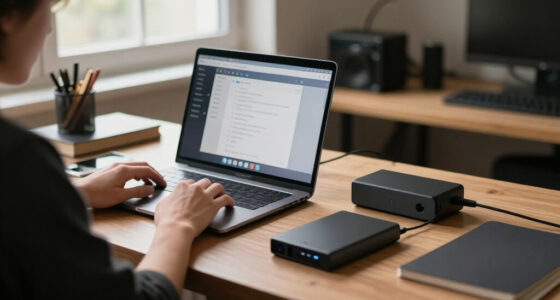
Wired monitors connect through common video and power ports. USB-C is the one-cable solution—transmitting both power and video. No adapters on your device? HDMI works just as well.
Laptop or Phone
Source device with USB-C, HDMI, or DisplayPort output.
Single Cable
USB-C carries video + power; HDMI handles video only.
Portable Monitor
IPS panel, 1080p to 4K, 12–17 inches, built-in stand.
Power Bank
20,000mAh+ bank keeps the screen running all day.
One-Cable Simplicity
Transmits both power and video simultaneously. The most convenient option for modern laptops and smartphones.
Universal Fallback
Works with nearly every device via inexpensive adapters. Ideal when USB-C isn’t available on your source.
High-Bandwidth Option
Supports high refresh rates and 4K output—great for gaming consoles and detailed creative work off-grid.
Built for the Outdoors
Ruggedness isn’t just about surviving drops—it’s about maintaining clarity and functionality in unpredictable conditions. Here’s how key durability features stack up for outdoor use.
Field tip: Anti-glare screens reduce sunlight reflections so you can see clearly without squinting or repositioning. IP-rated or splash-resistant cases protect against sudden rain and dust storms. Choose 300+ nits of brightness for comfortable viewing in direct sun.
All-Day Power, Far From Outlets
Lenovo ThinkVision M14t
Continuous real-world use on a single charge—enough for a full day of outdoor work, movies, or casual gaming. Top models reach up to 12 hours.
-
1
Check specs before buying
Focus on real-world usage reports, not just manufacturer battery estimates.
-
2
Carry 20,000mAh+ of backup
A high-capacity power bank significantly extends your outdoor screen time.
-
3
Use power-saving modes
High brightness, high refresh rates, and streaming all drain the battery faster—balance settings to stretch runtime.
Popular Wired Models at a Glance
Popular brands include ASUS ZenScreen, AOC I1601FW, Lepow, and Lenovo ThinkVision. Here’s how typical wired portable monitors compare for cabin and camping use.
| Model Family | Connection | Battery | Rugged Build | Best For |
|---|---|---|---|---|
| Lenovo ThinkVision M14t | USB-C | ~10 hrs | ~ Moderate | All-day off-grid work + touch |
| ASUS ZenScreen | USB-C / HDMI | ~ Varies | ✓ Protective cover | Travel productivity |
| Lepow Portable | USB-C / HDMI | ✗ Power bank needed | ~ Slim/light | Budget second screen |
| AOC I1601FW | HDMI | ✗ External power | ✓ Lightweight frame | Laptop extension |
From Backpack to Big Screen
Frequently Asked Questions
Can I use one without an external power source?
Yes. Many models have built-in batteries lasting 8–12 hours. A high-capacity power bank extends screen time further without outlets.
Are they suitable for rough terrain camping?
Absolutely—choose shock-resistant, splash-proof builds with bright anti-glare screens. The tradeoff is often added weight or size.
How do I connect my smartphone?
Most modern phones output video via USB-C or HDMI adapters. Check compatibility first—not all phones support video out.
What’s the biggest limitation?
Dependence on wired connections means more setup time and less freedom of movement—but far greater reliability where wireless fails.
How Do Portable Monitors Without WiFi Connect to Your Devices?
Wired portable monitors connect through common video and power ports like USB-C, HDMI, or DisplayPort. For most users, USB-C is a one-cable solution—transmitting both power and video, simplifying setup. If your device lacks USB-C, HDMI adapters work just as well.
For example, you might plug a lightweight Lepow monitor into your laptop with a USB-C cable, then power it with a portable power bank. This simple setup means no WiFi, no fuss—just a reliable, physical connection. Some monitors support daisy-chaining multiple devices or include built-in stand options, making outdoor use easier.
In essence, wired connectivity ensures your display remains stable and secure, perfect for environments with spotty or no internet.
Popular right now

Samsung 85-Inch QN70H Neo QLED 4K Smart TV (2026)

De'Longhi 15-Bar Pump Espresso Machine with Milk Frother & Temperature Control

De'Longhi Rivelia Automatic Espresso Machine with Milk Frother
As an affiliate, we earn on qualifying purchases.
Are These Monitors Durable Enough for Outdoor Use?
Yes. Many models are designed with ruggedness in mind—think reinforced frames, anti-glare screens, and protective covers. This durability isn’t just about surviving drops; it directly impacts your ability to use the monitor effectively in unpredictable outdoor conditions. For instance, a sturdy build prevents damage from accidental bumps or rough handling, which are common in outdoor settings. Anti-glare screens are vital because they reduce reflections from sunlight, allowing you to see the display clearly without squinting or repositioning constantly. Splash-resistant or IP-rated cases provide protection against unexpected weather changes, like sudden rain or dust storms, which can otherwise damage sensitive electronics and ruin your experience. Choosing a monitor with high brightness, around 300 nits or more, enhances outdoor visibility, especially in bright sunlight. This combination of features ensures your monitor remains functional and reliable, enabling you to work or enjoy media even in tough outdoor environments.
Durability isn’t just about surviving drops; it’s about maintaining clarity and functionality in the outdoors, which directly affects your productivity and entertainment quality.
What Are The Best Battery-Powered Portable Monitors for Off-Grid Use?
Battery life is crucial when you’re far from outlets, and understanding what impacts it helps you avoid interruptions. The best models are engineered to maximize runtime—some can operate for 8 to 12 hours on a single charge—allowing you to work, watch movies, or game throughout the day without needing to recharge. The capacity of the built-in batteries or external power banks determines this longevity. For example, a monitor like the Lenovo ThinkVision M14t offers around 10 hours of continuous use, which is sufficient for most outdoor activities. However, battery endurance isn’t just about capacity; it’s also influenced by how you use the monitor—higher brightness levels, running high-refresh-rate gaming, or streaming media all drain power faster. This means you need to balance brightness and usage to extend your screen time. Carrying a high-capacity power bank (20,000mAh or more) can significantly increase your outdoor productivity. When selecting a monitor, check the manufacturer’s specifications for battery life estimates and consider your typical usage patterns to ensure your setup remains operational all day. Being mindful of power consumption and having backup options allows you to enjoy your monitor’s benefits without worrying about running out of juice in remote locations.
- Check the battery specifications before buying, focusing on real-world usage reports.
- Carry a portable power bank with at least 20,000mAh capacity to extend your outdoor usage.
- Use power-saving modes when possible on your monitor to maximize runtime.
Frequently Asked Questions
Can I use a portable monitor without an external power source?
Yes. Many models have built-in batteries that last from 8 to 12 hours, depending on usage. Carrying a high-capacity power bank increases your outdoor screen time without relying on outlets.
Are wired portable monitors suitable for camping in rough terrain?
Absolutely, especially if you choose models with rugged, shock-resistant builds and splash-proof features. Protecting your monitor with a case and ensuring it has a bright, anti-glare screen makes outdoor use much easier. The tradeoff is often increased weight or size, so consider your portability needs carefully.
How do I connect my smartphone to a portable monitor in the wild?
Most modern smartphones support video output via USB-C or HDMI adapters. Plug the phone into the monitor’s USB-C or HDMI port, and you’re ready to extend your screen for work or entertainment, even without WiFi. Be aware that some devices may require specific adapters or cables, and not all phones support video output—checking compatibility beforehand can save frustration.
What’s the biggest limitation of portable monitors without WiFi?
The primary limitation is dependence on wired connections, which can lack the convenience and flexibility of wireless options. This can mean more setup time and less freedom of movement. However, in remote areas where stable internet or wireless signals are unavailable, wired connections often provide a more reliable and consistent experience, which is ultimately more important for productivity and entertainment in such environments.
Conclusion
In remote cabins or out in the wild, wired portable monitors are your best bet for a dependable second screen. They’re tough, long-lasting, and don’t rely on WiFi—exactly what you need when connectivity isn’t guaranteed.
Keep your focus on durability, battery life, and compatibility, and you’ll turn any off-grid spot into a productive or entertaining space. After all, technology should serve your adventure, not complicate it.