
TL;DR

Turn the school run and nap time into listening time
- Thousands of audiobooks, podcasts and originals
- Listen on your phone, tablet or Echo — also offline
- Cancel anytime
Local-only baby monitors transmit video directly within your home, avoiding internet risks. They offer enhanced privacy, stable connection, and simple setup, though often lack remote access. Recent advances improve video quality and security, making them a smart choice for privacy-conscious parents.
Imagine a baby monitor that keeps your child’s footage entirely within your home, away from prying eyes on the internet. No worries about hackers, data breaches, or your Wi-Fi dropping out at 3 a.m. These are the advantages of local-only baby monitors. They’re a simple, secure way to watch over your little one without exposing yourself to cyber threats or privacy leaks.
If you’re considering a monitor that operates solely within your house, this guide will walk you through what’s new, what to look for, and how to pick one that fits your family’s needs. We’ll cover the latest tech, practical pros and cons, and real-world scenarios so you can make a confident choice.
Local-only monitors keep your video feed within your home, offering a significant boost in privacy and security.
Recent tech improvements include encrypted RF signals, HD video, and PTZ features—making them more competitive with Wi-Fi models.
Range varies from 200 to over 1000 feet; pick a model suited to your home’s size and layout.
While safer from hacking, these monitors often lack remote access and smart features, so consider your convenience needs.
Secure your monitor by changing default passwords, updating firmware, and choosing models with encryption.
Local-Only Baby Monitors: Video Without the Internet
TL;DR: Local-only baby monitors transmit video directly inside your home, avoiding cloud servers, app accounts, and internet exposure. They trade remote access for a calmer security profile: direct camera-to-receiver video, simpler setup, and fewer ways for strangers to reach your nursery feed.
Encrypted RF keeps the feed nearby, closed, and far harder to attack remotely.
Privacy starts by keeping the video path short.
Wi-Fi monitors often rely on apps, cloud relays, or online accounts. Local-only monitors reduce that exposure by sending video directly from the nursery camera to a dedicated screen or receiver inside the home.
No cloud by default
Footage stays inside the home instead of traveling through online services that can be breached, misconfigured, or shared accidentally.
Less Wi-Fi drama
Because the receiver pairs directly with the camera, late-night checks do not depend on router stability, app sessions, or internet outages.
Pair and watch
Most models avoid account creation and app downloads, making them easier for caregivers who want a dedicated monitor that simply works.
How local-only video avoids the internet.
The security advantage comes from reducing reachable surfaces: fewer online accounts, no routine cloud relay, and a closed connection between the camera and the nearby receiver.
Nursery camera
The camera captures live video and audio without needing a phone app or cloud session.
Encrypted RF
Newer models use secure digital transmission to reduce interference and eavesdropping risk.
Dedicated screen
A paired receiver shows the feed locally, usually within a few hundred to 1000 feet.
Home-only view
No routine internet connection means no remote server is handling your baby’s video.
Local-only vs. Wi-Fi baby monitors.
The right choice depends on whether privacy or remote access matters more. For many families, local-only is the cleanest answer when the monitor is used mainly at home.
| Criteria | Local-only monitor | Wi-Fi monitor | Parent takeaway |
|---|---|---|---|
| Internet required | ✓ No | ✗ Usually yes | Local-only works without online services. |
| Remote viewing | ✗ Usually no | ✓ Common | Convenience is the main Wi-Fi advantage. |
| Hacking exposure | ✓ Lower | ~ Depends on setup | Cloud accounts and apps add attack surfaces. |
| Smart features | ~ Select features | ✓ More features | Expect fewer app-driven extras locally. |
| Typical setup | ✓ Simple pairing | ~ App plus Wi-Fi | Local models are often faster to start. |
Range, price, and feature expectations.
Most local monitors cover normal apartments and suburban homes, but large or multi-story layouts should prioritize stronger range, antenna design, and encrypted digital transmission.
Range scale
Common operating range runs from roughly 200 feet to over 1000 feet, with walls, floors, and wireless interference reducing real-world performance.
Feature ladder
Modern local-only models can now compete on essentials: clearer video, better night vision, two-way audio, longer battery life, and PTZ on premium units.
Choose the monitor, then lock it down.
Local-only is a strong start, but security still depends on the model’s encryption, your setup habits, and whether firmware updates are handled responsibly.
Pick encryption
Favor models that clearly state encrypted RF or secure digital transmission instead of vague “private signal” claims.
Change defaults
If the monitor uses passwords, pairing codes, or admin settings, replace factory defaults immediately.
Test placement
Check video clarity from bedrooms, living areas, and outdoor-adjacent spots before committing to a camera location.
Update firmware
For models that support updates, install security patches and keep optional Wi-Fi disabled unless you truly need it.
The practical decision chain.
For privacy-conscious parents, the decision is less about having every smart feature and more about keeping sensitive video close, stable, and controlled.
Are local-only monitors safer?
Generally yes. With no routine internet connection, they avoid remote cloud attacks, though encryption quality still matters.
Can I view the feed away from home?
Usually no. Hybrid models may offer optional Wi-Fi, but enabling it reduces the core privacy benefit.
What range should I buy?
Small homes may be fine near 300 feet. Larger or multi-story homes should look closer to extended-range models.
What features matter most?
Prioritize encrypted transmission, clear video, reliable battery life, night vision, and simple pairing before smart extras.
Why Privacy Matters More Than Ever with Baby Monitors
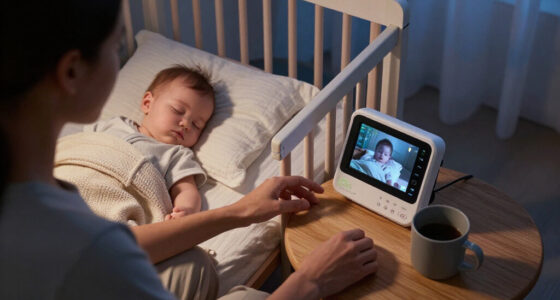
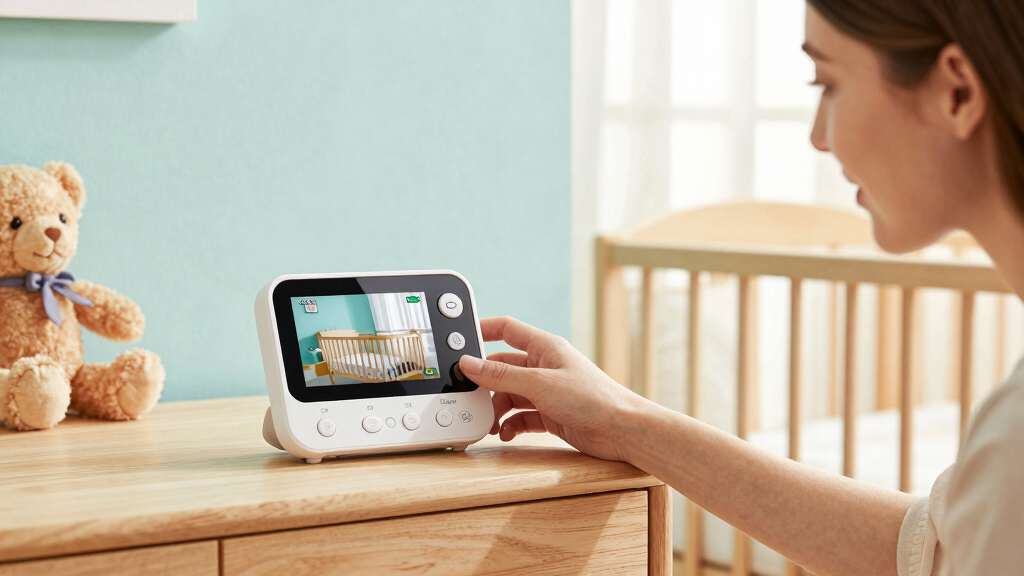
When you’re watching your baby, privacy isn’t just a bonus. It’s a must. Unlike internet-connected monitors, local-only models don’t transmit data over the cloud or through your Wi-Fi network. Instead, they send video directly from the camera to a dedicated receiver or monitor device—often via encrypted RF signals or wired connections.
This means your footage stays within your home, not floating on servers or vulnerable to hacking. For example, a parent worried about cyber security can rest easier knowing their baby’s giggles aren’t being broadcast to strangers online. It’s a simple but powerful way to protect your family’s most sensitive moments.
local-only baby monitor with encrypted RF
As an affiliate, we earn on qualifying purchases.
As an affiliate, we earn on qualifying purchases.
How Local-Only Monitors Keep Your Baby Safe and Private
Local-only baby monitors operate without internet, using dedicated frequencies or encrypted RF signals. This setup drastically cuts down the chances of hackers intercepting your video feed. According to an anonymous researcher, RF signals in newer models are now encrypted with protocols similar to those used in secure Wi-Fi networks, making eavesdropping nearly impossible.
For instance, instead of relying on Wi-Fi, some models use digital transmission over closed frequencies, which parents report feeling more confident about. Plus, because they don’t connect to cloud services, there’s no risk of data breaches or accidental sharing.
HD video baby monitor without Wi-Fi
As an affiliate, we earn on qualifying purchases.
As an affiliate, we earn on qualifying purchases.
What to Expect from Modern Local-Only Baby Monitors
Today’s local-only monitors aren’t just basic black-and-white screens. They pack impressive features that rival Wi-Fi models. Expect sharp HD video, night vision that illuminates your nursery with a gentle green glow, and two-way audio so you can soothe your baby with your voice.
Some advanced models include pan-tilt-zoom (PTZ) cameras, giving you a panoramic view or the ability to zoom in on your sleeping baby without disturbing them. Battery life has also improved; portable monitors now last all night or several days on a single charge. And a handful of newer devices combine local operation with optional Wi-Fi for remote access, giving you flexibility.
As an affiliate, we earn on qualifying purchases.
The Range and Cost of Local-Only Baby Monitors — What’s Realistic?
Range is a key consideration. Most local monitors operate between 200 to 1000 feet, depending on the technology and home layout. For example, in a typical suburban home, a 300-foot range covers most living spaces, but larger or multi-story homes might need higher-end models with extended reach.
Price-wise, expect to spend between $50 and $200. Lower-priced models usually offer basic video and audio, while premium options include encrypted signals, PTZ features, and longer battery life. Remember, investing in a good quality model often means better security and clearer video.
secure baby monitor with PTZ camera
As an affiliate, we earn on qualifying purchases.
As an affiliate, we earn on qualifying purchases.
Are Local-Only Monitors Truly Safer Than Wi-Fi Ones?
Yes, generally. Because they don’t connect to the internet, they’re immune to remote hacking or data breaches. An anonymous researcher notes that RF signals used in secure models are difficult to intercept without specialized equipment. The main vulnerability in Wi-Fi monitors is their connection to online servers, which can be targeted by cybercriminals.
However, security still matters. Choose models with strong encryption, change default passwords immediately, and keep firmware updated to patch any vulnerabilities. In the end, a well-made RF-based monitor often provides a safer environment for your baby’s video feed.
Limitations of Local-Only Baby Monitors — What You Need to Know
While they’re great for privacy, local-only monitors come with tradeoffs. Most don’t offer remote viewing via smartphone apps. If you’re away from home, you can’t check in unless you have a secondary device on-site. Range can also be a problem in large or multi-story homes.
Plus, fewer smart features—like temperature alerts or lullabies—are available without internet connectivity. For busy parents, these limitations might mean sacrificing some convenience for security.
Choosing the Right Local-Only Baby Monitor for Your Home
Picking a local-only monitor depends on your needs and environment. Consider your home’s size, your security priorities, and what features matter most. Here’s a quick checklist:
- Range: How far apart are your nursery and main living space?
- Video quality: Is HD important for you?
- Battery life: Will you need portable power for overnight use?
- Security features: Does it encrypt signals?
- Ease of setup: How simple is the pairing process?
Practical Tips for Maximizing Security and Performance
Once you pick your monitor, keep it secure and working well with these tips:
- Change default passwords immediately—don’t leave them as factory settings.
- Place the camera in a spot with minimal interference and clear sightlines.
- Keep firmware updated to patch security holes.
- Avoid using monitors near other wireless devices that could cause interference.
- Test the range and video clarity before settling on a spot.
For example, a parent reported that switching to encrypted RF signals and changing the default password made their monitor much more secure, giving peace of mind during late-night checks.
Frequently Asked Questions
Are local-only baby monitors really more secure than Wi-Fi ones?
Yes, because they don’t connect to the internet, reducing the risk of hacking. Their signals are confined within your home, and using encrypted RF protocols makes eavesdropping very difficult.Can I view the video feed remotely with a local-only monitor?
Most are designed for local use only, so remote access isn’t built-in. Some newer models offer optional Wi-Fi connectivity for remote viewing, but that defeats the primary privacy advantage.What’s the typical range for a local-only baby monitor?
Ranges generally fall between 200 to 1000 feet, depending on the technology and obstacles in your home. Larger homes might need higher-end models with extended reach.Are there any downsides to using a local-only monitor?
Yes. You usually can’t check in from outside your house, and they might lack smart features like temperature alerts. Range limitations can also be an issue in big or multi-story homes.How can I keep my RF-based monitor secure?
Use models with encryption, change default passwords immediately, and keep firmware updated. These steps help prevent unauthorized access and ensure your footage stays private.Conclusion
Choosing a local-only baby monitor means prioritizing your family’s privacy while still keeping a close eye on your little one. These devices have come a long way, offering sharp video, secure encryption, and simple operation—all without exposing your family to internet risks.
Think about your home’s size, your security needs, and which features matter most. The right monitor can give you peace of mind—and a good night’s sleep.
Cold & flu season Picks
humidifiers
As an affiliate, we earn on qualifying purchases.