TL;DR
Listen free for 30 days with Audible
Thousands of audiobooks and originals — cancel anytime.
Start your free trialAs an affiliate, we earn on qualifying purchases.
Picking a movement monitor means understanding your needs—whether for sleep tracking, fall detection, or activity monitoring. Focus on accuracy, comfort, privacy, and compatibility to find the best fit for your setup.
If you’re shopping for a movement monitor, you know how confusing it can get. The tech is evolving fast, but what really matters is what fits your specific needs—whether you want to keep an eye on your baby’s sleep, monitor an elderly parent, or track activity for health reasons.
In this guide, I’ll walk you through the key aspects to consider—types, features, privacy, and more—so you can pick the right system without second-guessing every step. Think of it as a chat with a friend who’s been there, done that, and knows what really matters in the middle of the night or a busy day.
Define your main goal—sleep safety, fall detection, or activity tracking—before choosing a device.
Prioritize accuracy and reliability, especially for fall detection; read reviews and verify specs.
Comfort and ease of use are vital—choose devices that your family will wear or accept comfortably.
Security matters—select devices that encrypt data and have clear privacy policies.
Balance features with your budget; inexpensive monitors can still be effective if they meet your needs.
How to Choose a Movement Monitor for Your Setup
The right monitor is not necessarily the one with the longest feature list. It is the system that matches your goal, works reliably in your environment, and is comfortable enough to remain in use.
Define the job first—sleep safety, fall detection, or activity tracking—then compare accuracy, comfort, privacy, compatibility, power, and total cost.
Where should the sensing happen?
Wearables follow the person. Environmental sensors observe a space. Hybrid systems combine both perspectives when one signal is not enough.
Wearable
Wristbands, patches, socks, or clip-on sensors track movement directly and can support real-time activity, sleep, or fall detection.
Environmental
Bed mats, floor sensors, radar, and camera-based systems monitor a defined area without asking the person to wear a device.
Hybrid
Combining wearable and environmental signals can add context, improve coverage, and help verify ambiguous movement events.
| Decision factor | Wearable | Environmental | Hybrid |
|---|---|---|---|
| Works beyond one room | ✓Usually | ✗Zone-limited | ✓Strong coverage |
| Nothing to wear | ✗User contact | ✓Unobtrusive | ~Depends on setup |
| Installation simplicity | ✓Often simple | ~Placement matters | ✗More components |
| Context-rich detection | ~Body signal only | ~Room signal only | ✓Multiple signals |
| Typical cost pressure | ✓Low–medium | ~Medium | ✗Medium–high |
A sensor claim is only the starting point
Reliable monitoring comes from the full system: sensing hardware, detection logic, placement, calibration, and the way the user actually moves.
The real-world accuracy equation
A device can perform well in a controlled test yet behave differently beside a soft bed, on a busy floor, or on a loosely worn wrist. Ask how the figure was measured and which movements were included.
Very sensitive systems may flag harmless impacts. Conservative systems may miss slow or unusual falls. Adjustable sensitivity is valuable only when the setup remains understandable.
Move from purpose to purchase
Use this five-stage chain to prevent impressive but irrelevant features from controlling the decision.
Name the goal
Sleep safety, fall alerts, activity tracking, fitness, or research.
Map the setting
Consider rooms, travel, noise, Wi-Fi coverage, and daily routines.
Set priorities
Rank accuracy, comfort, privacy, battery, and remote access.
Verify evidence
Review tests, specifications, app support, and alert behavior.
Trial the fit
Test placement, comfort, notifications, and caregiver response.
Match the priority to the job
The seven-point setup check
A monitor earns trust through dependable everyday use—not through specifications that look impressive but create friction.
Comfort and acceptance
Choose soft, lightweight, breathable designs and confirm that the intended user will tolerate them day and night.
Alert reliability
Check notification speed, escalation options, false-alarm controls, and what happens when a phone is offline.
Battery and power
A week-long battery can reduce missed monitoring, but charging routines and outage behavior matter too.
Device compatibility
Verify phone, tablet, operating-system, Bluetooth, Wi-Fi, cellular, and health-platform support.
Privacy controls
Look for encryption in transit and storage, clear retention rules, account protection, and transparent sharing settings.
Regulatory relevance
Where appropriate, inspect stated GDPR or HIPAA-related practices and verify which protections actually apply.
Caregiver usability
Favor clear alerts, readable dashboards, simple calibration, and controls that make sense under pressure.
Support and continuity
Confirm warranty terms, replacement options, update policy, data export, and support availability.
Will this setup work on an ordinary difficult day?
Imagine low battery, weak Wi-Fi, a restless sleeper, a hurried caregiver, or a device that has shifted out of place. The best choice remains useful when conditions are imperfect.
What Types of Movement Monitors Are Out There and Which Fits Your Needs
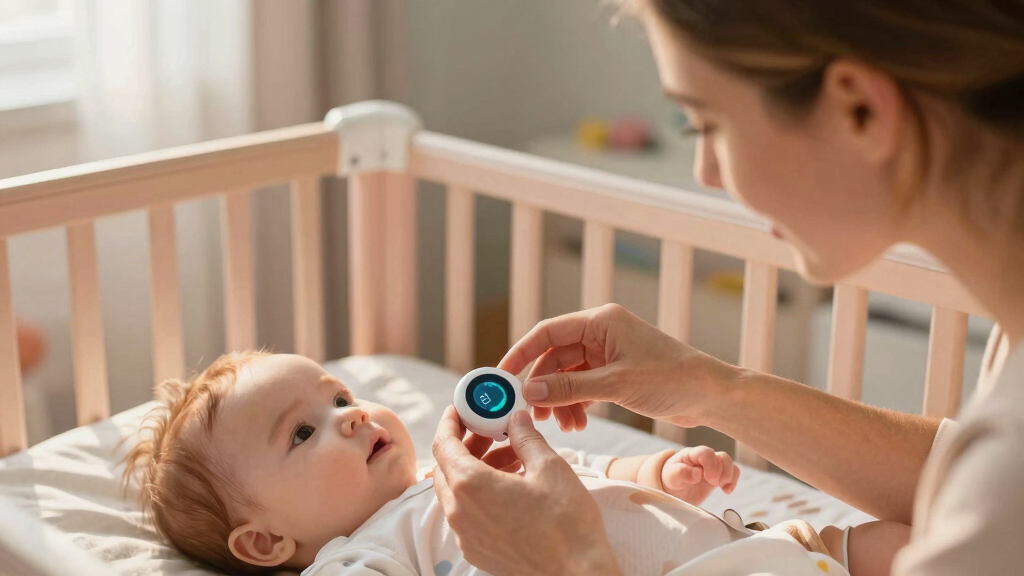
Movement monitors come in two main flavors: wearable devices and environmental sensors. Wearables are like a wristband or patch that sticks to the skin or clothes—perfect for tracking sleep, activity, or fall detection in real-time.
Environmental sensors sit in your space—think about a bed mat, a camera, or a floor sensor. They’re less intrusive for some, especially if your child or parent won’t wear anything.
For example, a parent might choose a wearable device for their toddler’s sleep safety, while an elderly relative benefits from a bed sensor that detects when they get up or fall. Sometimes, hybrid systems combine both, giving you a fuller picture.
As an affiliate, we earn on qualifying purchases.
How to Pick a Movement Monitor That Truly Fits Your Purpose
- Define your main goal: sleep safety, fall detection, activity monitoring, or research?
- Match features to your goal: for sleep, look for comfort and sleep pattern tracking. For fall detection, prioritize accuracy and responsiveness.
- Consider the environment: a busy household might need discreet sensors, while a quiet setup can use more visible devices.
- Assess ease of use: is your setup tech-savvy? Will you or others find the device intuitive?
- Budget accordingly: basic monitors start around $50, but high-end systems with advanced analytics can cost over $500.
For instance, if you want to monitor a newborn’s sleep, a gentle, non-intrusive wearable paired with a bed sensor can provide peace of mind without disturbing your baby.
As an affiliate, we earn on qualifying purchases.
The Accuracy Puzzle: What Matters and What Doesn’t
Accuracy in movement monitoring is critical because it directly impacts safety and trust in the device’s alerts. Devices with accelerometers and gyroscopes can detect falls with over 95% reliability, which is essential for preventing serious injuries or providing timely assistance. However, high accuracy isn’t just about the technology; it’s also about proper placement and calibration—if a sensor is poorly positioned, even the most advanced device can give false alarms or miss real incidents.
Understanding these implications helps you make smarter choices. For example, a highly sensitive floor sensor might detect every heavy impact but miss slow, gentle falls—leading to false positives or negatives that can cause unnecessary worry or missed danger. Conversely, a wrist device with adjustable sensitivity can balance accuracy and false alarms but may require more careful calibration and user comfort considerations. The tradeoff is often between the precision of detection and the risk of false alarms—high accuracy reduces false positives but can increase costs and complexity. Recognizing these tradeoffs allows you to select a device that offers reliable safety without overwhelming you with false alerts, thereby reducing caregiver fatigue and maintaining trust in the system.
As an affiliate, we earn on qualifying purchases.
Comfort and Ease of Use: Why They Matter More Than You Think
If your device isn’t comfortable, you won’t want to wear it. For infants and elderly users, comfort can make or break long-term use.
For example, a soft, lightweight wristband with a gentle fabric strap is less likely to cause irritation during sleep or daily wear. For caregivers, an intuitive app with simple alerts reduces frustration.
Think about how often you’ll need to charge or adjust the device. A monitor with a battery that lasts at least a week makes life easier.
As an affiliate, we earn on qualifying purchases.
Privacy and Security: Protecting Your Family’s Data
Movement monitors collect sensitive data—your child’s sleep patterns, your elderly parent’s movements. How that data is stored and shared matters.
Reputable devices encrypt data during transmission and storage, complying with privacy laws like GDPR or HIPAA. Be wary of devices that send data to unsecured servers or don’t specify data handling policies.
For example, a trusted monitor uses end-to-end encryption, so even if a hacker intercepts the data, it remains unreadable.
Connectivity and Power: How to Keep Things Running Smoothly
Most movement monitors connect via Bluetooth, Wi-Fi, or cellular data. Compatibility with your phone or tablet is a must. Also, check the battery life—some last only a day, others a week or more.
For example, a device with a 7-day battery life reduces the hassle of daily charging, especially during busy weeks or travel.
Wireless data transfer enables remote monitoring, so you can check in from anywhere—great for busy parents or caregivers managing multiple setups.
Budgeting Without Sacrificing Safety and Features
You can find movement monitors from around $50 to $500. Cheaper options may lack advanced features or have shorter battery lives. High-end systems often include detailed analytics and remote alerts.
For example, a basic sleep monitor might cost $70 and provide sleep duration and movement data. A professional fall detection system with real-time alerts and cloud storage can run over $300.
Balance your needs with your budget. Sometimes, a combination of lower-cost devices covers most bases without breaking the bank.
Frequently Asked Questions
How do I know if a movement monitor is accurate enough for my needs?
Look for devices with proven accuracy of over 95% in fall detection or activity recognition. Read reviews, check device specs, and look for independent testing results if available. Remember, placement and calibration also impact performance.
Are wearable movement monitors comfortable for long-term use?
Comfort varies by design. Soft, lightweight straps with breathable fabrics tend to be best. For infants, gentle patches or socks work well, while for adults, adjustable wristbands with smooth edges are preferred. Comfort encourages consistent use.
What should I look for to keep my family’s data secure?
Choose devices that encrypt data during transmission and storage, specify compliance with privacy laws, and have transparent data policies. Avoid devices that send data to unsecured servers or lack clear security features.
Can movement monitors really detect falls accurately?
Yes, especially those with accelerometers and gyroscopes. Many systems reach over 95% accuracy, but effectiveness depends on correct placement and user activity. Always review validation studies or independent tests.
How long do battery lives usually last on these devices?
Battery life varies widely—from as little as a day to over a week. Devices with longer durations reduce hassle and ensure continuous monitoring, especially during travel or busy periods.
Conclusion
Choosing a movement monitor isn’t just about fancy tech—it’s about matching the device to what your family needs most. Focus on reliability, comfort, and privacy, and you’ll find a setup that provides peace of mind, night after night.
Remember: the best monitor is the one you forget you’re even wearing or see in the corner of the room—quiet, dependable, and built for real life.
Labor Day sales Picks
labor day deals
As an affiliate, we earn on qualifying purchases.
![The GNU Emacs Architecture: Unlocking The Core [Pdf]](https://babyui.com/wp-content/uploads/2026/07/the-gnu-emacs-architecture-unlocking-the-core-pdf-featured-560x300.jpg)