
TL;DR

Turn the school run and nap time into listening time
- Thousands of audiobooks, podcasts and originals
- Listen on your phone, tablet or Echo — also offline
- Cancel anytime
Audio delay, or lag, happens when sound doesn’t match the picture due to processing or transmission delays. Modern tech and calibration can fix most issues, ensuring your cry or scene hits exactly when it should.
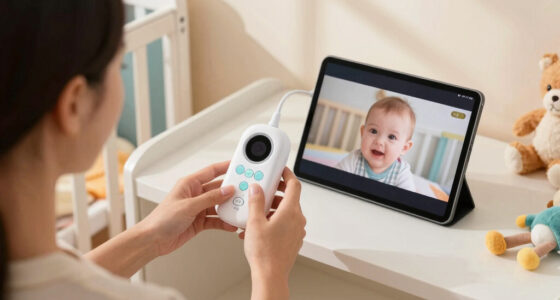
Ever watched a baby monitor or your favorite show and noticed the sound arriving a beat late? It’s frustrating, especially when you’re trying to soothe a crying baby or catch a crucial scene. That delay isn’t just a minor annoyance — it’s a mismatch in the timing of what you see and what you hear. Understanding why this happens can save you hours of frustration and help you get the most out of your devices.
In this guide, you’ll learn what causes audio delay, how modern tech is fighting back, and simple steps to fix or reduce the lag. Whether you’re dealing with a wireless baby monitor or a home theater setup, these tips will help you keep sound and picture perfectly in sync.
Most audio delays over 40 milliseconds are noticeable and can affect immersion or response time.
Wired connections typically have lower latency than wireless, but modern wireless tech is improving fast.
Firmware updates and device calibration are simple ways to improve sync without buying new gear.
Modern TVs and sound systems often include auto lip-sync features that fix delays automatically.
For baby monitors, aim for less than 50 milliseconds delay to ensure quick responses and peace of mind.
Monitor Audio Delay: Why the Cry Arrives Late on Your Screen
Audio lag is the gap between an event you see and the sound you hear. Processing, transmission, and device handoffs can each add milliseconds—turning a baby’s cry, a line of dialogue, or a game cue into a strangely disconnected moment.
One delay, many small causes
The final mismatch is cumulative. Sound may be captured promptly, then slowed by encoding, transmission, enhancement, buffering, or incompatible devices before it reaches the speaker.
Microphone & encoding
Audio is sampled, converted into data, compressed, and packaged before it can leave a baby monitor or source device.
Wireless transmission
Wi-Fi and Bluetooth add buffering and can suffer interference, congestion, retries, or codec-related latency.
Video processing
Motion smoothing, scaling, noise reduction, and HDR processing can change when the matching frame appears.
Audio enhancement
Surround virtualization, room correction, and dialogue enhancement can improve quality while adding processing time.
Device mismatch
A TV, console, receiver, and soundbar may each use different timing assumptions or synchronization support.
Outdated firmware
Older synchronization algorithms or unresolved compatibility bugs can preserve delays that updates would correct.
How late feels late?
Latency is not binary. A few milliseconds may disappear into perception; larger gaps make speech, cries, impacts, and reactions feel increasingly detached.
Illustrative latency bands
Relative width shown against a 200 ms scale
The threshold line
For caregiving, live conversation, and gaming, responsiveness matters as much as fidelity. Prioritize low latency when the cue must trigger an immediate reaction.
Speed, flexibility, and reliability
No connection is automatically perfect. Wired links usually offer the most predictable timing, while newer wireless standards narrow the gap when paired with compatible low-latency hardware.
| Connection / feature | Latency outlook | Stability | Best use | Key consideration |
|---|---|---|---|---|
| Wired audio | ✓ Lowest | ✓ Strong | Baby monitors, critical cues | Less placement flexibility |
| HDMI eARC | ✓ Low | ✓ Strong | TV and home theater | Requires compatible ports |
| Bluetooth 5+ | ~ Variable | ~ Moderate | Convenient wireless audio | Codec and device pairing matter |
| aptX LL | ✓ Reduced | ~ Moderate | Low-latency wireless setups | Both ends need support |
| Busy Wi-Fi | ✗ Higher | ✗ Variable | Non-critical streaming | Interference and buffering |
| Auto lip-sync | ✓ Corrective | ✓ Automatic | TVs, receivers, soundbars | Enable across the full chain |
Follow the cry through the chain
Every stage is a checkpoint. To isolate a delay, simplify the path and test one handoff at a time—from the original sound to the final speaker.
🎙 Capture
Microphone samples the cry
▣ Encode
Signal becomes compressed data
📡 Transmit
Wi-Fi, Bluetooth, or cable carries it
⚙ Process
Receiver buffers and enhances audio
🔊 Play
Speaker delivers the audible cue
Technology is fighting back
Newer systems coordinate timing automatically, reduce processing, and improve signal transport. The best fix is often already inside the settings menu.
Auto lip-sync
Measures timing differences and offsets audio or video so dialogue and movement meet again.
eARC
Supports higher-bandwidth audio and stronger synchronization between compatible TVs and sound systems.
ALLM & Game Mode
Auto Low Latency Mode and reduced image processing shorten the path from source to screen.
Bluetooth 5+
Newer radios and low-latency codecs can improve responsiveness when every connected device supports them.
Firmware updates
Updates can refine timing algorithms, resolve compatibility issues, and improve calibration behavior.
Manual calibration
Delay sliders let you fine-tune synchronization when automatic correction does not fully solve the mismatch.
A practical sync checklist
Start with free, reversible changes. Test after each one so you know which stage introduced the mismatch—and which adjustment actually corrected it.
Five-step reset
Move from software to signal path before replacing hardware.
- Enable auto lip-sync or audio synchronization.
- Install firmware updates on every connected device.
- Try Game Mode or disable heavy picture processing.
- Replace wireless links with wired connections for testing.
- Use the manual delay control for final fine-tuning.
Why does TV sound lag behind the picture?
The TV, source, receiver, or soundbar may be processing one stream longer than the other. Enable lip-sync, reduce processing, and update firmware.
Can synchronization be automatic?
Yes. Many modern TVs, receivers, and soundbars continuously detect timing differences and compensate through auto lip-sync or calibration.
How do I improve a baby monitor?
Check for sync controls, reduce network congestion, update both units, and test a wired or dedicated low-latency connection where supported.
Does Bluetooth always cause delay?
It adds some transmission and codec overhead, but newer standards and low-latency codecs can reduce it substantially. Compatibility remains essential.
Audio delay is accumulated processing and transmission time. Keep baby-monitor latency below roughly 50 ms when possible, treat 40 ms as an important perceptibility threshold, update firmware, enable automatic synchronization, and choose wired or purpose-built low-latency links for critical cues.
What Exactly Is Audio Delay and Why Does It Matter?
Audio delay is the gap between what you see on the screen and what you hear. It’s not just a minor inconvenience; it can significantly affect your emotional and cognitive response to media. For example, if your baby starts crying and you hear the sound a second later, your reaction might be delayed, leading to frustration or even missed cues. In entertainment, a noticeable delay can break immersion, making scenes feel artificial or disconnected.
The range of delay, from 10 milliseconds to over 200 milliseconds, determines how perceptible the lag is. When delays surpass 40 milliseconds, most viewers start to notice, which can diminish the natural flow of conversation or action. This is especially critical in live or real-time scenarios—like baby monitors, where milliseconds matter for safety and responsiveness. The tradeoff is that some devices prioritize audio quality over low latency, so understanding this balance helps you choose and configure your equipment effectively.
Popular right now

Sony WH-1000XM6 Wireless Noise-Canceling Over-Ear Headphones, Blue, Bundle

Sony WH-1000XM4C Wireless Noise-Cancelling Headphones, Black

KitchenAid Artisan 5-Quart Tilt-Head Stand Mixer, KSM150PS, Almond Cream
As an affiliate, we earn on qualifying purchases.
Why Your Baby Monitor’s Cry Arrives Late (And Why You Should Care)
Baby monitors rely on digital signals to transmit audio from your child’s room to your device. This transmission involves multiple steps—sound is captured by a microphone, converted into digital data, transmitted over Wi-Fi or Bluetooth, and then processed by your receiver. Each step introduces a delay, which may seem negligible but can accumulate to noticeable lag.
This delay impacts your ability to respond swiftly, especially in urgent situations. For instance, if your monitor has a 100-millisecond delay, you might hear your baby crying five seconds after it started, which could be too late for a quick response. This latency can lead to feelings of helplessness or frustration, making it harder to soothe your baby effectively. Moreover, in critical moments—like if your baby is distressed or needs immediate attention—these delays can compromise safety and peace of mind. The tradeoff here is between device convenience and responsiveness; wireless, feature-rich monitors often have higher latency compared to wired or specialized low-latency models, so understanding this helps you make better choices based on your priorities.
How Modern Devices Fight Audio Lag (And Why You Should Care)
Modern technology has made significant strides in reducing audio lag, but understanding these advancements is key to optimizing your setup. Many TVs and monitors now include auto lip-sync features that analyze the audio and video signals in real time, adjusting the timing to minimize delay. This process is crucial because even a small misalignment can be distracting or disorienting, especially during fast-paced scenes or conversations.
Soundbars with low-latency modes and HDMI 2.1 support further improve synchronization by prioritizing speed over processing complexity. Gaming modes on TVs bypass some image processing to reduce lag, which also benefits audio sync. Firmware updates are another critical factor—they often include improvements that refine synchronization algorithms, so keeping your devices updated ensures you’re leveraging the latest tech. Wireless tech like Bluetooth has improved too, with Bluetooth 5.0 and aptX LL offering reduced latency, but tradeoffs exist: wireless connections are generally less reliable and more susceptible to interference than wired setups. The implication is that, for critical uses like baby monitors or home theaters, wired connections or specialized low-latency wireless options are preferable, despite the reduced flexibility. Recognizing these tech improvements allows you to select devices and settings that best suit your needs, ensuring a smoother, more natural experience.
Frequently Asked Questions
How do I fix audio delay on my baby monitor?
Start by checking if your monitor has an audio delay or sync setting and adjust it manually. Switching from Wi-Fi to a wired connection can also help, as wired setups tend to have lower latency. Keep your firmware updated to benefit from improvements in synchronization. Additionally, consider investing in monitors with low-latency features or dedicated wired connections, which are designed to minimize delay and ensure prompt audio delivery, especially critical for responsive caregiving.
Why does my TV’s sound lag behind the picture?
This lag is primarily caused by processing delays within the TV or connected devices, as they analyze and render audio and video streams. Enabling auto lip-sync features helps the device analyze timing discrepancies and automatically adjust the audio to match the video, reducing perceptible lag. Switching to gaming or low-latency modes on your TV bypasses some processing, further decreasing delay. Updating firmware ensures your device benefits from the latest synchronization algorithms, which can significantly improve the viewing experience. Choosing wired connections over wireless options also reduces lag, offering more reliable synchronization.
Can I automatically sync audio and video without fiddling?
Yes. Most modern devices include automatic lip-sync or auto-calibration features that detect and correct delays in real time. Enabling these features allows your device to analyze incoming signals and make minute adjustments instantly, often providing a seamless experience without manual intervention. For example, many smart TVs and soundbars have auto-sync settings that continuously monitor and correct lag, ensuring that audio and video remain perfectly aligned during playback. Manual calibration tools are also available if you want to fine-tune the sync for specific setups, but automatic features are usually sufficient for most users.
Does Bluetooth always cause delays in baby monitors?
Bluetooth can introduce latency, especially in older versions or when using codecs designed for audio quality rather than speed. However, newer Bluetooth standards like 5.0 and aptX LL significantly reduce latency, making wireless audio more responsive. The tradeoff is that wireless connections are inherently less reliable than wired ones, and interference can cause additional lag or dropouts. For critical audio cues—like monitoring a crying baby—opting for low-latency Bluetooth devices or wired connections can help ensure your audio arrives promptly, maintaining effective communication and response times.
Is a small delay in a baby monitor a big deal?
Slight delays—under 50 milliseconds—are generally not noticeable and usually don’t impact your ability to respond to your baby’s needs. However, delays exceeding this threshold can cause you to react late, which might be problematic in urgent situations. For example, a delay of 100 milliseconds might mean hearing your baby’s cry a fraction of a second after it starts, potentially delaying your response. Over time, consistent calibration and choosing low-latency devices can reduce these delays, ensuring you can respond promptly and effectively when every second counts in caring for your little one.
Conclusion
Getting your audio and video perfectly in sync isn’t just a technical detail — it’s about feeling connected, whether soothing your baby or watching your favorite scene. Small adjustments, modern features, and choosing the right setup can make a big difference. The next time you notice a delay, remember: a quick fix can restore that seamless experience.
In the end, it’s about making sure your cry or your favorite punchline hits just when it’s supposed to. After all, timing is everything — especially when it comes to caring for your little one or enjoying your entertainment.