TL;DR
Listen free for 30 days with Audible
Thousands of audiobooks and originals — cancel anytime.
Start your free trialAs an affiliate, we earn on qualifying purchases.
Crowded WiFi in apartments often causes interference with baby monitors, especially those on the 2.4 GHz band. Using newer tech like 5 GHz, repositioning devices, and updating firmware can drastically improve reliability and security.
Choose digital DECT monitors over WiFi-based models for better resistance to crowded apartment interference.
Switch your WiFi to the 5 GHz band and reposition your router and monitor for clearer signals.
Keep firmware updated and minimize other electronic interference during monitoring hours.
Secure your WiFi network with strong passwords and encryption to protect your baby’s feed from hacking.
If interference persists, consider wired connections or upgrading your WiFi equipment to better manage crowded signals.
Why crowded WiFi makes your baby monitor go haywire
Most baby monitors operate on the 2.4 GHz band, which is a heavily congested frequency range shared by WiFi routers, cordless phones, Bluetooth devices, and neighboring networks. When multiple signals overlap on this band, they create a noisy environment that can overwhelm the monitor’s ability to maintain a stable connection. This interference results in static, delayed audio, blurry video, or complete loss of feed. The implications are significant: unreliable monitoring can cause anxiety for parents and potentially compromise safety if signals drop unexpectedly.
Understanding why interference occurs helps in recognizing its impact. The more devices competing for the same limited spectrum, the greater the chance of signal collisions. These collisions lead to data packet loss or corruption, which the monitor’s receiver struggles to interpret correctly. Consequently, the user experiences degraded image quality, audio cutouts, or intermittent disconnections. The tradeoff is clear: crowded airwaves reduce reliability, and without intervention, interference may worsen as more devices are added to the environment.
As an affiliate, we earn on qualifying purchases.
What types of baby monitors resist WiFi chaos best?
Choosing a baby monitor that can withstand WiFi interference involves understanding how different technologies operate. Digital DECT (Digital Enhanced Cordless Telecommunications) monitors use their own dedicated frequency bands, typically 1.88 to 1.9 GHz, which are separate from WiFi channels. This separation significantly reduces the likelihood of interference, leading to more consistent performance even in environments crowded with wireless signals. Conversely, WiFi-enabled monitors operate on the same 2.4 GHz or 5 GHz bands as your wireless network, making them more susceptible to congestion and interference, especially in dense apartment settings.
The implications are important: selecting a DECT monitor can provide more reliable audio and video, reducing the frustration of signal drops. However, DECT monitors might lack some advanced features like remote access or app integration found in WiFi models. The tradeoff involves balancing convenience with reliability. In high-density environments, the resilience offered by DECT technology often outweighs the added features of WiFi models, especially when consistent monitoring is a priority.
In summary, understanding the technical distinctions helps parents make informed choices that align with their environment’s specific challenges, ensuring peace of mind and continuous monitoring.
As an affiliate, we earn on qualifying purchases.
How to make your WiFi baby monitor work in a crowded apartment
To improve your WiFi baby monitor’s performance amid interference, consider these strategies, which involve understanding the technical tradeoffs and optimizing your environment:
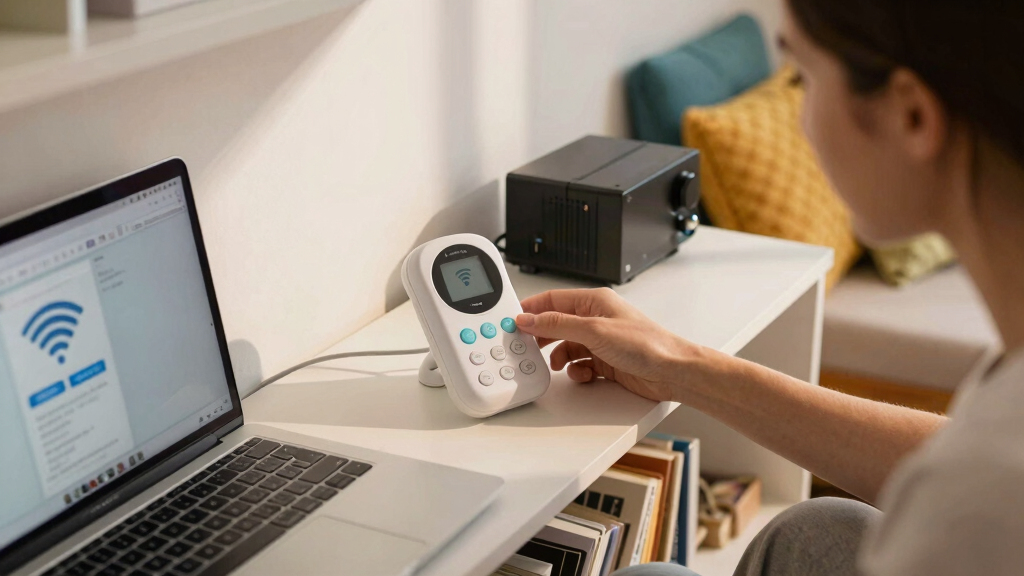
- Switch to the 5 GHz band if your monitor and router support it. This higher frequency is less congested and can offer a clearer, more stable connection, though it has a shorter range and less wall penetration.
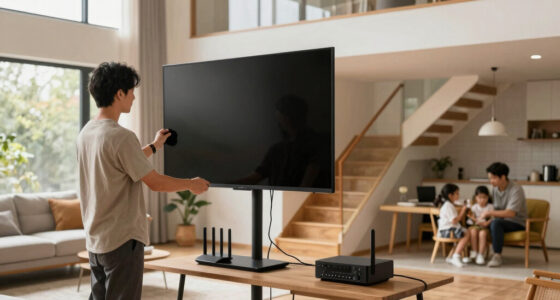
- Reposition your router and monitor away from thick walls, metal objects, and other electronics that can block or reflect signals. Proper placement minimizes obstacles that cause signal degradation.
- Regularly update your monitor’s firmware and your router’s software. Manufacturers often release patches that improve interference management and overall stability.
- Reduce the number of active devices on the 2.4 GHz band during monitoring times—this includes cordless phones, Bluetooth speakers, and other wireless gadgets—since they contribute to congestion.
- Utilize a dual-band router with Quality of Service (QoS) settings to prioritize your baby monitor’s traffic, ensuring it receives the necessary bandwidth for a stable connection.
- Consider wired solutions or Ethernet backhaul if available, as they provide the most stable connection unaffected by wireless interference.
Implementing these steps can significantly enhance your monitor’s reliability. For example, moving the router to a central, open location and switching to 5 GHz can reduce interference sources and improve signal clarity, leading to fewer dropouts and better overall performance.
wireless baby monitor interference fix
As an affiliate, we earn on qualifying purchases.
As an affiliate, we earn on qualifying purchases.
Frequently Asked Questions
Is a WiFi baby monitor safe to use in crowded apartments?
Yes, if you follow security best practices like strong passwords, encryption, and regular updates. Properly secured WiFi networks help prevent unauthorized access and eavesdropping, which are concerns in dense environments. However, non-WiFi digital monitors are inherently less vulnerable to hacking and interference, offering an additional layer of security and reliability for parents concerned about privacy.
How do I know if my WiFi is causing interference?
Indicators include choppy video, frequent disconnects, static audio, or delayed feed. Using WiFi analyzer apps can reveal overlapping channels and congestion levels, helping identify interference sources. Repositioning devices, switching to less crowded frequency bands, or changing WiFi channels can mitigate these issues. Recognizing these signs and understanding their causes allows for targeted troubleshooting to restore stable monitoring.
Should I switch to a wired baby monitor for crowded buildings?
Wired monitors or those with Ethernet backhaul are immune to WiFi congestion, providing a stable, interference-free connection. They are especially suitable in environments with high wireless interference or where WiFi signals are unreliable. While they lack remote access features, their reliability makes them a preferred choice for continuous, secure monitoring in densely populated buildings.
Can upgrading my router help with baby monitor interference?
Yes. Modern dual-band routers equipped with advanced features like QoS and better channel management can significantly reduce interference and prioritize your monitor’s traffic. This ensures a clearer, more stable signal, especially in environments crowded with wireless networks. Upgrading hardware can be a highly effective step toward improving overall wireless performance and ensuring your baby’s safety.
What’s the best way to troubleshoot persistent WiFi interference?
Begin by analyzing your WiFi channels with diagnostic tools to identify and switch to less congested frequencies. Update your router’s firmware and your monitor’s software to benefit from the latest improvements. Reposition your devices to minimize obstacles and interference sources. If issues remain, consider upgrading to a more advanced router supporting better interference management or switching to a non-WiFi monitor for maximum reliability. Systematic troubleshooting ensures persistent issues are addressed efficiently.
As an affiliate, we earn on qualifying purchases.
Conclusion
In a jam-packed apartment, your WiFi is fighting for space — and so is your baby monitor. But with some simple tech tweaks and smart placement, you can regain a clear, reliable feed. Think of it as tuning a radio — a few adjustments, and suddenly everything sounds perfect.Flea & tick season Picks
flea and tick prevention
As an affiliate, we earn on qualifying purchases.