TL;DR

Turn the school run and nap time into listening time
- Thousands of audiobooks, podcasts and originals
- Listen on your phone, tablet or Echo — also offline
- Cancel anytime
Walls, materials, and electronic interference can significantly weaken your baby monitor’s signal. Modern digital and Wi-Fi models offer better range, but environmental factors still matter. Simple placement tips and upgrades can keep you connected.
Thick, dense materials like concrete and brick can cut your baby monitor’s range by up to 80%.
Placement is everything: elevate cameras, avoid obstacles, and keep monitors within line of sight.
Interference from Wi-Fi routers and electronics often causes dropouts; DECT monitors or strategic placement help.
Test your monitor’s true range by walking around your home, noting where the signal weakens.
Upgrading to digital or Wi-Fi models with advanced tech can significantly improve through-wall coverage.
Why Walls Are Signal Killers — And How They Do It
Walls made of dense materials like concrete, brick, or metal can cut your baby monitor’s range by a huge margin. For example, a monitor working at 300 feet in open space might only reach 50 feet through a concrete wall. These materials absorb or reflect radio waves, making it hard for signals to pass.
Think of radio signals like a flashlight beam. When it hits a wall, part of the light gets absorbed, and the rest bounces back or scatters. Thick, reinforced walls are like shining that flashlight into a brick fortress — little of the light makes it through.
Materials matter. Wood and drywall are more forgiving, letting signals pass more easily. But dense brick or steel-reinforced concrete? They can weaken signals by 60-80%. That’s why a monitor might work perfectly in a nursery, but drop out when you step into another room with a concrete wall in between.
This attenuation impacts your ability to reliably monitor your baby across different rooms. If walls are thick or made of highly absorbent materials, your monitor’s effective range shrinks significantly. This means that even if your monitor claims a certain distance in open space, actual coverage inside your home could be much less, especially behind multiple or reinforced walls. Recognizing these physical limitations helps you set realistic expectations and avoid frustration when signals drop unexpectedly. It also informs your decisions about where to place the device for the best coverage, balancing between proximity and safety considerations.
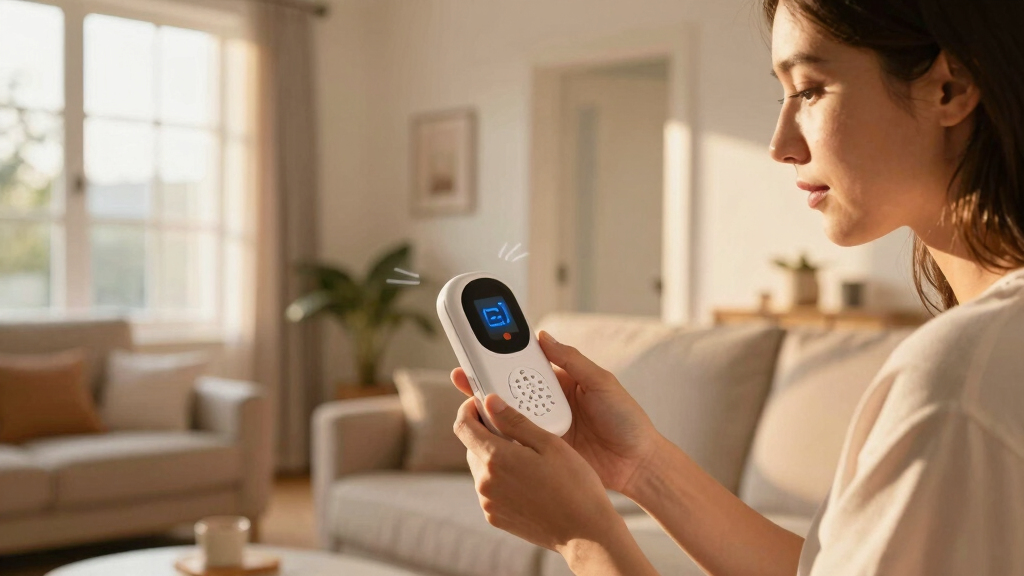
long range baby monitor with wall penetration
As an affiliate, we earn on qualifying purchases.
As an affiliate, we earn on qualifying purchases.
How Different Walls and Floors Cut Your Baby Monitor’s Range
| Wall Type | Average Signal Reduction | Impact |
|---|---|---|
| Drywall | 5-20% | Minor, usually manageable |
| Wood | 10-30% | Moderate, depends on thickness |
| Brick | 30-60% | Significant, can block signals |
| Concrete (reinforced) | 60-80% | Major barrier, often causes dropouts |
| Metal | Almost complete block | Blocks signals entirely, no matter the distance |
Floors add another layer of challenge. A concrete slab between floors can cut signals by 50% or more, especially if reinforced with metal wiring. This reduction isn’t just a minor inconvenience; it can critically undermine your ability to monitor your baby when you are in different parts of the house. For example, a nursery on the ground floor might have a reliable connection, but if there’s a reinforced concrete slab between it and a bedroom upstairs, the signal might become too weak or cut out completely. Understanding these differences helps you plan your device placement more strategically, choosing locations that minimize the number of thick or metal-reinforced barriers in the signal path. It also emphasizes the importance of testing your setup in real-world conditions, especially in multilevel homes, to ensure consistent coverage where you need it most.
digital baby monitor with extended range
As an affiliate, we earn on qualifying purchases.
As an affiliate, we earn on qualifying purchases.
Interference: The Hidden Signal Weakener You Never See Coming
Electronics like Wi-Fi routers, cordless phones, and even microwaves can drown out your baby monitor’s signal. These gadgets operate on similar frequencies, causing noise and dropouts. For example, a Wi-Fi router placed near your monitor might cause interference, especially on 2.4 GHz models.
Think of signals like a crowded highway. When too many cars (devices) race on the same lane, congestion slows everything down. Your baby monitor’s radio wave gets lost in the jam, resulting in a weaker or dropped connection.
Interference isn’t just about noise; it’s about competing signals that can overpower or distort your monitor’s transmission. This can cause intermittent dropouts, reduced range, or even complete loss of connection. The implications are significant: you might not hear your baby when you need to, or the monitor might beep with false alarms. To mitigate these effects, it’s crucial to understand which electronics are active nearby and how they operate. Moving your monitor away from Wi-Fi routers, cordless phones, or microwaves can vastly improve stability. Choosing monitors with digital technology like DECT, which uses less crowded frequencies, can also help ensure your connection remains clear and reliable. Recognizing and addressing interference is about more than just convenience; it’s about ensuring your peace of mind and safety for your baby.
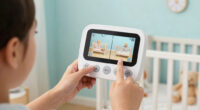
Wi-Fi baby monitor with strong signal through walls
As an affiliate, we earn on qualifying purchases.
As an affiliate, we earn on qualifying purchases.
Frequently Asked Questions
Why does my baby monitor lose signal when I walk into certain rooms?
Thick walls, especially concrete or brick, absorb and block radio signals, causing loss of connection. Moving closer or changing placement often restores the link.
Can I boost my baby monitor’s range through walls?
Traditional monitors usually can’t use external boosters, but Wi-Fi-based monitors can benefit from mesh Wi-Fi systems or extenders. Upgrading to a digital DECT monitor also helps improve range and clarity.
Are newer baby monitors better at penetrating walls?
Yes. Modern digital monitors using DECT technology or Wi-Fi connect more reliably through obstacles than older analog models. But even the best tech can’t defy physics — placement still matters.
How do I know if my monitor is reaching its maximum range?
Test it by walking away from the nursery, noting where signals start dropping or becoming unreliable. Many monitors have signal indicators—use those for a quick check.
What’s the biggest mistake parents make with monitor placement?
Placing the monitor or camera behind thick furniture, inside cabinets, or near electronics that cause interference. Elevating and centralizing your setup avoids many issues.
As an affiliate, we earn on qualifying purchases.
Conclusion
Your home’s walls and clutter are natural signal weak points, but clever placement and smarter tech can keep you connected. Think of your monitor as part of your home’s layout — the right spot makes all the difference. Don’t settle for dropouts when you can create a clear, reliable connection—your peace of mind depends on it.Halloween Picks
halloween
As an affiliate, we earn on qualifying purchases.