TL;DR

Turn the school run and nap time into listening time
- Thousands of audiobooks, podcasts and originals
- Listen on your phone, tablet or Echo — also offline
- Cancel anytime
Turning an old phone into a baby monitor is budget-friendly and easy to set up, but it comes with risks like security vulnerabilities and limited reliability. Knowing these tradeoffs helps you decide if it fits your family’s needs.
Imagine saving hundreds by turning that dusty smartphone in the drawer into a baby monitor. Sounds clever, right? But before you slap it on the crib, it’s worth understanding the real tradeoffs. It’s not just about saving money — security, reliability, and features matter more than you think.
This guide unpacks what you gain and what you risk when repurposing an old device. Whether you’re tech-savvy or just looking for a friendly alternative to a pricey monitor, knowing the pros and cons will help you make a smart choice — especially when it’s 3 a.m. and your baby’s fussing.
Using an old phone can save hundreds but requires careful security setup to avoid privacy risks.
Reliability depends on the device’s age, battery health, and stable Wi-Fi — don’t assume it will run perfectly overnight.
Choose trusted, encrypted apps, keep the device plugged in, and update regularly to maximize safety and performance.
Position the phone thoughtfully — away from interference and in a good spot for a clear view of your baby.
This DIY solution works best as a supplemental monitor, not a perfect replacement for dedicated devices.
Using an Old Phone as a Baby Monitor
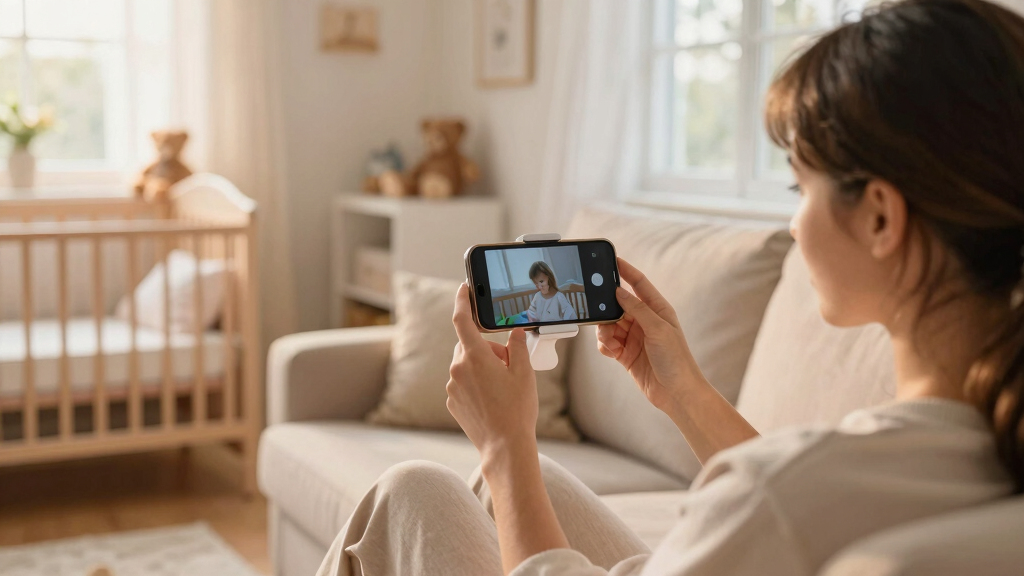
Turning a dusty smartphone into a monitor can save hundreds and take minutes to set up. The bargain comes with conditions: security, battery health, Wi-Fi stability and around-the-clock reliability all matter when the household is asleep.
The bargain has six moving parts
The phone itself is only one piece of the system. The app, network, charger, placement and software support determine whether the setup feels clever—or fragile.
Spend less now
Use hardware you already own and choose from free or inexpensive monitoring apps.
Start quickly
Install the same service on the baby and parent devices, connect Wi-Fi and test the feed.
Hardware sets the ceiling
Camera, microphone, processor and app compatibility vary widely across older models.
The feed needs protection
Weak passwords, outdated software and poorly secured apps can expose video or audio.
Old batteries fade
Degraded batteries, overheating, crashes and charging interruptions can stop monitoring.
Fewer dedicated tools
Night vision, temperature sensing, long-range links and dependable alerts may be absent.
Where the phone setup is strongest
These directional scores summarize the tradeoffs described by users and common product capabilities. They are decision aids, not laboratory benchmarks.
Key insight: the hidden tradeoff is not setup difficulty—it is consistency. Old phones lack hardware designed specifically for uninterrupted overnight monitoring.
Old phone vs. dedicated monitor
A phone wins on entry price and flexibility. A dedicated unit earns its premium through predictable operation, specialized sensors and continuous-use design.
| Feature | Old Phone | Dedicated Baby Monitor |
|---|---|---|
| Cost | ✓Low to none if already owned | ~Usually $100–$300 |
| Setup | ✓Download app and connect Wi-Fi | ✓Usually plug in and turn on |
| Security | ~Depends on app, updates and network | ✓Purpose-designed security options |
| Reliability | ~Varies with age, power and Wi-Fi | ✓Designed for continuous operation |
| Battery | ✗Often requires constant charging | ✓Usually AC-powered baby unit |
| Extra features | ~Basic audio, video and app alerts | ✓Night vision, sensors and custom alerts |
| Remote viewing | ✓Available through compatible apps | ~Available on connected models |
Five links in the safety chain
Reliability comes from the whole chain. A strong phone cannot compensate for unstable Wi-Fi, a loose charger or an insecure account.
Inspect device
Check battery health, heat and OS support.
Choose app
Prefer encryption, good reviews and active updates.
Lock access
Use unique passwords and two-factor login.
Stabilize power
Secure the cable and manage device heat.
Test overnight
Verify audio, alerts, view and reconnection.
A quick readiness check
Run the setup under real household conditions before relying on it. Test with doors closed, lights off and other devices using the network.
Six non-negotiables
The real verdict
An old phone can be a capable, inexpensive extra set of eyes—but “good enough” should never mean untested. Treat it as a supplemental monitor unless its power, connection, privacy and alerts have proven dependable in your home.
Why Using an Old Phone Can Save You Hundreds (And When It Might Cost More)
Using an old smartphone as a baby monitor can cut costs dramatically. Instead of spending $200 to $300 on a new device, you might already have a suitable phone lying around. Just download a free or inexpensive app, and you’re set. For example, a parent saved over $150 by repurposing their old iPhone instead of buying a dedicated monitor.
But beware of hidden costs. You might need a new power bank, or face battery degradation that limits uptime. Plus, if the setup isn’t stable, you could end up spending more on repairs or replacements.
baby monitor app for old smartphone
As an affiliate, we earn on qualifying purchases.
As an affiliate, we earn on qualifying purchases.
How Easy Is It to Set Up an Old Phone as a Baby Monitor? Here’s What You Need to Know
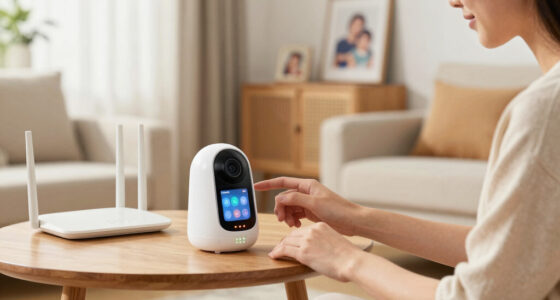
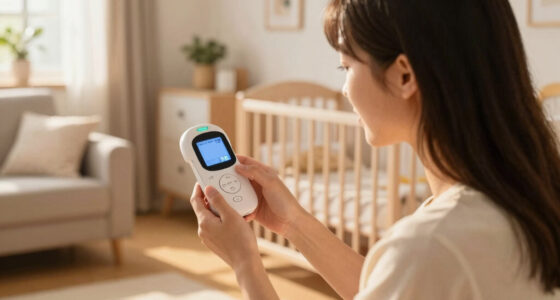
Setting up an old phone as a baby monitor is surprisingly straightforward. Most smartphones already have the apps you need, like Alfred Camera or Dormi. Simply install the app on your ‘baby unit’ (the phone near your baby) and your ‘parent unit’ (your phone or tablet). Follow the prompts, connect to Wi-Fi, and you’re ready.
For example, one mom set up her old Android in 10 minutes, placing it on a shelf near her baby’s crib. As long as both devices stay connected to reliable Wi-Fi, you can monitor from anywhere.
As an affiliate, we earn on qualifying purchases.
What Are the Hidden Security Risks of Using an Old Phone for Baby Monitoring?
Old phones can be security weak spots. Without proper precautions, hackers could access your video feed. That’s especially true if you use free apps with weak encryption. A common mistake is leaving default passwords or not updating the app.
To keep your feeds private, always use reputable apps with end-to-end encryption, secure your Wi-Fi with a strong password, and enable two-factor authentication if available. For example, a parent discovered a hacker trying to access their unprotected stream — security measures prevented any breach.
As an affiliate, we earn on qualifying purchases.
Are Old Phones Reliable Enough for Monitoring Your Baby? Here’s What Matters
Reliability is a big concern. Old phones may have degraded batteries, slower processors, or outdated software. These issues can cause disconnects or lag. One parent experienced her monitor freezing during nap time because her phone’s battery couldn’t keep up.
To improve reliability, keep the device plugged into power, use low-power modes, and regularly update the app. Remember, dedicated baby monitors are built for continuous operation — your old phone isn’t quite the same.
As an affiliate, we earn on qualifying purchases.
Comparison Table: Old Phone vs. Dedicated Baby Monitor — Which Is Better?
| Feature | Old Phone | Dedicated Baby Monitor |
|---|---|---|
| Cost | Low to none (if you already own one) | $100–$300 |
| Setup Ease | Simple — download app, connect Wi-Fi | Very simple — plug in, turn on |
| Security | Depends on app + Wi-Fi security | Designed with security in mind |
| Reliability | Variable — depends on hardware age | High — designed for 24/7 use |
| Features | Basic video/audio, limited extras | Advanced options — motion alerts, temperature sensors |
| Battery Life | Limited, often needs constant charging | Usually AC-powered |
How to Maximize Security and Reliability When Using Your Old Phone
- Choose reputable, encrypted apps like Alfred or Cloud Baby Monitor.
- Always keep your device plugged into a charger to avoid shutdowns.
- Secure your Wi-Fi with a strong password and enable network encryption.
- Regularly update your apps and OS to patch security flaws.
- Position the phone away from interference sources, like Wi-Fi routers or other electronics.
For example, one parent set up a dedicated Wi-Fi network just for the monitor, adding an extra layer of security and stability.
What Should You Do Before Using an Old Phone as a Baby Monitor? A Quick Checklist
- Verify the phone’s battery health and charge it fully.
- Install trusted monitoring apps, avoiding free or unreviewed options.
- Secure your Wi-Fi network with strong encryption and passwords.
- Test the app’s video and audio quality in your home environment.
- Place the device where it has a clear view of the crib, avoiding interference.
What Are the Main Limitations of Using an Old Phone for Baby Monitoring?
The biggest issues include limited battery life, potential lag or disconnects, and security vulnerabilities. For instance, a parent found her phone kept disconnecting during late-night feeds because the battery drained or the app crashed.
Also, old phones lack dedicated hardware for night vision, temperature sensors, or two-way talk like some commercial units. These gaps can affect how confidently you can rely on your DIY setup.
Frequently Asked Questions
Is it safe to use my old phone as a baby monitor?
Safety depends on using secure apps, strong Wi-Fi passwords, and regular updates. Proper setup can protect your feeds from unauthorized access, but always stay vigilant about security.What are the best apps for turning an old phone into a baby monitor?
Popular options include Alfred Camera, Cloud Baby Monitor, Dormi, and Baby Monitor 3G. Choose apps with encryption, remote access, and good reviews.How does reliability compare between old phones and dedicated monitors?
Dedicated monitors are designed for continuous, reliable operation — old phones can lag or disconnect, especially if batteries degrade or network issues occur.Can I monitor my baby remotely with this setup?
Yes, if the app supports remote access over Wi-Fi or cellular data, you can watch from anywhere — as long as the device stays connected.Are there privacy risks I should worry about?
Potential risks include hacking or unauthorized access if security measures are weak. Protect yourself by using reputable apps, strong passwords, and encrypted connections.Conclusion
If you’re comfortable with tech and security, repurposing an old phone can be a smart way to cut costs. But don’t overlook the tradeoffs — reliability, privacy, and features matter when it’s your baby’s safety on the line.
Think of it as a helpful tool, not a total substitute. When you’re about to place that phone on the shelf, remember: good enough is sometimes just enough, but never at the expense of safety.
Halloween Picks
halloween
As an affiliate, we earn on qualifying purchases.