TL;DR

Turn the school run and nap time into listening time
- Thousands of audiobooks, podcasts and originals
- Listen on your phone, tablet or Echo — also offline
- Cancel anytime
Smart thermostats can keep your nursery within the ideal 68°F to 72°F range, using scheduling, remote control, and safety alerts. Proper setup and regular updates ensure your baby’s comfort and safety while saving energy.
Imagine your baby sleeping soundly through the night, wrapped in the perfect room temperature. No sudden chills, no overheating fuss—just calm, peaceful rest. That’s what a smart thermostat can do for your nursery, but only if you set it up right.
In this guide, you’ll learn exactly how to configure your smart thermostat for maximum comfort and safety. We’ll cover the latest developments, practical tips, and common questions. No fluff—just what you need to keep your little one cozy and secure.
Maintain nursery temperature between 68°F and 72°F for safety and better sleep.
Use scheduling and automation to keep temperatures stable during sleep cycles.
Choose smart thermostats with safety alerts and remote control features.
Place sensors correctly away from heat sources or drafts for accurate readings.
Regularly update firmware and integrate with air quality monitors for optimal nursery health.
Smart Thermostat Settings for a Comfortable Nursery
A steady, carefully monitored climate helps protect infant comfort, sleep quality and safety. Start at 70°F, automate around sleep cycles and let well-placed sensors catch changes before they disturb the night.
A calm climate follows the sleep cycle.
Use 70°F as a dependable baseline. A small, scheduled reduction at night can support comfortable sleep without creating abrupt temperature swings.
70°F
Comfortable daytime baseline while the nursery is occupied.
69°F
Lower gradually before sleep; avoid sudden HVAC cycling.
70°F
Return gently to the default setting after the nap window.
68°F
Cooler overnight target with alerts enabled at both limits.
Choose features that prevent surprises.
The strongest nursery setup combines accurate sensing with automation, rapid alerts and control that remains available when you are outside the room.
Precise control
Look for temperature control accurate to about 0.5°F to limit uncomfortable swings.
Smart scheduling
Program wake, play, nap and nighttime settings so comfort does not depend on memory.
Remote access
Monitor the room and make changes from a phone without entering and disturbing sleep.
Safety alerts
Enable warnings for unsafe temperatures, power loss, connectivity issues and system faults.
Whole-room integration
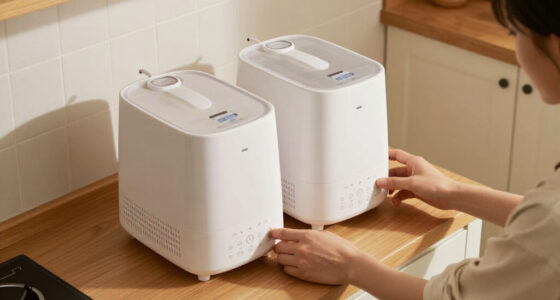
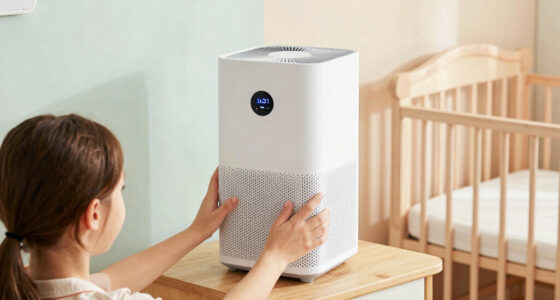
Connect compatible humidity sensors, air purifiers, humidifiers or baby monitors. Coordinated devices create a fuller picture of temperature, moisture and air quality instead of treating each measurement in isolation.
From sensor reading to peaceful sleep.
Every link matters. Poor placement creates a bad reading; a bad reading triggers the wrong response.
Sense
Measure temperature from a neutral, representative position.
Automate
Apply the correct day, nap or nighttime schedule.
Alert
Notify a caregiver when readings leave the safe range.
Rest
Maintain a steady environment with fewer sleep disruptions.
Frequent manual changes can cause unnecessary heating and cooling cycles. Set narrow, sensible schedules and allow the thermostat to maintain them gradually.
Build the safer control stack.
A basic thermostat controls temperature. A nursery-ready system adds monitoring, alerts, environmental context and fallback options.
| Capability | Basic thermostat | Smart thermostat | Nursery-ready setup |
|---|---|---|---|
| Temperature control | ✓ | ✓ | ✓ |
| Automated schedules | ✕ | ✓ | ✓ |
| Remote monitoring | ✕ | ✓ | ✓ |
| Safety alerts | ✕ | ~ | ✓ |
| Air-quality integration | ✕ | ~ | ✓ |
| Backup or manual control | ✓ | ~ | ✓ |
Climate control is becoming predictive.
Newer systems learn patterns, improve sensor precision and combine comfort data with broader indicators of indoor environmental quality.
Fast answers for everyday use.
The thermostat supports good nursery climate management, but caregivers should still observe the baby, verify sensor accuracy and follow medical guidance.
What is the safest nursery range?
A commonly recommended target is 68°F to 72°F, or approximately 20°C to 22°C.
Can a smart thermostat prevent overheating?
It can reduce risk by holding a stable setting and issuing alerts, provided thresholds and sensors are configured correctly.
Where should the room sensor go?
Use a central, representative location away from direct sun, exterior drafts, supply vents and heat-producing devices.
What happens during a power outage?
Use equipment with battery backup where possible and keep a separate room thermometer plus manual climate controls available.
Are smart thermostats energy-efficient?
Scheduling and occupancy-aware controls can reduce waste by avoiding unnecessary heating or cooling when the nursery is unused.
How often should firmware be checked?
Check monthly and after outages or connectivity problems so security patches and device improvements stay current.
A gentle, steady climate inside the 68°F–72°F window is more valuable than chasing a perfect number minute by minute.
How to Set Your Smart Thermostat for Safe, Cozy Nursery Temperatures
Starting with the right baseline temperature is key. The ideal nursery range is between 68°F and 72°F. This range helps prevent overheating and chills, essential for tiny bodies still regulating their temperature.
To set your thermostat:
- Choose a central location in the nursery, away from direct sunlight, vents, or drafts.
- Set your device to maintain 70°F as a default, adjusting slightly based on your baby’s comfort.
- Use scheduling features to lower the temperature a degree or two during nap times or at night, when babies sleep more deeply.
For example, a parent might set the thermostat to 70°F during the day and 68°F at night, ensuring a cozy environment without wasting energy.
Popular right now

Samsung 48-Inch S90H OLED 4K Smart TV (2026)

Samsung 42-Inch S90H OLED 4K Smart TV Bundle

Ninja Flip Toaster Oven and Air Fryer, 8-in-1, Stainless Steel, SP151
As an affiliate, we earn on qualifying purchases.
Why Consistent Temperature Control Matters More Than You Think
Sudden temperature fluctuations can wake your baby or disturb their sleep cycle. A smart thermostat’s ability to maintain a steady environment can make all the difference.
For instance, a parent notices their baby wakes up crying every night. After using a smart thermostat with a scheduling feature, they set the temperature to stay consistent around 70°F. Sleep improves, and so does everyone’s mood.
Consistent control also reduces the risk of overheating, which is linked to sudden infant death syndrome (SIDS), according to pediatric guidelines. Fluctuations can cause stress on your baby’s body, making it harder for them to regulate their temperature. Maintaining a stable environment supports better sleep, reduces stress, and can prevent health risks associated with temperature swings.
The Top 5 Features to Maximize Safety and Comfort in Your Nursery
Not all smart thermostats are created equal. Here are five features that make a real difference:
- Precise Temperature Control: Accurate to within 0.5°F, preventing unwanted swings. This precision is vital because even small deviations can affect a baby’s comfort and safety, especially in sensitive environments.
- Scheduling & Automation: Adjusts settings based on your routine, like lowering temp during naps. This helps create a consistent environment without constant manual intervention, reducing the risk of human error or forgetfulness.
- Remote Monitoring & Control: Change settings or check temperature from anywhere via your phone. This flexibility ensures you can respond quickly to sudden changes, such as a sudden cold snap or if you notice the room feels too warm.
- Safety Alerts: Notifications if temperatures go outside safe ranges or if there’s a malfunction. These alerts are crucial because they act as early warnings, allowing you to intervene before a problem becomes serious.
- Integration with Other Devices: Connects with humidifiers, air purifiers, or baby monitors for a comprehensive climate setup. This interconnected system ensures optimal humidity, air quality, and temperature, creating an environment that promotes better sleep and health.
For example, a device that alerts you if the nursery gets too hot or cold can prevent accidental overheating or chilling, especially when you’re not in the room. It also allows you to make timely adjustments, ensuring your baby’s environment remains safe and comfortable.
The Latest in Nursery Climate Tech: What’s New and Why It Matters
Smart thermostats are evolving fast. Recent advancements include:
- AI and Machine Learning: These learn your household patterns, adjusting temperatures proactively for comfort and energy savings.
- Voice Control: Compatibility with Alexa, Google Assistant, or Siri makes adjustments hands-free—great for late-night tweaks.
- Enhanced Sensor Accuracy: Better sensors mean more precise readings, so your baby’s environment stays just right.
- Air Quality Monitoring: Some devices now track VOCs and particulate matter, adding an extra layer of health protection.
- Energy-Saving Modes: Eco-friendly features help cut bills without sacrificing comfort.
For example, AI-powered thermostats can learn that your baby prefers a slightly cooler environment during early mornings and adjust accordingly, without manual input. This not only ensures consistent comfort but also maximizes energy efficiency, saving you money and reducing environmental impact.
What Every Parent Should Know Before Installing a Smart Thermostat
Placement is everything. Position the sensor away from direct sunlight, vents, or heat sources. Otherwise, it’ll give false readings, leading to improper temperature control.
Regular firmware updates are also critical—they improve security, add features, and keep your device functioning smoothly. Check for updates monthly, especially after power outages or Wi-Fi issues.
Finally, pairing your thermostat with other smart devices like humidifiers or air purifiers can create a healthier, more comfortable nursery environment. Just ensure compatibility first.
Frequently Asked Questions
What is the safest temperature range for a nursery?
The safest range is between 68°F and 72°F. Keeping the room within this window helps prevent overheating and chills, which are both linked to health risks and poor sleep.
Can smart thermostats prevent overheating or chilling?
Yes, with proper settings and safety alerts, they can maintain a consistent environment. Parents should set temperature thresholds and enable alerts for deviations.
How do I set up a smart thermostat for my nursery?
Installation varies, but generally involves mounting the device, connecting it to Wi-Fi, and configuring your preferred temperature schedules via a smartphone app. Follow the manufacturer’s instructions for best results.
Are smart thermostats energy-efficient?
Absolutely. They optimize heating and cooling based on your routines, reducing waste and saving on energy bills—often by 10-20% or more, according to recent studies.
What features should I look for in a smart thermostat for my nursery?
Prioritize accurate temperature control, scheduling, remote access, safety alerts, and compatibility with other smart devices for a comprehensive climate management system.
Conclusion
Keeping your nursery at the right temperature isn’t just about comfort—it’s about safety, health, and peace of mind. A well-set smart thermostat can do the heavy lifting, letting you focus on what matters most: your baby’s well-being.
Remember, consistent, precise control combined with smart features creates a cozy haven for your little one. A gentle, steady climate makes all the difference—every night, every day.