
TL;DR

Turn the school run and nap time into listening time
- Thousands of audiobooks, podcasts and originals
- Listen on your phone, tablet or Echo — also offline
- Cancel anytime
A smart thermostat can help parents track nursery temperature, but a remote sensor usually only changes which reading guides a shared heating or cooling system. Check conditions near the crib, follow safe-sleep guidance, and ask an HVAC professional whether true zoning fits your home before closing vents or making large adjustments.
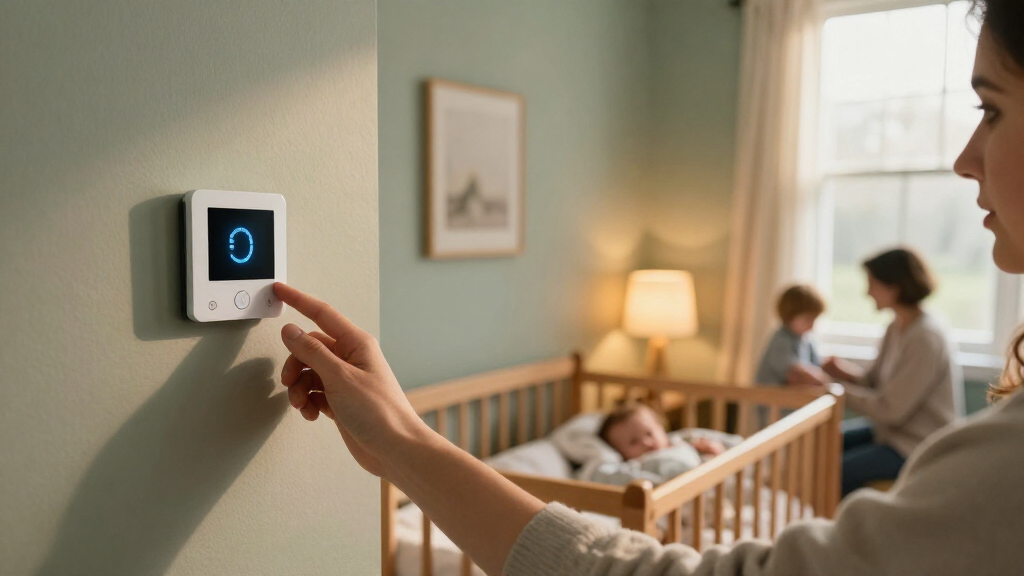
At 3 a.m., your thermostat says the house is comfortable, but the nursery feels stuffy and warm. That mismatch can happen because a hallway reading does not tell you what the air feels like near the crib. Room conditions vary with sunlight, drafts, windows, closed doors, and airflow.
A smart thermostat can help you see those differences and, on some systems, use a nursery sensor to guide heating or cooling. But a sensor measures; it does not automatically give the nursery its own heating and cooling controls. Smart thermostats and zoning a baby’s room are connected ideas, but they are not the same thing.
This guide explains what a sensor can do, when true HVAC zoning may help, and what you can check before changing settings. You’ll also see how to keep temperature management in its proper place: safe-sleep practices come first, and a thermostat setting cannot guarantee safer sleep or better nights.
A hallway thermostat reading may differ from conditions near the crib because sunlight, drafts, doors, and airflow change room comfort.
A remote sensor can report or prioritize the nursery temperature, but usually does not give the nursery independent control on a single-zone system.
True HVAC zoning generally needs compatible zone controls and motorized dampers, assessed by a qualified HVAC professional.
Keep babies away from direct vent airflow, follow current pediatric safe-sleep guidance, and check the baby’s chest or back rather than relying on cool hands o…
Check vent clearance, filter maintenance, drafts, and system compatibility before making large settings changes or closing vents.
Home climate · Safe sleep · A practical guide
Smart Thermostats and the Nursery: Zoning a Baby’s Room
A smart thermostat can help you track nursery conditions, but a remote sensor usually changes which reading guides a shared system. Learn what sensors can do, when true HVAC zoning may help, and what to check before changing settings.
Why the nursery can feel different from the hallway
A thermostat reports conditions at its own location. Sunlight, drafts, windows, exterior walls, closed doors, and airflow can make the nursery warmer or cooler.
Sun and shade
Afternoon sun can warm one room while a shaded hallway stays steady. A cold exterior wall may make another spot feel cooler.
Drafts and vents
Air from a vent, a draft near a window, or blocked airflow can change comfort near the crib—even within a few feet.
Check the room itself
Use a room thermometer away from direct sun, windows, vents, and the crib. Follow its placement instructions and keep devices and cords out of reach.
Two technologies, different levels of control
Check what the thermostat and HVAC equipment actually control. Several room readings on a display do not necessarily mean separate airflow.
Another reading for a shared system
A compatible sensor can report the nursery temperature or let a schedule prioritize that room’s reading. On a typical single-zone forced-air system, the same equipment still serves connected rooms when it runs.
Separate areas, suitable equipment
Zoning generally uses zone controls and motorized dampers to direct air to different areas. A qualified HVAC professional should assess compatibility, duct layout, airflow, and equipment limits.
A four-step nursery comfort check
Gather useful information before changing schedules, closing vents, or buying equipment. Make one modest adjustment at a time.
Measure safely
Place a thermometer to represent general room conditions, away from sun, vents, windows, and the crib.
Compare at different times
Check a sunny afternoon and a cool early morning. Note whether an open or closed door changes the pattern.
Inspect airflow
Keep vents unobstructed, maintain filters as directed, and look for drafts or persistent hot and cold spots.
Adjust, then observe
Change one sensor or schedule setting and see what happens before making another adjustment.
When might zoning help?
If rooms routinely need different heating or cooling, ask an HVAC professional to assess the whole system. The answer depends on equipment compatibility, duct layout, room sizes, and airflow limits. A sensor cannot add dampers, ductwork, or system capacity. A blocked vent, overdue filter, or draft may need attention first. Follow equipment guidance before closing vents or making large temperature changes.
Temperature management has a supporting role
There is no single room-temperature setting that guarantees safe sleep for every baby and household. Follow current pediatric guidance and ask the clinician about individual medical needs.
Start with the sleep space
Keep temperature settings in perspective. Dress the baby appropriately, avoid overdressing, and do not rely on a thermostat as a substitute for safe-sleep practices.
Place baby on their back on a firm, flat sleep surface.
Keep loose blankets and soft objects out of the sleep area.
Hands and feet may feel cool normally. Check the chest or back and watch for sweating, flushed skin, or unusual discomfort.
Keep the baby away from direct air from heating or cooling vents.
Make automation simple for every caregiver
Schedules, room priority, alerts, and smart-home integrations can add convenience. Features vary by thermostat, equipment, and setup.
Check support for your existing heating and cooling equipment, remote sensors, and any zoning controls.
Ask whether the nursery reading changes the system’s guidance or independently controls airflow.
Choose a simple schedule caregivers can understand and know how to operate the system if Wi-Fi drops.
Use a strong, unique password and review device privacy settings and data collection.
From reading to a better-informed decision
Use the room’s conditions to guide the next step, and bring in professional or clinical advice when the situation calls for it.
Why the nursery can feel different from the hallway
A thermostat reading may not match the temperature near the crib because heat and airflow vary across a home. Sunlight through one window can warm a corner, while a drafty exterior wall or a heating vent can create a different feel just a few feet away. A hallway thermostat reports its own location, not the whole house.
Imagine the thermostat sits in a shaded hall, but the nursery gets strong afternoon sun. At bedtime, the display may show the same reading it showed at lunch even though the nursery has soaked up warmth all day. In winter, the opposite can happen: a room with a cold outside wall may feel cooler than the central reading suggests.
For a clearer picture, place a simple room thermometer where it can represent the nursery’s general conditions. Keep it away from direct sun, windows, vents, and the crib; follow the device maker’s placement advice, and keep cords and devices out of reach. Measure the room safely rather than relying on your hand at the doorway or a number displayed elsewhere.
Babies’ hands and feet can feel cool even when their bodies are comfortable, so they are not reliable temperature gauges by themselves. If you’re unsure, check the baby’s chest or back and look for signs such as sweating, flushed skin, or unusual discomfort. For a premature baby or a child with specific health needs, ask the child’s clinician for guidance tailored to them.
Popular right now

TCL T7 Series 85-Inch 4K 144Hz QLED Smart Google TV

Sony BRAVIA 5 85-Inch Mini LED 4K HDR Smart TV (K-85XR50)

De'Longhi 15-Bar Pump Espresso Machine with Milk Frother & Temperature Control
As an affiliate, we earn on qualifying purchases.
What a nursery sensor changes—and what it leaves alone
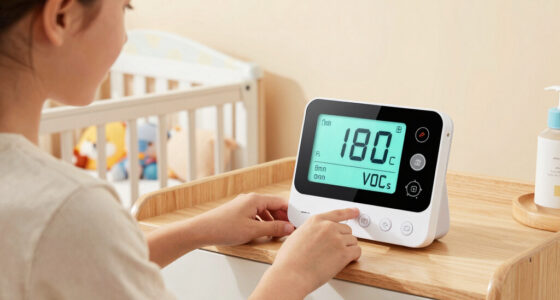
A remote sensor gives a thermostat information about another room; it does not necessarily give that room independent control. Depending on the system, the thermostat may use the nursery reading instead of its hallway reading, or prioritize the nursery during a schedule. The exact options vary by equipment and setup.
Say your single-zone forced-air system serves the nursery, kitchen, and living room. A sensor in the nursery may help the thermostat notice that the baby’s room is still cool, but when the system runs, it typically sends conditioned air through the connected system. The kitchen and living room can get that air too. One sensor does not create a separate zone.
That distinction matters when shopping. Check whether the thermostat works with your existing heating and cooling equipment, whether it supports remote sensors, and what “room priority” actually means for your model. A display that shows several room temperatures may improve visibility without providing separate airflow control.
Some systems offer schedules, occupancy settings, or integrations with voice assistants and other smart-home devices. These can make routines easier, but they can also add app alerts and settings to manage when you’re tired. Start with a simple schedule you can explain to another caregiver. If the Wi-Fi drops, know how to operate the system manually, and use a strong, unique account password while reviewing privacy settings.
When true HVAC zoning may give the nursery more control
True zoning uses compatible controls and equipment to direct heating or cooling to different parts of a home. A zoned HVAC system generally uses motorized dampers and zone controls to manage airflow for separate areas. That can give a nursery more independent control than a sensor on a typical shared system.
For example, the upstairs bedrooms may get warm while the downstairs stays comfortable. If the house’s equipment supports zoning and the system is designed properly, a qualified HVAC professional can assess whether separate control makes sense. The answer depends on the equipment, duct layout, room sizes, and airflow limits—not just the thermostat model.
A sensor can help parents manage a nursery by showing a more relevant reading, but the sensor itself does not add dampers, new ductwork, or capacity. Treat claims about room-by-room control as a prompt to ask what the system actually controls. Ask the installer how it handles rooms that call for heating or cooling at different times, and what happens when sensors disagree.
More control can also mean more setup and cost. If a nursery is uncomfortable because a vent is blocked, a filter needs attention, or a draft comes under the window, zoning may not solve the underlying issue. A professional assessment can help distinguish a control problem from an airflow or insulation problem before you invest in new equipment.
How to check the nursery before changing thermostat settings
Start by comparing the thermostat reading with safe measurements in the nursery, then look for simple causes of uneven comfort. This gives you useful information before you change schedules, close vents, or buy more equipment. There is no single room-temperature setting that guarantees safe sleep for every baby and household.
- Place a room thermometer thoughtfully. Put it where it reflects general room conditions, away from direct sun, vents, windows, and the crib. Follow its instructions and keep it and any cords inaccessible to the baby.
- Check the room at different times. A sunny afternoon and a cool early morning may tell different stories. Note whether the temperature changes when the door is open or closed.
- Look for airflow problems. Check that vents are unobstructed and the filter is maintained according to the equipment guidance. Notice drafts, direct airflow, and persistent hot or cold spots.
- Make one modest adjustment at a time. If you use a schedule or sensor-priority feature, change one setting and observe what happens instead of repeatedly chasing the app display.
- Ask for help when the pattern persists. An HVAC professional can assess airflow, system limits, and whether zoning is suitable for your home.
For example, if the nursery warms sharply in late afternoon but settles after sunset, direct sun may be a more useful clue than a cooler overnight thermostat setting. Babies should not be exposed to direct airflow from heating or cooling vents. Avoid large changes made in a rush; steady observation can give you a clearer picture of the room.
Keep sleep safety separate from temperature automation
A thermostat cannot replace safe-sleep practices. Follow current pediatric guidance: place your baby on their back on a firm, flat sleep surface, keep the sleep space free of loose blankets and soft objects, and avoid overdressing. Temperature monitoring is one part of room comfort, not a safety guarantee.
On a tired night, an app may tempt you to keep adjusting the set point because the nursery number looks different from the hall. Pause and check the baby and the room rather than treating a single number as a verdict. If the baby’s chest or back feels unusually warm, or you notice sweating or flushed skin, adjust clothing or room conditions thoughtfully and seek pediatric advice when you have concerns.
Do not add loose bedding to solve a room that feels cool, and do not assume a smart schedule makes an unsafe sleep space safe. A caregiver visiting overnight should know the family’s sleep routine and how to operate the thermostat manually. A short note by the controls can help when the app is logged out or the Wi-Fi is down.
Use the thermostat to understand the room; use pediatric safe-sleep guidance to protect the sleep space.
If your baby was premature or has a medical condition, ask the child’s clinician for individualized advice about clothing and room comfort. General home settings cannot account for every child’s needs.
Avoid vent tricks and app adjustments that create new problems
Closing a vent or making a large temperature change can affect airflow and system performance. It may seem logical to shut off air to an empty room so more reaches the nursery, but the result depends on the HVAC design. Follow the equipment maker’s guidance and ask an HVAC professional before using vent closure as a balancing strategy.
Consider a nursery that feels cool while the living room feels warm. Closing vents elsewhere might seem like a quick fix, but it can alter pressure and airflow across the system. A closed nursery door can also change airflow in some homes. If comfort shifts when you close the door, mention that detail to a technician rather than guessing at a new set point.
Smart schedules and alerts can help you notice recurring patterns, such as a room warming every sunny afternoon. But constant app adjustments can make the system harder for a partner, grandparent, or babysitter to understand. Choose a simple routine, set reasonable ranges with your equipment and clinician guidance in mind, and show other caregivers the manual controls.
If a room remains uncomfortable, look beyond the thermostat. A clogged filter, blocked vent, draft, or airflow imbalance may matter as much as the control setting. A thermostat can surface a problem; it cannot repair insulation or balance ducts by itself.
Know what smart features can—and cannot—promise
Smart features can improve visibility and convenience, but they do not promise better sleep. Remote room displays can help you spot a difference between the nursery and hallway. Scheduling can keep you from making the same adjustment every evening. Those are practical benefits, especially when you want a quick check without walking across the house.
Still, convenience has limits. An occupancy feature may choose which sensor guides the system, but the behavior depends on the thermostat and HVAC setup. If the nursery sensor reports a comfortable reading while the baby’s sleep area has a draft or direct vent airflow, the number alone misses that detail.
Connected devices also rely on an account, software support, and often Wi-Fi for remote functions. Review privacy settings, use a unique password, and know which features stop working if the internet is unavailable. These small checks are easier to do during the day than during a midnight alert.
Before buying, check compatibility with your existing thermostat and heating or cooling equipment, sensor placement instructions, and whether the system supports multiple zones. For many families, a basic room thermometer plus a well-maintained HVAC system may answer the immediate question. Add automation when it solves a real problem you can name, not because a nursery product promises a perfect night.
Frequently Asked Questions
What temperature should a baby’s room be?
There is no single room setting that guarantees safe sleep for every baby or home. Follow current pediatric safe-sleep guidance, observe your baby’s comfort, and ask the child’s clinician for advice if your baby has special health needs.
Where should I put a nursery temperature sensor?
Place it where it can measure representative room conditions, away from direct sunlight, windows, vents, exterior-wall hot or cold spots, and the crib. Follow the device maker’s instructions and keep the sensor and cords out of your baby’s reach.
Will a smart thermostat sensor let me control only the nursery?
Usually not on its own. A sensor may let the thermostat use the nursery’s reading while a single-zone system still heats or cools all connected rooms. Independent room control generally needs compatible zoning equipment.
Should I keep the nursery door open or closed?
That depends on your home’s airflow and HVAC design. A closed door can change pressure or airflow in some systems, so note whether the room’s comfort changes and ask an HVAC professional if the issue persists.
Can I close the nursery vent to redirect air?
Do not assume closing a vent is safe or effective; it can affect system airflow. Check your equipment guidance or ask an HVAC professional before using vent closure to change room comfort.
How can I tell if my baby is too warm or too cold?
Check the baby’s chest or back and look for signs such as sweating, flushed skin, or unusual discomfort. Cool hands and feet alone are not a reliable measure. Ask the child’s clinician if you have concerns, especially if your baby has specific health needs.
Do smart thermostats help babies sleep better?
They can make temperature monitoring and schedules easier, but they do not guarantee better sleep. The room’s actual conditions and safe-sleep practices matter more than adding automation.
Conclusion
Use a smart thermostat to learn what is happening in the nursery, not to promise a perfect temperature or a better night. Measure the room thoughtfully, keep the sleep space aligned with current pediatric guidance, and let a qualified HVAC professional assess persistent comfort problems or true zoning options.
The useful number is the one that helps you understand the room around your baby—not the one that keeps you tapping your phone in the dark.