TL;DR

Turn the school run and nap time into listening time
- Thousands of audiobooks, podcasts and originals
- Listen on your phone, tablet or Echo — also offline
- Cancel anytime
Smart bassinets depend on power for many features, but most have backup batteries or manual controls. Regularly testing these backups and knowing how to switch to manual mode can keep your baby safe during outages.
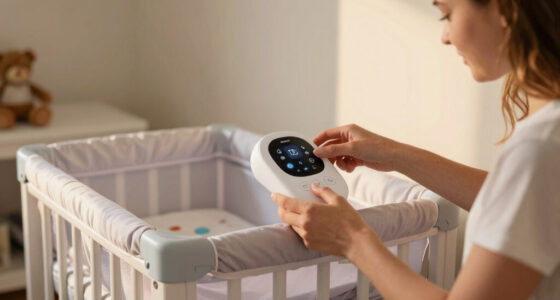
Imagine you’re already exhausted at 3 a.m., and suddenly, the lights flicker out. Your smart bassinet, which usually offers soothing sounds, gentle rocking, and environmental monitoring, falls silent. It’s a scenario no parent wants to face, but power outages happen.
Understanding what your smart bassinet does during an outage can make all the difference. Will your baby still sleep comfortably? Is the device safe? You’ll want to know how to handle the situation calmly and confidently, with minimal fuss and maximum safety.
This guide covers what happens when the power cuts out, what backup features your smart bassinet might have, and practical steps to keep your little one safe and cozy no matter what.
Check if your smart bassinet has a built-in backup battery and know how long it lasts.
Practice switching to manual mode so you’re ready during an outage.
Test backup power and manual controls monthly to prevent surprises.
Always keep a traditional, safety-approved bassinet or crib as a backup.
Stay calm, monitor environmental conditions, and keep your baby safe until power is restored.
Why Does My Smart Bassinet Stop Working During a Power Outage?
Most smart bassinets rely on electricity to power features like sound machines, vibration, temperature regulation, and remote monitoring. When the power drops, these functions typically shut down, leaving only the basic frame and mattress for your baby.
For example, a popular model with integrated climate control might lose its ability to regulate temperature, causing a sudden change in the baby’s environment. Without backup power, those sensors and features go offline, which could impact your baby’s comfort and safety.
Understanding this helps you realize the importance of backup systems, as they can be the difference between a safe, comfortable environment and a potentially stressful situation. Not all devices have these backups, and relying solely on the smart features during an outage can leave your baby vulnerable to temperature fluctuations, lack of soothing sounds, or unsafe sleep conditions. Recognizing this tradeoff emphasizes why investing in a model with reliable backup power is crucial for peace of mind.
Furthermore, knowing the limitations of your device during an outage encourages proactive planning. For instance, if your bassinet lacks a backup, you might consider having a traditional crib nearby or a manual rocking device. This preparation ensures that even if your smart device fails, your baby’s environment remains safe and soothing.
Popular right now

Ninja DualZone Smart Air Fryer, 10 Qt, 6-in-1, DZ950

De'Longhi Stilosa Compact Manual Espresso Machine with Milk Frother

Dyson Cyclone V10 Origin Cordless Vacuum
As an affiliate, we earn on qualifying purchases.
What Backup Power Options Do Smart Bassinets Offer?
Many newer models now come with built-in batteries designed to keep essential functions running during outages. These backup batteries can last anywhere from a few hours to over 24 hours, depending on the device and usage.
For example, a smart bassinet with a 12-hour backup can maintain basic sound and vibration to soothe your baby while the power is out. Some models even connect to external UPS systems for extended backup.
It’s important to understand that while these backup options provide critical safety and comfort features during an outage, they are not indefinite power sources. The tradeoff involves balancing device size, weight, and cost against backup duration. Regular testing and maintenance of these batteries are essential, as a forgotten or depleted backup could leave you unprepared during an emergency.
From a practical standpoint, consider the following: First, verify the backup duration of your device and schedule regular tests—monthly or quarterly—to ensure the batteries are charged and functional. Second, keep a list of your device’s manual controls or quick-reference instructions handy. Third, if your device supports external UPS connections, familiarize yourself with setting them up. These steps help you maximize your backup’s effectiveness and ensure your baby’s safety during unexpected outages.
How to Switch Your Smart Bassinet to Manual Mode in a Power Outage
- Locate the manual controls on your bassinet—these might be buttons, switches, or knobs. Familiarize yourself with their placement and functions before an outage occurs. Knowing exactly where these controls are and how they work allows for a swift transition, reducing stress during emergencies.
- Practice switching to manual mode while your device is plugged in, so you understand the process and feel confident doing it when needed. This proactive approach prevents fumbling in the dark, which could disturb your baby or delay soothing efforts.
- If your model has a dedicated manual switch or button, turn it off or switch it to manual mode. This disengages electronic controls and enables you to operate basic functions like rocking or vibration manually. Confirm that these manual controls are functioning as intended by testing them periodically.
- Ensure your baby is comfortable and safe. Use manual vibration or rocking to soothe them, such as gently rocking the bassinet or manually activating any mechanical features. Keep in mind that some manual controls might require a bit more physical effort, so practice to gauge what’s easiest and safest.
- Keep a quick-reference guide or cheat sheet of your manual controls accessible—either printed or saved on your phone. This readiness ensures you can quickly switch modes without searching or confusion, especially during stressful situations.
For example, some parents find that pressing a specific “manual” button initiates rocking, providing a familiar rhythm even when the smart features are offline. Regular practice ensures you’re prepared, confident, and can act swiftly to keep your baby safe and comfortable during an outage.
How Long Can a Smart Bassinet Keep Your Baby Safe During a Power Outage?
The duration your smart bassinet can sustain a safe environment during an outage depends heavily on its backup system. While many devices offer between 4 to 12 hours of backup power, high-end models with larger batteries may provide over 24 hours. This window is crucial because it gives you time to assess the situation, check on your baby, and take necessary actions, such as switching to manual controls or relocating your infant to a safer space.
For example, if your bassinet has a 10-hour backup, you can maintain essential functions like soothing sounds, vibration, and temperature regulation long enough to make arrangements or seek help. This extended period can prevent your baby from waking due to environmental changes or discomfort caused by power loss, thus reducing stress for both of you.
Practically speaking, regularly testing your backup system isn’t just about confirming how long it lasts; it’s about ensuring the battery remains charged, functional, and ready for emergency use. A well-maintained backup system acts as a safeguard, allowing you to focus on monitoring your child’s well-being rather than worrying about device failure during a critical moment.
In addition, consider your environment—if you live in an area prone to outages or severe weather, having a backup that lasts longer can be lifesaving. Incorporate routine checks into your safety plan, and keep emergency contact information close. This proactive approach ensures your baby remains safe, comfortable, and protected during unexpected power disruptions.
Frequently Asked Questions
Can I rely on my smart bassinet’s battery backup during a blackout?
Most newer models offer backup batteries that last from a few hours up to 24 hours. Always check your device’s specs and test the backup regularly to be sure.How do I know if my smart bassinet is safe during an outage?
Look for models with long-lasting, tested backup batteries, manual controls, and safety certifications. Practice switching to manual mode before an emergency occurs.What should I do if my smart bassinet fails during a power outage?
Switch to a traditional, safety-certified bassinet or crib. Keep environmental conditions comfortable manually, and monitor your baby closely until power is restored.How often should I test my smart bassinet’s backup features?
Test them monthly. Regular testing ensures your backup batteries are charged and manual controls are functional, so you’re prepared for any outage.Are there specific brands with better backup features?
Look for models with verified long-lasting batteries, offline modes, and safety certifications. Researching user reviews can also reveal which brands prioritize backup reliability.Conclusion
Power outages can be unsettling, but knowing your smart bassinet’s backup options and practicing quick responses can keep your baby safe and comforted. Regular checks and a backup plan turn a stressful situation into a manageable one.
Think of your backup system as a safety net — reliable and ready to catch your little one when the lights go out. Stay prepared, stay calm.