TL;DR

Turn the school run and nap time into listening time
- Thousands of audiobooks, podcasts and originals
- Listen on your phone, tablet or Echo — also offline
- Cancel anytime
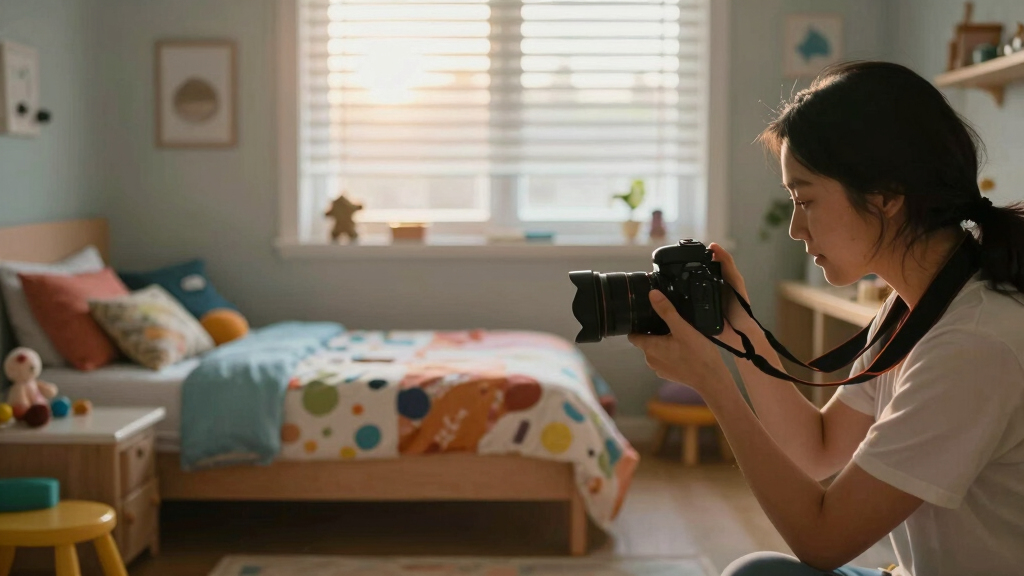
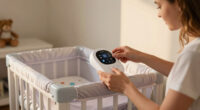
Moving a camera to a toddler’s room upgrades your monitoring, but it requires better placement, security, and awareness of new features. It’s a crucial step for safety and peace of mind, with some important changes to consider.
Secure your camera with strong passwords and encryption to prevent hacking.
Place the camera high and out of reach, ensuring a wide, unobstructed view of the room.
Prioritize features like HD video, two-way audio, and activity alerts to keep up with toddler activities.
Stay updated with the latest tech trends like AI alerts and local storage options.
Use the camera as a tool for observing developmental changes, not just safety.
Moving the Camera to a Toddler Room: What Changes
A new room demands more than a new camera angle. Monitoring shifts from watching one sleeping spot to understanding a moving child, a changing environment, and a wider set of safety and privacy risks.
Bed, floor, play zone, doors, and climbable furniture.
Research supplied for this guide links unsecured cameras to over 30% of reported breaches.
Sharper detail makes hazards and activity easier to interpret.
Observe routines, sleep patterns, behavior, and milestones.
From a fixed sleep view to an active-room view
Toddlers climb, explore, move objects, and create new blind spots. The camera now needs to support active supervision without becoming a substitute for childproofing or direct care.
More space matters
A crib-focused angle is too narrow. Include the sleeping area, floor, play space, doors, windows, cords, sockets, and furniture that may invite climbing.
Movement matters
Motion alerts, activity zones, pan-and-tilt controls, and useful notifications become more valuable when the child can move throughout the room.
Context matters
The monitor may reveal sleep changes, self-soothing, new routines, play patterns, and developmental progress—not merely whether the child is awake.
One sleeping zone
Basic audio, a fixed crib angle, night viewing, and straightforward wake-or-sleep checks.
Multiple activity zones
Wide coverage, clearer video, smarter alerts, two-way audio, stronger mounting, and tighter access controls.
Place it for coverage, then secure every connection
Start with the room itself. A camera is effective only when the mount is stable, cords are inaccessible, critical zones remain visible, and the digital account is protected.
Map activity
Mark the bed, play area, doors, windows, sockets, cords, and climbable furniture.
Mount high
Use a sturdy wall mount or secured shelf beyond curious hands and away from unstable surfaces.
Test the view
Check daylight, darkness, floor-level activity, furniture obstruction, and pan-and-tilt limits.
Lock access
Set a unique password, enable encryption and account safeguards, then update firmware.
A high position can improve overall coverage and reduce tampering. Angle downward to include both the sleep surface and floor while keeping every cable fully out of reach.
- View remains clear when toys move.
- Furniture does not block floor activity.
- Mount cannot be pulled or tipped.
- Cords cannot be reached or looped.
- Night vision covers entry and sleep zones.
- Alerts detect meaningful movement areas.
Choose functions that solve a real monitoring need
More technology is not automatically better. Prioritize reliable essentials first, then assess smart features according to your room, routines, privacy preferences, and notification tolerance.
| Feature | Basic crib view | Toddler-room value | What it changes |
|---|---|---|---|
| 1080p+ video | ~ Useful | ✓ High | Clarifies small hazards and activity. |
| Pan / tilt / zoom | ~ Optional | ✓ High | Checks multiple zones without remounting. |
| Two-way audio | ~ Helpful | ✓ High | Supports reassurance and brief reminders. |
| Night vision | ✓ Essential | ✓ Essential | Preserves visibility without bright light. |
| Activity zones | ✗ Limited need | ✓ High | Focuses alerts on meaningful areas. |
| Temperature / humidity | ~ Optional | ~ Helpful | Adds environmental context. |
| Local storage | ~ Optional | ✓ Strong choice | Can reduce dependence on cloud storage. |
Protect the room as a digital space
Remote access adds convenience and risk. Limit viewing privileges, choose protected storage, and treat firmware and account security as routine maintenance.
Unsecured access is the avoidable risk
The research supplied for this infographic reports that unsecured cameras in children’s rooms have been exploited in over 30% of reported security breaches. The practical response is straightforward: unique credentials, encryption, controlled access, and current firmware.
Use unique credentials
Replace default logins, create a long unique password, enable multi-factor authentication when available, and remove users who no longer need access.
Know where video lives
Compare encrypted cloud storage with local storage. Review retention settings and save only the footage your household actually needs.
Keep software current
Install firmware and app updates, review account activity, and disable the camera if unexplained access, voices, movement, or settings appear.
Five changes that matter most
The best setup combines physical safety, secure access, useful visibility, restrained notifications, and respect for the child’s growing privacy.
Use unique passwords, encryption, controlled sharing, and current firmware.
Secure the device and cables while preserving an unobstructed whole-room view.
Look for HD video, night vision, two-way audio, and flexible viewing controls.
AI alerts, remote apps, and recordings should add value without unnecessary exposure.
Use patterns and routines as context, while preserving boundaries and direct caregiving.
Why Your Camera Needs to Change When Your Toddler Moves In
Moving your camera from a crib to a toddler’s room means a big shift in what you need from your monitor. Toddler rooms are messier, more active, and full of new hazards. The camera needs to keep up with that. Think about it: a camera that worked fine on the newborn stage might not catch a climbing toddler or a sudden spill.
With a toddler, you want to see more than just a sleeping face. You need coverage of play areas, messes, and maybe even a peek at what they’re up to when you’re not around. Plus, safety concerns grow—outfitting your camera with better placement and security features becomes essential. This shift isn’t just about expanding your visual field; it’s about adapting to your child’s rapidly changing environment. A camera that only focused on sleep now needs to support active monitoring, which involves different placement considerations and feature sets. Failing to adapt can lead to missed hazards or gaps in supervision, increasing risks of accidents or safety concerns.
Understanding these needs helps you prioritize the right features and placement strategies, ensuring you’re effectively supervising your child’s evolving activities and preventing potential accidents before they happen.
baby monitor with HD video and two-way audio
As an affiliate, we earn on qualifying purchases.
As an affiliate, we earn on qualifying purchases.
How to Properly Place and Secure Your Camera in a Toddler’s Room
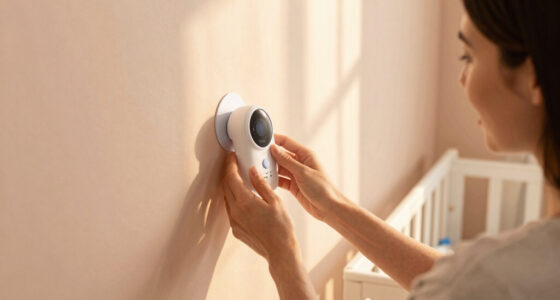
The best camera placement is high up on a wall or shelf, out of your child’s reach, yet with a clear view of the entire room. Imagine a sturdy shelf at about 4-5 feet, angled to cover the play area and sleeping spot. Proper placement ensures you’re capturing all critical zones without blind spots, which is vital as your toddler’s movements become more unpredictable.
Secure the camera with wall mounts or brackets—no loose cords or unstable surfaces. You don’t want a curious toddler pulling it down or tampering. Consider cameras with adjustable pan-and-tilt functions for flexible viewing. These features allow you to shift your focus quickly if you notice something concerning or want to check different areas without repositioning the entire setup. Always double-check that the field of view isn’t blocked by furniture or toys, as clutter can create blind spots that compromise supervision. Effective placement maximizes coverage and minimizes risks of accidental damage or tampering, which is crucial as your child’s curiosity grows.
Additionally, think about the tradeoffs: higher placement can sometimes reduce detail visibility at close range but improves overall coverage, while adjustable cameras might come with higher costs or complexity. Weighing these factors ensures your monitoring setup is both effective and practical for your space and your child’s activity level.
As an affiliate, we earn on qualifying purchases.
The Key Features to Look for in a Toddler Room Camera
When moving into a toddler’s room, certain features become must-haves. High-definition video (at least 1080p) ensures you see every detail—like a toy left on the floor or a sneaky hand reaching for a socket. Higher resolution reduces the chance of misinterpreting what’s happening, which is especially important for safety and behavioral monitoring.
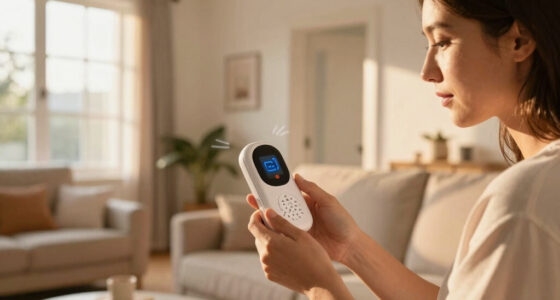
Two-way audio lets you soothe a crying child or remind them to stay safe, fostering communication even when you’re not in the same room. Night vision is vital for monitoring sleep without disturbing with bright lights, but it also helps catch nighttime hazards or unusual movements. Motion alerts and activity zones help you focus on what matters most—like a climbing attempt or a spill—allowing you to respond swiftly and avoid accidents. Some cameras include additional sensors, like temperature and humidity, which can alert you to environmental issues that might affect your child’s comfort or health, such as overheating or damp conditions that promote mold or illness.
Choosing the right features isn’t just about convenience; it’s about creating a safer, more responsive environment that adapts to your child’s growing independence and curiosity. Each feature should serve a specific purpose in helping you supervise effectively while respecting privacy boundaries. For example, balancing high-quality video with privacy controls ensures you’re protected from unnecessary data exposure, especially if the device supports local storage or encrypted cloud options.
baby monitor with AI alerts and local storage
As an affiliate, we earn on qualifying purchases.
As an affiliate, we earn on qualifying purchases.
What New Tech Trends Make Monitoring a Toddler Easier and Safer
Recent camera tech has moved beyond basic video. Many models now include AI-driven features like facial recognition, activity alerts, and even identifying if your child falls or climbs dangerously. These advanced features provide smarter monitoring, reducing false alarms and ensuring you’re alerted only when necessary. For instance, facial recognition can differentiate your child from visitors or pets, reducing unnecessary notifications and helping you focus on genuine concerns.
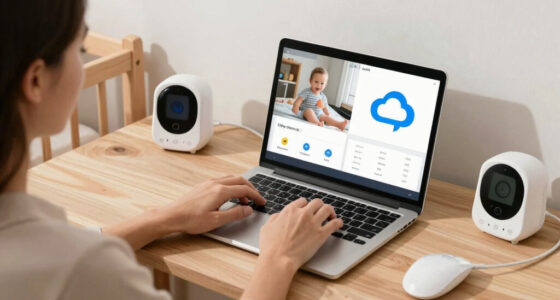
Enhanced video quality, with 4K options, offers clearer images—crucial for catching small details like a toy or a hand reaching for a cord. Higher resolution reduces ambiguity, enabling better assessment of potential hazards or behavioral cues. App improvements give you instant notifications, remote pan-and-tilt controls, and even the ability to record clips for later review. These capabilities make it easier to respond promptly and review incidents if needed, streamlining your supervision process.
Privacy-focused designs are trending, with some brands offering local storage options and end-to-end encryption, helping you avoid cloud vulnerabilities. This shift toward privacy-conscious tech is essential as the camera’s role expands from simple monitoring to more detailed behavior and safety analysis. The tradeoff often involves balancing advanced features with data security, so choosing a device with robust encryption and local storage options can mitigate risks while maximizing functionality. This means you can have peace of mind knowing your data is protected while benefiting from smarter, more responsive monitoring tools.
As an affiliate, we earn on qualifying purchases.
Security and Privacy: Protect Your Toddler’s Digital Space
Moving your camera into a toddler’s room makes security a top priority. Unsecured cameras have been exploited in over 30% of reported breaches, so setting strong passwords and enabling encryption is a must. This isn’t just about preventing hacking; it’s about safeguarding your child’s private environment from prying eyes. A breach could expose sensitive video feeds or give intruders access to your home network, which could have serious safety implications beyond just privacy violations.
Limit access to trusted family members and change passwords regularly. Keep firmware updated to patch vulnerabilities, as manufacturers frequently release updates addressing security flaws. Use cameras with local storage or encrypted cloud options to reduce hacking risks, ensuring your footage isn’t vulnerable to interception. Proper security measures are essential because a compromised camera not only risks your child’s privacy but could also serve as an entry point for cyberattacks on your entire network. This underscores the importance of choosing reputable brands with strong security protocols and regularly reviewing access permissions to maintain a safe digital environment.
From Safety to Behavior Monitoring: What Changes in Your View
In a toddler’s room, your camera becomes a tool for more than just safety. You’ll look for signs of curiosity, independence, or even early behavioral issues. For example, you might notice your child attempting to climb furniture or sneak snacks—things you wouldn’t see with a basic monitor. These insights can inform your parenting, helping you guide development and address concerns early, but they also require a nuanced understanding of privacy and boundaries. The ability to observe these behaviors offers valuable opportunities for early intervention, but it also raises ethical questions about over-surveillance and privacy invasion. Parents must balance the benefits of understanding their child’s development with respecting their child’s need for privacy and autonomy, especially as they grow older and become more aware of being watched.
This shift means paying attention to different angles and possibly recording clips for later review. It also means you’re more involved in observing their development, which can be both rewarding and overwhelming. The increased monitoring can lead to better understanding of your child’s needs but also raises questions about over-surveillance. Striking a balance is key: use these tools to support development without infringing on your child’s privacy or creating unnecessary anxiety about every movement, and be transparent with your child about monitoring practices as they mature.
Practical Tips for Transitioning Your Camera to a Toddler’s Room
- Choose a sturdy mounting spot high on the wall, away from curious hands. Ensuring a secure installation prevents accidents and tampering that could compromise safety or footage quality.
- Set up activity zones in the app—highlight areas you want to monitor most. This helps prioritize alerts and focus your attention on critical zones, like the climbing area or near outlets.
- Test the camera’s field of view with your toddler’s typical activities—climbing, playing, even spills. This proactive step ensures you won’t have blind spots during real-time supervision and helps you adjust placement if needed.
- Update your security settings—change default passwords, enable two-factor authentication if available. Strong security practices are essential as the system becomes more integral to your child’s environment.
- Keep the camera’s firmware current—check for updates monthly. Regular updates patch vulnerabilities and improve functionality, keeping your monitoring system reliable and secure.
These steps help you create a safe, effective, and reliable monitoring setup, adapting technology to your child’s evolving needs and your safety standards.
What You Need to Know About Monitoring in a Toddler’s Room
Monitoring isn’t just about safety. It’s about understanding your child’s growth and habits. A good camera helps you spot early signs of illness, like a fever indicated by a rise in room temperature, or behavioral changes, like increased curiosity or anxiety. These observations can guide timely interventions or discussions with pediatricians, making the device a proactive tool in your child’s health and development.
Remember, a camera is a tool, not a substitute for your judgment or pediatric advice. Use it responsibly, respecting your child’s privacy and using the data to support their healthy development. Over-monitoring can cause stress or privacy issues, so establish boundaries for when and how to review footage, ensuring it remains a helpful aid rather than a source of anxiety.
Frequently Asked Questions
Is it safe to leave a camera in a toddler’s room overnight?
Yes, if the camera is securely installed, encrypted, and access is limited to trusted users. Always follow the manufacturer’s guidelines and check for updates regularly to keep your child’s digital space safe.
How do I choose the best camera for my toddler’s room?
Look for high-resolution video (1080p or better), strong security features, two-way audio, night vision, and easy app control. Consider extra features like temperature sensors or activity zones based on your needs.
Can cameras invade my child’s privacy?
They can if security isn’t prioritized. Always use strong passwords, encryption, and limit access. Be transparent with your child as they grow, and avoid leaving cameras on when not needed.
What should I do if I see suspicious activity on the camera?
Change your passwords immediately, update firmware, and contact the manufacturer if needed. Consider temporarily disabling the camera until you’re sure it’s secure again.
Are there alternatives to cameras for monitoring toddlers?
Yes, basic audio monitors, wearable devices tracking vital signs, or even a trusted caregiver checking in can supplement or replace video systems, depending on your comfort level and needs.
Conclusion
Moving your camera into a toddler’s room is a smart step, but it’s not just about changing the view. It’s about upgrading security, coverage, and understanding your child’s world better. Think of it as adding a new pair of eyes—more detailed, more aware, more protective. Keep safety front and center, and you’ll gain peace of mind—and maybe a little insight—every day.Cold & flu season Picks
humidifiers
As an affiliate, we earn on qualifying purchases.